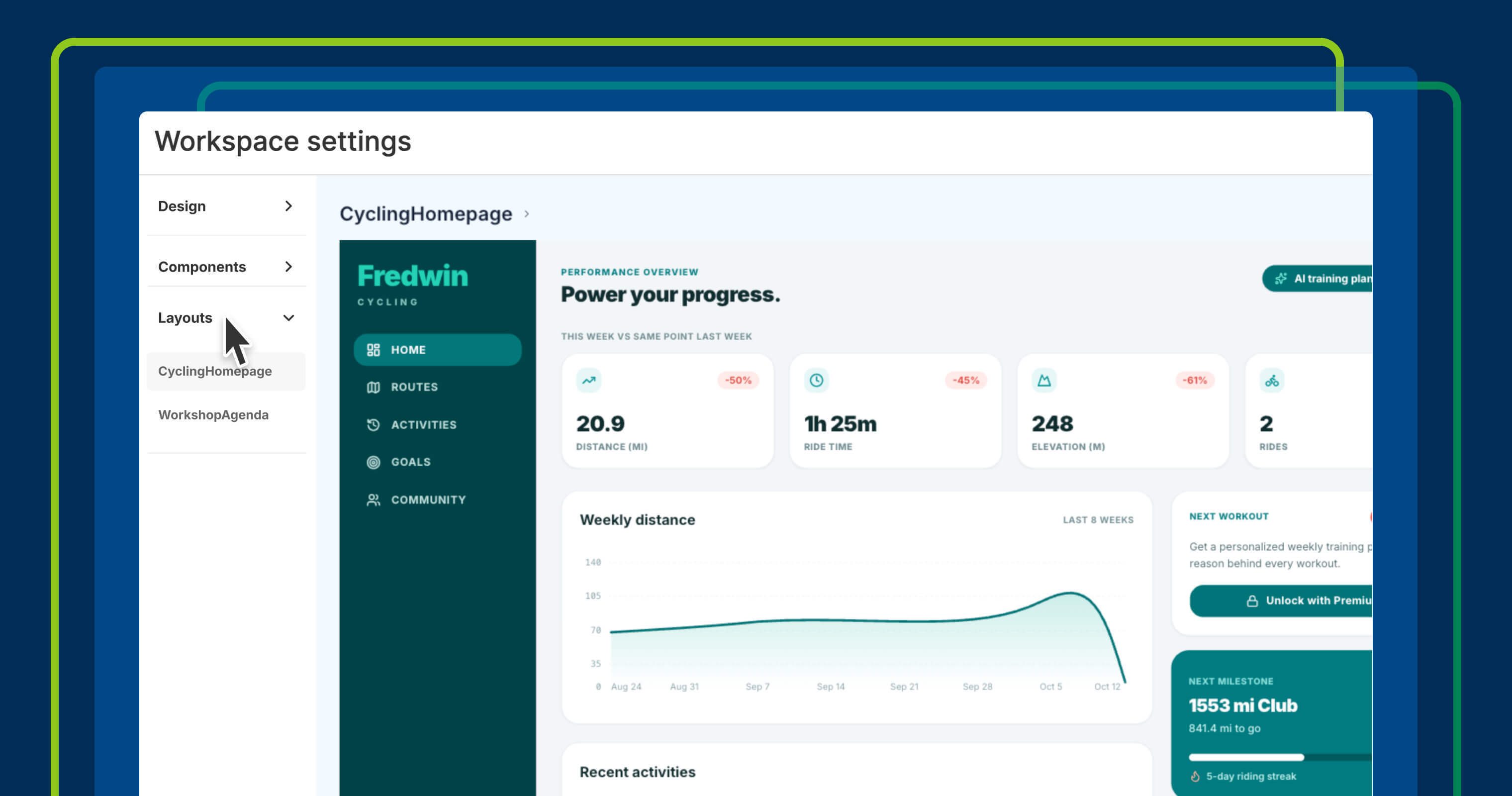
The more realistic your prototype, the easier it is for people to envision how a new feature will work. But chatting with AI to get every detail to match your existing product can take time. Now, you can start with familiar parts of your interface already in place — giving you more time to explore new functionality and gather feedback before development begins.
Save common screen layouts in your design system and reuse them across AI-generated prototypes.
Go beyond individual UI components #
Interactive prototypes have become an essential part of exploring new product ideas. Elle, the AI assistant in Aha! software, can generate multiple variations from your feature requirements so you can quickly compare different approaches.
You could already use design systems to keep prototypes consistent with your product through shared colors, fonts, and UI components. Now, you can reuse entire layouts — from navigation bars and homepages to complex analytics views — to ensure your prototypes look like your existing product.
Here is what you can do:
- Save designs as layouts: Ask Elle to create a layout from a description or screenshot, or save an existing prototype as a reusable layout.
- Refine the details: Chat with Elle to adjust navigation, components, and other design elements until the layout looks just right.
- Reuse UI patterns: Apply the relevant page layout when creating new prototypes for a consistent look.
The ability to reuse common screen layouts helps you build new prototypes faster. In turn, you can focus on creating the best solution.
All Aha! customers can create prototypes with Elle. Design systems are included in all plans (except Aha! Builder Pro). Workspace owners can create and manage design systems, and contributors can use them in prototypes.
Your product will continue to evolve, and the layouts you save can evolve with it. As you update those shared layouts to reflect changes in your product, they will be ready to use when you explore the next feature.
Start a free trial
Our suite of tools includes Aha! Roadmaps, Aha! Discovery, Aha! Ideas, Aha! Whiteboards, Aha! Builder, Aha! Develop, Aha! Teamwork, and Aha! Knowledge. Use each product individually or combined to help teams deliver even greater value. Sign up for a free 30-day trial or join a live demo to see why more than 1 million product builders trust our software to build lovable products and be happy doing it.