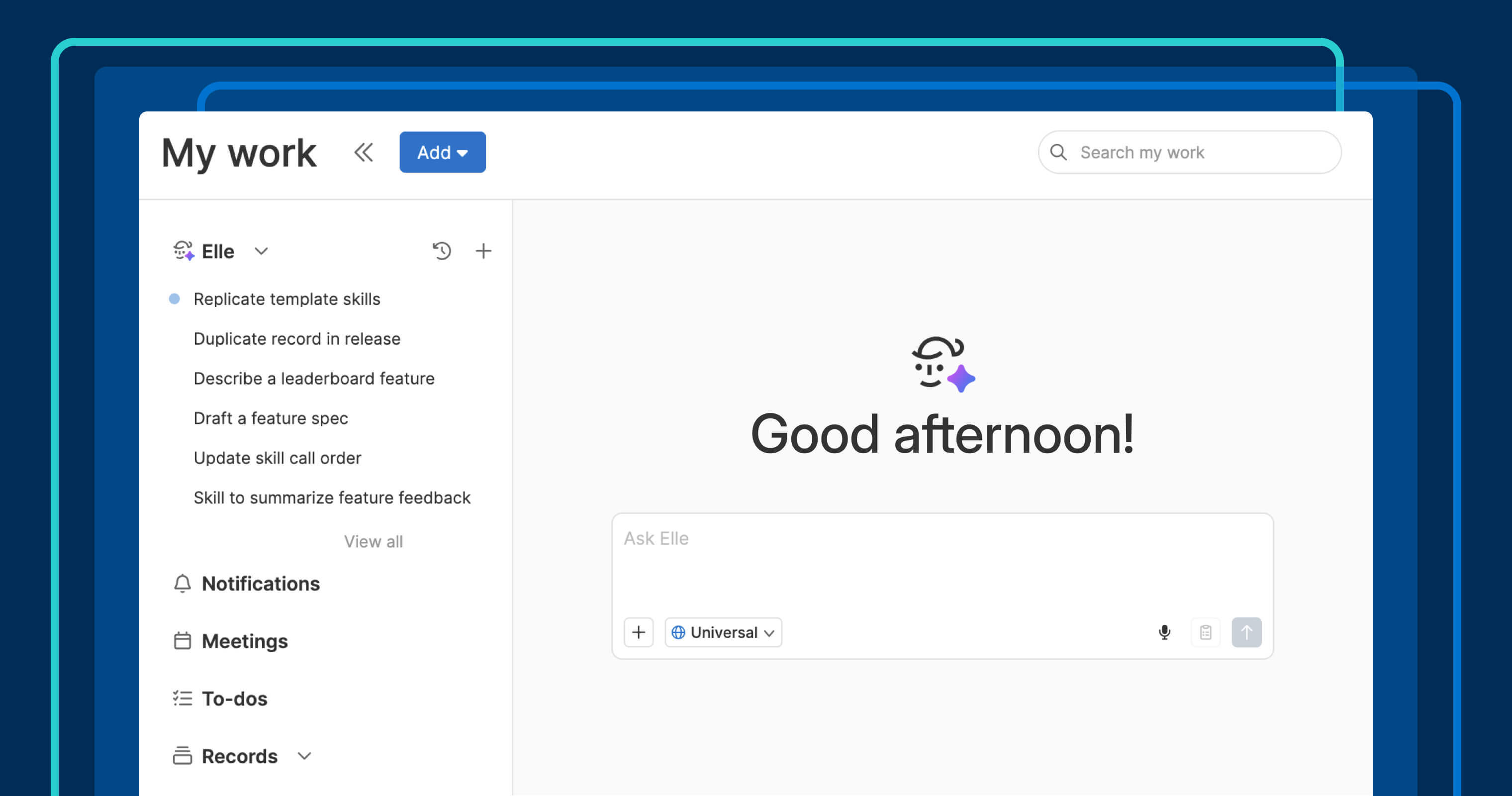
Elle, the AI assistant in Aha! software, can help you draft a description or just talk through an idea that is not fully formed yet. That is true whether you are deep into a project or just starting your day. It has always been useful — just not always easy to get to quickly.
Elle now has its own dedicated screen inMy work. It is a place to think out loud before that thinking becomes a record or a to-do.
Think it through right where you work #
The My work section is your personal homepage in Aha! software. It is where you keep up with to-dos, notifications, meetings, records, and documents so you can decide what to work on next.
Elle now has its own screen in My work. Open a chat from a blank slate, pick up a recent thread from the sidebar, and move between Elle and related work without stalling your progress. If you already use AI tools like Claude, ChatGPT, Gemini, or Copilot, the experience will feel familiar — but here, it is already built into Aha! software and grounded in your product data.
Start a chat about anything, from planning your day to kicking off research.Resume recent chats from the sidebar when you are ready to pick things back up.Track multiple chats in one place, so nothing gets lost when you switch between them.Use personal or workspace skills to shape responses for repeatable tasks.
The result is a simpler way to begin work with AI and keep that work moving inside Aha! software.
Elle is available to all Aha! software customers.
How to get started #
Open
My work from yourUser menu or the workspace dropdown in the top navigation.Select
Elle in the sidebar to start a new chat.Open a recent chat from the sidebar to pick up where you left off.
Select
View all to see your full chat history.
📚 Read the full support article for detailed instructions. The next time you want to think something through with AI, you do not have to leave Aha! software to do it. Elle already knows your roadmap and your feedback — so the conversation starts exactly where your product work already is.
Start a free trial
Elle is available to Aha! customers. Our suite of tools includes Aha! Roadmaps, Aha! Discovery, Aha! Ideas, Aha! Whiteboards, Aha! Builder, Aha! Develop, Aha! Teamwork, and Aha! Knowledge. Use each product individually or combined to help teams deliver even greater value. Sign up for a free 30-day trial or join a live demo to see why more than 1 million product builders trust our software to build lovable products and be happy doing it.