Your browser is quietly an operating system: the 4 WebAssembly engines in our extension
One Chrome extension, no backend for its core features: a real database, two AI inference engines and a full Python interpreter, all running as WebAssembly. What each engine does, how it's wired, and what it costs.
Under the hood is a series about how AWFlow, a browser-native automation tool, works inside. This is #2.
AWFlow has no backend for its core features. Yet a single Chrome extension runs a real database, two AI inference engines and a full Python interpreter. All four are possible because of WebAssembly. Here’s what each one does, how it’s wired up, and what it costs.
The browser has the parts of an OS
WebAssembly (WASM) is a binary format that languages like Rust, C and C++ compile to. The browser runs it at close to native speed, inside the same sandbox as any web page: no install and no system access. If you want the plain-words tour of how that works, WebAssembly, explained covers it; this post is about what we built on top.
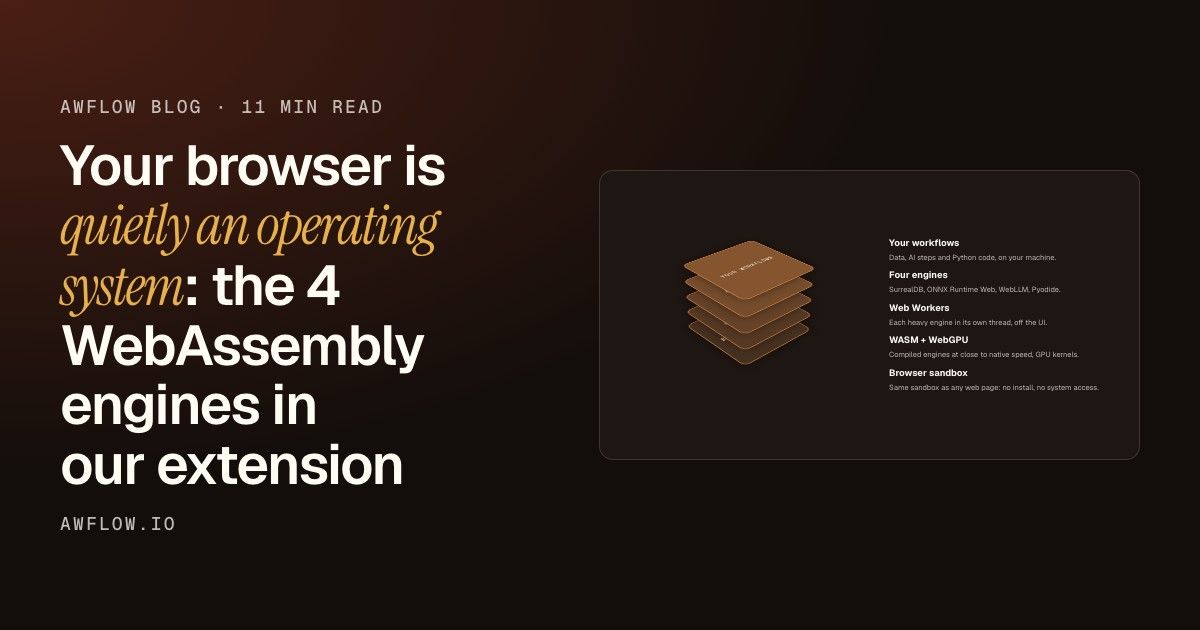
For a product like ours, it changes the architecture. Instead of running engines on a server and sending users’ data to them, we ship the engines to the user. And the browser already has the pieces an engine expects from an operating system:
Here are the four engines, from the bottom of the stack to the top:
Engine
Compiled from
What it does in AWFlow
SurrealDB
Rust
The local database: workflows, run history, agents, knowledge
ONNX Runtime Web
C++
Local AI tasks via transformers.js: classify, summarize, translate, transcribe, embed
WebLLM (MLC)
WASM runtime + WebGPU
Chat LLMs on the user’s GPU
Pyodide
CPython
Real Python for the Code node
Three engines that used to need a server
SurrealDB: a database you ship to the user
SurrealDB’s WASM build includes a storage engine that persists to IndexedDB. Using it looks like using a remote database, except the address is local:
import { Surreal } from 'surrealdb';
import { createWasmEngines } from '@surrealdb/wasm';

const db = new Surreal({ engines: { ...createWasmEngines() } });
await db.connect('indxdb://<local-db-name>');
await db.use({ namespace, database });
Two design choices worth copying:
One long-lived connection. The local database is a singleton that stays open for the life of the app. The init promise is cached, so concurrent callers share one connection instead of racing to create two.
Same engine, more uses. The same SurrealDB setup also backs our local knowledge bases and vector search.
This is the reason AWFlow works with no account: your workflows and history live in your browser from the first second.
Two places engines can live
The classic way: the database, the AI and the code runner sit on a server.
Your data travels
Every query, prompt and script goes over the network to that server.
Results come back
The server answers, every time.
Someone runs that server
So there is a server to scale and secure, and an account to create before you start.
Ship the engines instead
Put the engines in the browser and the trip disappears: no server for us to run, no account to start, no data to send.
ONNX Runtime Web and WebLLM: two AI engines, each in a worker
ONNX Runtime Web, through transformers.js, runs task models: classification, summarization, translation, speech-to-text, embeddings. For each task it uses WebGPU if the GPU path is known to work for that task, and WASM otherwise.
WebLLM (from the MLC project) runs chat models. Its runtime is WebAssembly, and the heavy math runs as WebGPU kernels on the user’s graphics card.
Both run in dedicated Web Workers, so down or compiling a 2 GB model never freezes the UI. (TensorFlow.js is in the mix too, for a few vision and classic models, but it uses WebGPU, WebGL or CPU backends, so it isn’t one of the four WASM engines.)
The MV3 trap we hit is covered in detail in Running LLMs inside a Chrome extension: ONNX Runtime fetches its WASM files from a CDN by default, and an extension’s CSP (script-src 'self' 'wasm-unsafe-eval') forbids that. You have to ship the runtime files inside the extension and point the library at them.
Real Python, locked in a box
Running user-supplied Python (possibly from a workflow someone else shared) inside your browser needs isolation, so the design is layered:
In more detail:
Its own worker. Python never runs in the app page. A worker has no DOM, no chrome.* APIs and no page state.
A restricted js module. Pyodide normally exposes the host’s globalThis to Python. We replace it with a tiny allow-list, and stub out pyodide.http.
Capabilities removed after boot. Once the interpreter has loaded, the worker’s own network, storage, messaging and nested-worker globals are deleted, as defense in depth.
A fresh interpreter per run. Reusing one and resetting its namespace would let one run’s code hook the next run’s input. So every run gets a new interpreter.
Timeouts that actually stop the code. On timeout or abort, the worker is terminated. We don’t just stop waiting for it.
A fresh interpreter takes about 2 seconds to boot with a warm cache (around 5 seconds cold), so we keep one pre-warmed spare: a worker that has loaded Pyodide but never run user code. Each run takes the spare and immediately starts warming the next one. An unused spare is shut down after a minute.
What it costs, and what it buys
Shipping engines to the browser isn’t free. Here is what it costs us and how we handle each cost:
Cost
How we handle it
Extensions can’t load code from a CDN
Every WASM runtime ships inside the extension
Engines are heavy
Each one is lazy-loaded the first time it’s used (a test checks the heavy dependencies stay out of the main bundle)
Models are big downloads
Downloaded once, cached, visible and deletable in a Local Models page
Not every machine has WebGPU
Always a WASM or CPU fallback
And what it buys:
No server for us to run, scale or secure, and none for users to trust.
No account needed to start.
No data sent: prompts, pages and workflow data can stay on the machine.
The easiest way to see the local database at work is to build a first workflow without signing in. This docs example reads the text you select on a page and shapes it into fields; it is saved in the browser’s local database the moment you create it.
If you’re building a browser extension or a local-first web app, the takeaway is that the browser is now a credible runtime for “server” components.
Next in the series: how WebLLM turns your GPU into an AI server. AWFlow is free to install.