Build a RAG knowledge base from web pages without a crawler or a vector server: save pages and tabs from your browser, index them on your device, then ask questions.
Most RAG tutorials start the same way: a crawler or a scraping API downloads pages, a script splits them into chunks, an embedding API turns the chunks into vectors and a vector database on a server stores them. That works, but it is a lot of moving parts when your sources are twenty help-center articles, a product wiki you are signed in to, and the tabs you keep reopening.
I build AWFlow, a browser extension with knowledge bases that live in your browser. This post shows how a web browser can be the first half of a RAG pipeline, which pages it can and can’t read, and where the approach stops. If you want the engineering story of how those knowledge bases were rebuilt, read we rebuilt RAG in a browser tab.
Can a web browser be part of a RAG pipeline?
Yes, and for small, personal or team collections it is often the simplest place to start. A RAG pipeline has two halves: fill a knowledge base (load, split, embed, store) and answer from it (search, then hand the best passages to a model). The browser is already good at the hardest part of the first half: it renders the page, runs its scripts and carries your sign-ins.
In AWFlow, a knowledge base is a named collection of text chunks and their vectors, stored in an embedded database in your browser. Knowledge bases are never synced; one leaves your device only as a file you export.
How do you get web pages into a knowledge base?
There are five ways in, and they all go through the same indexing pipeline, so a page saved one way and later re-saved another way is still one source.
From the knowledge bases page, New knowledge base opens a dialog where you name it, add your first sources (files, web pages, open tabs or pasted text) and choose its privacy. Each source then shows its own progress while it is indexed. What happens to a page when you save it?
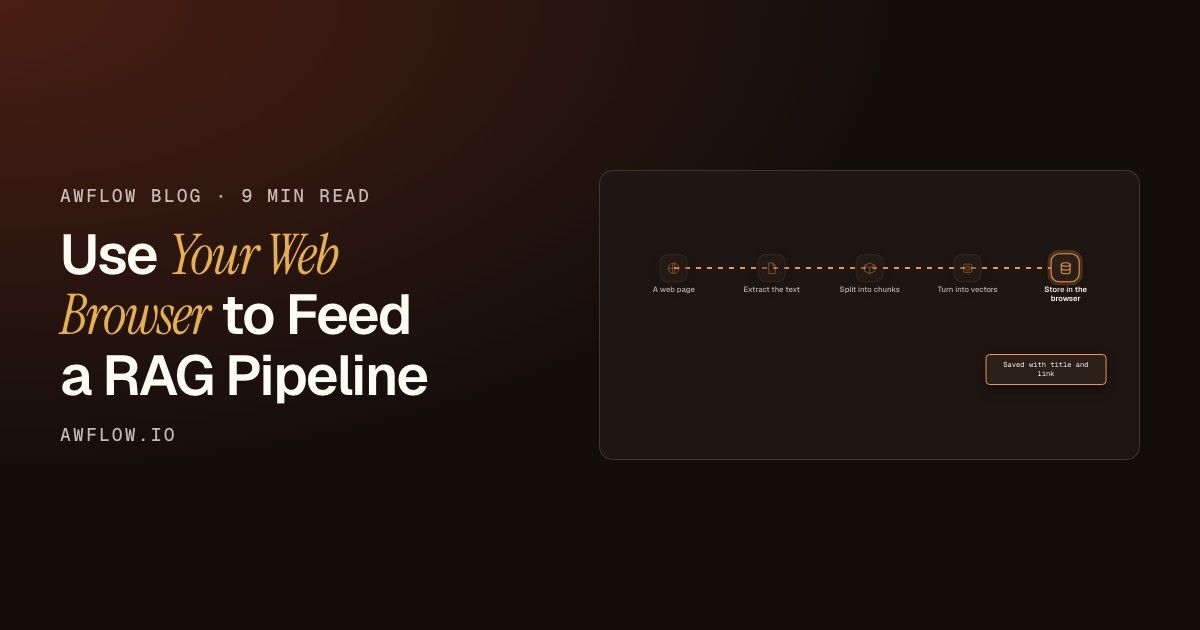
Every source goes through the same steps. The page’s text is extracted (navigation, scripts, styles and images are skipped), split into chunks of about 350 tokens by default (200 or 800 if you choose small or large), turned into vectors by an embedding model, and written in batches of 16.
The default embedding model runs on your device, so building the knowledge base sends nothing to an embedding API. Each chunk keeps its provenance (the page title and link), which is what the answers later cite.
Which web pages can it read: a URL or an open tab?
This is the part to get right, because it decides whether pages behind a login work.
A URL is downloaded by the app without your cookies. Public pages work. Pages that need you to be signed in, and sites that block this kind of request, fail with a hint to add the open tab instead.
An open tab (in the extension) is read from the page itself, as you see it. Pages you are signed in to work, because the text comes from your own session.
A URL and an open tab of the same address count as the same source. Saving it again replaces the older copy instead of adding a second one, and if the page got shorter, the extra old chunks are removed.
How do you keep the knowledge base up to date?
Pages change. You have two options:
By hand: right-click the page and choose Add page to knowledge base again. It replaces the older copy.
With a workflow: read the page with Get All Text or the Current Page Document , then send the text to an Indexer node with a Text Splitter and a Local Knowledge node connected. Set the Indexer’s Source link to the page address so each run updates the same source, and start it from a Schedule trigger if the page changes often. The RAG docs walk through the nodes.
A workflow that reads a tab needs the browser open when it runs, and it saves one page per run step: it is not a crawler that walks a whole site on its own.
How do you ask the knowledge base questions?
Once it is filled, connect the same Local Knowledge node to a RAG Agent, a Q&A Agent or a Tools Agent in a workflow, or pin the knowledge base in a chat with Aria. Search is hybrid by default: keyword matches and meaning matches are combined, so an exact product code or error number is found even when a pure vector search would miss it. Why vector search misses exact terms explains why that matters.
Before you build the answering step, use Test search on the knowledge base page: type a question you expect, and check that the right page comes back.
What are the limits?
If you need to index a whole site every night, or serve answers to thousands of users, a server pipeline is the right tool, and cloud browser or your own browser? covers that choice. If you want an assistant that knows the pages you work with, a browser is the shorter road. FAQ
Can I use a web browser for a RAG pipeline?
Yes. The browser loads the pages (including ones you are signed in to), and AWFlow splits, embeds and stores them in a knowledge base on your device. An agent connected to that knowledge base then answers from it.
Do I need an embedding API key?
No. The default embedding model runs on your device. You can choose another model for a knowledge base; a knowledge base built with a cloud model can’t be picked in the quick-save menu.
What happens if I save the same page twice?
It replaces the older copy. A URL and an open tab of the same address are one source.
Does it work on pages behind a login?
Yes, when you save them from an open tab with the extension. A pasted URL is fetched without your cookies, so signed-in pages fail that way.
Try it Install the extension from awflow.io/download, open a page you keep coming back to, right-click and choose Add page to knowledge base. Then ask Aria a question about it, with the knowledge base pinned in the chat.