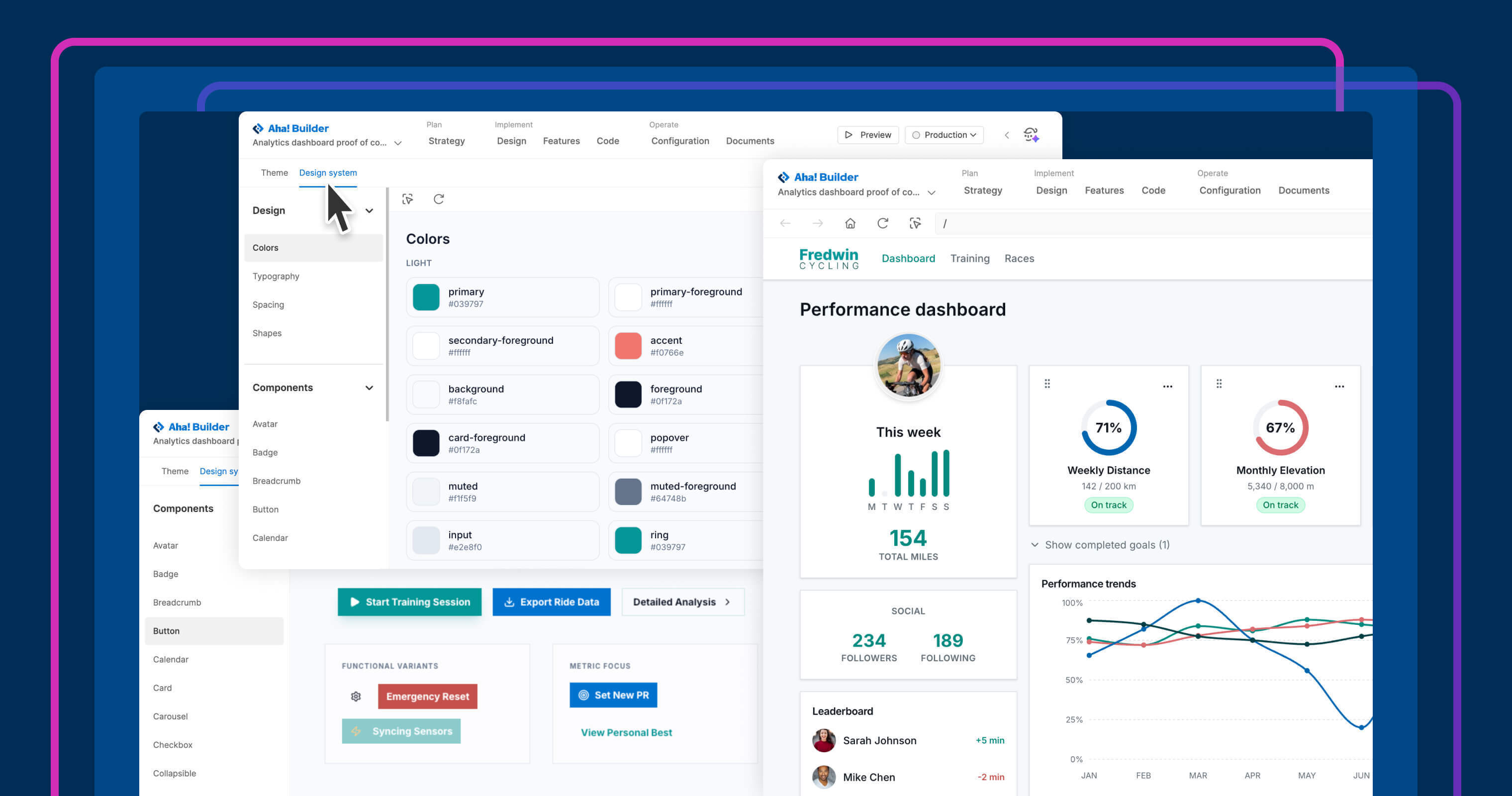
Aha! Builder helps product teams create prototypes and business applications with AI. Built-in capabilities — like authentication, security and privacy reviews, and centralized governance — ensure you can build responsibly without compromising IT standards. Now, you can set up a design system for each application to meet your brand standards, too.
Use design systems in Aha! Builder to fine-tune every color, font, and component to match your brand.
Use your design system #
A polished, on-brand prototype or application starts with consistent design. Aha! Builder now includes a dedicated design system workflow for defining how an application should look. Point Elle (the AI assistant) to screenshots or design files, or describe the experience you want to create. Elle generates a design system, then applies it throughout the application.
Here is what you can do:
Create: Work with Elle to define the design system — including the color palette, typography, and density for each application.Review: Browse the gallery of colors, typography, layouts, shapes, and components.Refine: Adjust specific elements in the design system using the selection tool and by chatting with Elle.Customize: Build custom components, such as cards, site headers, and animations.
Now, it is easier to create prototypes and applications that look more like your product — without manually restyling every screen. You will soon be able to reuse one design system across builds in your account.
Design systems are available for Aha! Builder customers on the Team and Scale plans. Owners can create, refine, and reuse design systems; administrators can see which design system each application uses. Start a free trial to try it out yourself, or join a demo to see how it works.
How to get started #
Open an application and go to
Design Design system.Upload screenshots, attach files, or answer the prompts to generate a design system.
Review the colors, typography, layouts, shapes, and components that Elle creates.
Use the selection tool and chat with Elle to refine specific styles or components. Click
Preview to see how the updated design system is applied across the application.When you are happy with the look and feel, deploy updates to production.
📚 For more details, read the full support article. A design system means you no longer have to choose between building fast and building something that looks like it belongs. Every prototype and application can carry your brand from the first screen to the last, with far less manual work along the way.
Start a free trial of Aha! Builder
Aha! Builder is the AI app coding tool — create prototypes, validate proofs of concept, and build business applications. Sign up for a free 14-day trial or join a live demo to see why more than 1 million product managers trust our software to build lovable products and be happy doing it. Contact us if you are interested in trying Aha! Builder in your Aha! Roadmaps or Aha! Ideas account to go from idea to delivery.