Giving Your AI Agents a Safe Place to Play
AI coding agents are great right up until they aren't. "YOLO mode" (letting the agent run commands without asking permission) is where the real productivity lives, but it's also where a single bad rm -rf or a sketchy curl | sh can ruin your afternoon (or your laptop).
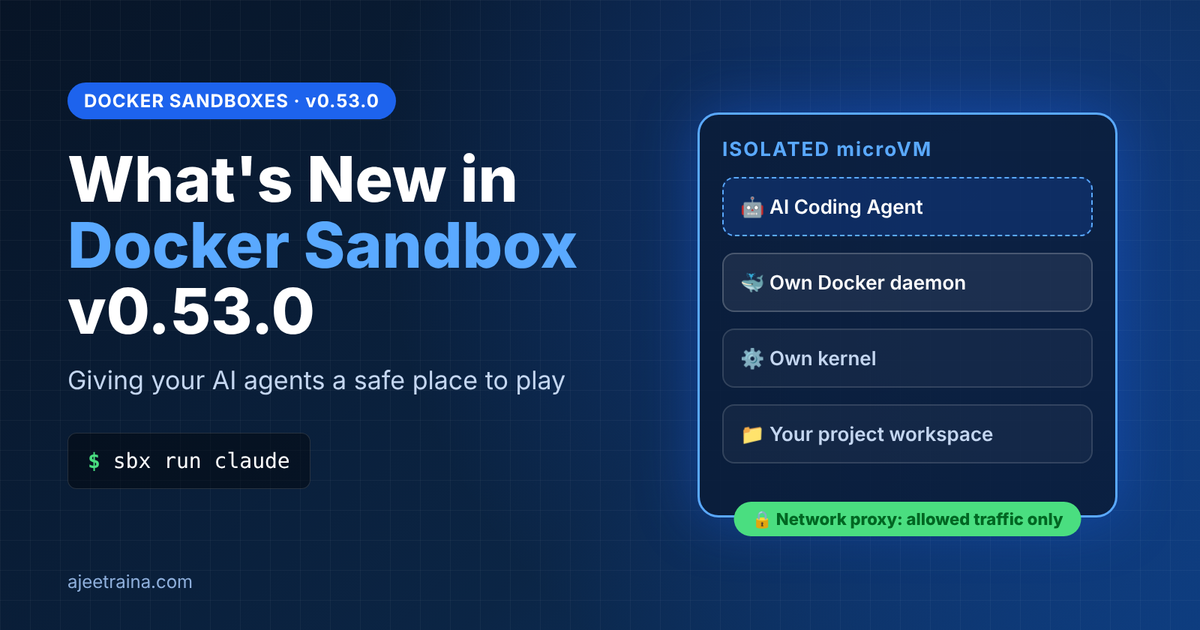
Docker Sandboxes (sbx) solves this the Docker way: it drops the agent into an isolated microVM with its own kernel, its own Docker daemon, and a network proxy that only lets through the traffic you allow.
I spent some time putting the brand-new v0.53.0 release through its paces. Here's what I found.
Installing #
On macOS it's a one-liner, and notably, Docker Desktop is not required:
brew install docker/tap/sbx
bash
$ sbx version
sbx version v0.53.0 2c62838...
Before running anything, sbx diagnose is a great sanity check. It walks the whole stack: CLI binary, daemon health, hardware virtualization, filesystem tooling, auth, and network policy:
INSTALLATION
  ✓ CLI binary — found
  ✓ Daemon — healthy (v0.53.0)
PLATFORM
  ✓ Virtualization — supported (kern.hv_support is 1)
CONNECTION
  ✓ Authentication — authenticated
  ✓ Global network policy — initialized

  17 passed · 3 skipped
Spinning up a sandbox #
I created a throwaway project and launched a bare shell sandbox into it:
mkdir -p /tmp/sbx-053-test && cd /tmp/sbx-053-test
git init && echo 'print("hello from a microVM")' > app.py

sbx create shell --name blog-test /tmp/sbx-053-test
First launch pulls the kit image; mine was ready in about 26 seconds, and subsequent runs are cached. The CLI tells you exactly what you're getting: the image digest, the mounted workspace, and the resources allocated (18 CPU / 18 GiB on my machine).
The four isolation layers, verified by hand #
This is the part that matters, so I tested each boundary rather than taking the docs' word for it.
1. A separate kernel
$ sbx exec blog-test uname -a
Linux blog-test 7.0.14 #1 SMP PREEMPT ... aarch64 GNU/Linux
That's a full Linux guest kernel running on my macOS host via the hypervisor, not a shared namespace. The agent runs as an unprivileged agent user (uid 1000) but has sudo inside the box by design. The security boundary is the VM, not in-guest permissions.
2. The workspace is mounted, and writes flow both ways
$ sbx exec blog-test sh -c 'ls /tmp/sbx-053-test && cat app.py'
README.md  app.py
print("hello from a microVM")
Write a file inside the sandbox and the host sees it instantly:
$ sbx exec blog-test sh -c 'echo "written inside the microVM" > from-sandbox.txt'
$ cat /tmp/sbx-053-test/from-sandbox.txt
written inside the microVM
⚠️ The workspace is the main residual risk. The agent can touch anything in the mounted directory, including .git/hooks/, CI config, and build scripts, which don't show up in git diff. Worth a post-session glance.
3. A private Docker daemon inside the sandbox
This one is my favorite. The sandbox ships its own Docker Engine, fully isolated from the host's:
$ sbx exec blog-test docker version --format '{{.Server.Version}}'
29.9.3

$ sbx exec blog-test docker run --rm hello-world
Status: Downloaded newer image for hello-world:latest
Hello from Docker!
Your agent can build and run test containers all day long without ever touching your host daemon.
4. A network proxy that actually enforces policy
With the default balanced policy, I hit an allowed host and a random unlisted one:
$ curl -s -o /dev/null -w "%{http_code}\n" https://github.com
200
$ curl -s -o /dev/null -w "%{http_code}\n" https://www.random-unlisted-site-xyz.com
403
And sbx policy log shows exactly why. Every decision is auditable:
BLOCKED REQUESTS
  www.random-unlisted-site-xyz.com:443   No matching allow rule (default deny)

ALLOWED REQUESTS
  registry-1.docker.io:443
  github.com:443
Notice that registry-1.docker.io appears in the allow list. That's the hello-world pull from the test above, routed through the proxy. Nothing reaches the network without going through the policy engine.
What's new in v0.53.0 #
A few highlights stood out beyond the core isolation story.
sbx df: local disk accounting. A new command that finally answers "where did all my disk go?" with a docker system df-style breakdown and a reclaimable estimate:
$ sbx df
TYPE            TOTAL   ACTIVE   SIZE      RECLAIMABLE
Images          113     19       50.29GB   17.43GB (35%)
Containers      46      1        12.93GB   12.93GB (100%)
Local Volumes   162     162      4.733GB   0B (0%)
Claude in Chrome access. Enable the claude.chrome setting and sandboxed Claude Code can drive Claude in Chrome using your subscription OAuth login (start it with --chrome). API-key auth alone won't cut it. This is subscription-gated.
Automatic loopback port publication for kits. Kits granted ports.publish with approval: none can grab an auto-assigned loopback port without a prompt (fixed ports still require approval).
Resilience after network changes. Stalled outbound connections now close after ~30s so clients can reconnect cleanly. Handy when you connect a VPN mid-session. There's also a specific fix for TLS-inspecting proxies (Zscaler, Palo Alto, F5) that were rejecting ML-DSA certificate handshakes.
A couple of breaking changes worth noting if you're upgrading:
- The built-in
geminiagent name isretired . Existing Gemini sandboxes keep running but can't besbx move'd. sbx run <agent> -- <args>now preserves the image entrypoint args to match cloud behavior, so don't double up on subcommands.DOCKER_SANDBOXES_USE_DHIis gone; usesbx settings set platform.images.useDHI true.
Note: v0.52.0 was skipped, so these notes cover everything since v0.51.0.
Cleaning up #
sbx rm -f blog-test
Done. State gone, nothing left behind on the host.
Verdict #
v0.53.0 feels mature. The isolation story is exactly what it claims to be (I verified all four layers in a couple of minutes), and the new sbx df command plugs a real ergonomic gap. If you're letting coding agents run unattended, this is the difference between "autonomous" and "reckless." It runs great without Docker Desktop too, which makes it an easy add to any workflow.
Give it a spin:
brew install docker/tap/sbx
sbx login
sbx run claude ~/my-project
📚 Docs: https://docs.docker.com/ai/sandboxes/
📦 Releases: https://github.com/docker/sbx-releases/releases