I ran Docker Sandboxes on a bare-metal NVIDIA GH200 via NVIDIA Brev. It works on Arm, even with the 64K kernel. Here's every step and what's inside.
Yes. A Docker Sandbox microVM booted on a bare-metal NVIDIA GH200 Grace Hopper server, running NVIDIA's 64 KB page kernel, in about 15 minutes from a blank NVIDIA Brev account. The catch: the GPU stays on the host, because sandbox GPU passthrough only works on x86 today.
Lots of people now run AI agents on NVIDIA Arm machines like DGX Spark, Jetson and Grace servers. Docker Sandboxes (sbx) puts each agent in its own microVM with its own kernel. I wanted to know if that works on NVIDIA's Arm hardware. I don't have a Grace machine on my desk, so I rented one on NVIDIA Brev and tested it step by step.
In this post you will see:
- What Docker Sandboxes needs from the host machine
- How to pick a bare-metal Arm server on NVIDIA Brev
- Every command I ran, with the real output
- What the microVM sees from the inside
- What this tells us about DGX Spark and Jetson
What Docker Sandboxes needs from the host #
On Linux, a local sandbox needs Ubuntu 24.04 or later, a 64-bit Intel, AMD or Arm CPU, and KVM turned on. Your user must also be in the kvm group. These come from the Docker Sandboxes install docs.
| Requirement | What it means |
|---|---|
| Ubuntu 24.04 or later | Ubuntu derivatives are not tested or supported |
| 64-bit CPU | Intel, AMD or Arm all work |
| KVM | Hardware virtualization must be on. Inside a VM, the cloud must support nested virtualization |
kvm group |
Your user needs access to /dev/kvm |
GPU passthrough (--gpu ) |
Experimental, x86_64 only, needs a spare NVIDIA GPU and IOMMU (docs ) |
Two things matter for NVIDIA Arm boxes. First, Arm cloud VMs almost never offer nested virtualization, so you need bare metal. The Arm install guide for sbx says the same. Second, GPU passthrough is x86 only, so on Arm the sandbox gets CPU and memory but no GPU.
Cloud sandboxes don't need any of this, since they run on Docker's side. This post is only about local sandboxes.
Picking a bare-metal Arm box on NVIDIA Brev #
I picked the GH200 from DMZ (LaunchPad), because it was the only NVIDIA Arm option that looked like a whole physical server. NVIDIA Brev lets you rent GPU machines from many clouds in one place. It has no Jetson or DGX Spark in the cloud, but it does have two NVIDIA Arm families.
| Option | CPU | RAM | Price | Bare metal? |
|---|---|---|---|---|
| GH200, DMZ (LaunchPad) | 72 Grace cores | 480 GB | $3.36/hr | Likely, it's the full chip |
| GH200, Lambda | 64 cores | 432 GiB | $3.11/hr | Likely a VM |
| T4g x2, AWS | 64 Graviton2 cores | 128 GiB | $3.29/hr | Size matches AWS g5g.metal |
| T4g x1, AWS | 4 to 32 cores | 8 to 64 GiB | $0.50 to $1.65/hr | VMs |
The GH200 is also the closest cousin to DGX Spark, since both use NVIDIA's own Grace-family chips. If you own a DGX Spark, Brev Connect can add it to your Brev account instead.
In the Brev console I went to Compute, then Create a cloud instance, picked the GH200 family and chose the DMZ (launchpad) option. I kept the default software setup, VM Mode w/ Jupyter, named the instance sbx-kvm-gh200 and clicked Deploy.
One thing to know before you click Deploy: this instance type can't be stopped, only deleted. It bills from the moment it starts until you delete it.
Launching the instance #
The instance was ready about 4 minutes after I clicked Deploy, with 0 errors in the build log. Brev's setup script runs first, then installs uv, Python 3.12 and JupyterLab for the default user, nvidia.
Here is the build log, trimmed to the important lines:
--- instance exec attempt 1 ---
/bin/bash
BREV_ENV_ID=mw0ghvcnl
[INFO] [2026-11-22T04:34:13+0000] Starting instance bootstrap oneshot script
[INFO] [2026-11-22T04:34:13+0000] Setting up instance-oneshot service
[INFO] [2026-11-22T04:34:13+0000] Creating systemd service file
[INFO] [2026-11-22T04:34:13+0000] Starting instance-oneshot service
[INFO] [2026-11-22T04:36:11+0000] Service has exited after 0s
[INFO] [2026-11-22T04:36:11+0000] Instance bootstrap oneshot script completed
Installing uv...
down uv 0.13.9 aarch64-unknown-linux-gnu
installing to /home/nvidia/.local/bin
Installing Python 3.12 with uv...
Installed Python 3.12.16 in 405ms
Installing JupyterLab in virtual environment...
Installed 90 packages in 66ms
 + jupyterlab==4.6.6
Creating JupyterLab systemd service...
Build completed successfully.
To get a shell, install the Brev CLI on your laptop and connect:
brew install brevdev/homebrew-brev/brev
brev login
brev shell sbx-kvm-gh200
Checking the host: bare metal and KVM #
The machine passed every check except one: my user wasn't in the kvm group yet. I ran this block to check the OS, CPU, KVM and GPU in one go:
echo "=== OS ==="; cat /etc/os-release | head -4; uname -a
echo "=== CPU ==="; lscpu | grep -E "Architecture|Model name|^CPU\(s\)|Virtualization|Hypervisor"
echo "=== Bare metal or VM? ==="; systemd-detect-virt; cat /sys/class/dmi/id/sys_vendor /sys/class/dmi/id/product_name 2>/dev/null
echo "=== KVM ==="; ls -l /dev/kvm; lsmod | grep kvm; sudo dmesg | grep -i kvm | head -5
echo "=== Groups ==="; id
echo "=== GPU ==="; nvidia-smi --query-gpu=name,driver_version,memory.total --format=csv
echo "=== RAM/Disk ==="; free -h | head -2; df -h / | tail -1
The output:
=== OS ===
PRETTY_NAME="Ubuntu 24.04.5 LTS"
NAME="Ubuntu"
VERSION_ID="24.04"
VERSION="24.04.5 LTS (Noble Numbat)"
Linux brev-mw0ghvcnl 7.0.0-1025-nvidia-64k #26~24.04.1-Ubuntu SMP PREEMPT_DYNAMIC Tue Nov  3 21:35:34 UTC 2 aarch64 aarch64 aarch64 GNU/Linux
=== CPU ===
Architecture:                            aarch64
CPU(s):                                  72
Model name:                              Neoverse-V2
=== Bare metal or VM? ===
none
Quanta Cloud Technology Inc.
QuantaGrid S74G-2U 1S7GZBZ0001
=== KVM ===
crw-rw---- 1 root kvm 10, 232 Nov 19 02:42 /dev/kvm
[    1.616107] kvm [1]: nv: 570 coarse grained trap handlers
[    1.616133] kvm [1]: nv: 664 fine grained trap handlers
[    1.616185] kvm [1]: IPA Size Limit: 48 bits
[    1.621798] kvm [1]: GICv4 support disabled
[    1.621799] kvm [1]: GICv3: no GICV resource entry
=== Groups ===
uid=1000(nvidia) gid=1000(nvidia) groups=1000(nvidia),4(adm),24(cdrom),27(sudo),30(dip),46(plugdev),101(lxd),988(docker)
=== GPU ===
name, driver_version, memory.total [MiB]
NVIDIA GH200 480GB, 595.91.07, 97871 MiB
=== RAM/Disk ===
               total        used        free      shared  buff/cache   available
Mem:           573Gi        46Gi       534Gi        82Mi        24Gi       526Gi
/dev/mapper/ubuntu--vg-ubuntu--lv  877G   13G  820G   2% /
What this tells us:
- It's bare metal.
systemd-detect-virtprintsnone, and the hardware is a QuantaGrid S74G-2U server. - The OS fits. Ubuntu 24.04.5 meets the sbx requirement.
- KVM is ready.
/dev/kvmexists and the kernel set up KVM at boot.lsmodshows nothing because KVM is built into this kernel, not loaded as a module. - The user needs a fix.
nvidiais in thedockergroup but not thekvmgroup. - The kernel uses 64 KB pages. This is NVIDIA's
nvidia-64kkernel. Most microVM tools are tested on 4 KB pages, so I expected this could cause trouble.
One more detail: free shows 573 GiB, more than the 480 GB Brev lists. On GH200 the GPU's 96 GB of HBM can show up as system memory too.
Installing sbx and starting the first sandbox #
The first sandbox started on the first try, 64 KB kernel and all. You don't need Docker Desktop or Docker Engine for sbx. Add Docker's package repository, install the docker-sbx package, and add yourself to the kvm group:
curl -fsSL https://get.docker.com | sudo REPO_ONLY=1 sh
sudo apt install -y docker-sbx
sudo usermod -aG kvm $USER
newgrp kvm
sbx version
sbx login
sbx login gives you a link to sign in to Docker Hub in your browser.
Next, make a project folder and start a plain shell sandbox. A shell sandbox needs no model API key, which keeps the test simple:
mkdir -p ~/sbx-test && cd ~/sbx-test
sbx run shell .
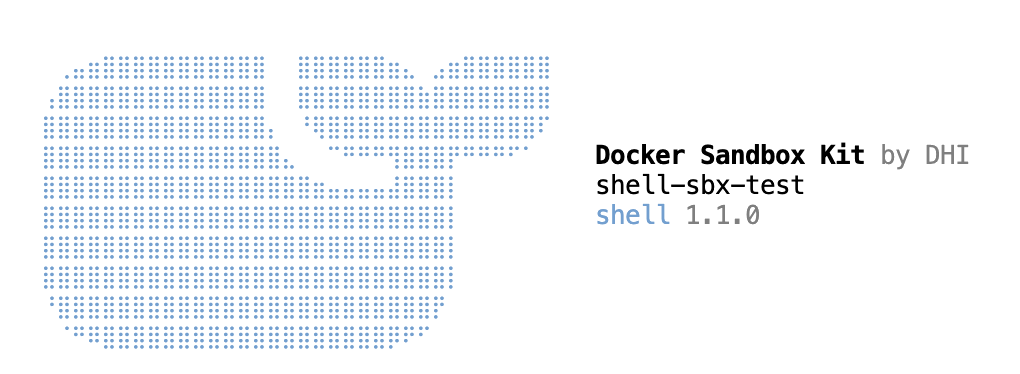
The sandbox boots and drops you into a prompt inside the microVM:
  Docker Sandbox Kit by DHI
  shell-sbx-test
  shell 1.1.0

✓ agent@shell-sbx-test:/home/nvidia/sbx-test$
The sandbox is named shell-sbx-test and uses the shell 1.1.0 template, which is built on Docker Hardened Images. Your project folder shows up inside at the same path, /home/nvidia/sbx-test.
Looking inside the microVM #
The sandbox is a real VM with its own kernel, a slice of the CPU and memory, and no GPU. I ran these commands inside it:
uname -a; nproc; free -h
cat /proc/cpuinfo | grep -m3 -E "CPU implementer|CPU part|Features"
getconf PAGESIZE
ls /dev/kvm /dev/nvidia* 2>&1
The output:
Linux shell-sbx-test 7.0.14 #1 SMP PREEMPT Sat Nov  7 12:31:08 UTC 2026 aarch64 GNU/Linux
16
               total        used        free      shared  buff/cache   available
Mem:            31Gi       428Mi        30Gi        92Ki       220Mi        30Gi
Swap:             0B          0B          0B
Features        : fp asimd aes pmull sha1 sha2 crc32 atomics fphp asimdhp cpuid asimdrdm jscvt fcma lrcpc dcpop sha3 sm3 sm4 asimddp sha512 asimdfhm dit uscat ilrcpc flagm ssbs sb dcpodp flagm2 frint i8mm bf16 dgh
CPU implementer : 0x41
CPU part        : 0xd4f
4096
ls: cannot access '/dev/kvm': No such file or directory
ls: cannot access '/dev/nvidia*': No such file or directory
Here is how the host and the sandbox compare:
| Host (GH200) | Sandbox (microVM) | |
|---|---|---|
| Kernel | 7.0.0-1025-nvidia-64k (NVIDIA) | 7.0.14 (built by Docker, Nov 7 2026) |
| CPUs | 72 | 16 |
| Memory | 573 GiB | 31 GiB |
| Page size | 64 KB | 4 KB |
/dev/kvm |
Yes | No |
| GPU | GH200, 96 GB | None |
What stands out:
- Different kernel. The sandbox boots its own Linux 7.0.14, not the host kernel. That's the main difference from a container.
- Same CPU. Implementer
0x41is Arm, and part0xd4fis Neoverse V2, the Grace core. Flags likebf16andi8mmpass straight through. - Page size is not a problem. The host runs 64 KB pages, but the sandbox kernel picks its own 4 KB pages. Grace users can keep NVIDIA's 64K kernel.
- No GPU and no nested KVM. This is expected on Arm, where sbx GPU passthrough is not supported.
What this means for DGX Spark and Jetson #
If an NVIDIA Arm box runs Ubuntu 24.04 with /dev/kvm on bare metal, sbx should work. I only tested the GH200, so treat the rest of this table as my best guess until someone tries it.
| Device | Will a sandbox start? | GPU inside the sandbox? |
|---|---|---|
| GH200 (tested) | Yes | No |
| DGX Spark (GB10) | Likely. DGX OS is based on Ubuntu 24.04. Check for /dev/kvm |
No. Passthrough is x86 only, and the GPU is part of the chip |
| Jetson Thor | Possible, needs testing | No |
| Jetson Orin Nano | Unlikely. JetPack 6 is based on Ubuntu 22.04, and KVM may not be enabled | No |
To check any machine, run these three commands. You want Ubuntu 24.04 or later, a /dev/kvm device, and none from systemd-detect-virt:
grep VERSION_ID /etc/os-release
ls -l /dev/kvm
systemd-detect-virt
The GPU limit is less of a problem than it sounds. An agent doesn't need to drive the GPU itself, it only needs a model to call. The next step for this setup is to run Docker Model Runner on the host GPU and let the sandboxed agent reach it at host.docker.internal:12434. The agent stays locked in its microVM, and the model gets the full GPU.
Clean up and wrap up #
Delete the instance as soon as you're done, because a DMZ GH200 can't be stopped and bills at $3.36 an hour until it's gone. Leave the sandbox with exit, then delete the instance from the Brev console with the Delete button, or from your laptop:
brev delete sbx-kvm-gh200
The whole test took about 15 minutes and cost about a dollar.
To sum up:
- Docker Sandboxes runs on NVIDIA Grace Hopper, on bare metal, with NVIDIA's 64 KB page kernel.
- Each sandbox gets its own kernel, its own share of the CPU and memory, and the full Grace CPU features.
- The GPU stays on the host for now, because sbx GPU passthrough is x86 only.
- NVIDIA Brev is a quick way to try this without owning the hardware. Pick a bare-metal Arm option.
If you have a DGX Spark or a Jetson Thor, try the three checks above and tell me what you find.