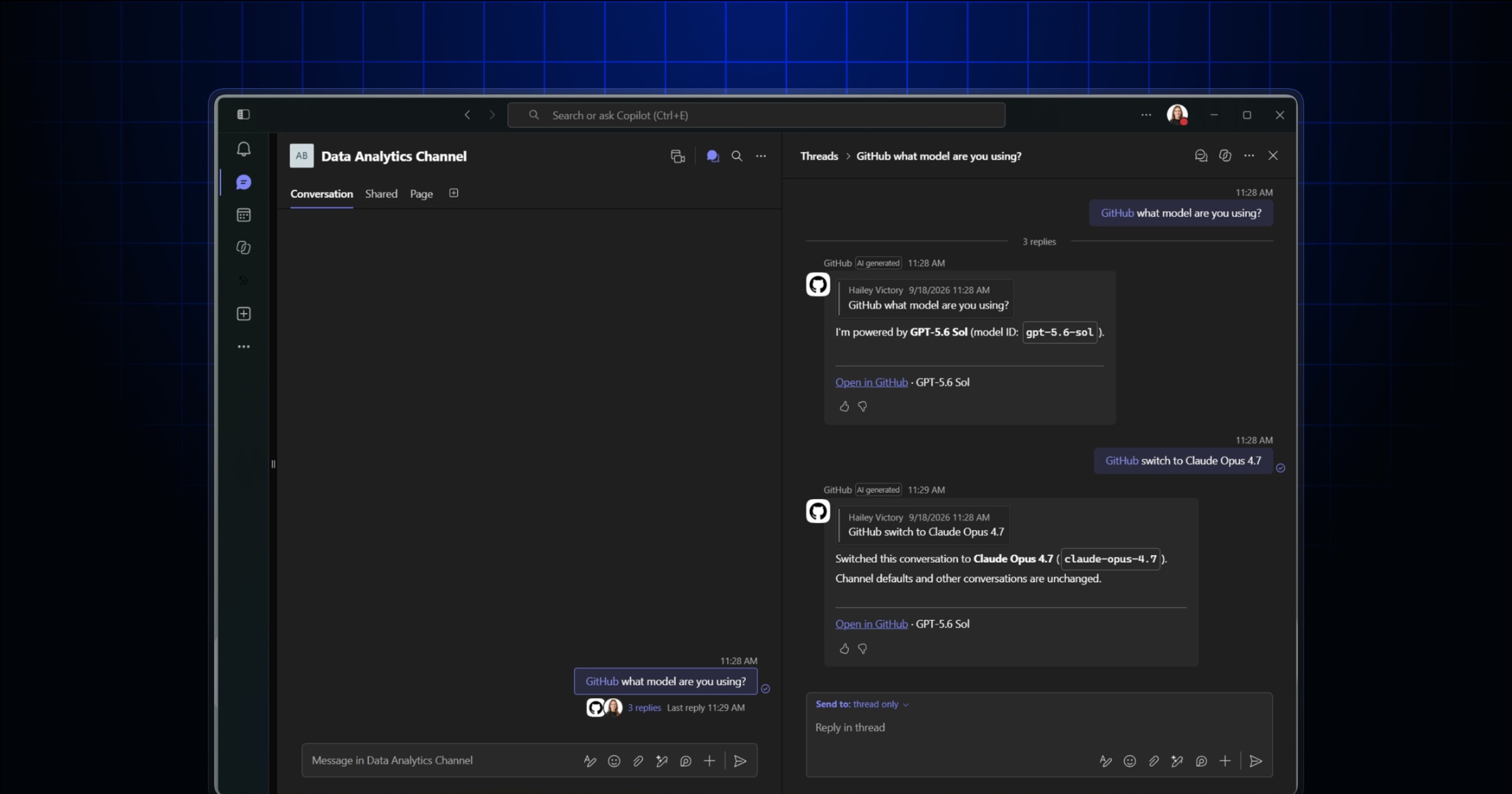
GitHub Copilot in Slack and Microsoft Teams now gives you more context, more control, and a clearer path from conversation to GitHub work.
Whether you’re sharing files in Slack or images and forwarded messages in Teams, Copilot can use more of the context already in your conversation. We’ve also improved how Copilot creates GitHub work and connects it back to the source discussion, so teams can more quickly see the context behind a decision.
Better context for the work you’re already doing
You can now use supported Slack files, attachments, and message links as context. In Teams, Copilot can work with inline images, forwarded-message context, and channel and thread history. Copilot also checks for similar issues before creating a new one, includes direct links to the resulting work, and keeps a link back to the originating conversation so the context remains easy to trace.
More control over how you work
You can switch models for the next message and keep that choice throughout the conversation. In Slack, you can also set default owners and repositories. This makes it easier to keep work moving across repositories and shared conversations.
Bug fixes and reliability improvements
We’ve improved how Copilot handles longer-running tasks, including clearer implementation-plan status, better handling of interrupted or stale replies, and more predictable reconnection behavior when a conversation goes idle. In Microsoft Teams, Copilot now more reliably retains channel-thread history, avoids duplicate answers, correctly handles Teams-converted images, and works more consistently with user-owned repositories and large channels. In Slack, we improved implementation-plan recovery, fixed repository picker and code-channel issues, and made repository switching safer so superseded sessions cannot continue acting in the old repository. Across both experiences, Copilot now provides more accurate messages when a task stalls, a connection is interrupted, or access settings prevent work from continuing.
Availability
The public preview is available to organizations on GitHub Copilot Business and GitHub Copilot Enterprise plans. Usage counts against your existing Copilot entitlements and can be managed with existing Copilot cloud agent budgets. Some capabilities are rolling out gradually and may not yet be available in every workspace.
Get started in Slack
- Make sure an administrator has enabled the Copilot cloud agent policy for your organization.
Install or upgrade the GitHub app for Slack. 3. Link your GitHub account and mention @GitHub in a conversation.
For setup details and supported workflows, see [how to use Copilot coding agent with Slack.](https://docs.github.com/copilot/how-tos/use-copilot-agents/coding-agent/integrate-coding-agent-with-slack)

### [Get started in Microsoft Teams](#get-started-in-microsoft-teams)
- Make sure an administrator has enabled GitHub Copilot cloud agent and cloud sandboxes.
Install or upgrade the GitHub app for Microsoft Teams. 3. In Teams, mention @GitHub and follow the prompts to connect your GitHub account.
For setup details and supported workflows, see how to integrate GitHub Copilot cloud agent with Microsoft Teams. Join the discussion within GitHub Community.