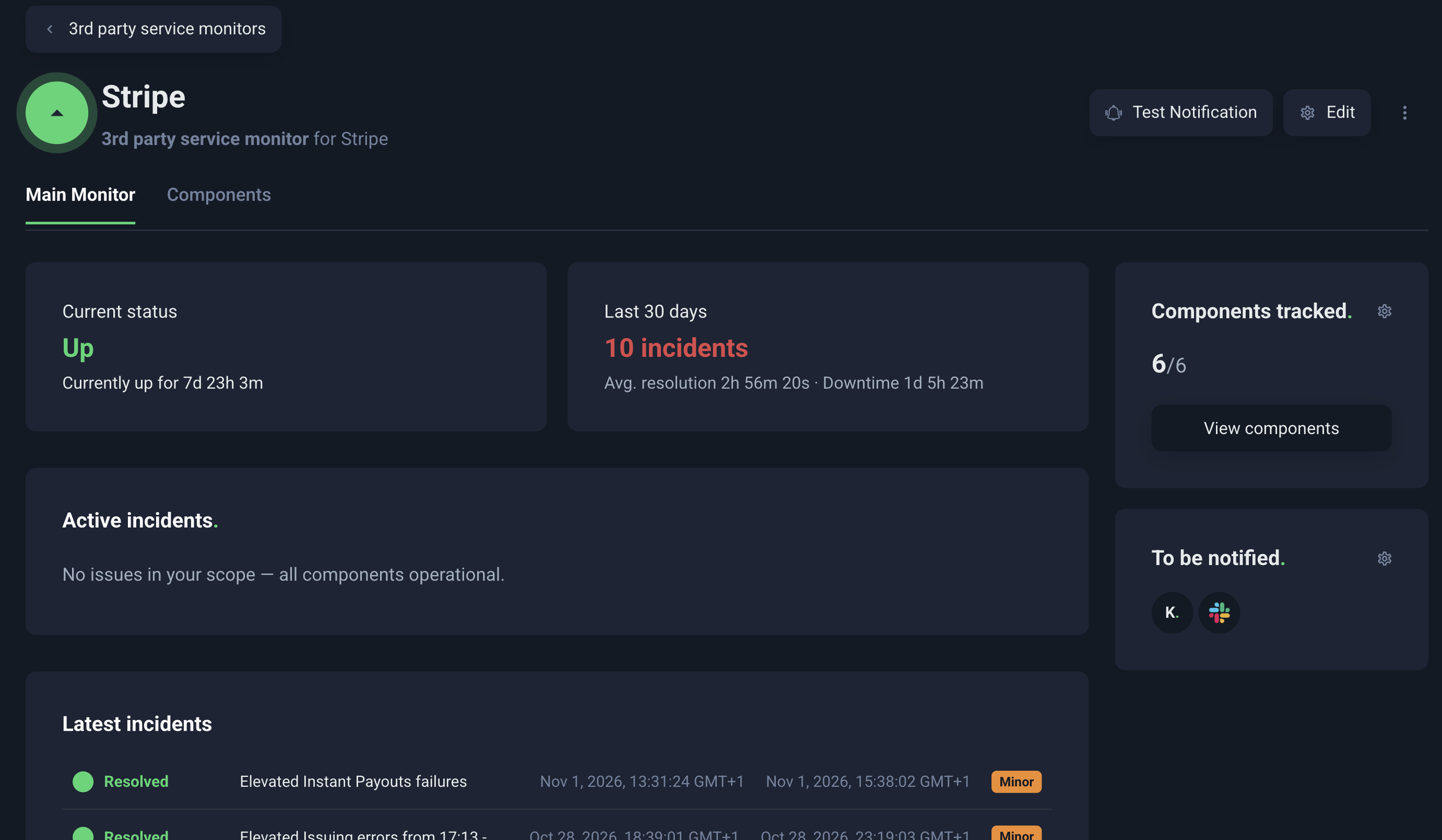
We’re happy to announce that you can set up Third party service monitoring from the UptimeRobot API, MCP server and CLI too, and get alerted when a service your product depends on has an outage.
Add a provider from your deploy pipeline, ask your AI assistant whether Stripe had an incident last night, or check a provider’s status from your terminal.
What is Third party service monitoring? #
Most products depend on services they don’t run. Payments go through Stripe, files sit in AWS, and password reset emails go out through an email provider. When one of them has an incident, part of your product breaks with it.
Third party service monitoring has tracked those providers for you and alerted you when one of them has a problem.
Third party service monitoring follows the status of more than 6,000 cloud and SaaS providers.
You choose the providers your product depends on and the components you actually use, and UptimeRobot alerts you through the notification channels you already have, like Slack, Microsoft Teams, PagerDuty, email or SMS, when their status changes.
Besides official status updates, it also tracks reports from people using the service, which can give you an earlier signal. For example, during one AWS incident, we sent an alert 10 minutes before AWS acknowledged the issue.
These tracked providers don’t count against your monitors as each plan has a separate allowance for them: more on that below or see all plans.
What can you do from the API, MCP and CLI? #
The MCP server has 10 new tools for third party services, and the API and CLI have their own endpoints and commands for them. With any of the three, you can:
- Search more than 6,000 providers and see which ones you already track.
- Start tracking a provider, either all of it or only the components your product uses.
- Decide which incidents reach you: all of them or only major ones, and whether you get follow-up updates on an incident you already know about.
- Check a provider’s current status and go through its incident history, with the provider’s own updates word for word.
- See who on your team was alerted about an incident, on which channel, and whether the alert got through.
- Stop tracking a provider your product no longer uses.
API, MCP or CLI: which one is for you? #
All three work with the same account and the same tracked providers.
API to keep your providers in sync with your code
If you manage monitoring as code, third party services can live there too. When a deploy adds a new integration, the same pipeline can add the provider to UptimeRobot, with the components you use and the alert contacts you want. When you remove the integration later, remove the provider as well and free up the slot for something else. The endpoints and their fields are documented in the UptimeRobot API reference.
MCP to ask your AI assistant
Connect the UptimeRobot MCP server to Claude, ChatGPT or another MCP client, and you can manage third party services just by asking. For example:
- “Track Stripe, but only the API and webhooks.”
- “Which of our providers had a major incident this week?”
- “Show me the last AWS incident and who we alerted about it.”
It’s the quickest way to answer “is it us or them?” when something breaks, without leaving the chat you’re already in.
CLI for your terminal and scripts
The UptimeRobot CLI now has commands for third party services. You can search the catalog, start tracking a provider, check its status, and read its incidents and who was alerted, all from the shell you already have open. Add the –json flag to get JSON output, so you can feed a provider’s status straight into your own tooling.
Already using the CLI? Update it to get the new commands. The README on GitHub shows each one with an example.
Which providers should you track? #
Most teams remember their big providers and forget the email API that sends password resets, or the DNS host nobody has logged into for years.
Our guide to third-party services every SaaS should monitor groups common providers by what breaks when they go down. We’re also working on a CLI command that goes through your project and suggests what to monitor, third party services included.
Which plans include Third party service monitoring? #
Third party service monitoring is included in every paid plan. Each plan comes with its own allowance of third party services, separate from your monitors, so tracking a provider never takes a slot away from your own websites and APIs.
| Plan | Monitors | Third party services |
|---|---|---|
| Solo | 10 | 1 |
| Solo | 50 | 5 |
| Team | 100 | 20 |
| Scale | 200 | 40 |
| Scale | 500 | 100 |
You can search the full provider catalog on any paid plan. Your plan sets how many providers you track at once, whether you add them in the dashboard, through the API, MCP or the CLI.
See pricing for everything else each plan includes.
Add your providers today #
Connect the UptimeRobot MCP server to your AI assistant or update the UptimeRobot CLI, and add the providers your product depends on. The next time one of them has an incident, you’ll hear about it from us.
No. Third party services have their own allowance on every paid plan, separate from your monitors. #
Any MCP-compatible client. ChatGPT,Claude.ai and Claude desktop connect through OAuth, so you sign in to UptimeRobot instead of pasting an API key.