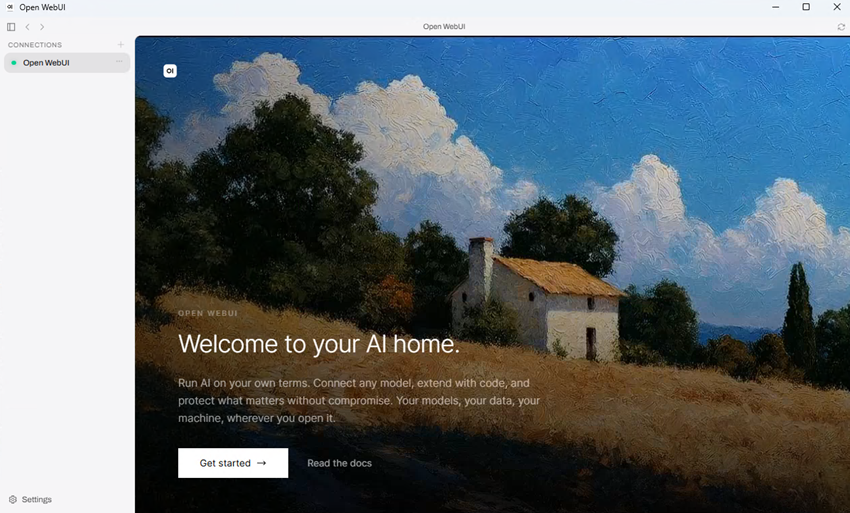
Open WebUI combines chat, model management, files, web search, tool calling, image support, knowledge features, and API access in one local AI interface. For this hands-on review, we focused on the Windows desktop version and used the same hardware and model files from our earlier Jan v0.8.6 testing so we could compare the two applications under similar conditions.
This is the second entry in our Best Local LLM Tools leaderboard, where we are adding repeatable performance results from the same test hardware as we work through the platforms on the list.
Open WebUI is an open-source, self-hosted AI platform designed to give local and remote AI models a browser-based interface that looks and works much like the commercial AI chat services people are already familiar with. It can connect to different inference backends and OpenAI-compatible services, while the desktop application we tested can run GGUF models locally through its bundled llama.cpp environment. That gives it a much wider scope than a basic local chat application, especially once tools, model presets, web search, files, and API access are enabled.
For testing, we went back to the same HP Z4 Rack G5 workstation, NVIDIA RTX 5000 Ada Generation GPU, and two Jan GGUF models used in our Jan v0.8.6 review. We kept the 8,192-token context, 2,048 batch size, 100 GPU layers, and matching sampling values for the measured text runs, while also spending time with Open WebUI’s model presets, multimodal input, DDGS web search, URL fetching, and local API. Getting Open WebUI running properly took considerably longer than we expected, and most of that time went into the local llama.cpp and CUDA setup before we even reached normal model testing. We eventually got everything working, but along the way we ran into a broken default runtime download, missing CUDA files, extremely large context allocations, and a few problems with the built-in tool system.
Test System #
We kept the system configuration unchanged from our Jan testing so the model results would be easier to compare across applications, while also recording the desktop, server, Python, and llama.cpp versions used for this Open WebUI run.
| Component | Configuration | | Operating System | Windows 11 Pro for Workstations | | CPU | Intel Xeon w5-2465X, 16 cores | | Memory | 128GB | | GPU | NVIDIA RTX 5000 Ada Generation | | VRAM | 32,760 MiB (31.99GB) | | NVIDIA Driver | 597.06 | | CUDA Compatibility | 13.2 reported by nvidia-smi | | Open WebUI Desktop / Server | v0.0.20 / v0.12.2 | | Python / llama.cpp | 3.12.13 / b11612, CUDA 12.4 |
Installing Open WebUI Desktop #
The Windows desktop installer begins with an environment setup screen where llama.cpp can be installed locally, Open Terminal can be enabled, and the installation location can be changed under Advanced. We left Open Terminal disabled, enabled llama.cpp, kept the default folder under the Windows user profile, and continued with the local setup.
Once the packages and bundled Python environment were installed, Open WebUI asked us to select a connection and then opened the local browser-style interface. A fresh install presented Open WebUI as the available connection, followed by the Create Admin Account screen that establishes the first local administrator before the main chat window opens.
One detail that can be confusing at first is that Open WebUI Desktop and the local Open WebUI server use separate version numbers. Our final setup used Desktop v0.0.20 with Open WebUI server v0.12.2, with the server running from the bundled Python 3.12.13 environment under the Windows user’s roaming profile.
Adding Models and Configuring llama.cpp #
The desktop application separates model files from the inference runtime, so the Models page manages local GGUFs while Inference Runtime controls llama.cpp. We copied in the same Jan V3.5 4B Q4_K_XL and Jan V2 VL High Q4_K_M files used for our earlier testing, along with the V2 multimodal projection file, and both models appeared in the selector after the runtime was active.
The first runtime problem appeared as soon as we tried to install llama.cpp. Leaving the Version field at latest with CUDA 12.4 selected caused the installation to fail almost immediately. Looking through the desktop log showed that Open WebUI had resolved latest to llama.cpp v0.6.0 and was trying to download a Windows CUDA archive that was not available under that release, so we pinned build b11612 and tried again.
That got us past the first problem, but llama.cpp still would not start because the separate CUDA runtime DLL package had not been downloaded with the main archive. We manually added cudart64_12.dll, cublas64_12.dll, and cublasLt64_12.dll from the official CUDA 12.4 package to the b11612 directory, after which llama-server started normally on port 18881 and the models appeared in the chat interface.
Model Settings and GPU Use #
Open WebUI spreads its model settings across both the desktop application and the main web interface, so there is a bit of a learning curve when you first start changing things. The desktop side covers the GGUF files and llama.cpp runtime, while the main interface adds per-chat parameters, Workspace model presets, capabilities, built-in tools, web-search options, and server administration.
For our measured text runs, llama.cpp used an 8,192-token context, 2,048 batch size, and 100 GPU layers, with prompt caching disabled through –no-cache-prompt so repeated use of the same benchmark prompt would still produce a real prefill measurement. The runtime log also confirmed that Open WebUI passed the configured GPU value to each model process as –n-gpu-layers 100. The Open WebUI chat defaults did not match the Jan values in every field, so we changed the relevant controls before each measured run. Temperature stayed at 0.8 and Top K stayed at 40, while Top P moved from 0.9 to 0.95, Min P moved from 0 to 0.05, frequency penalty moved from 1.1 to 0, presence penalty stayed at 0, repeat last N stayed at 64, and repeat penalty was set to 1.0.
We ended up creating dedicated Workspace presets for both benchmark models and turning off their built-in tools. That became necessary after we discovered that a normal Open WebUI model session could attach a large set of tool instructions before our prompt was even sent, adding enough tool context to push the V2 request past our 8,192-token limit.
Local Generation Performance #
The benchmark prompt stayed identical to the Jan run:
“Explain RAID 5 and RAID 6 to someone building their first NAS. Include the main advantages and disadvantages of each, in about 400 words.”
Web Search was disabled, the first response after each model was discarded as a warm-up, and we then recorded three fresh-chat runs per model.
| Model | Quantization | Median Decode | Median Output | Median Total Time | | Jan V3.5 4B | Q4_K_XL | 115.32 tok/s | 520 tokens | 4.78 s | | Jan V2 VL High | Q4_K_M | 75.06 tok/s | 1,612 tokens | 21.81 s |
Jan V3.5 4B finished with a median decode rate of 115.32 tokens/sec, a median output of 520 tokens, and a median total generation time of 4.78 seconds. Jan V2 VL High reached 75.06 tokens/sec, produced a median 1,612 output tokens, and took a median 21.81 seconds, with its much longer reasoning output accounting for much of the time difference.
Compared with our Jan v0.8.6 results on the same workstation, Open WebUI was about 6.2% slower with V3.5 4B and about 8.5% slower with V2 VL High. Jan reached 123 and 82 tokens/sec respectively, although the applications were using different llama.cpp builds, so this comparison reflects the complete software setups we tested and not llama.cpp performance by itself.
Local Chat and Workspace Presets #
Once we were through the runtime setup, the actual chat experience was much easier to work with, and Workspace presets quickly became one of the features we used the most. Each preset can point back to the same GGUF while carrying its own capabilities, built-in tools, system prompt, knowledge options, and advanced parameters, so we could keep separate benchmark and web-search configurations without duplicating the model itself.
The preset system also helped us figure out one of the stranger failures from the benchmark setup. When we used Jan V2 VL High as a raw model, Open WebUI automatically attempted a query_knowledge_files call during the RAID test and sent the request past our 8,192-token context limit. Creating a benchmark preset with Builtin Tools set to None dropped the actual generation prompt to 41 tokens and stopped the extra tool call from interfering with the test.
For regular use, the same preset system can be used in the opposite direction by giving one local model web search, file access, or other tools while leaving another preset stripped down for plain chat. That approach worked well during this review because it kept the benchmark model separate from the web-search model without creating another GGUF copy.
Multimodal Input #
Jan V2 VL High detected its multimodal projection file automatically, so we reused the nvidia-smi screenshot from our Jan review and asked for the exact GPU model, driver, total VRAM, current utilization, GPU temperature, and power usage shown in the image. The model returned every requested value correctly.
The response identified the NVIDIA RTX 5000 Ada Generation, driver 597.06, 32,760 MiB of total VRAM, 0% utilization, 40 C, and 7 W / 250 W. Those readings matched the screenshot, giving Open WebUI a clean pass for our qualitative multimodal test.
Web Search #
Web Search has its own section in the administrator settings, with controls for the search provider, number of results, URL , SSL behavior, and other retrieval options. We selected DDGS because it did not require another API key and created a separate Jan V3.5 4B preset with Web Search and the required built-in tool access enabled.
Our first run showed one of the limitations of pairing a small local model with several tool steps. V3.5 successfully called search_web and found the Open WebUI GitHub releases page, but it stopped there instead of opening the result and fell back to its older internal knowledge. The answer then incorrectly claimed that October 15, 2026 was in the future, even though the search itself had already found the correct page.
We tried again with a prompt that explicitly told the model to use fetch_url after searching, and this time both tools ran. The fetched GitHub page pushed the request to 17,689 tokens, however, which was well above our 8,192-token context limit. Setting Fetch URL Content Length Limit to 8,000 characters brought the request back under control, and the next run correctly identified Open WebUI v0.12.2 with the GitHub releases page cited as its source.
Local API #
The API test was much easier after everything we went through with Web Search. We enabled API keys and queried http://127.0.0.1:8080/api/models from PowerShell, which returned both raw GGUF models and all three Workspace presets we had created. This also confirmed that the presets were available through the local server and were not limited to the chat interface.
We followed that with a POST request to /api/chat/completions using the Jan V3.5 4B benchmark preset, and Open WebUI returned a correct RAID 5 versus RAID 6 summary. PowerShell displayed one Unicode dash as a garbled character in the console output, but there was nothing wrong with the generated answer itself.
What Went Wrong #
We ran into enough problems during setup that it is worth collecting the biggest ones here, especially for anyone planning to use the Windows desktop build with local CUDA inference. The default latest llama.cpp installation failed, we had to pin build b11612, and the separate CUDA runtime DLLs still had to be copied into the llama.cpp directory before the local server would start.
A clean reinstall caused a different problem by removing the runtime arguments we had been using. Without –ctx-size 8192, llama.cpp fell back to the models’ very large native context values across its server slots, with V2 VL High reaching 169,984 tokens per slot and V3.5 reaching 192,000. VRAM use climbed close to the RTX 5000 Ada’s 32GB limit and the remote desktop session became noticeably slower until we restored the 8,192-token context.
The other problems came from Open WebUI’s tool system. Built-in tools added enough context to break the raw V2 test, while Web Search needed an explicit fetch step and an 8,000-character URL limit before V3.5 completed the full search-and-fetch request. We eventually worked through each problem using the application’s settings and logs, but getting Open WebUI ready for repeatable testing took considerably longer than our Jan setup on the same workstation.
Conclusion #
By the end of testing, Open WebUI had covered everything we wanted to try in this round, including local text generation, multimodal image reading, DDGS search, URL fetching, custom model presets, and authenticated API access.
Text-generation performance came in a little below Jan on the same workstation, with Open WebUI reaching 115.32 tokens/sec on Jan V3.5 4B and 75.06 tokens/sec on Jan V2 VL High, compared with 123 and 82 tokens/sec in Jan v0.8.6. The performance difference was relatively small, while the difference in setup time was much larger because our Open WebUI Windows install needed manual llama.cpp and CUDA work before it was ready for repeatable testing.
For someone who wants one local interface for models, tools, search, files, presets, and API workflows, Open WebUI can reuse the same GGUF across stripped-down benchmark profiles, web-enabled presets, and API calls without creating duplicate model files. Our Windows desktop setup required more manual work than Jan, including pinning llama.cpp, adding the missing CUDA DLLs, and restoring runtime arguments after reinstalling, but once configured it supported a much broader range of local model workflows from the same installation. These results join the Jan numbers in our Best Local LLM Tools leaderboard, and we will keep the same workstation, models, and prompt as we work through the rest of the list.