Dev blog · Guides · 2026-11-28
Short answer: install the plugin for your language from Anthropic’s official marketplace (/plugin install pyright-lsp@claude-plugins-official), then install the language server binary it talks to ( npm install -g pyright). The plugin is only the wiring. Without the binary on your PATH, nothing happens.
That second step is the one people miss. The plugin page says “Python language server”, so it’s natural to assume the server comes with it. It doesn’t.
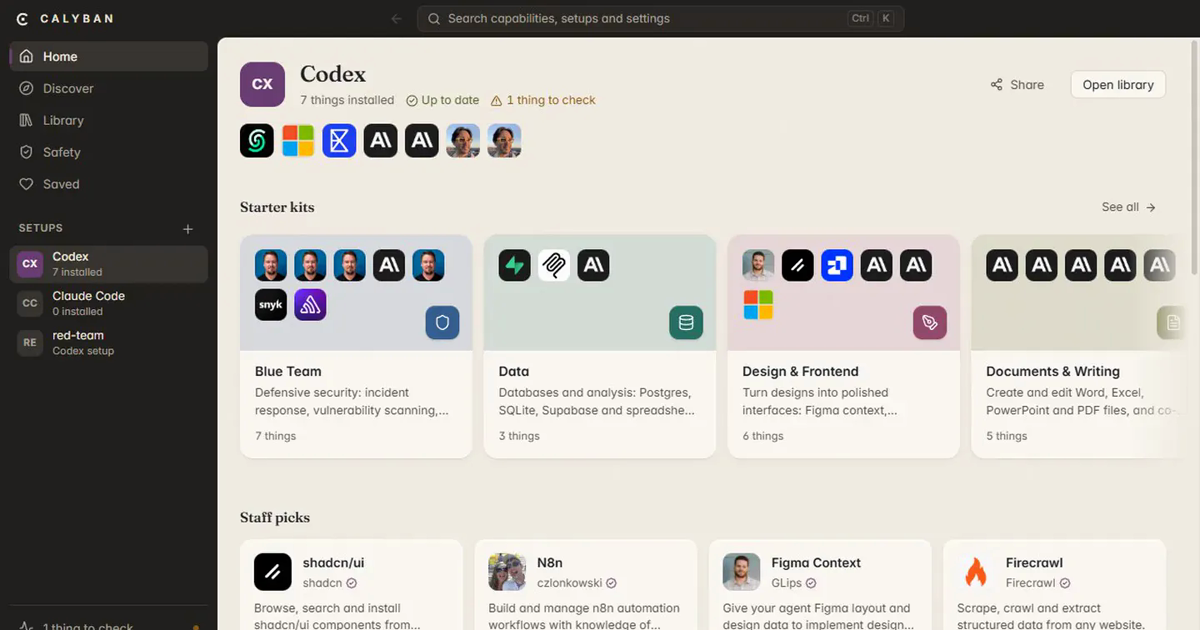
Or let Calyban do the plugin half: search your language, press Install, and it runs Claude Code’s plugin commands and checks the plugin before your next session loads it. Free, no account.
What does an LSP plugin give Claude Code? #
The same thing it gives your editor: go-to-definition, find references, hover types and diagnostics. Instead of grepping for a function name and guessing which match is the real one, Claude Code asks the language server and gets the exact definition. Type errors show up as diagnostics after an edit, so the agent sees a broken import before you do.
Which plugin for which language #
All of these are in the claude-plugins-official marketplace, published by Anthropic.
| Language | Plugin | Server you install | Install command |
|---|---|---|---|
| Python | pyright-lsp |
Pyright | npm install -g pyright (orpip install pyright ) |
| TypeScript, JavaScript | typescript-lsp |
typescript-language-server | npm install -g typescript-language-server typescript |
| Rust | rust-analyzer-lsp |
rust-analyzer | rustup component add rust-analyzer |
| Go | gopls-lsp |
gopls | go install golang.org/x/tools/gopls@latest |
| C# | csharp-lsp |
csharp-ls | dotnet tool install --global csharp-ls |
| C, C++ | clangd-lsp |
clangd | sudo apt install clangd (macOS:brew install llvm ) |
| Java | jdtls-lsp |
Eclipse JDT.LS | brew install jdtls |
| Kotlin | kotlin-lsp |
kotlin-lsp | brew install JetBrains/utils/kotlin-lsp |
| Swift | swift-lsp |
SourceKit-LSP | ships with the Swift toolchain (Xcode on macOS) |
| PHP | php-lsp |
Intelephense | npm install -g intelephense |
| Lua | lua-lsp |
lua-language-server | brew install lua-language-server |
| Ruby | ruby-lsp |
ruby-lsp | gem install ruby-lsp |
The install commands come from each plugin’s README in anthropics/claude-plugins-official.
Installing one by hand #
Inside a Claude Code session:
/plugin install pyright-lsp@claude-plugins-official
If Claude Code says it doesn’t know the marketplace, add it first with /plugin marketplace add anthropics/claude-plugins-official. Then install the binary from the table and restart the session.
Check the binary is reachable from a fresh terminal: pyright --version, gopls version, rust-analyzer --version. For Go, $HOME/go/bin has to be on your PATH, or go install puts gopls somewhere Claude Code never looks.
Which ones should you install? #
Only the languages you actually work in. Each plugin you enable is one more thing loaded into every session, and a C# server is no help in a Python repo. A polyglot monorepo is the exception: TypeScript plus Python plus Go is a normal combination, and all three plugins earn their place there.
The Calyban way #
Search “python language server” in Calyban and Pyright LSP comes up with the rest of the family: TypeScript, Rust, Go, C#, Kotlin and Swift. Press Install and Calyban runs Claude Code’s own plugin commands for you, then checks the downloaded plugin before your next session loads it. Switch off s a plugin without uninstalling it, which is handy when you hop between a Rust week and a Python week.
You still install the language server binary yourself. That part belongs to your toolchain, not to Claude Code.
Calyban is free for Windows and Linux at /#download. If one of these plugins misbehaves for you, tell us on Discord which language and which error.