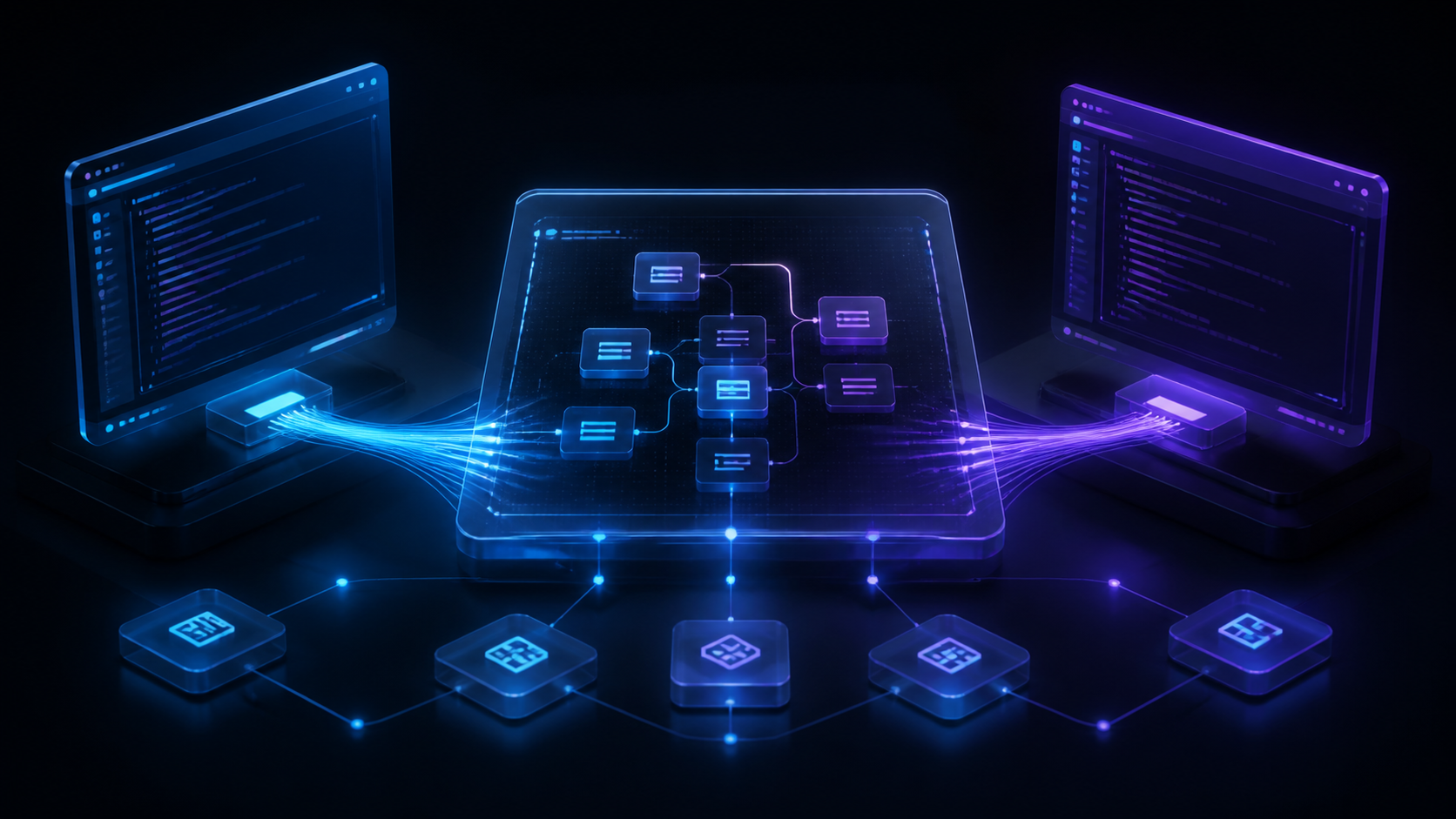
Shared workspaces for Claude Code and Codex compared across multi-human collaboration, parallel sessions, context, review, worktrees, and governance.
Claude Code and Codex are powerful workers. They are not, by themselves, the shared office where a development team coordinates those workers.
A normal agent session belongs to the person who started it. The transcript is on a laptop or inside an account. The agent sees the repository and whatever context that person supplied. Teammates see the resulting branch or pull request later, after many of the decisions have disappeared.
Shared workspaces solve the layer above the agent. They make sessions visible, keep plans and tasks connected to execution, isolate parallel work, and give people a common place to review what the agents produced.
This guide covers the shared-workspace category itself. For the wider collaboration tooling question, read best AI coding collaboration tools. For organizing one person’s concurrent sessions rather than a team’s, read best session managers for Claude Code and Codex.
Best Shared Workspaces: Quick Answer #
Nimbalyst is the best true shared workspace across Claude Code, Codex, visual artifacts, trackers, and human collaboration.GitHub Copilot is the best repository-centered workspace for issues, agent assignments, pull requests, and governed review.Cursor Teams is the best shared team standard when the workspace is primarily the IDE.Zed is the best real-time multiplayer code editor.Replit is the best browser-hosted collaborative coding workspace.Conductor is the best focused workspace for Mac users supervising several agents, now with live workspace sharing.Vibe Kanban is the best Apache-2.0 shared board across several agent backends, with the caveat that it is community-maintained.
The phrase “shared workspace” is used loosely. Some products share code. Some share a task board. Some share a cloud environment. Only a few connect multiple humans, multiple agents, and the non-code artifacts surrounding implementation.
What Makes an Agent Workspace Truly Shared? #
We evaluated each tool against seven requirements:
Multiple people: Teammates can participate without using one shared login.Multiple agents: The workspace can coordinate Claude Code, Codex, or other harnesses.Shared context: Plans, instructions, decisions, diagrams, and task state are durable and accessible.Parallel isolation: Independent sessions can use branches or worktrees without overwriting one another.Visibility: The team can see status, ownership, blockers, and completed work.Review: Output connects to diffs, tests, comments, and pull requests.Governance: Access, deployment, data paths, and integrations can meet organizational requirements.
Comparison Table #
| Workspace | What is shared | Claude Code | Codex | Best for |
|---|---|---|---|---|
| Nimbalyst | Docs, diagrams, mockups, trackers, sessions, chat, provenance | Native local integration | Native local integration | Cross-functional people-and-agent collaboration |
| GitHub Copilot | Repositories, issues, agents, PRs, knowledge | Third-party agent on Agent HQ, public preview | Third-party agent on Agent HQ, public preview | Governed code delivery |
| Cursor Teams | IDE rules and code workflow | Anthropic models through Cursor, not the Claude Code CLI workflow itself | OpenAI models and Cursor agents | Standardized AI IDE |
| Zed | Live editor and project session | Claude agent over ACP, with its own auth | Codex over ACP, with its own auth | Real-time pair editing |
| Replit | Hosted project, runtime, and deployment | Not the primary integration | Not the primary integration | Browser-native collaborative building |
| Conductor | Agent workspaces, shared live on paid plans | Supported agent | Supported agent | Parallel orchestration on Mac |
| Vibe Kanban | Task board and agent work | Supported backend | Supported backend | Community-maintained agent task coordination |
1. Nimbalyst: Best Shared Workspace Across People and Agents #
Nimbalyst runs Claude Code and Codex locally while adding a multiplayer visual layer around them. It treats the plan, tracker, session, file, diff, and decision as parts of one connected project rather than separate apps.
What teams share
- Markdown documents and specifications
- Mockups, Excalidraw diagrams, data models, and other visual artifacts
- Configurable trackers and kanban boards
- Comments, presence, and document history
- Team chat in the same workspace as the artifacts under discussion
- Links among tracker items, agent sessions, files, commits, and pull requests
Each teammate keeps code and private files local. A document or tracker becomes collaborative only when someone promotes it to the team. Their local Claude Code and Codex agents can then read and edit the same shared artifacts as the humans.
What individuals manage
- Persistent Claude Code and Codex sessions
- A kanban board across local agent work
- Optional one-click worktree isolation
- Per-session file traceability
- Inline code and visual diffs
- Mobile monitoring and responses
This separation is useful: local execution for code, selective collaboration for shared project context.
Nimbalyst Teams is in beta at $20 per user per month and free while the beta runs. The desktop and mobile clients are MIT licensed and public on GitHub, shared content is encrypted in transit and at rest, and Nimbalyst is SOC 2 Type 2 certified. Enterprise customers can deploy the collaboration service in their own Cloudflare account, read its source under a restricted license, and build extensions for internal artifact types.
Best for: teams that want multiplayer collaboration around the whole agent-driven development process, not only shared code.
2. GitHub Copilot: Best Repository-Centered Workspace #
GitHub is already a shared workspace in the software-delivery sense. Repositories, issues, branches, pull requests, Actions, code owners, and security controls are visible to the organization.
Copilot adds agent execution and review inside that system. Teams can assign work, track agent progress, use custom instructions, review changes, and keep the result within governed repository workflows. Through Agent HQ, Claude and Codex run as third-party agents on github.com, GitHub Mobile, and VS Code, in public preview, for Copilot Pro, Pro+, Max, Business, and Enterprise subscribers whose administrator has enabled them in account policies. Third-party agents are not currently available in the CLI.
This is the strongest option when “workspace” means the system where code becomes a reviewed and merged change.
It is weaker when the project depends on rich artifacts outside the repository. A Figma mockup, Confluence decision, or architecture diagram can remain detached from the agent task unless the team deliberately integrates it.
Best for: engineering organizations whose shared work already centers on GitHub.
3. Cursor Teams: Best Shared IDE Standard #
Cursor creates consistency by giving every developer the same AI-native editor. Team rules, model access, autocomplete, agent workflows, and administrative settings live inside one polished environment. The team tier is Cursor Teams at $40 per user per month, with SSO, usage analytics, Bugbot review, and a team marketplace for shared rules, skills, and plugins.
One thing to be clear about for this comparison: Cursor gives you Anthropic and OpenAI models inside Cursor’s own agent, not the Claude Code or Codex CLI workflows themselves. If your team’s shared conventions live in CLAUDE.md
and AGENTS.md
and you want those harnesses running as-is, Cursor is a different workspace rather than a wrapper around them.
The collaboration model remains mostly asynchronous: each developer works locally, then shares code through branches and pull requests. Cursor improves each person’s cockpit and reduces configuration drift, but it is not primarily a real-time project room for several people and their agents.
For many teams that is enough. If all important context is in the codebase and pull-request system, a standardized IDE can be the practical workspace. Best for: teams that define the shared workspace as a common developer environment and git process.
4. Zed: Best Multiplayer Code Editor #
Zed’s collaboration model is synchronous. Several humans can enter the same coding session and work together in a fast native editor, on every plan including the free one.
The result is excellent for pairing, incident response, onboarding, and debugging where teammates need the same view in real time. Zed also runs Claude, Codex, OpenCode, Copilot, and Cursor agents over the Agent Client Protocol, so each agent keeps its own runtime, authentication, and model selection while working inside the editor. Its Business tier, $30 per seat per month, adds organization-wide AI model policies and data governance controls.
Zed does not aim to manage the entire product workflow. Session portfolios, cross-functional trackers, and visual product artifacts belong elsewhere.
Best for: teams that want the closest equivalent to multiplayer editing for code.
5. Replit: Best Shared Browser Environment #
Replit makes the environment itself shareable. The code, runtime, dependencies, preview, and deployment path live in the browser, reducing the “works on my machine” barrier.
For prototypes, education, internal tools, and greenfield applications, this can be more collaborative than local agent workflows. A teammate can open the same project without reconstructing the local setup first, and paid plans set explicit collaborator counts and parallel-agent limits. Replit Agent adds natural-language building within that environment, and the Enterprise tier adds SSO/SAML, VPC peering, and single-tenant environments. The tradeoff is that the workflow is most coherent when the project remains on Replit’s platform. Neither Claude Code nor Codex is the primary agent here.
Best for: teams prioritizing zero-setup browser collaboration and rapid deployment.
6. Conductor: Best Focused Multi-Agent Workspace on Mac #
Conductor runs Claude Code, Codex, and Cursor agents in isolated workspaces on a Mac, replacing terminal-tab sprawl with a cleaner view of parallel work.
It is no longer single-player. Paid plans add cloud workspaces, a mobile app, and Conductor Multiplayer, where teammates share a workspace and prompt agents live together. The Teams plan adds an admin portal and centralized billing; Enterprise adds SCIM provisioning and data agreements.
What it shares is the agent workspace. Durable specifications, diagrams, tracker state, and cross-functional review live in whatever tools the team already runs. The desktop control app is currently available only for macOS; paid plans extend it with cloud workspaces and a mobile companion.
Best for: Mac teams whose shared object is the agent workspace itself.
7. Vibe Kanban: Best Apache-2.0 Shared Agent Board #
Vibe Kanban presents tasks and agent work through a browser-based board and supports more than ten agent backends, including Claude Code, Codex, Gemini CLI, and OpenCode. A board makes parallel work more visible and easier to discuss than isolated terminals.
Its shared object is primarily the task. Teams still need places for durable specifications, diagrams, code review, and organizational reporting.
Evaluate it knowing the ownership changed. Bloop, the company behind it, shut down in April 2026, and the project continues as community-maintained open source under Apache 2.0. Bug fixes and features now arrive on community time. See Vibe Kanban after Bloop for the practical consequences.
Best for: teams that want to own and adapt a visual board above multiple agents and can accept community-paced maintenance.
Session Manager vs Shared Workspace #
A session manager answers:
- Which agent sessions exist?
- Are they running, waiting, or complete?
- How do I resume one?
- Which branch or worktree belongs to it?
A shared workspace also answers:
- What outcome is the team trying to produce?
- Which plan and decisions define it?
- Who owns the work and who reviews it?
- Which people and agents changed the shared artifacts?
- How do the document, task, session, files, and pull request connect?
- What context survives after the session ends?
The first problem appears when one person runs many agents. The second appears when many people do.
A Practical Shared Workspace Architecture #
For most professional teams, the durable architecture looks like this: Code remains in git. Agents work on branches or worktrees and submit reviewable changes.Source control remains authoritative for merges. Required checks, ownership, and deployment policy do not disappear because AI wrote the code.Project context stays in open artifacts. Plans, decisions, diagrams, and acceptance criteria should be readable by people and agents.Sessions link to work. An agent transcript without a task or rationale is poor organizational memory.Shared state is selective. Private experiments can stay local; team artifacts should be promoted deliberately.The agent provider remains replaceable. Claude Code and Codex should be execution choices, not the permanent home of project knowledge.
Final Recommendation #
Choose GitHub Copilot when repositories, issues, and pull requests are the workspace your team already shares. Choose Cursor when standardizing the AI IDE is the main goal. Choose Zed for synchronous code collaboration, Replit for a browser-hosted environment, Conductor for parallel agent workspaces on Mac, or Vibe Kanban for an adaptable Apache-2.0 agent board.
Choose Nimbalyst when the team needs one connected workspace across people, Claude Code, Codex, plans, trackers, visual artifacts, and review. It is the clearest option here for the specific problem of making agent-driven development genuinely multiplayer.
Explore Nimbalyst for Teams or compare the wider landscape of AI coding collaboration tools.
Related pages #
Best AI Coding Workspaces Beyond the Terminal
A broader comparison of AI-native coding environments and visual workspaces.
Best AI Coding Collaboration Tools
Compare the leading tools for team context, review, visibility, and governance.
Nimbalyst for Teams
The multiplayer workspace for people and their Claude Code and Codex agents.
Related posts #
Best Enterprise AI Coding Platforms in 2026
Claude Code, OpenAI Codex, GitHub Copilot, Cursor, Devin, and Nimbalyst compared for enterprise engineering teams on control, collaboration, portability, and review.
Best Claude Code Tools for Teams in 2026
The best Claude Code tools for development teams compared on shared context, parallel work, review, governance, and human collaboration.
Best Tools for Managing Parallel AI Coding Agents in 2026
Looking for an agent kanban board or a way to manage multiple coding agents? These 10 tools cover multi-agent coding across Claude Code, Codex, terminal multiplexers, and visual workspaces.