Run a local MongoDB MCP example: create a sandbox, write with PyMongo, inspect the saved merge plan, then explicitly merge or discard the changes.
Current capability notes: checkout materializes a physical database; native actor attribution is per branch/run; undo needs complete images and retained history. CLI sandboxes require watch and scheduled sweep. Read the capability matrix.
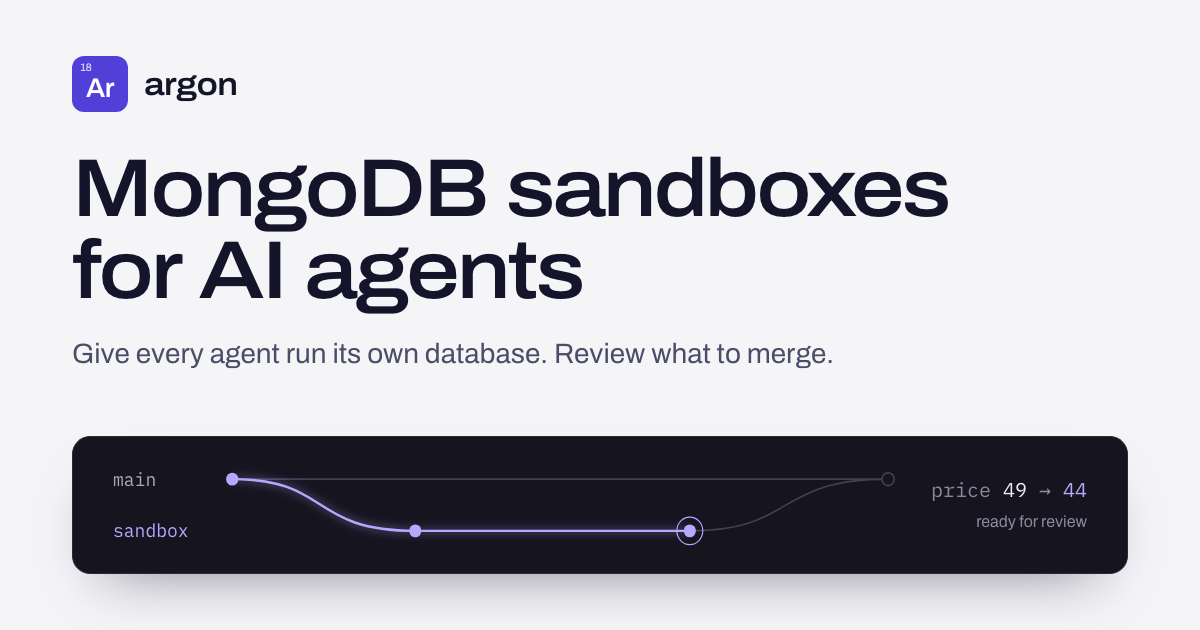
An agent proposes changing a product price from $49 to $44. Before adopting that write, you want to see the proposed document, check the merge plan and confirm that the parent database still contains $49. This walkthrough performs that sequence through Argon's real MCP server and a local MongoDB replica set.
The agent actions are scripted Python, so the example needs no model, API key or MCP desktop app. It sends real MCP requests over stdio and writes through PyMongo. It checks the data before and after the decision; it is not an agent benchmark or an approval service.
1. Prepare a disposable local deployment #
Follow the local quickstart for MongoDB 7+ configured as a replica set, then use Python 3.12+ and npm 11.16+ with a supported Node.js version. This example uses local synthetic data; its account needs permission to create and remove its own fixture databases. It accepts only local MongoDB hosts without credentials; the generated transcript includes the local connection URI.
npm install -g argonctl@2.3.0 --allow-scripts=argonctl
argon --version
python3 -m venv .venv
source .venv/bin/activate
python3 -m pip install "pymongo>=4.6,<5"
curl --fail --location https://argonlabs.tech/examples/mcp_review.py -o mcp_review.py
Download the complete Python example. The script checks the CLI version, creates a unique project and metadata database, prepares a collection for capture, and seeds products/shoe at $49. CLI setup is necessary because Argon's MCP tools do not create projects or collections.
python3 mcp_review.py --mongo-uri 'mongodb://127.0.0.1:27017/?replicaSet=rs0' --binary argon --expected-version 2.3.0 --output-dir review-discard
Use a fresh output directory for each run. The script writes its request/response transcript, server stderr and result summary there. It removes only its own fixture databases after the assertions; inspect the saved files for the results rather than expecting the example project to remain available afterward.
2. Start MCP, then write through the sandbox connection #
The client launches argon mcp with the same MongoDB URI and isolated metadata database as the setup commands. It sends initialize, waits for the response, sends notifications/initialized, then lists the tools. The published server negotiates protocol 2024-11-05. Protocol and server-information versions are separate from the CLI release checked by argon --version.
These are excerpts from an actual local run; project names, request IDs and plan IDs vary. The complete transcript is generated by the script. MCP uses newline-delimited JSON-RPC over stdio; server logs go to stderr.
{
  "request": {
    "jsonrpc": "2.0",
    "id": 4,
    "method": "tools/call",
    "params": {
      "name": "argon_sandbox_create",
      "arguments": {
        "project": "mcp-review-0b97b827123e4512afa03f252b9be0e0",
        "from": "main",
        "name": "review",
        "ttl_minutes": 60,
        "actor": "scripted-review"
      }
    }
  },
  "response": {
    "jsonrpc": "2.0",
    "id": 4,
    "result": {
      "content": [
        {
          "text": "Sandbox \"review\" created (forked from main at LSN 3).\nConnection string: mongodb://127.0.0.1:27037/argon_br_6ad80fe2d733f71e7f2acf13?replicaSet=rs0&directConnection=true\nExpires: 2026-10-20T22:05:38-04:00\nWrites through this connection are captured as versioned history. Merge back with argon_merge_preview/apply, revert with argon_undo, or discard with argon_sandbox_discard.",
          "type": "text"
        }
      ]
    }
  }
}
The returned MongoDB connection points to the sandbox's physical database. PyMongo updates its product from $49 to $44. Document reads and writes use the driver, not an Argon MCP query tool. The script keeps the MCP process running for capture and verifies both documents: main is still $49 and the sandbox is $44.
3. Inspect the documents and the saved plan #
After writes finish, argon_diff reports changed keys and conflict counts. argon_merge_preview saves a plan and returns its ID and counts. Neither text response contains the full before/after document payload. A count of one change is not enough information to approve its contents.
{
  "request": {
    "jsonrpc": "2.0",
    "id": 6,
    "method": "tools/call",
    "params": {
      "name": "argon_merge_preview",
      "arguments": {
        "project": "mcp-review-0b97b827123e4512afa03f252b9be0e0",
        "branch": "review"
      }
    }
  },
  "response": {
    "jsonrpc": "2.0",
    "id": 6,
    "result": {
      "content": [
        {
          "text": "Merge plan 6ad80fe2d733f71e7f2acf1b (review into main): 1 change(s), 0 conflict(s)\nApply with argon_merge_apply.",
          "type": "text"
        }
      ]
    }
  }
}
The script uses argon merge list -p PROJECT --output json with that same metadata configuration to retrieve the saved plan. It selects the exact ID returned by MCP and checks the full change: the intended product, its previous price of $49, proposed price of $44, no delete and no conflicts. Running another CLI preview would create a different plan, so it is not a way to retrieve this one.
[
  {
    "collection": "products",
    "document_id": "shoe",
    "document": {
      "_id": "shoe",
      "price": 44
    },
    "document_key": "shoe",
    "before": {
      "_id": "shoe",
      "price": 49
    }
  }
]
In a real application, inspect every proposed field and conflict, define who can approve, and control who can invoke apply. This example checks a known synthetic change. A preview is neither a database lock nor an identity-based approval policy; changed branch state can invalidate the plan and require a fresh review.
4. Choose discard or explicitly apply #
The default run calls argon_sandbox_discard and asserts that main remains $49. To exercise the merge path, start a second independent run with --apply:
python3 mcp_review.py --mongo-uri 'mongodb://127.0.0.1:27017/?replicaSet=rs0' --binary argon --expected-version 2.3.0 --output-dir review-apply --apply
Here, the flag is the script operator's explicit choice to apply the checked plan. There is no model deciding whether to approve it. MCP receives the saved plan ID:
{
  "request": {
    "jsonrpc": "2.0",
    "id": 7,
    "method": "tools/call",
    "params": {
      "name": "argon_merge_apply",
      "arguments": {
        "plan_id": "6ad80fe2d733f71e7f2acf1b"
      }
    }
  },
  "response": {
    "jsonrpc": "2.0",
    "id": 7,
    "result": {
      "content": [
        {
          "text": "Merged: 1 change(s) applied, 0 conflict(s) resolved.",
          "type": "text"
        }
      ]
    }
  }
}
The script asserts main is now $44, discards the source sandbox, and checks main again. Merge does not automatically delete the sandbox; discard does not revert changes already merged into the parent. Fixture cleanup runs after these checks.
Update, November 2026: from Argon 2.2.0 you can start the server with argon mcp --disable-tools argon_merge_apply. The apply tool is then neither listed nor callable, and a person applies the reviewed plan with argon merge apply. The captured requests above were not re-recorded; see the agent setup for the registration command.
What this example proves #
The same released CLI can create a sandbox over MCP, capture a driver write, save and inspect a merge plan, and either discard the proposal or explicitly apply it. The downloadable script and its assertions run in CI against the published release. This walkthrough was first validated with Argon 2.1.3 and MongoDB 7.0.45, on local synthetic data.
It does not establish a production SLA, model quality or a concurrency benchmark. Database credentials and network controls still provide access isolation. Prepare new collections before their first writes, keep capture healthy, and stop writers before review and cleanup. If capture or plan validation fails, resolve that condition rather than treating an earlier preview as current.
For expiry and stopped-service behavior, see the TTL lifecycle experiment. For competing proposals and conflict handling, continue with the two-agent Python example. This tutorial uses only public interfaces and synthetic data.