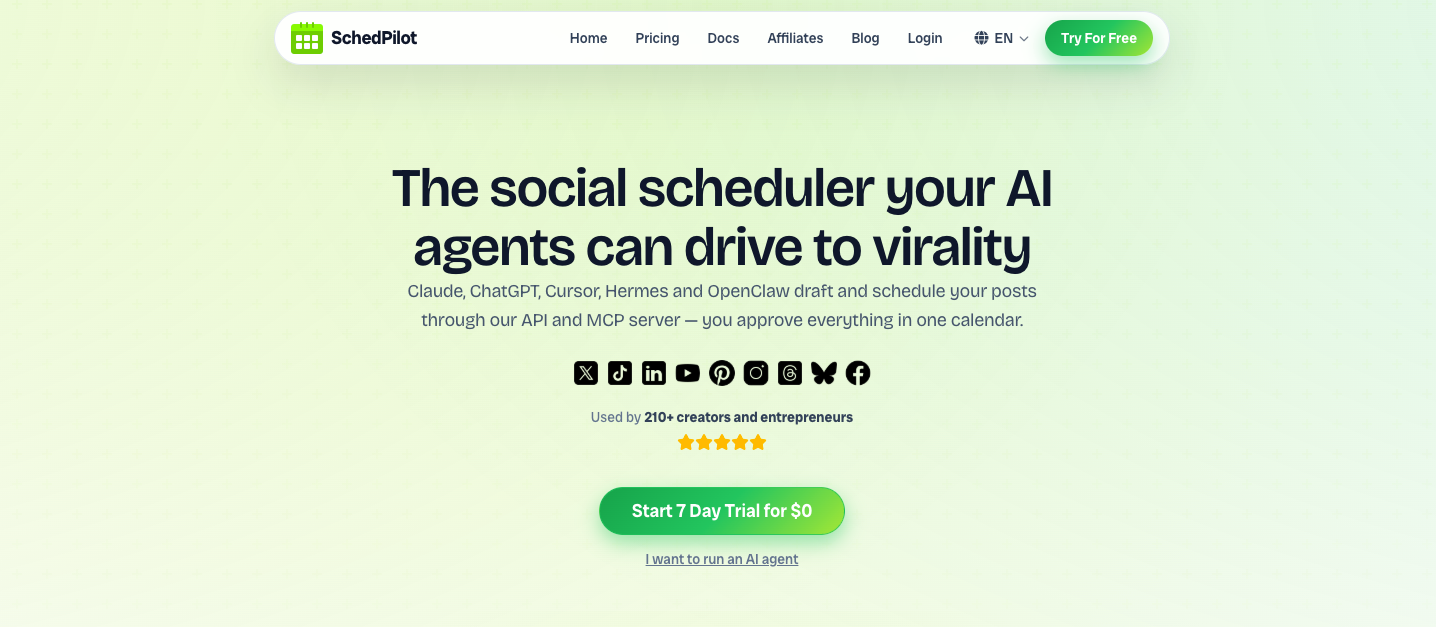
The right prompt turns ChatGPT or Claude into a full social media team — brainstorming ideas, writing captions, planning your calendar, and even reporting on results. Here are 100 copy-paste prompts, organized by task. Swap the [brackets]
for your details and go. Pro tip: These prompts
writeyour content in any AI. To make your AI actually
schedule and publishit — like prompts 51–60 and 71–80 below — connect it to
[SchedPilot](https://schedpilot.com/)via its

[MCP server](https://schedpilot.com/blog/what-is-a-social-media-mcp-server/)or API. Then “schedule this to X and LinkedIn for 9am” becomes a real action, not just text.
Jump to a category
1. Content ideas & strategy #
1. Give me 20 content ideas for a [niche] brand on [platform] for the next month.
2. Suggest 10 content pillars for my [industry] brand, with 3 post ideas under each.
3. What are 10 trending topics in [niche] I could post about this week?
4. Build a 7-day content calendar for [platform] around [goal]. 5. Give me 10 “myth vs. fact” post ideas for [industry].
6. Suggest 10 behind-the-scenes post ideas for a [type] business. 7. What questions is my [target audience] asking that I could answer in posts?
8. Give me 5 weekly content-series ideas I can run on [platform].
9. Turn my product’s top 5 features into 10 benefit-led post ideas.
10. Give me 10 post ideas that would make my audience save or share them.
2. Writing captions & posts #
11. Write a [platform] caption for this post: [describe]. Keep my tone [voice]. 12. Rewrite this caption to be punchier and add a clear call to action: [paste].
13. Write 5 caption variations for this photo/video: [describe].
14. Learn my brand voice from these 3 past posts, then write a new caption about [topic]: [paste].
15. Turn these bullet points into a natural-sounding post: [paste]. 16. Write a caption that tells a mini-story about [topic] and ends with a question.
17. Make this caption more concise without losing the meaning: [paste].
18. Write a promotional post for [offer] that doesn’t sound salesy.
19. Write a caption with a strong hook, 3 value points, and a CTA about [topic].
20. Fix the grammar and flow of this caption while keeping my voice: [paste].
3. Hooks & headlines #
21. Write 10 scroll-stopping first lines for a post about [topic].
22. Give me 10 hook variations for a short video about [topic].
23. Write 5 curiosity-gap hooks for [topic]. 24. Turn this boring opener into 5 stronger hooks: [paste].
25. Write 10 headline options for a carousel about [topic].
26. Write hooks that lead with a surprising number or stat about [topic].
27. Write 5 “before/after” style hooks for [transformation].
28. Give me 10 question-based hooks my audience would stop scrolling for.
29. Rewrite this hook to create more tension or stakes: [paste].
30. Write 5 contrarian-but-defensible opening lines about [topic].
4. Repurposing content #
31. Turn this blog post into an X thread: [paste]. 32. Turn this video transcript into 5 LinkedIn posts: [paste].
33. Turn this long post into a 6-slide carousel outline: [paste]. 34. Summarize this article into 5 tweetable takeaways: [paste].
35. Turn this webinar/podcast into a week of short posts: [paste].
36. Adapt this Instagram caption for LinkedIn and X: [paste].
**37.** Turn this customer review into a social-proof post: [paste].

**38.** Turn this FAQ into 5 educational posts: [paste].

**39.** Extract 10 short-video script ideas from this content: [paste].

**40.** Turn my best-performing post into 3 fresh variations: [paste].
5. Hashtags & discovery #
41. Suggest 15 relevant hashtags for a post about [topic] on [platform]. 42. Give me a mix of broad, niche, and branded hashtags for [brand].
43. Rewrite this caption with keywords so it’s more discoverable: [paste].
44. Suggest 5 reusable hashtag sets for my main [content type].
45. Write SEO-friendly alt text for this image: [describe]. 46. Write a keyword-rich Pinterest description for [pin topic].
47. Write a YouTube title and description optimized for [keyword].
48. Suggest trending audio or format ideas for a TikTok about [topic].
49. List 10 searchable phrases my audience types into [platform].
50. Optimize this post so it ranks better in [platform] search: [paste].
6. Scheduling & planning (with SchedPilot connected) #
51. Schedule this post to X and LinkedIn for tomorrow at 9am: [paste].
52. Plan and schedule 5 posts for this week, one each weekday at 9am.
53. Schedule this carousel to Instagram for Saturday at 11am.
54. Draft a week of posts about [topic] and queue them across my accounts.
55. Show me everything I have scheduled for next week.
56. Reschedule my Friday post to Monday at the same time.
57. Schedule the same announcement to all my connected accounts for tomorrow morning.
58. Turn these 10 ideas into scheduled posts spread over two weeks: [paste].
59. Queue this thread on X for Thursday at 2pm.
60. Fill any empty days in my calendar this week with on-brand posts.
7. Engagement & replies #
61. Write 5 friendly replies to this comment: [paste]. 62. Draft a calm, helpful reply to this negative comment: [paste].
63. Write 10 engaging questions to ask my audience about [topic].
64. Turn this DM inquiry into a warm, on-brand response: [paste]. 65. Write 5 replies I can use to join conversations under [topic] posts.
66. Write a poll idea and options for [platform] about [topic]. 67. Suggest 10 posts designed specifically to spark comments.
68. Write a warm welcome message for new followers.
69. Draft a reply that gently redirects a support question to [link].
70. Write a reply that thanks a happy customer and invites them to share more: [paste].
8. Analytics & reporting (with SchedPilot connected) #
71. How did my posts perform last week?
72. Which of my posts got the most engagement this month?
73. Summarize my X analytics for the last 7 days in plain language.
74. Compare this week’s performance to last week’s.
75. Find my 5 best posts and tell me what they have in common.
76. Write a short client report from my post analytics this month.
77. Which platform is driving the most engagement for me right now?
78. Based on my recent analytics, what should I post more of?
79. Turn my analytics into 3 concrete recommendations for next week.
80. Is there a pattern in the timing of my best-performing posts?
9. Platform-specific #
81. Write a 6-post X thread that teaches [topic]. 82. Write a LinkedIn post with a hook, a short story, and a lesson about [topic].
83. Write a 30-second Instagram Reel script about [topic].
84. Write a TikTok hook and script for [topic] using a trending format.
85. Write a YouTube Shorts title, hook, and 3 talking points for [topic].
86. Write a Pinterest pin title and description for [topic].
87. Write a Threads post that starts a casual conversation about [topic].
88. Write a Bluesky post introducing [topic] to a tech-savvy audience.
89. Write a Facebook post for a local audience about [event/offer].
90. Take one core message and write a native version for X, LinkedIn, and Instagram: [paste].
10. Growth & experiments #
91. Give me 5 A/B test ideas for my [platform] hooks.
92. Write 3 caption variations to test for this post: [paste].
**93.** Suggest a 30-day growth plan for a new [platform] account in [niche].

**94.** Write 3 ad-copy variations for [offer] in a [tone] tone.
95. Suggest a lead-magnet post idea and CTA for [audience].
96. Design a one-week content experiment for [goal] and how to measure it.
97. Suggest 5 collaboration or partnership post ideas for [brand].
98. Write a re-engagement post for followers who’ve gone quiet.
99. Draft a 5-post launch sequence for [product] over launch week.
100. Review my last 10 posts and tell me what to double down on and what to drop: [paste].
How to get the most from these prompts #
Fill in the brackets. The more specific your[topic]
,`[audience]`

, and`[voice]`
, the better the output.Teach it your voice once. Paste a few of your best past posts and tell the AI to match that style going forward.Chain them. Use an ideas prompt, then a caption prompt, then a scheduling prompt — in one conversation.Let it act, not just write. Connect your AI toSchedPilotso the scheduling and analytics prompts actually run.
FAQ #
Do these prompts work with ChatGPT and Claude? #
Yes — they work with any capable AI assistant, including ChatGPT, Claude, and Gemini. Just paste a prompt and fill in the brackets.
How do I make the AI actually schedule or post? #
Connect your AI to a scheduler like SchedPilot through its MCP server or API. Then prompts like “schedule this to X and LinkedIn” become real actions, and the post waits in your calendar for approval.
Can I customize these prompts? #
Absolutely. Replace the bracketed placeholders with your details, and add your brand voice, audience, and goals for sharper results.
What’s the best AI setup for managing social media? #
An assistant like Claude or ChatGPT for the writing, connected to SchedPilot for the doing — so one tool ideates, schedules, publishes, and reports across 9 networks.
Turn these prompts into scheduled posts
Connect Claude or ChatGPT to SchedPilot and let your AI schedule across 9 networks — with every post held in your calendar for approval.