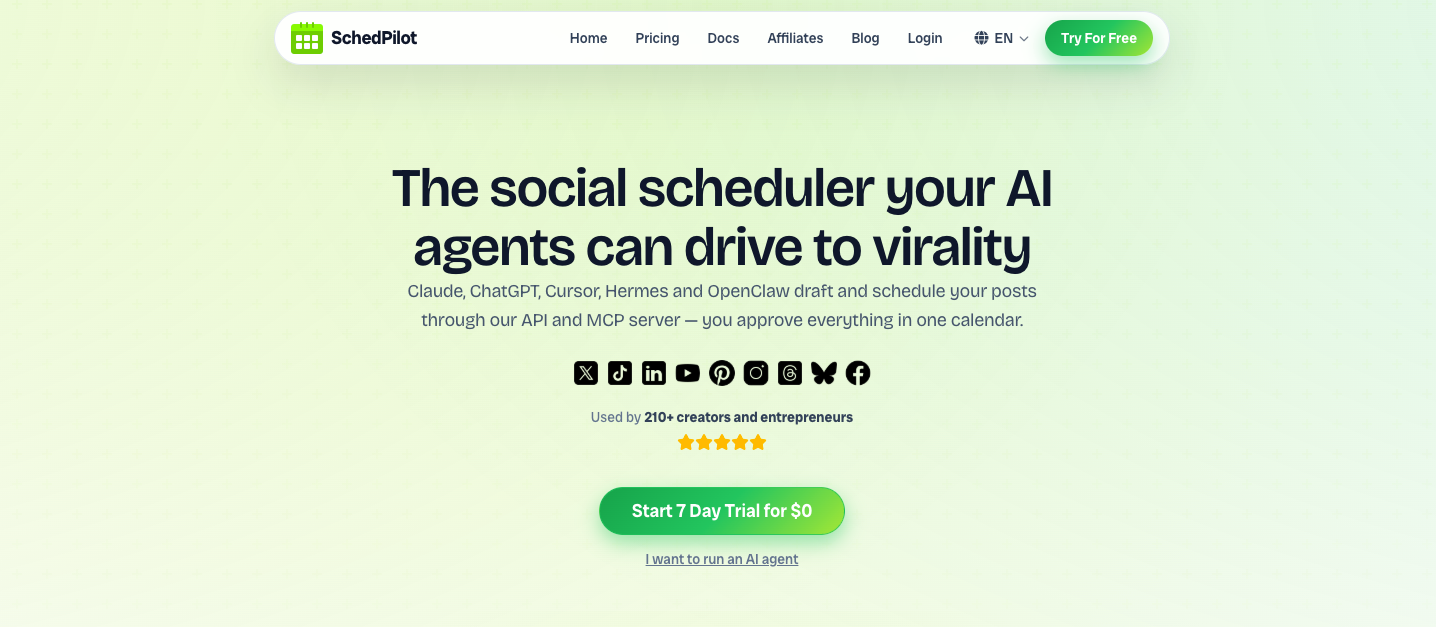
If you’ve heard that Claude or ChatGPT can now “post to your social media,” a social media MCP server is the piece that makes it possible. Here’s exactly what it is, how it works, and how to set one up.
A social media MCP server is a small connector that gives an AI agent (like Claude, ChatGPT, or Cursor) a set of tools — such as “create a post” or “list accounts” — so it can schedule and manage your social media directly, in plain language, without any custom code.
In this guide
First, what is MCP? #
MCP (the Model Context Protocol) is an open standard introduced by Anthropic in late 2024. It’s a common language that lets AI assistants connect to external tools and services — databases, file systems, APIs, and yes, social media platforms — without anyone building a custom integration for each one.
Think of MCP as a universal adapter for AI. Before MCP, wiring an AI model to an outside service meant bespoke code every time. With MCP, any MCP-compatible agent can discover and use any MCP server’s tools instantly. A social media MCP server is simply an MCP server whose tools happen to publish and manage social media posts.
How a social media MCP server works #
The flow is straightforward. You talk to your AI agent in plain language; the agent calls the MCP server’s tools; the server talks to each social platform through its official API; and the results come back to you:
You prompt the agent— “Schedule this to X and LinkedIn tomorrow at 9am.”** The agent picks a tool**exposed by the MCP server, e.g.create_post
, and fills in the details.The MCP server publishes through each platform’s official, approved API.The result returns— the post is scheduled, and (with a tool like SchedPilot) it waits in your calendar for approval before it goes live.
Crucially, the agent never needs your passwords or platform-specific code. The MCP server handles authentication and the messy per-network differences behind one clean interface.
What an AI agent can do with it #
A good social media MCP server exposes a handful of focused tools. For example, SchedPilot’s MCP server gives agents six:
get_accounts
— list every connected social account.create_post
— draft and schedule a post to one or many networks.upload_media
— attach images or video from a URL.list_posts
— see scheduled and published posts.delete_post
— remove a scheduled post.get_analytics
— read a post’s impressions, likes, and engagement.
With those, you can say things like “Plan a week of posts for my product launch,” or “How did last week’s tweets perform?” — and the agent does it, end to end.
Social media MCP server vs API vs Zapier #
MCP isn’t the only way to automate posting — it’s the best fit for AI agents specifically. Here’s how the three approaches compare:
| MCP server | REST API | Zapier / n8n | |
|---|---|---|---|
| Best for | AI agents | Developers & custom code | No-code workflows |
| How you drive it | Plain-language prompts | HTTP requests / code | Visual triggers & actions |
| Setup | Paste a config block | Write code | Build a workflow |
| Who it’s for | Anyone using an AI assistant | Engineers | Marketers & ops |
The good news: you don’t have to choose. Platforms like SchedPilot offer all three — an MCP server, a REST API, and n8n integration — over the same accounts.
How to set one up in 2 minutes #
Connecting a social media MCP server is usually just pasting a config block into your AI client. Here’s the setup for SchedPilot with Claude, Cursor, or any MCP client:
{
  "mcpServers": {
    "schedpilot": {
      "command": "npx",
      "args": ["-y", "schedpilot-mcp"],
      "env": { "SCHEDPILOT_TOKEN": "smm_your_key" }
    }
  }
}
Then grab your token in app.schedpilot.com → API Access, restart your client, and try a prompt:
Schedule a post to X and LinkedIn tomorrow at 9am
announcing our new feature.
The agent calls create_post
, and the post appears in your calendar ready to approve. That’s it. For a full walkthrough, see the documentation, or compare providers in our guide to the best social media MCP servers.
Who should use a social media MCP server? #
Creators & founders who want to plan a week of content by just asking their AI assistant.Developers building AI agents or products that need to publish socially.Agencies automating routine posting across many client accounts.Anyone already living inside Claude, ChatGPT, or Cursor who’d rather prompt than click through dashboards.
Is it safe to let an AI agent post via MCP? #
It’s safe when two things are true, and the best social media MCP servers guarantee both:
Official APIs only. Publishing through platform-approved APIs (rather than unofficial automation) keeps your account compliant and protects your reach.A human approval step. The smartest setups let the agent draft and schedule, but hold every post for your sign-off. SchedPilot, for example, drops every agent-created post into your calendar for review before it publishes — so you get the speed of automation without handing over the keys.
For more on using agents responsibly, see our guide to using AI agents for social media management.
Frequently asked questions #
What is a social media MCP server? #
It’s a connector that gives an AI agent (like Claude or ChatGPT) tools to schedule and manage social media posts in plain language, without custom code. The agent calls the server’s tools, and the server publishes through each platform’s official API.
What is MCP (Model Context Protocol)? #
MCP is an open standard introduced by Anthropic that lets AI assistants connect to external tools and services through one common interface — no bespoke integration required for each service.
Which AI agents can use a social media MCP server? #
Any MCP-compatible client — Claude Desktop, Claude Code, ChatGPT, Cursor, Windsurf, Hermes, and others. SchedPilot’s MCP server works with all of them.
What’s the difference between an MCP server and an API? #
An API is called with code or HTTP requests by developers. An MCP server wraps those capabilities as tools an AI agent can use directly in plain language. Many platforms, including SchedPilot, offer both.
Is it safe to let an AI agent post to my social accounts? #
Yes, when the server uses official platform APIs and you keep a human approval step. SchedPilot does both — every agent-created post waits in your calendar for approval before going live.
Do I need to know how to code? #
No. Setup is a small config block you paste into your AI client. After that, you interact entirely in plain language.
What platforms can I post to? #
With SchedPilot’s MCP server you can post to 9 networks: Instagram, X (Twitter), LinkedIn, TikTok, Threads, Facebook, YouTube, Pinterest, and Bluesky.
Try a social media MCP server free
Connect Claude, ChatGPT, or any AI agent to SchedPilot and schedule across 9 networks in plain language — with a human approval step built in.