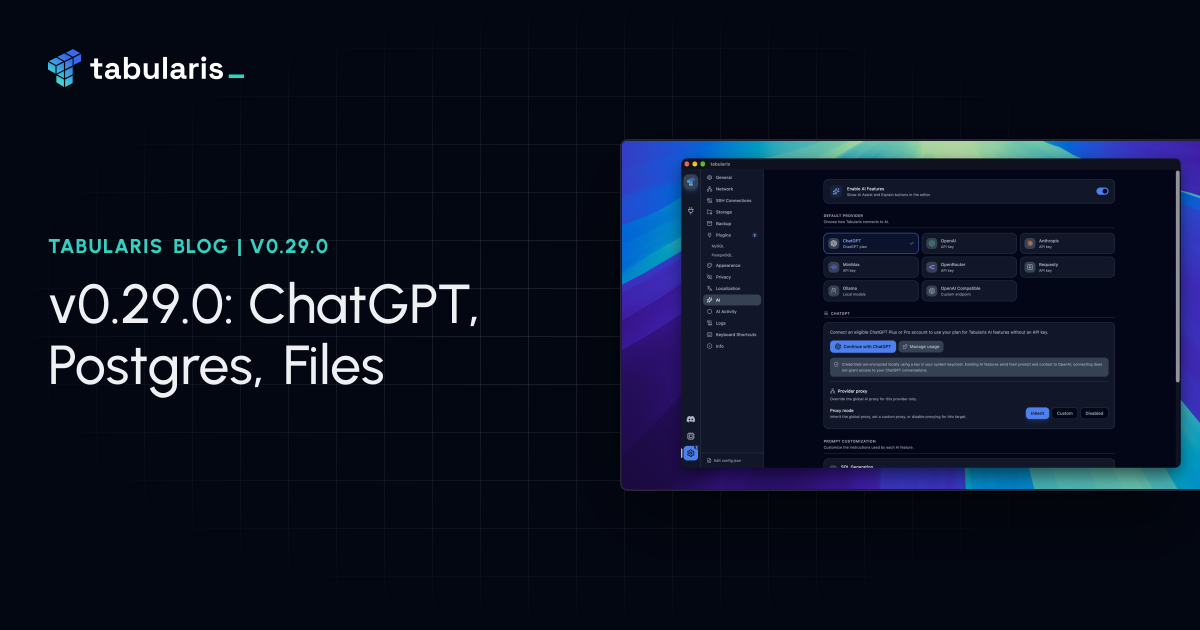
v0.29.0 comes a week after v0.28.0 and is, again, the largest release so far: 115 commits and more than a hundred merged pull requests, from thirty-four external contributors. The giveaway ended on October 13, but the pull requests kept coming. As last time there is no single theme, so this post goes from what you will notice first to what only plugin authors will care about. The AI features can now run on a ChatGPT plan instead of an API key. PostgreSQL connections can browse several databases at once, the way MySQL connections already could. The import dialog reads files, not only the clipboard. The grid gets column statistics, bulk edits and undo, results export to HTML and NDJSON, saved queries get folders, and the app has a new icon. Around it, the BigQuery plugin reached 0.2.0, a Trino plugin landed in the registry, and the PostgreSQL plugin learned to work behind PgBouncer.
Sign In with ChatGPT #
Until now every AI feature in Tabularis needed an API key: OpenAI, Anthropic, OpenRouter, MiniMax, a compatible endpoint, or a local Ollama. PR #1118 adds ChatGPT as a provider, so an eligible ChatGPT Plus or Pro account can power the same features with its plan: SQL generation, query explanations, Visual Explain analysis, and tab and cell naming.
In Settings → AI, pick ChatGPT and press Continue with ChatGPT. Sign-in happens in your browser, following OpenAI's integration guide: an OAuth flow with PKCE, where you also allow plan usage. Back in Tabularis the account shows its plan status, and the model list is the one available to that account; leave the model empty to use the first one. You can add more than one account and switch between them, sign out, or open Manage usage.
Credentials are encrypted locally with a key kept in the system keychain, and tokens are renewed in the background. Connecting does not give Tabularis access to your ChatGPT conversations: the AI features send their prompt and context to OpenAI, exactly as they do with an API key. Switching provider or account clears the stored model, so a ChatGPT model never carries over to OpenRouter or another provider.
The AI settings were rebuilt around this. Providers are now cards, the account sits above the model, prompt editors are grouped, and every field, icon button and accordion exposes its state to screen readers.
Requesty. In the same section, @Thibaultjaigu adds Requesty, an OpenAI-compatible LLM router, next to OpenRouter (PR #817). It loads Requesty's managed routing policies first, then the full chat model catalog, and it is only used when you pick it explicitly; automatic provider detection skips it.
Every PostgreSQL Database on One Connection #
A PostgreSQL connection used to mean one database. To look at a second one on the same server you opened a second connection. In PR #822, closing #340 and #837, @aesslinger brings PostgreSQL to where MySQL already was.
Pick databases in the Databases tab of the connection dialog. Each one becomes a top-level node in the sidebar and expands into its own schemas and tables, with its own schema picker. Everything you can do on a single-database connection works inside each node: create and drop tables, columns, indexes, foreign keys, views and triggers; run, edit and drop routines; open a console; draw the ER diagram, which now has a schema switcher in its window; dump and import. Every command is sent to the database you clicked, including on the RPC path used by the PostgreSQL plugin. Existing single-database connections are not reclassified: browsing several databases is something you opt into.
Video unavailable
A few things came along with it. Creating a trigger on PostgreSQL now writes the backing plpgsql function as well as the CREATE TRIGGER, schema-qualified in both. Dump and import work for plugin drivers, not only the built-in ones. And the ER diagram shows a schema-load error instead of an empty canvas.
Choose the default database. In "Choose databases" mode, @Detoy lets you mark which selected database new query tabs open on, even when another one comes first in the server's list (PR #1020, closes #692).
MCP and the audit log follow. @albertorizzi adds an optional database argument to the MCP tools list_tables, describe_table and run_query (PR #1089). Before, they always ran against the first selected database, so a query meant for another one returned nothing. The approval dialog shows connection / database, so you see where a write will land, and the AI Activity log records the target database too, in its table, detail view and CSV export (PR #1129).
PgBouncer. A new Pooler mode field on PostgreSQL connections, also from @aesslinger (PR #1128), tells the driver whether it is talking to PgBouncer in transaction or session mode. The PostgreSQL plugin reads it to avoid the named prepared statements that a transaction-mode pooler breaks; more on that in Around the Ecosystem.
Import Data from Files #
The import dialog has read the clipboard since v0.9.2. In PR #1023, closing #484, @Detoy adds a second source: a CSV, TSV, JSON or Markdown file. It goes through the same pipeline: type inference, preview, then create a new table or append to an existing one. The dialog, its sidebar entry and the Cmd/Ctrl+Shift+V shortcut are now called Import data, with a Clipboard / Choose file switch at the top.
The file extension decides the format. The CSV parser keeps quoted newlines, CRLF line endings and escaped quotes, and it was tested on 150,000 rows. Files over 20 MiB are refused before they are read. Cancelling the file picker keeps the previous preview, and a read that finishes after you switched source is discarded. A follow-up (PR #1103) adds a retry for the last source and shows a plain "no data" message for an empty file.
Video unavailable
Column Statistics #
Open the column header menu on a table tab and pick Column statistics. In PR #1127, closing #1001, @itsmunzir adds a popover with:
- the row count, distinct count and
NULLcount with its share, plus aunique chip when every non-NULLvalue is distinct; - min and max, for numeric and date/time columns;
- the ten most frequent values, each with its count and a bar for its share. Click one and the table is filtered by it.
The numbers count the rows that match the tab's current filter, and the popover says so. Not every column type gets everything. JSON, XML and the PostgreSQL geometric types have no equality operator, so distinct and top values are skipped there. A masked column never shows min, max or top values, since they would reveal what the mask hides. When something is skipped, the popover tells you why.
Video unavailable
Plugin drivers get it too. PR #1180 adds an optional get_column_stats RPC: a plugin can compute the statistics itself, a SQL-compatible plugin falls back to the generic queries, and on any other plugin the menu entry is hidden instead of opening a popover that can only fail.
The Grid #
Edit a selection in bulk. Right-click inside a selection and the new Edit selection submenu applies one change to every selected cell: fill down, set to a value, set NULL, trim whitespace, UPPERCASE, lowercase or Title Case (@Detoy, PR #1130, closes #1000). It works on a cell range, on whole selected columns, or on selected rows (minus the primary key). Each change is staged as a pending edit, to be reviewed, saved or discarded like a manual one, and running the same edit twice stages nothing the second time.
Undo and redo. Pending edits, inserted rows and deleted rows can be undone with Cmd/Ctrl+Z and redone with Cmd/Ctrl+Shift+Z or Ctrl+Y (@markankamaransheogarat-sys, PR #1206, closes #1167). A multi-cell paste or a multi-row delete is one step. The history keeps the last fifty steps.
Video unavailable
More ways to filter by a value. "Filter by this value" is now a submenu, and it offers >, >=, < and <= on numeric and date/time cells, and contains on text (@itsmunzir, PR #1081, closes #1031).
More ways to copy. Copy as HTML table puts both an HTML table and the usual plain text on the clipboard, so a paste into Google Sheets, Excel, Docs or an email keeps its rows and columns (@harshbhx, PR #1080). The column header menu has Copy column names one per line, as a JSON array (@Rahul-pamula, PR #1048) or as a quoted SQL list (@markankamaransheogarat-sys, PR #1185). In the explorer, a table or view name can be copied plain, quoted or schema-qualified (@CreedTech, PR #1077).
Smaller grid additions. A cell holding an http(s):// URL or a mailto: address gets Open link (@batool-fariha, PR #1079). UUID columns get Set random UUID (@Asymtode712, PR #1049). A setting decides whether the first click on a header sorts ascending or descending (@Totopo27, PR #1006). JSON trees get Expand all and Collapse all (@Asymtode712, PR #1174).
Export #
Loaded query results can be saved as HTML (@dyk1454683243-sudo, PR #1205) and as NDJSON, one object per line (@markankamaransheogarat-sys, PR #1187), next to CSV, JSON and Markdown. Visual Explain can export the whole plan table as CSV, collapsed branches included, with units in the column headers and empty cells where a metric does not exist (PR #1184). It can also save the raw plan to a .json, .xml or .txt file, depending on what the database returned (PR #1178). Both are from @markankamaransheogarat-sys.
The proposed file name is now orders_2026-10-20.csv for a table tab and result_2026-10-20_1406.csv for a console, instead of a timestamp in milliseconds (@cestercian, PR #1052). CSV got stricter too. Fields containing the delimiter, a quote or a line break are quoted (@jay23606, PR #1047). NULL is written the same way by both export paths (@umairnaeem0309, PR #1175). Notebook exports reuse the editor's formatter (@FalconTechDev, PR #1209). And every CSV and NDJSON record ends with a newline (PR #1233).
Saved Queries #
@Asymtode712 gives saved queries folders, one set per connection: create, rename, move a query in, delete an empty one (PR #1181, closes #1166). Existing queries stay under Unfiled. Searching saved queries already matched the SQL body, but you could not see where; now the list shows the matching line with the match highlighted (PR #1177).
A saved query can also be opened in the editor, copied or duplicated without running it (@vivekyarra, PR #1083), and exported straight to a .sql file (@Nacl-HCl, PR #1196). A tab opened from a saved query now shows its database in the tab and in the selector (@itsmunzir, PR #1125).
The SQL Editor #
- Zoom the editor font withCmd/Ctrl + = ,- and0 . The shortcuts can be rebound, and the Appearance slider follows (@cestercian , PR#1071 ).
- Tabs. Rename a console tab from its menu or with a double-click (@notlakshitha , PR#1056 ). Move a tab one position left or right without dragging it (@Detoy , PR#1195 ). Hover a tab to see its full name (@itsmunzir , PR#1134 ).
- **Context menu.**Select current statement selects the statement under the cursor, using the same boundaries as Run (@Detoy , PR#1055 ).Transform to Uppercase / Lowercase works on the selection (@cestercian , PR#1072 ).Copy SQL Without Comments strips line and block comments but keeps strings, dollar-quoted bodies, optimizer hints and MySQL executable comments (@chiliec , PR#1172 ; feedback and dialect fixes from@harshbhx , PR#1224 ).
- Result status bar. Hover the duration to see server time and fetch time separately, on PostgreSQL, MySQL and SQLite (@Totopo27 , PR#1021 , closes#990 ). The row count is followed by the column count (@batool-fariha , PR#1057 ).
- Query history can be d for the session, so the queries you run while it is d are not recorded (@markankamaransheogarat-sys , PR#1186 ; accessibility polish by@itsmunzir , PR#1223 ). An entry hasCopy Details : database, time, duration, status and SQL as plain text (@cestercian , PR#1073 ).
- Command palette. Rows show their keyboard shortcut, your own overrides included, and only where it would actually fire (@verbaux , PR#1084 ). A new command toggles word wrap (@Furox-Art , PR#1076 ).
A New Icon #
Tabularis has a new mark, and as of this release the app wears it. In PR #935, closing #873, @wajrock regenerated every icon from new sources. On macOS, iOS and Android the mark sits on a dark rounded square that follows Apple's icon grid. On Windows and Linux it stands alone on a transparent background, as is usual on those platforms. Inside the app, the sidebar and Settings → Info draw the logo as SVG, so it stays sharp on every display.
The logo, the icon in color, dark and light, the fonts and the palette are on the brand page, as SVG and PNG or as a single zip. If you write about Tabularis, or put it on a slide, take them from there.
For Plugin Authors #
Most of this cycle's maintainer work went into the plugin contract, driven by the BigQuery plugin, the first driver that fits none of the existing presets. Every new field is optional, so existing plugins keep working.
- Plugin-owned connection fields and secrets (#629 ). A plugin can hide, relabel or set a placeholder on the common fields (host, port, username, password, database), and keep its own secrets in the OS keychain. UI extensions only ever see whether a secret is set, never its value. Secrets survive save, duplicate, import, export, scheduled backups and MCP, and a secret missing from the keychain leaves the plugin to report it instead of failing every call.
sql_syntax(#1200 ). Instead of one more dialect hard-coded in the host, a driver describes its syntax as data and extends a preset: quote styles, triple-quoted and prefixed strings,#comments, procedural blocks, escapes, boolean literals, autocomplete keywords and functions. The statement splitter, Format SQL, autocomplete, the filter bar, Copy as INSERT, imports, dumps, notebook literals and the MCP read-only check all read it.- DDL builders get the connection context and a new
drop_table_sql(#1199 ), so drivers that model several databases generate DDL for the right one. Acolumn_commentscapability adds a Description field to the Modify Column dialog. - In-memory databases for file-based drivers (#1182 ): declare
in_memoryand the connection form gets anIn-memory button that fills in:memory:. DuckDB is the first to use it. get_column_statsfor the statistics popover (#1180 , see above), and a configurableshutdown grace period , global or per plugin (@cestercian , PR#1025 ).- Dumps and notebook literals are built from driver capabilities instead of driver ids (#1198 ), and UI slots receive the target table's context (@Detoy , PR#1078 ).
@tabularis/plugin-api0.3.0 and**create-plugin0.4.1 and 0.4.2** are on npm. The scaffolder copies thelocalesfolder (@rajpreetcodes , PR#1092 ), adds theui_extensionsentry with--with-ui(@princecherry9905 , PR#1053 ) and finds the binary in Cargo's real target directory (@harshbhx , PR#1096 ). Running its Windowsjustfilerecipes in PowerShell is merged and waits for the nextcreate-pluginrelease (@harshbhx , PR#1190 ).
Around the Ecosystem #
Plugins
BigQuery 0.2.0 completes the driver: multi-project browsing, cancellable paged queries, sessions and transactions, query plans, GoogleSQL, materialized views, routines, typed row editing and cost controls. Its credentials live in the keychain through the plugin-owned secrets above. It is in the plugin registry now.
Trino is new, built by @1-DARK: browse catalogs and schemas, inspect tables and views, and run SQL from the editor and notebooks. It went from scaffold to 0.1.6 in two days, with Tabularis SSL modes and query cancellation along the way, and closes the Trino request on the bounty board.
PostgreSQL went from rc.8 to 1.0.0-rc.10, all from @aesslinger. Every query now uses the unnamed-statement protocol, so PgBouncer in transaction mode can no longer lose a prepared statement between two messages. With Pooler mode set, the plugin also skips its own prepare() calls and explains the errors that custom types can still trigger. A plugin process left behind when Tabularis quits now gives up after five seconds instead of hanging forever. Materialized view definitions work on PostgreSQL 16, the selected schema is prepended to search_path instead of replacing it, and real values are shown without float noise (@verbaux).
DuckDB 0.2.4 declares in-memory support and moves to DuckDB 1.5 to clear security advisories. DynamoDB swapped an unmaintained YAML crate and bumped rustls (@fuleinist, #100).
Website and Tabularium
tabularis.dev has a light theme, and its cards, modals, forms and callouts were unified with the new design by @wajrock (#32, #37). The site search now indexes every page, the roadmap and the demos. The bounty board is now driven by Tabularium: requests are sorted by upvotes, can be filtered by plugin kind, link an existing repository, and each has its own URL. Behind it, Tabularium 0.22 to 0.25 added a review step for new requests, request statuses that track a claim until the plugin ships, a button that scaffolds a GitHub repository with create-plugin, and webhook events for every step.
Smaller Things #
- Language set to Auto now really follows the system language (@chiliec , PR#1116 ), and the AI Explain and Visual Explain analysis answer in the resolved UI language (@orshih6 , PR#1099 ;@princecherry9905 , PR#1026 ).
- Group open connections by folder in the sidebar rail, an opt-in setting from@benedettoraviotta (PR#1122 ), who also made the drop zones on the Connections page clearer (PR#1123 ).
- Connection errors have aCopy button that copies the full error, technical details included (@Asymtode712 , PR#1062 ). Saving a connection with a
nullSSL mode no longer crashes, and duplicated URI connections can be deleted (@albertorizzi , PRs#1086 ,#1085 ). - Connection pools (@aesslinger , PRs#1063 ,#1066 ,#1069 ,#1070 ,#1100 ): per-database pools close on disconnect, a pinned transaction or export session refuses to run on the wrong database, and pools close before SSH and Kubernetes tunnels are resolved again. The AI schema context is scoped to the active database (#1104 ,#1121 ).
- MySQL :
DATETIMEandTIMESTAMPkeep their fractional seconds (@ozenyunus35 , PR#1120 ),FLOATvalues show without float noise and still match their row (@verbaux , PR#1068 ), and foreign keys load on MariaDB 12.1+ (@Totopo27 , PR#1005 ). - SSH and Kubernetes : a cached SSH tunnel whose session has ended is discarded instead of reused (@ozenyunus35 , PR#1124 ), and Kubernetes profiles are read from a custom storage location (@Kusio , PR#1229 ).
- Shortcuts : global shortcuts fire from the SQL editor (@verbaux , PR#1101 ), and pagination shortcuts no longer fire while you type in a filter input (@Totopo27 , PR#1024 ;@Nacl-HCl , PR#1098 ).
- Grid fixes : a JSON string pasted into a JSON column keeps its quotes (@MFA-G , PR#1142 ), a failed filter-by-value query no longer leaves a focus request behind (@pujitha24 , PR#1221 ), and Generate SQL quotes table and column names in every tab it opens (@itsmunzir , PR#1133 ).
- Accessibility : a SQL file tab's unsaved marker is announced to screen readers, and focus returns to the header when the statistics popover closes (@itsmunzir , PRs#1141 ,#1179 ).
- Team sharing, groundwork :@drbelt27 landed the encrypted vault file format and the three-way merge for sharing connections through a team folder (PRs#776 ,#778 ). There is no UI yet; that comes in the next part.
- Windows development : the Vite watcher ignores
src-tauri, which crashedpnpm tauri devwithEBUSY(@omgrech , PR#1217 ). The contributing guide has a first-contribution quickstart (@markankamaransheogarat-sys , PR#1171 ).
Thanks #
Thirty-four external contributors land in this release. @Detoy built file import, bulk selection edits, the default database picker, Select current statement and tab moves (#1023, #1130, #1020, #1055, #1195). @aesslinger brought multi-database browsing to PostgreSQL, modelled pooler mode, closed a whole family of pool lifecycle bugs and shipped three PostgreSQL plugin release candidates (#822, #1128). @itsmunzir added column statistics, its plugin RPC and the new filter operators, and went through tab names, Generate SQL and screen reader support one fix at a time (#1127, #1180, #1081). @markankamaransheogarat-sys added grid undo and redo, NDJSON and EXPLAIN exports, the SQL column list and history (#1206, #1187, #1184, #1178, #1185, #1186). @Asymtode712 gave saved queries folders and search excerpts, and added the error Copy button, random UUIDs and JSON expand/collapse (#1181, #1177).
@cestercian added editor zoom, case transforms, Copy Details, export file names and the plugin shutdown grace period. @wajrock put the new mark on the app and gave the website its light theme. @albertorizzi made MCP and the audit log database-aware. @Totopo27 split server and fetch time and added the sort direction setting. @harshbhx added HTML table copy and fixed create-plugin on Windows. @verbaux put shortcuts in the command palette. @batool-fariha added Open link and the column count. @Thibaultjaigu added Requesty. @benedettoraviotta grouped the connection rail by folder. @drbelt27 laid the groundwork for team sharing. @chiliec wrote Copy SQL Without Comments and fixed Auto language.
Thanks also to @ozenyunus35, @Nacl-HCl, @princecherry9905, @vivekyarra, @dyk1454683243-sudo, @notlakshitha, @Rahul-pamula, @CreedTech, @Furox-Art, @jay23606, @umairnaeem0309, @FalconTechDev, @MFA-G, @pujitha24, @orshih6, @rajpreetcodes, @omgrech and @Kusio. In the wider ecosystem, @1-DARK built the Trino plugin and @fuleinist kept the DynamoDB plugin's dependencies clean.
If you have a ChatGPT plan and no API key, or a PostgreSQL server with more than one database, this is the upgrade. Download the latest published version from the download page. Release notes and packages are available on GitHub Releases.