v0.26.0 follows v0.25.0. Where that release built the theme system and the plumbing around connections, this one is about the editor session and the surface you drive it from. A PostgreSQL editor tab now behaves like a session: a transaction you open in one run is still open in the next, and a TX badge says so. The command palette grows from navigation into an action surface for the editor, the result grid and saved connections, and the shortcut editor learns to detect conflicts and work on any keyboard layout. The theme engine from v0.25.0 finally reaches the whole UI, and a new CI workflow keeps it there with contrast and accessibility checks. Driver plugins can own the SQL that Generate SQL produces, and a plugin query that runs past its timeout, now a setting, is cancelled on the server instead of left running. The grid remembers where you scrolled. Around the release, the registry gained a Cassandra and ScyllaDB plugin, an Oracle plugin and its first theme package, Ember, and the PostgreSQL and SQL Server plugins moved to new pre-releases. The rest is a set of community fixes, most of them for things that only break on someone else's machine.
A Tab Keeps Its Transaction Between Runs #
PR #801 by @egertaia fixes the workflow a transaction exists for. A batch already ran its statements on one pooled connection, so BEGIN … COMMIT inside a single script worked. Splitting it did not:
-- Run 1
BEGIN;
UPDATE accounts SET balance = 0 WHERE id = 42;

-- Run 2: check before committing
SELECT balance FROM accounts WHERE id = 42;

-- Run 3
COMMIT;
Between runs the connection went back to the pool, so run 2 could land on a different connection and show pre-transaction data, and run 3 could report there is no transaction in progress while the real transaction stayed open somewhere else. Worse, the pool did not reset connections on return, so the stranded connection, still holding its locks, could be handed to an unrelated query that then ran inside someone else's transaction.
An editor tab is now a session. When a run leaves an explicit transaction open, the tab's connection is pinned to it instead of returning to the pool, and the next run from the same tab continues the same transaction. The tab shows a TX badge while that is the case, with the hint "Transaction open — this tab keeps its connection until you COMMIT or ROLLBACK", because its uncommitted changes are invisible to every other tab. COMMIT, ROLLBACK, closing the tab or 30 minutes of inactivity release it. A pinned connection is never handed back to the pool without a ROLLBACK first.
Video unavailable
Pinning is lazy: a tab that never opens a transaction holds nothing, so ten idle tabs still cost no connections. Transaction control is recognized from a statement's leading keywords only (BEGIN, START TRANSACTION, COMMIT, END, ROLLBACK, ABORT, PREPARE TRANSACTION, and ... AND CHAIN, which ends one transaction and opens the next), so a BEGIN inside a string literal or a PL/pgSQL body is not mistaken for one, and ROLLBACK TO SAVEPOINT leaves the transaction open. A failed ordinary statement leaves the session pinned, since PostgreSQL keeps the aborted transaction open until you roll it back from the same tab; a failed COMMIT releases it, since PostgreSQL has already rolled back. Paging through a result, counting rows, exporting and Copy all rows go through the tab's session too, so they see the tab's own uncommitted changes. Closing a tab releases its connection only after the unsaved-file prompt, so cancelling that prompt cannot discard a live transaction, and every close path, a disconnect and the app exit release pinned sessions.
This works on the built-in PostgreSQL driver and on the PostgreSQL plugin from 1.0.0-rc.5, where the companion change landed in plugin PR #124, carried by @aesslinger on top of @egertaia's original work. The wire format is backward compatible in both directions: an older plugin keeps the old per-run behaviour, and an older host never sends a session id. Other drivers are unchanged. One behaviour change is worth flagging: a batch that leaves a transaction open with no session to pin it to, such as a non-editor caller, is now rolled back rather than returned to the pool as it was.
The Command Palette Does Things #
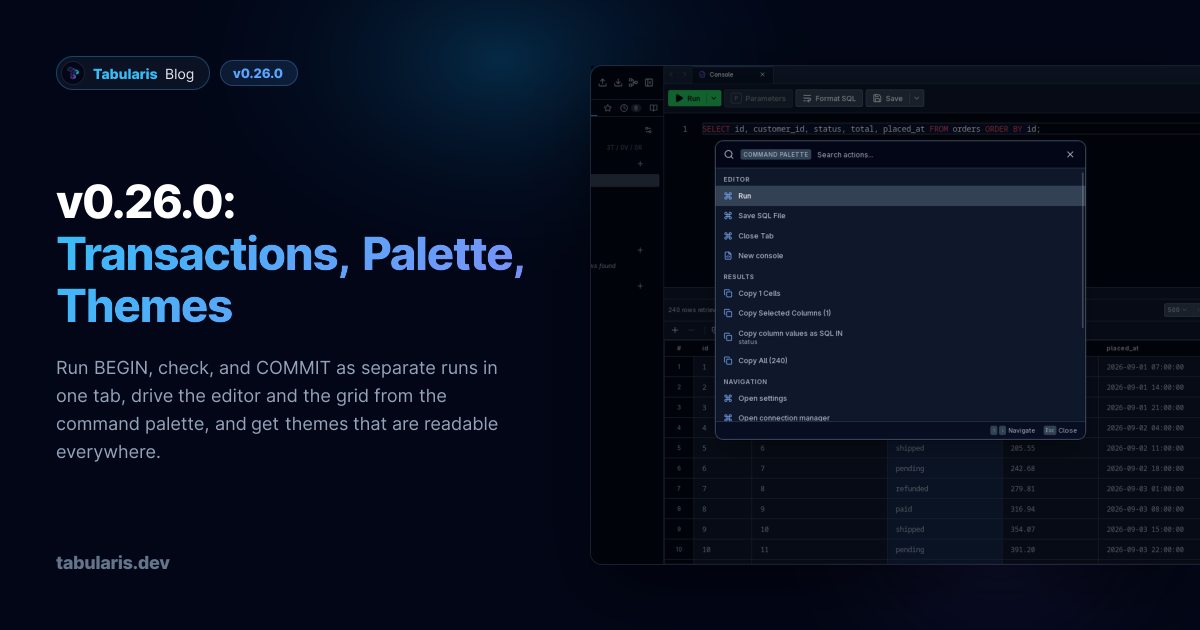
@verbaux turns the command palette from a navigation box into an action surface in PR #815. Actions and database objects are now searched together from one input, opened with the new Command Palette shortcut, ⌘+K / Ctrl+K; ⌘+P and ⌘+Shift+A still open it scoped to objects or to actions. What it offers depends on where you are:
- Editor : run the query, run all statements, save the SQL file, close the active tab, open a new console.
- Results : copy the selected cells, rows or columns, copy a column's values as a SQL
IN (...)list, or copy all rows. This works in tabbed and stacked result views, includes pending inserted rows, and the label states the same row count the command will copy. - Connections : saved connections are listed and connect, or switch to the already open one, directly.
- Tables : inspect, generate SQL, count rows or open in a SQL console.
Video unavailable
Root commands such as Open settings and Open connection manager stay available while the editor is or showing its error boundary, so the palette is a way out of a broken state rather than part of it.
The same contributor reworked shortcut handling in PR #773. Settings → Keyboard Shortcuts opens a dedicated editor for each binding that records the combination, refuses one without a modifier ("Add a modifier key, such as Ctrl or Alt."), and names the shortcut it would collide with ("This shortcut conflicts with “Toggle sidebar”.") instead of silently overriding it. Shortcuts now track the physical key as well as the character, so switching connections with Ctrl+Shift+1–9, the palette shortcut and your own overrides keep working on AZERTY, QWERTZ and other layouts; an override matches either the key or its position, so on some layouts one shortcut has two triggers, which is intended. Open settings (⌘+, / Ctrl+,) is a new, remappable shortcut, notebook shortcuts appear in their own category, and closing Settings returns to where you came from.
Themes Reach Every Pixel, and CI Checks Them #
v0.25.0 made themes installable packages. It also exposed how little of the UI honoured them. The engine defines 38 color tokens, two font stacks and four radii, but with the default themes nobody could tell that a large part of the interface ignored them, because the hardcoded Tailwind blue, red and green happened to match. Under Ember's amber accents, a square-cornered theme or any light theme, the app split into two palettes.
PR #809 routes everything through the tokens. Status banners take their colors from the theme's accents instead of a fixed :root. Rounded corners follow layout.borderRadius, so square-corner themes, the built-in High Contrast included, are square everywhere. The grid paints modified, new and deleted rows and primary-key, foreign-key and index icons with the semantic.* tokens every theme already defined and nothing used. The ER diagram, the visual query builder, notebook charts, the drag ghost and the editor tab accent read the theme instead of hex literals. Native select popups are no longer forced dark, and the startup flash uses the saved theme's background. A codemod replaced 1,305 palette classes in 153 files by meaning, and labels on success, warning and error fills now pick black or white from the fill's lightness. The System font setting, which used to override every theme's font, follows the theme and is now labelled Theme default.
Video unavailable
PR #812 adds a Design & Accessibility workflow with three blocking checks, and fixes everything they found on the way in:
| Check | What it verifies | Findings fixed |
|---|---|---|
| Theme tokens | No hardcoded colors, radii or fonts | already passing |
| Theme contrast | WCAG 2.2 AA on the token pairs the UI paints, for all 12 built-in themes | 277 pairs |
| jsx-a11y | eslint-plugin-jsx-a11y recommended rules on every component |
128 violations in 52 files |
The contrast fixes change lightness only and keep each theme's hue, and a second test keeps the primary, secondary and muted text tiers in order so a fix cannot flatten the hierarchy. You will notice them most in Solarized, Nord, Tabularis Light, whose status colors are darker, and GitHub Dark, whose accent and focus ring are lighter. The accessibility fixes are the less visible half: clickable div s became buttons, rows and tabs that contain other controls respond to Enter and Space, several menus that ignored Escape now close on it, resize handles are keyboard-operable separators, labels are tied to their controls, icon-only buttons have translated names, and every newly focusable element has a focus ring. The sidebar width and editor split are still mouse-only.
For theme authors, PR #807 separates what the app validates from what the registry validates. The app's manifest schema keeps only the runtime contract and tolerates extra metadata, so a manifest the registry accepts, such as the published Ember 1.0.0 with a display name and a stable id, is no longer rejected at install time. The archive validator still admits only declared files, so tolerated keys cannot smuggle payload. @tabularis/create-plugin 0.4.0 ships the matching tabularis-theme validator.
Plugins Can Write Their Own SQL Templates #
Generate SQL builds SELECT, UPDATE and DELETE previews for a table. For a driver plugin speaking a different dialect, the host's generic output was wrong: SQL Server users got LIMIT 100. PR #818 adds an optional table_query_templates capability and a get_table_query_template RPC. When a driver opts in, the modal asks it for the template, passing structured identifiers, schema, columns and the explicit SELECT limit; built-in drivers and plugins that do not opt in keep the existing generation. Only a JSON-RPC method-not-found falls back to it; any other error is shown instead of silently producing SQL in another dialect, and stale responses no longer overwrite the current one.
The first plugin to use it is SQL Server 1.0.0-beta.3, which emits SELECT TOP (100), schema-qualified bracket-escaped identifiers, unique :value_N placeholders, and WHERE 1 = 0 guards on UPDATE and DELETE previews, and stops rewriting queries that carry their own TOP or OFFSET/FETCH. The capability defaults to false, so no plugin needs a newer runtime just because this exists.
Video unavailable
Long Plugin Queries: A Timeout You Set, and a Cancel That Reaches the Server #
Every JSON-RPC call to a driver plugin, execute_query included, used to wait at most a hardcoded 120 seconds. A VACUUM, a batched DELETE or an index build on a plugin connection was always cut off, and nothing short of a rebuild could change it (#832). Worse, the cut-off was only on the host side: Tabularis dropped its pending request and showed an error, while the plugin kept working and the statement kept running on the server. A DELETE you had just seen fail could still take effect.
PR #833 makes the limit a setting. Settings → Plugins → Plugin runtime → Call timeout sets it for all plugins (default 120 seconds, 0 for no limit), and each plugin's own settings page has a Call timeout override: leave it blank to inherit the global value, or set 0 to lift the limit for that plugin only. The override lives in the host config, so plugins need no change, and a new value applies to the next call without restarting the plugin, MCP server included. Plugin initialization keeps its own 15-second limit.
PR #842 closes the other half. When a call times out, the host now also writes a JSON-RPC notification to the plugin:
{"jsonrpc":"2.0","method":"cancel","params":{"id":42}}
It has no top-level id, so the plugin must not answer it, and it is only sent if the request was still pending, so a response that raced the timeout does not trigger a cancel. The PostgreSQL plugin handles it from 1.0.0-rc.6 by calling pg_cancel_backend on the statement's backend: in the PR's end-to-end test, SELECT pg_sleep(60) with a 3-second timeout failed on the host at 3.0 seconds and left no backend running half a second later. Plugins that do not implement cancel behave as before; at worst their reply is dropped with one log line. The contract is documented in the plugin guide as an optional Cancel Notification.
Video unavailable
The Grid Remembers Where You Were #
Two fixes for things you notice every day. @drakeo338 makes result grids keep their scroll position when you switch editor tabs and come back, fixing #823 in PR #831, and extends it to every grid in the multi-result panel, tabbed or stacked, in PR #838. The offset is forgotten on a fresh run, a page change or when the tab or result closes. The same work fixes a race that scrolled a tab with pending inserted rows back to the bottom over the restored position.
Video unavailable
PR #828 fixes #826: a value typed into a new row was drawn as green text on a green tint, and modified cells had the same problem in their own color, with contrast as low as 2.9:1. Edited values now use the primary text color; the row tint, the italic style and the NEW marker still show the state. The same PR fixes date cells on new rows: the date picker showed today's date as a starting point but never passed it on, so the cell stayed empty unless you changed a field. A Use this value button, or Enter in the grid, now accepts the date on screen.
New and Updated Plugins #
Plugins ship on their own schedule, so this is what reached the registry since v0.25.0, not something bundled with the app.
New: Cassandra and ScyllaDB
@Mohamed-Fameen built the Cassandra plugin against the Cassandra/ScyllaDB bounty, and 0.1.0 is in the registry for macOS, Linux and Windows. It is written in Rust on ScyllaDB's scylla-rust-driver, so one plugin serves both databases, and the author verified it end to end against real Cassandra and real ScyllaDB containers. It lists keyspaces, tables, columns and indexes, runs CQL with native forward paging, and edits rows. The README is upfront about the gaps in 0.1.0: no TLS yet, tables with a composite primary key are browsable and queryable but not editable from the grid, grid writes cover the common scalar types only (decimals, timestamps, collections and UDTs are read-only there, writable through CQL in the editor), and ScyllaDB shard-aware routing is not implemented.
New: Oracle
The Oracle plugin 0.1.0 was published the day after v0.25.0 and requires it, since it returns table and column comments. It connects to Oracle Database 12c and newer, including Free/XE, Autonomous Database (tcps://) and Amazon RDS for Oracle, through EZConnect, full connect descriptors or TNS aliases. It browses multiple schemas through the ALL_* views, runs queries with OFFSET/FETCH pagination, PL/SQL blocks, exact NUMBER values and native JSON columns, edits rows with composite primary keys, generates table, column, index, foreign-key and view DDL, and feeds Visual EXPLAIN from PLAN_TABLE, with EXPLAIN ANALYZE runtime statistics from V$SQL_PLAN_STATISTICS_ALL. The Oracle Instant Client must be installed separately, because its license does not allow bundling it; without it, connections fail with a DPI-1047 hint. Triggers, routine editing and user management are not implemented yet.
New theme: Ember
Ember 1.0.0 is the first theme package in the registry: Ember Dark, charcoal-brown with amber accents, and Ember Light, parchment with copper, in one package. Its manifest uses the stable id and display name that #807 above teaches the app to accept, so v0.25.0 rejects it and v0.26.0 is the first stable release that installs it, from Settings → Appearance → Manage themes or the Themes filter in Plugins.
Updated
- PostgreSQL 1.0.0-rc.5 and rc.6 (@aesslinger ): rc.5 carries the editor-session support described above, and returns a connection to the pool only after a
ROLLBACK. It also implementsget_table_ddl, soDump Database writes a schema-preserving dump for plugin connections instead of failing, andget_schema_snapshot, so the ER diagram loads a schema in one round trip. rc.6 handles the host's newcancelnotification, described above, and stops reporting a lowercaseDEFAULT nullas a default value. - SQL Server 1.0.0-beta.3 : the driver-owned SQL templates covered above, plus no more conflicting host pagination on queries with an explicit
TOPorOFFSET/FETCH. - Cloudflare D1 over HTTP 0.4.0 (@GabrielMalava ): updates and deletes now work on tables with composite keys (
pk_map), and the plugin gains a Tabularium manifest and icon. Its id changes fromtubularis-d1tocloudflare-d1-http. The release is on GitHub; at the time of writing the registry still lists 0.3.0.
Smaller Things #
- Autocomplete ranks the nearest table first (@wwww-deeeee , PR#834 , superseding#782 , closes#760 ): quoted identifiers and keyword-like names no longer break nearest-table detection, and the nearest table is sorted before the fetch cap, so it is never truncated when more than five tables are in scope and its columns win for shared names such as
id. - MySQL foreign keys load faster (@hkz329 , PR#802 ): expanding a table could take seconds on a server with many databases, because the
KEY_COLUMN_USAGEandREFERENTIAL_CONSTRAINTSjoin could not be pruned on MySQL 5.7. Both views are now scoped to the selected database and table, which also stops same-named constraints from different tables being mixed on MariaDB. Tested against MySQL 5.7, 8.0 and 8.4 and MariaDB 10.11 and 12.1. - The plugin registry works behind TLS-inspecting proxies (@aesslinger , PR#811 , closes#810 ): the Tabularium client used a bundled CA list, so behind Zscaler or Netskope every registry call failed and the app fell back to the legacy
registry.json. It now uses the OS trust store, like the PostgreSQL and MySQL connections already did. - AWS SSM finds the AWS CLI when launched from the desktop (@Davydhh , PR#806 , closes#805 ): an app started from Finder or a desktop launcher inherits a minimal
PATHwithout/opt/homebrew/binor/usr/local/bin. The well-known install locations are appended after the inherited entries, so your ownawsstill wins. - Quoted file paths connect (@coloraven , PR#755 ): a pasted SQLite or other file path wrapped in straight or curly quotes, prefixed with
file://, or carrying a BOM or zero-width space is normalized before it is opened. - JSON viewer in read-only context menus (@igorzelaya-io , PR#781 ): following v0.25.0's double-click fix, the right-click menu on a read-only query result now offersOpen in JSON Editor , while mutation actions stay hidden.
- Theme packages stay out of New Connection (PR#825 , closes#824 ): the connection catalogue listed theme plugins from the registry as database engines. Only driver plugins are shown now.
- Nightlies on the AUR (PR#816 ): Arch users can install
tabularis-nightly-binnext totabularis-bin, from the samePKGBUILD. PRs#835 and#836 fix macOS nightlies that reported the previous stable version to plugins, and nightlies that were cancelled halfway through publication. - Package CI tests what changed (PR#808 ): a change to
@tabularis/explainno longer scaffolds and compiles a Rust driver forcreate-plugin.
Thanks #
Eleven external contributors land in this release or in the plugins around it. @egertaia made a PostgreSQL tab a session that keeps its transaction across runs, with the badge, the cleanup on every close path and the idle sweep (#801), and @aesslinger carried the plugin side to release in PostgreSQL rc.5 and rc.6 and fixed the registry behind corporate proxies (#811). @Mohamed-Fameen took the Cassandra/ScyllaDB bounty and shipped the plugin. @verbaux turned the command palette into an action surface and rebuilt shortcut handling (#815, #773). @drakeo338 made the grids remember their scroll position (#831, #838).
@wwww-deeeee hardened nearest-table autocomplete (#782), @hkz329 sped up MySQL foreign-key metadata (#802), @Davydhh followed up on SSM with AWS CLI discovery (#806), @coloraven sanitized pasted file paths (#755), @igorzelaya-io finished the read-only JSON viewer work (#781), and @GabrielMalava kept the Cloudflare D1 registry entry honest (#819, #830) and shipped D1 0.4.0 with composite-key edits. Thanks also to @mayeenulislam for the two precise bug reports behind the grid fixes.
If you have ever run COMMIT and wondered which connection it went to, this is the upgrade.
Download the latest published version from the download page. Release notes and packages are available on GitHub Releases.