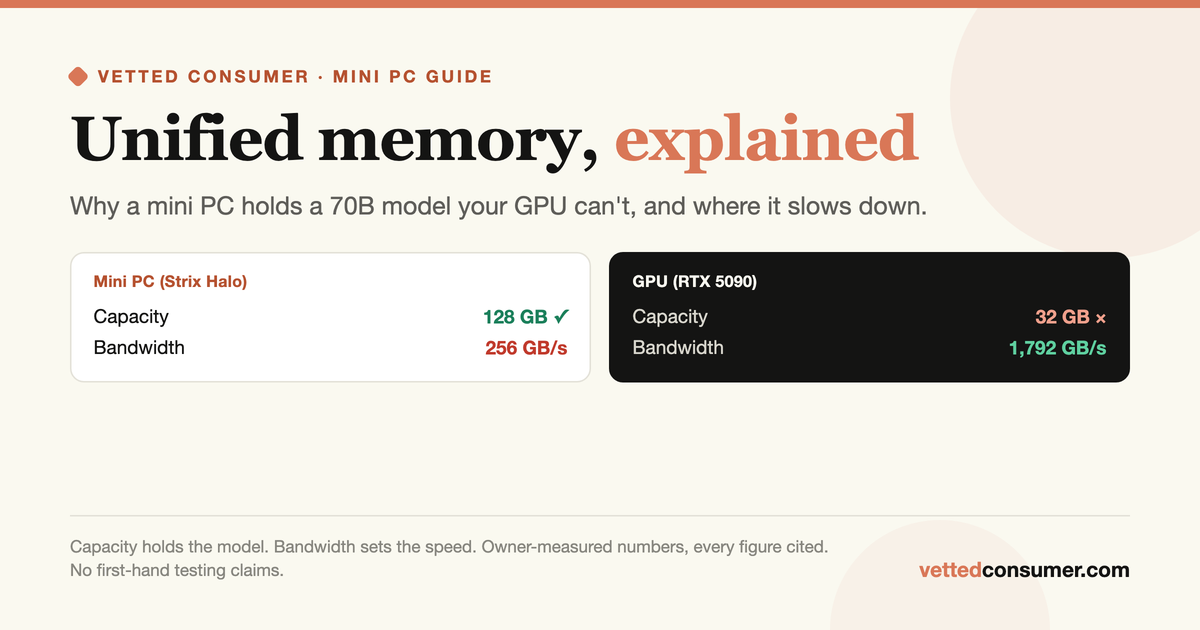
Put two machines on a desk, each about $2,000. One is a tower with an NVIDIA RTX 5090: 32GB of the fastest consumer memory ever shipped, 1,792 GB/s. The other is a mini PC the size of a paperback, an AMD Ryzen AI Max+ 395 "Strix Halo" box with 128GB of soldered memory at roughly 256 GB/s. Now ask each one to run a 70-billion-parameter model.
The RTX 5090 cannot. A 70B model at a sensible 4-bit quant needs about 40GB, and 40 will not fit in 32. The little mini PC loads it without complaint, then answers at the pace of a slow reader. That paradox is the entire mini PC category in one image: these boxes can hold models that a much faster GPU cannot, and they pay for it in speed. Understanding why comes down to one idea, unified memory, and two numbers that pull in opposite directions.
We have not benchmarked these boxes ourselves. What follows synthesizes vendor specs, the inference literature, and owner-measured numbers, all linked at the end.
What "unified memory" means #
In a normal desktop, the CPU has its own system RAM and the graphics card has its own separate VRAM, and data shuttles between them over the PCIe bus. A model has to fit inside the GPU's VRAM to run on the GPU, which is why a 24GB card sets a hard 24GB ceiling no matter how much system RAM you bolt on.
A unified-memory machine throws out that split. The CPU, the integrated GPU, and the NPU all share one single pool of soldered LPDDR5X memory. There is no separate VRAM, so almost the whole pool can be handed to a model. Buy the 128GB configuration and you have something close to 128GB of "VRAM" for a model to live in, for around the price of one mid-range graphics card. Apple has built Macs this way for years; AMD's Strix Halo, NVIDIA's DGX Spark, Intel's Core Ultra, and Qualcomm's Snapdragon X all now do the same. That is why mini PCs suddenly entered the local-LLM conversation at all. Capacity, cheaply.
The two numbers that decide everything #
A machine's fitness for local LLMs comes down to two specs that people constantly confuse:
Capacity(how many GB of memory): decideswhether the model loads at all. This is where unified-memory mini PCs win.Memory bandwidth(how many GB per second): decideshow fast it generates text once loaded. This is where they lose to real GPUs, badly.
Here is the current landscape. Bandwidth figures are theoretical peaks (real delivered bandwidth runs lower, a point we return to). Capacity is the top usable unified configuration.
| Machine (SoC) | Memory bus | Peak bandwidth | Max unified memory |
|---|---|---|---|
| Intel "Lunar Lake" (Core Ultra 200V) | 128-bit LPDDR5X-8533 | ~137 GB/s | 32 GB |
| Qualcomm Snapdragon X2 Elite | 128-bit LPDDR5X | ~152 GB/s | up to 128 GB |
| Intel "Panther Lake" (Core Ultra X) | 128-bit LPDDR5X-9600 | ~154 GB/s | 96 GB |
| Qualcomm Snapdragon X2 Elite Extreme | 192-bit LPDDR5X | ~228 GB/s | up to 128 GB |
| AMD Ryzen AI Max+ 395 "Strix Halo" | 256-bit LPDDR5X-8000 | 256 GB/s | 128 GB |
| NVIDIA DGX Spark (GB10) | 256-bit LPDDR5X-8533 | 273 GB/s | 128 GB |
| Apple M4 (Mac mini) | 128-bit | 120 GB/s | 32 GB |
| Apple M4 Pro (Mac mini) | 256-bit | 273 GB/s | 64 GB |
| Apple M4 Max (Mac Studio) | 384 to 512-bit | 410 to 546 GB/s | 128 GB | | Apple M3 Ultra (Mac Studio) | 1024-bit | 819 GB/s | up to 512 GB | | for contrast: discrete GPUs (much faster, far less capacity) | ||| | RTX 3090 / 4090 | 384-bit GDDR6X | 936 / 1,008 GB/s | 24 GB | | RTX 5090 | 512-bit GDDR7 | 1,792 GB/s | 32 GB | | RTX PRO 6000 Blackwell (~$8,500) | 512-bit GDDR7 | 1,792 GB/s | 96 GB |
Sources: vendor spec sheets, Chips and Cheese, NotebookCheck, TechPowerUp. Bandwidth = theoretical peak.
Read the table as two stories. Down the mini PC rows, capacity climbs to 128GB (and 512GB on the M3 Ultra) while bandwidth stays between about 120 and 270 GB/s. Down the GPU rows, it is the reverse: 900 to 1,800 GB/s of bandwidth, but capacity capped at 24 to 32GB until you reach an $8,500 workstation card. A mini PC and a used RTX 3090 are not two points on one scale. They are opposites.
Why bandwidth, not compute, sets the speed #
To see why the fast GPU and the roomy mini PC behave so differently, you need the roofline model (Williams, Waterman, and Patterson, 2009), the standard way to reason about performance. It says a workload is limited either by how fast the chip can compute or by how fast it can move data from memory, whichever runs out first. Which one bites depends on how much math you do per byte you read.
Text generation does very little math per byte. To produce one token, the machine has to read essentially the entire model out of memory once, then do a small amount of arithmetic on it. So the clock is set by memory bandwidth, not compute. Apple's own machine-learning team puts it plainly in their MLX write-up: "Generating subsequent tokens is bounded by memory bandwidth, rather than by compute ability." The academic version is the same. Pope et al.'s "Efficiently Scaling Transformer Inference" (2022) models generation latency as dominated by the time to stream weights from memory.
That gives you a back-of-envelope speed limit for any machine:
decode tokens/sec ≈ memory bandwidth ÷ bytes read per token
For a dense 70B model at 4-bit (about 40GB read per token) on a 256 GB/s Strix Halo box, that is 256 ÷ 40, roughly 6 tokens per second at the ceiling, and less in practice. On the 819 GB/s M3 Ultra, the same model gets 819 ÷ 40, around 20. On a 1,792 GB/s RTX 5090, the ceiling would be about 45, except the model does not fit at all. The mini PC's slowness is not a driver problem or a weak chip. It is arithmetic on the bandwidth number. One large exception is worth knowing, because it is the mini PC's best trick: Mixture-of-Experts models. An MoE like Qwen3-30B-A3B holds 30B parameters but only activates about 3B per token, so it reads roughly 2GB per token instead of 40. On the same Strix Halo box that crawls through a dense 70B at 5 tokens/sec, owners measure that MoE at about 72. If you want a mini PC to feel fast, run MoE models on it.
The catch nobody puts on the box: prompt processing #
Decode speed is the number everyone quotes. The number that ruins the experience on a mini PC is the other one: prompt processing, also called prefill, the time to read your input before the first word comes back.
Prefill is the opposite of decode. It chews through the whole prompt in parallel, which is heavy on raw compute, so it is limited by the chip's FLOPS, not its bandwidth. The Splitwise paper (Patel et al., 2023) draws the line cleanly: LLM inference is "a compute-intensive prompt computation, and a memory-intensive token generation." Two phases, two different bottlenecks.
This is exactly where mini PCs hurt, because their integrated GPUs have a fraction of a discrete card's compute. Decode can look acceptable while prefill collapses. Owner benchmarks on Strix Halo with llama.cpp show the split (single runs, not averaged, and sensitive to driver version):
| Model on Strix Halo (Q4) | Prompt processing | Text generation |
|---|---|---|
| Llama 2 7B | 1,014 tok/s | 45.8 tok/s |
| Qwen3 30B-A3B (MoE) | 605 tok/s | 72.0 tok/s |
| Shisa V2 70B (dense) | 94.7 tok/s | 5.0 tok/s |
Owner-measured, Level1Techs forum benchmark thread. Single runs; treat as directional.
Look at the dense 70B row. Prompt processing at 95 tok/s means a 4,000-token document (a long email thread, a code file, a few pages of notes) takes roughly 40 seconds to read before the model says anything. The Register's hands-on comparison found the same pattern and noted the gap "widens substantially with larger context windows since prompt processing becomes compute-bound." If your use case is long documents or big codebases, this, not the tokens-per-second, is the wall you will hit.
The NPU is mostly a red herring #
Every one of these chips is marketed with a big NPU TOPS number, and buyers reasonably assume the NPU is what runs the AI. For local LLM chat, it mostly does not. Two reasons.
First, the NPU shares the same memory as everything else. Since decode is capped by memory bandwidth, moving the work to the NPU does not raise the ceiling, it just moves the same bottleneck. A characterization study of these chips (Chen et al., 2025) found that single-stream decode is memory-bandwidth bound across the CPU, GPU, and NPU alike, and cannot make good use of the NPU's parallel compute.
Second, the software people use, llama.cpp and Ollama, does not drive the NPU. Intel's OpenVINO path only landed in llama.cpp very recently and ships with experimental-grade limits. AMD's NPU has no mainstream local-LLM backend at all. When The Register tried AMD's own NPU offload, a 7B model generated at "just 4-5 tokens/s, where we would have expected to see closer to 40." The NPU earns its keep on small always-on vision and audio tasks, not on running a chatbot.
What owners report #
Strip away the marketing and the field reports are consistent. On capacity, the win is real: ServeTheHome's review of a 128GB Strix Halo box notes it ran Llama 3.3 70B, which "required over 50GB of GPU memory," a model that simply will not fit "even the class of GPUs like the NVIDIA L40S." That is the reason to buy one.
On speed, expect single digits on dense 70B. Two independent sources land in the same band: ServeTheHome measured Llama 3.3 70B at 3.7 to 3.8 tok/s, and a widely-cited Framework forum tester got a dense 70B at 5.0 tok/s. Usable for batch jobs and patient chat, not for anything interactive.
On software, both AMD boxes and, to a lesser degree, the rest still ask for patience. The Register's testers hit GPU hangs that needed kernel tweaks and had to compile parts of the stack from source, and one owner reported an official ROCm update halving prompt-processing speed on a model overnight. NVIDIA's DGX Spark is smoother on this front, "just about any software that runs on CUDA" works, but it is the pricey option and its 273 GB/s memory pins decode to the same single-to-low-double-digit range despite a much stronger GPU.
So which mini PC, for what #
| Your goal | The pick |
|---|---|
| Run models up to ~8B fast, low power, always-on | Any 32GB unified box (Mac mini M4, Lunar/Panther Lake, Snapdragon X2). Bandwidth is fine at this size. |
| Run 30B-class MoE models well | A 64 to 128GB unified box. MoE keeps decode fast (60 to 70+ tok/s) despite modest bandwidth. |
| Run a dense 70B at all, cheaply, for batch or patient use | 128GB Strix Halo (Framework Desktop, GMKtec EVO-X2, Beelink GTR9) or a 64GB+ Mac. Expect 4 to 6 tok/s. |
| Run a dense 70B fast, or with long prompts | Not a mini PC. A 48GB dual-GPU rig, or rent a cloud GPU. Bandwidth and prefill compute are the point. |
| Run frontier-size models (200B+) locally | Mac Studio M3 Ultra (up to 512GB) is the only single-box option, and MoE models make it viable. Otherwise, use an API. |
The one-line version: a unified-memory mini PC is a capacity machine, not a speed machine. It earns its place when the model you want is too big for any GPU you can afford, and you can live with a reading pace and slow prompt ingestion. When the model fits on a real GPU, the GPU wins on every axis that matters. Match the box to the model, not to the TOPS on the sticker.
To see exactly what a given machine will run and how fast, put your specs into the Can I run it? calculator, use the quant picker to choose the right file size, and the hardware cheat-sheet to map model size to the cheapest box that holds it.
Sources and how we researched this #
We have not tested this hardware first-hand. This piece synthesizes primary specs, the inference literature, and owner-measured benchmarks. The framework is the roofline model (Williams, Waterman, Patterson, CACM 2009). The prefill-versus-decode split is grounded in Splitwise (Patel et al., 2023) and Efficiently Scaling Transformer Inference (Pope et al., 2022), with the memory-bandwidth-bound decode point confirmed first-hand by Apple's MLX team. The NPU analysis draws on Chen et al. (2025) on mobile-SoC LLM inference. Hardware specs come from vendor spec sheets, Chips and Cheese, NotebookCheck, and TechPowerUp. Owner and reviewer numbers come from ServeTheHome, the Framework community forum, the Level1Techs benchmark thread, and The Register. Owner figures are single measurements that vary by model, quant, runtime, and driver version.
Related guides #
Bandwidth, not TFLOPS, why the memory number sets your speedPrompt processing vs generation, the two phases in depthHow much VRAM you need for a 70B, the capacity mathStrix Halo vs DGX Spark, the two big unified-memory boxes head to headMixture-of-Experts, explained, why MoE models run fast on these boxes