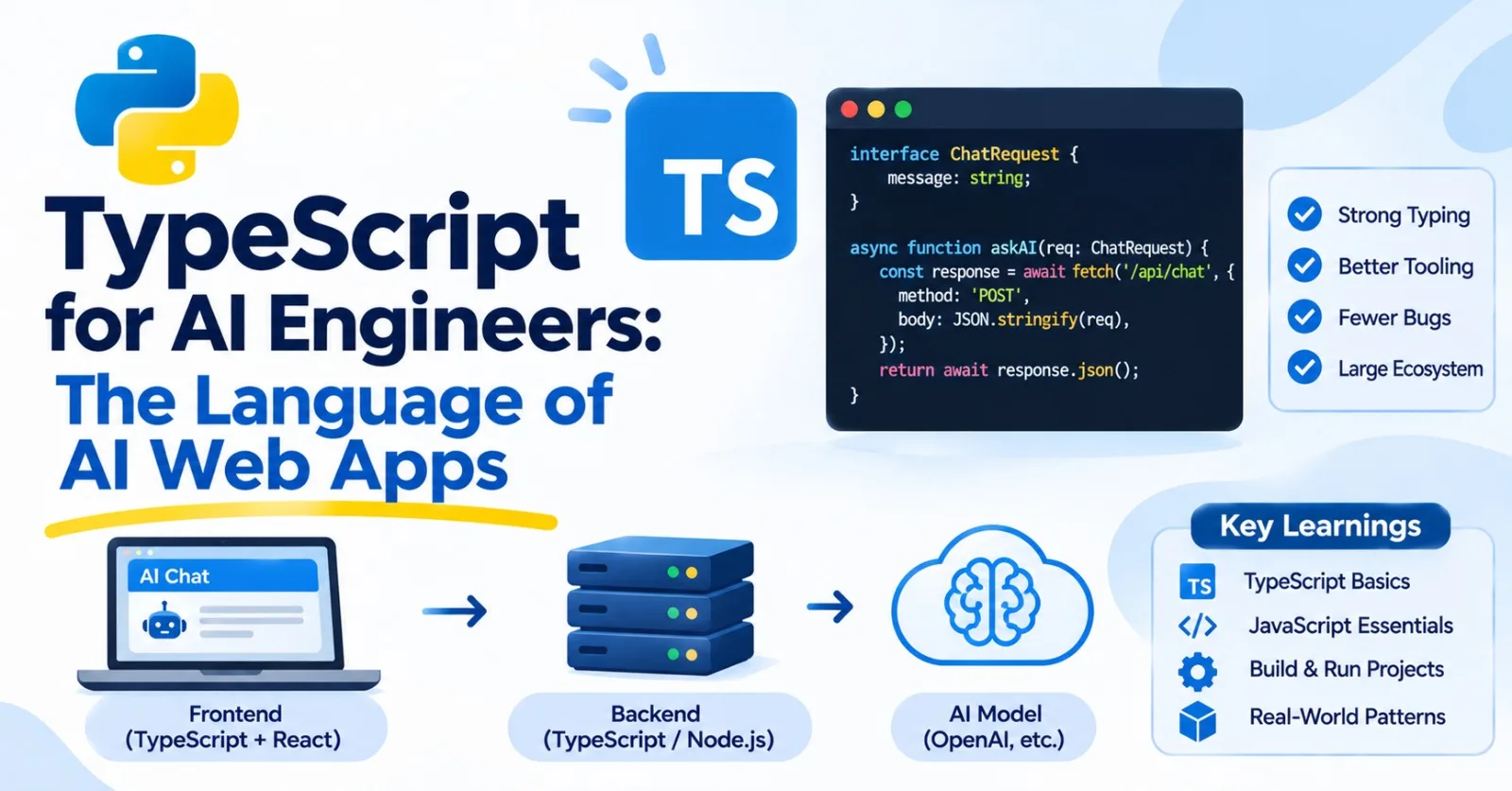
You can build a great AI career in Python alone. But people use web pages, and the chat boxes, dashboards, and prompt playgrounds on those pages are usually built with TypeScript. Learn it, and you can ship the whole product yourself.
This post is core. It's a fast path for Python programmers, not a full course, and by the end you'll have written a typed, tested client for the API from Post 20, streaming included.
Everything here ran on Node 22 and TypeScript 6.0.3, so the outputs and error messages are real. The exception is the ecosystem section (React, Next.js, ESLint), which I describe from knowledge because I couldn't install those here.
Why TypeScript, and what it actually is #
JavaScript is the language that runs in every web browser, and, through a program called Node.js, on servers too. It's flexible and a bit loose, which is great for small scripts and painful for large projects.
TypeScript is JavaScript plus types. You write type annotations, much like the type hints from Post 10, and a tool called the compiler (tsc) checks them and catches mistakes before your code runs. Then the types are erased, leaving plain JavaScript that runs anywhere. That last detail has big consequences, and we'll get to them later.
Where does it fit in an AI app? Here's the usual shape:
browser (TypeScript/React)  -->  your server (TypeScript or Python)  -->  model API
         the chat screen              holds the API key, adds logic           the model
The browser should never hold your API key (Post 20), so your server sits in the middle, keeps the secrets, and streams results back. That server can be TypeScript or Python, and the pieces talk to each other over HTTP, which you already understand.
Setting up #
You need Node.js (get the LTS version from nodejs.org). Check it:
node --version
npm --version
npm is Node's package manager. It does for JavaScript what pip and uv do for Python. Create a project:
mkdir chat-api-client
cd chat-api-client
npm init -y
npm install --save-dev typescript tsx @types/node
That installs three development tools:
typescriptis the compiler and type checker.tsxruns TypeScript files directly, without a separate build step. It's the easiest way to run TS while learning.@types/nodeteaches TypeScript about Node's built-in features.
Notice a folder called node_modules/ appears, full of installed packages, along with package.json (your project's description and dependencies, like pyproject.toml from Post 12) and package-lock.json (the exact versions installed, like uv.lock). Commit the lock file, and add node_modules/ to your .gitignore (Post 22). node_modules can be enormous, and anyone can rebuild it by running npm install.
Add "type": "module" to package.json, so your files use the modern import syntax. And create a tsconfig.json in the project folder to configure the compiler:
{
  "compilerOptions": {
    "target": "ES2022",
    "module": "NodeNext",
    "moduleResolution": "NodeNext",
    "strict": true,
    "noEmit": true,
    "skipLibCheck": true,
    "lib": ["ES2022", "DOM", "DOM.Iterable"],
    "types": ["node"]
  },
  "include": ["src"]
}
The most important line is "strict": true. It turns on the strictest checks, including the one that catches null and undefined mistakes. Always use it. TypeScript's defaults change between versions, so spelling out your settings, as above, keeps behavior predictable. noEmit means "just check, don't produce files," since tsx handles running.
Now you have two commands, and the difference between them is important:
npx tsx src/hello.ts      # RUN the file. Does NOT check types.
npx tsc --noEmit          # CHECK the types. Doesn't run anything.
tsx strips the types and runs the code, even if there are type errors. tsc does the checking. Get in the habit of running the check regularly, and add both to package.json so they're easy to remember:
"scripts": {
  "start": "tsx src/client.ts",
  "check": "tsc --noEmit",
  "test": "tsx --test src/*.test.ts"
}
Then npm run check and npm test do the work. (Newer versions of Node can also run TypeScript files directly by stripping types, but the details depend on your Node version, so I'll stick with tsx here.)
JavaScript for Python programmers #
TypeScript is JavaScript, so you need the JavaScript basics first. Here's a translation table, and then the gotchas that bite Python programmers.
| Python | TypeScript / JavaScript |
|---|---|
x = 5 |
const x = 5 (orlet x = 5 if it will change) |
None |
null orundefined (two kinds of "nothing") |
True /False |
true /false |
f"Hello, {name}" |
`Hello, ${name}` (backticks) |
len(items) |
items.length |
x in items |
items.includes(x) |
for x in items: |
for (const x of items) { ... } |
[n * n for n in nums if n % 2 == 0] |
nums.filter(n => n % 2 === 0).map(n => n * n) |
{"a": 1} (dict) |
{ a: 1 } (an object), or aMap |
print(x) |
console.log(x) |
def f(x): ... |
function f(x) { ... } orconst f = (x) => ... |
try / except |
try / catch |
async def /await |
async function /await |
dataclass / Pydantic |
interface ortype , plus Zod for runtime checks |
pip /uv ,pyproject.toml |
npm ,package.json |
pytest |
Vitest, Jest, or Node's built-in test runner |
I ran each of the following. Here they are, with the output.
One number type. There's no separate int and float:
console.log(typeof 1, typeof 1.5, 0.1 + 0.2, 7 / 2, Math.floor(7 / 2));
// number number 0.30000000000000004 3.5 3
Note that 7 / 2 is 3.5, as in Python 3. For whole-number division, use Math.floor. The 0.1 + 0.2 quirk from Post 4 is the same.
Two kinds of "nothing". null means "deliberately empty," and undefined means "never set." You'll see both:
let a: string | null = null;
let b: string | undefined;
console.log(a, b, a == b, a === b);
// null undefined true false
Always use ===. The double-equals == converts types before comparing, with surprising results:
console.log(0 == "", 0 === "", "1" == 1);
// true false true
0 == "" is true. Don't use ==. Happily, TypeScript flags many of these comparisons for you: it reports This comparison appears to be unintentional because the types 'number' and 'string' have no overlap.
Truthiness differs from Python. An empty array and an empty object are truthy in JavaScript, while they're falsy in Python:
console.log([] ? "empty array is truthy" : "falsy");     // empty array is truthy
console.log([0, "", null, undefined, NaN].map((v) => Boolean(v)));
// [ false, false, false, false, false ]
The falsy values are false, 0, "", null, undefined, and NaN. To check for an empty array, test items.length === 0. TypeScript even complains about [] ? ..., with This kind of expression is always truthy.
?? versus ||. This one causes real bugs. || falls back for any falsy value, including a legitimate 0. The "nullish coalescing" operator ?? falls back only for null and undefined:
const retries = 0;
console.log("with ||:", retries || 3, "| with ??:", retries ?? 3);
// with ||: 3 | with ??: 0
If someone sets retries to 0 on purpose, || quietly turns it into 3. Use ?? for defaults. Its partner is optional chaining, ?., which stops safely if something is missing:
const user: { profile?: { email?: string } } = {};
console.log(user.profile?.email, user.profile?.email ?? "no email");
// undefined no email
Without ?., user.profile.email would crash, as None.email does in Python.
Array methods replace comprehensions:
const nums = [1, 2, 3, 4, 5, 6];
console.log(nums.filter((n) => n % 2 === 0).map((n) => n * n));   // [ 4, 16, 36 ]
console.log(nums.reduce((sum, n) => sum + n, 0));                 // 21
console.log(nums.find((n) => n > 3), nums.some((n) => n > 5), nums.every((n) => n > 0));
// 4 true true
The sorting gotcha. .sort() with no argument sorts as text:
console.log([10, 9, 1, 100].sort());                    // [ 1, 10, 100, 9 ]
console.log([10, 9, 1, 100].sort((x, y) => x - y));     // [ 1, 9, 10, 100 ]
Always pass a comparison function for numbers.
Destructuring and spread are lovely, and you'll use them constantly:
const { role, content } = { role: "user", content: "hi", extra: 1 };
const [first, ...rest] = [1, 2, 3];
const merged = { ...{ model: "x", temperature: 0.7 }, temperature: 0.2 };
console.log(role, content, first, rest, merged);
// user hi 1 [ 2, 3 ] { model: 'x', temperature: 0.2 }
The spread ... copies an object's fields, and later fields win, so merged has temperature: 0.2. That's the standard way to apply overrides to default settings.
Objects as dictionaries, and Map. A plain object works for string keys. A Map is better when keys vary or when you add and remove a lot:
const counts: Record<string, number> = {};
for (const word of "the cat the dog".split(" ")) {
  counts[word] = (counts[word] ?? 0) + 1;
}
console.log(counts);     // { the: 2, cat: 1, dog: 1 }
That's the word counter from Post 5 again, with ?? playing the role of .get(word, 0).
JSON is built in, and speaks the language natively:
const text = JSON.stringify({ role: "user", content: "hi" });
console.log(text, JSON.parse(text).content);
// {"role":"user","content":"hi"} hi
JSON.parse throws a SyntaxError on bad input, so wrap it in try/catch when the data comes from outside.
Big numbers lose precision. All numbers are 64-bit floats, so whole numbers are only exact up to a point:
console.log(Number.MAX_SAFE_INTEGER, 9007199254740993, 9007199254740993n);
// 9007199254740991 9007199254740992 9007199254740993n
The middle value was written as ...993 but printed as ...992. It silently changed. The n suffix makes a BigInt, which is exact. This matters when a database ID or a huge counter passes through JavaScript: keep such IDs as strings.
for...of versus for...in. Use for (const x of items) to loop over values. for...in loops over keys, which for an array means the indexes as strings, which is almost never what you want:
for (const x of ["a", "b"]) console.log("of:", x);       // of: a, of: b
for (const i in ["a", "b"]) console.log("in:", i, typeof i);   // in: 0 string, in: 1 string
TypeScript basics #
Now the types. If you've done Post 10, much of this will feel familiar.
Describing shapes
An interface (or a type) describes the shape of an object. Here's a chat message, using a literal union for the role, the TypeScript cousin of Python's Literal:
type Role = "user" | "assistant" | "system";

interface Message {
  role: Role;
  content: string;
  tokens?: number;     // the ? makes it optional
}

function tokenCount(message: Message): number {
  return message.tokens ?? Math.ceil(message.content.length / 4);
}

console.log(tokenCount({ role: "user", content: "How do generators work?" }));   // 6
console.log(tokenCount({ role: "user", content: "hi", tokens: 9 }));              // 9
You don't have to annotate everything. TypeScript infers types, so const n = 5 is already known to be a number. Annotate function parameters and return types, and let inference handle the rest.
Letting the compiler catch your mistakes
Here's where it pays off. I wrote a file full of deliberate mistakes using that Message type, and ran tsc. These are the real messages:
Type '"robot"' is not assignable to type '"user" | "assistant" | "system"'.
You gave a role that isn't allowed.
Property 'content' is missing in type '{ role: "user"; }' but required in type 'Message'.
A required field is missing.
'm.tokens' is possibly 'undefined'.
You used m.tokens + 1, but tokens is optional. This is the classic one, the cousin of Python's NoneType has no attribute error from Post 11, except it's caught before you run anything.
'text' is possibly 'null'.
Calling text.toUpperCase() when text might be null.
Object literal may only specify known properties, but 'tokns' does not exist in type 'Message'. Did you mean to write 'tokens'?
A typo in a field name, and TypeScript even suggests the fix.
Argument of type 'string' is not assignable to parameter of type 'number'.
Calling double("21") on a function that takes a number.
'value' is of type 'unknown'.
Using a value of type unknown without checking it first (more on that below).
Function lacks ending return statement and return type does not include 'undefined'.
This one appeared in a switch that forgot a case, which brings us to the next feature.
Read each message from the start: it names the problem, and the position tells you the line. Most are short and clear.
Unions that tell you what you're holding
A discriminated union is a set of shapes, each with a field that says which one it is. It's perfect for streaming events, where a stream can send tokens, errors, or a "done" signal:
type StreamEvent =
  | { type: "token"; token: string }
  | { type: "error"; message: string }
  | { type: "done" };

function describe(event: StreamEvent): string {
  switch (event.type) {
    case "token":
      return `token: ${event.token}`;
    case "error":
      return `error: ${event.message}`;
    case "done":
      return "done";
  }
}
Inside each case, TypeScript narrows the type: in the "token" branch, it knows event has a token field, and in the "error" branch it knows about message. And if you forget a case, as I did on purpose in my error file, the compiler objects with the "lacks ending return statement" error above. Add a new event type later, and the compiler shows you every place that needs updating.
unknown, not any
TypeScript has a type called any that switches checking off completely. Avoid it. It defeats the purpose, and it spreads. When you genuinely don't know what something is, like data from JSON.parse or a network response, use unknown. It means "could be anything, and you must check before using it":
function isMessage(value: unknown): value is Message {
  if (typeof value !== "object" || value === null) return false;
  const v = value as Record<string, unknown>;
  return (
    (v.role === "user" || v.role === "assistant" || v.role === "system") &&
    typeof v.content === "string"
  );
}

const incoming: unknown = JSON.parse('{"role": "assistant", "content": "Hello"}');
if (isMessage(incoming)) {
  console.log("valid message:", incoming.content.toUpperCase());   // valid message: HELLO
}
console.log(isMessage({ role: "robot", content: "x" }), isMessage(null), isMessage("text"));
// false false false
The value is Message in the signature makes isMessage a type guard. When it returns true, TypeScript treats the value as a Message inside that if. It's your own runtime check, with the type system's blessing.
Generics and handy utilities
Generics let a function work with any type while staying type-safe, like list[T] in Python's hints:
function first<T>(items: T[]): T | undefined {
  return items[0];
}

const n = first([1, 2, 3]);       // TypeScript knows: number | undefined
const s = first(["a", "b"]);      // string | undefined
You'll meet generics constantly in the form Promise<string> ("a promise that will produce a string"), Array<number>, and Record<string, number> (an object with string keys and number values). A few more tools you'll use:
const ROLES = ["user", "assistant", "system"] as const;    // a fixed list
type RoleFromList = (typeof ROLES)[number];                // "user" | "assistant" | "system"

type Options = { temperature: number; maxTokens: number; stream: boolean };
const overrides: Partial<Options> = { temperature: 0.2 };   // every field optional
as const freezes a list into exact literal types, so you can derive a union from it. Partial<T> makes every field of T optional, which is ideal for "settings you may override."
Types vanish at runtime #
Here's the most important lesson, and it echoes Post 10. TypeScript types exist only while you write code. They're erased before the program runs, so they can't check data that arrives from outside, like a network response or a model's JSON. Watch what happens when you simply tell TypeScript what the data is, using a cast:
const trusted = JSON.parse('{"role": "robot", "content": 42}') as Message;
console.log(trusted.role, typeof trusted.content);
// robot number
TypeScript believed us. The "message" has a role that isn't allowed and content that isn't a string, and nothing complained. A cast (as Message) is a promise you make to the compiler, and it doesn't verify anything. So for data from outside your program, never cast. Validate.
You can write a type guard by hand, as above, but for anything bigger, use a library like Zod, the TypeScript equivalent of Pydantic. You describe the shape once, and you get both runtime validation and the TypeScript type:
import { z } from "zod";

const MessageSchema = z.object({
  role: z.enum(["user", "assistant", "system"]),
  content: z.string(),
  tokens: z.number().int().nonnegative().optional(),
});
type ValidatedMessage = z.infer<typeof MessageSchema>;

const good: ValidatedMessage = MessageSchema.parse({ role: "user", content: "hi" });
console.log(good);     // { role: 'user', content: 'hi' }

const result = MessageSchema.safeParse({ role: "robot", content: 42 });
if (!result.success) {
  for (const issue of result.error.issues) {
    console.log(" -", issue.path.join("."), issue.message);
  }
}
// - role Invalid enum value. Expected 'user' | 'assistant' | 'system', received 'robot'
// - content Expected string, received number
parse returns the clean, typed data, or throws a ZodError. safeParse returns a result object instead of throwing, with success telling you which it was, so you can handle failure without try/catch. This is exactly the "validate the model's reply" pattern from Post 10, and it's how you'd check structured output in a TypeScript app.
(I ran this with Zod 3.23.8, installed with npm install zod. Zod's error-message wording changes between major versions, so yours may read differently, and the basic API is the same.)
Async, fetch, and the web #
If you've done Post 14, JavaScript's async will feel like home. In fact, it's simpler, because JavaScript has had an event loop built in from the start. There's no asyncio.run. You just write async functions and await them, and in modern modules you can even await at the top level of a file.
The equivalent of asyncio.gather is Promise.all. I made three delayed values of different types:
async function delay<T>(value: T, ms: number): Promise<T> {
  await new Promise((resolve) => setTimeout(resolve, ms));
  return value;
}

const results = await Promise.all([delay("a", 30), delay(2, 10), delay(true, 20)]);
console.log(results);
// [ 'a', 2, true ]
They run concurrently, and the results come back in the original order, just like gather. TypeScript even tracks each element's type.
fetch, and its most important gotcha
JavaScript has fetch built in (it's in browsers, and in Node 18 and newer). It's the equivalent of Python's requests:
const response = await fetch("http://localhost:8000/ask", {
  method: "POST",
  headers: { "Content-Type": "application/json" },
  body: JSON.stringify({ question: "What is HTTP?" }),
  signal: AbortSignal.timeout(5000),
});
AbortSignal.timeout(5000) gives the request a five-second limit, the equivalent of timeout=5 in Python, and just as essential.
Now the gotcha, which catches everyone coming from requests: fetch does not throw on HTTP errors. A 404 or a 500 is still a successful conversation, so the promise resolves normally. Only network failures and timeouts throw. You must check response.ok yourself, which is the job raise_for_status() did in Python. I sent an empty request to the server from Post 20:
fetch resolved normally with status 422 ok = false { error: "missing 'question'" }
No exception. If you forget the response.ok check, your code carries on treating an error message as a good answer.
Streaming in TypeScript #
Streaming is where TypeScript shines, because it's what powers chat screens. A fetch response has a body, which is a stream of bytes you can read piece by piece. Here's the plan, and it should remind you of Posts 7 and 20:
- Get a reader from
response.body. - Read chunks as they arrive, and decode the bytes into text.
- Collect the text in a buffer , and pull out complete lines.
- For each
data:line, parse the JSON andyield the token.
Step 3 deserves a warning. A chunk from the network can end in the middle of a line, or even in the middle of a word, so you can't just parse each chunk as it comes. You keep a buffer, and only process lines once you've seen their newline. We'll test exactly that in the mini project.
The natural way to expose this is an async generator, the TypeScript version of the generators from Post 7 and the async for from Post 14. You write async function*, and consume it with for await:
for await (const token of streamTokens("Streaming makes replies feel faster")) {
  process.stdout.write(token);
}
(In a browser, you'd append each token to a page element instead. The browser's built-in EventSource for server-sent events only makes GET requests and can't set headers, as we saw in Post 20, so web apps typically read the stream with fetch, using the same technique.)
The ecosystem, briefly #
I can't teach all of web development here, so here's a map of what you'll meet. This part is from my knowledge, and these tools change quickly, so check current documentation before choosing.
- React is the most widely used library for building user interfaces, andNext.js is a popular framework built on it that also lets you write server code in the same project. Learning React basics is the natural next step after this post if you want to build chat screens.
- Servers in Node are commonly built with frameworks like Express, Fastify, or Hono. For simple needs, Next.js's built-in server routes are enough.
- SDKs. Model providers publish TypeScript SDKs, there are higher-level toolkits for building AI apps in TypeScript, and an official TypeScript SDK exists for the Model Context Protocol, which we'll meet in Post 56.
- Testing. Vitest and Jest are popular. Node also has a built-in test runner (
node:test), which is what we'll use below. - Formatting and linting. Prettier formats code, and ESLint (or Biome) lints it, like the Python tools from Post 24.
And a decision guide, since people often ask which language to use:
| Choose | When |
|---|---|
| Python for the backend | The work is data, ML, evals, notebooks, or training, and you need Python's libraries |
| TypeScript for the backend | The product is mostly web, you want one language across front and back end, or you're deploying to serverless or edge platforms |
| Both | Very common: a Python service does the ML work, a TypeScript app builds the product, and they talk over HTTP |
Mini project: a typed client for the Post 20 API #
Let's put it all together. We'll write a fully typed TypeScript client for the server from Post 20: asking questions, streaming tokens, and retrying on rate limits, with real tests. The project needs the package.json scripts and the tsconfig.json from above, and then two files. Create src/client.ts:
const BASE = process.env.API_BASE ?? "http://localhost:8000";

export class ApiError extends Error {
  constructor(
    public status: number,
    message: string,
  ) {
    super(message);
    this.name = "ApiError";
  }
}

type FetchFn = typeof fetch;

function isAnswer(value: unknown): value is { answer: string } {
  return (
    typeof value === "object" &&
    value !== null &&
    typeof (value as Record<string, unknown>).answer === "string"
  );
}

export async function ask(question: string, fetchFn: FetchFn = fetch): Promise<string> {
  const response = await fetchFn(`${BASE}/ask`, {
    method: "POST",
    headers: { "Content-Type": "application/json" },
    body: JSON.stringify({ question }),
    signal: AbortSignal.timeout(5000),
  });
  if (!response.ok) {
    throw new ApiError(response.status, `ask failed with status ${response.status}`);
  }
  const data: unknown = await response.json();
  if (!isAnswer(data)) {
    throw new Error("unexpected response shape from /ask");
  }
  return data.answer;
}

export async function* streamTokens(text: string, fetchFn: FetchFn = fetch): AsyncGenerator<string> {
  const response = await fetchFn(`${BASE}/stream`, {
    method: "POST",
    headers: { "Content-Type": "application/json" },
    body: JSON.stringify({ text }),
    signal: AbortSignal.timeout(10000),
  });
  if (!response.ok || response.body === null) {
    throw new ApiError(response.status, `stream failed with status ${response.status}`);
  }

  const reader = response.body.getReader();
  const decoder = new TextDecoder();
  let buffer = "";

  try {
    while (true) {
      const { done, value } = await reader.read();
      if (done) break;
      buffer += decoder.decode(value, { stream: true });

      // a chunk can end in the middle of a line, so only handle complete lines
      let newline: number;
      while ((newline = buffer.indexOf("\n")) !== -1) {
        const line = buffer.slice(0, newline).trimEnd();
        buffer = buffer.slice(newline + 1);
        if (!line.startsWith("data: ")) continue;

        const payload = line.slice("data: ".length);
        if (payload === "[DONE]") return;
        const event: unknown = JSON.parse(payload);
        if (typeof event === "object" && event !== null && "token" in event) {
          yield String((event as { token: unknown }).token);
        }
      }
    }
  } finally {
    reader.releaseLock();
  }
}

const sleep = (ms: number) => new Promise((resolve) => setTimeout(resolve, ms));

export async function getWithRetries<T>(
  path: string,
  attempts = 4,
  fetchFn: FetchFn = fetch,
  sleepFn: (ms: number) => Promise<unknown> = sleep,
): Promise<T> {
  for (let attempt = 1; attempt <= attempts; attempt++) {
    const response = await fetchFn(`${BASE}${path}`, { signal: AbortSignal.timeout(5000) });

    if (response.status === 429 || response.status >= 500) {
      const retryAfter = Number(response.headers.get("Retry-After"));
      const waitSeconds = Number.isFinite(retryAfter) && retryAfter > 0 ? retryAfter : 0.1 * 2 ** attempt;
      console.log(`Attempt ${attempt}: got ${response.status}, waiting ${waitSeconds.toFixed(1)} s`);
      await sleepFn(waitSeconds * 1000);
      continue;
    }
    if (!response.ok) {
      throw new ApiError(response.status, `${path} failed with status ${response.status}`);
    }
    return (await response.json()) as T;
  }
  throw new Error(`${path} still failing after ${attempts} attempts`);
}

async function main() {
  console.log(await ask("What is HTTP?"));

  const start = performance.now();
  let firstTokenAt: number | null = null;
  for await (const token of streamTokens("Streaming makes replies feel faster")) {
    firstTokenAt ??= (performance.now() - start) / 1000;
    process.stdout.write(token);
  }
  const total = (performance.now() - start) / 1000;
  console.log(`\nfirst token after ${firstTokenAt?.toFixed(2)} s, finished after ${total.toFixed(2)} s`);

  console.log(await getWithRetries<{ status: string; calls: number }>("/flaky"));

  try {
    await fetch(`${BASE}/ask`, {
      method: "POST",
      headers: { "Content-Type": "application/json" },
      body: "{}",
    }).then(async (r) => {
      console.log("fetch resolved normally with status", r.status, "ok =", r.ok, await r.json());
    });
    await ask("");
  } catch (error) {
    if (error instanceof ApiError) {
      console.log(`ApiError: status ${error.status}`);
    } else {
      throw error;
    }
  }
}

if (import.meta.url === `file://${process.argv[1]}`) {
  await main();
}
Take a moment with the design. Several ideas from earlier posts are hiding in there:
- Dependency injection (Post 24). Each function takes a
fetchFnparameter that defaults to the realfetch. In production you ignore it. In tests you pass a fake. That one default parameter is what makes everything testable without a server.getWithRetriesalso takes asleepFn, so tests don't have to wait through real delays. - Validation at the edge.
askdoesn't trust the response. It reads it asunknown, and a type guard checks the shape before returningdata.answer. - A typed error.
ApiErrorcarries the status code, so callers can react to a 422 differently from a 500. This is the custom-exception pattern from Post 11. - A discriminated retry rule. 429 and 5xx are retried, honoring
Retry-After. Other errors, like a 404, are not (Post 20). - Cleanup. A
finallyblock releases the stream reader even if something goes wrong. - The
mainguard at the bottom runs the demo only when you run the file directly, the TypeScript counterpart ofif __name__ == "__main__":from Post 12.
Now the tests, using Node's built-in test runner, so there's nothing extra to install. Create src/client.test.ts:
import assert from "node:assert/strict";
import test from "node:test";

import { ApiError, ask, getWithRetries, streamTokens } from "./client.js";

function jsonResponse(status: number, body: unknown, headers: Record<string, string> = {}): Response {
  return new Response(JSON.stringify(body), {
    status,
    headers: { "Content-Type": "application/json", ...headers },
  });
}

// a fake fetch that returns queued responses and remembers how often it was called
function fakeFetch(...responses: Response[]) {
  const queue = [...responses];
  const calls: string[] = [];
  const fn = (async (input: string | URL | Request) => {
    calls.push(String(input));
    const next = queue.shift();
    if (!next) throw new Error("fake fetch ran out of responses");
    return next;
  }) as typeof fetch;
  return { fn, calls };
}

const noSleep = async () => {};

test("getWithRetries retries on 429 and then succeeds", async () => {
  const { fn, calls } = fakeFetch(
    jsonResponse(429, { error: "slow down" }, { "Retry-After": "1" }),
    jsonResponse(429, { error: "slow down" }, { "Retry-After": "1" }),
    jsonResponse(200, { status: "finally worked" }),
  );
  const result = await getWithRetries<{ status: string }>("/flaky", 4, fn, noSleep);
  assert.equal(result.status, "finally worked");
  assert.equal(calls.length, 3);
});

test("getWithRetries does not retry a 404", async () => {
  const { fn, calls } = fakeFetch(jsonResponse(404, { error: "nope" }));
  await assert.rejects(
    () => getWithRetries("/missing", 4, fn, noSleep),
    (error: unknown) => error instanceof ApiError && error.status === 404,
  );
  assert.equal(calls.length, 1);
});

test("getWithRetries gives up after the last attempt", async () => {
  const { fn, calls } = fakeFetch(jsonResponse(503, {}), jsonResponse(503, {}));
  await assert.rejects(() => getWithRetries("/down", 2, fn, noSleep), /still failing after 2 attempts/);
  assert.equal(calls.length, 2);
});

test("ask returns the answer", async () => {
  const { fn } = fakeFetch(jsonResponse(200, { answer: "42" }));
  assert.equal(await ask("What is 6 x 7?", fn), "42");
});

test("ask turns an HTTP error into an ApiError", async () => {
  const { fn } = fakeFetch(jsonResponse(422, { error: "missing 'question'" }));
  await assert.rejects(
    () => ask("", fn),
    (error: unknown) => error instanceof ApiError && error.status === 422,
  );
});

test("ask rejects a response with the wrong shape", async () => {
  const { fn } = fakeFetch(jsonResponse(200, { unexpected: true }));
  await assert.rejects(() => ask("hi", fn), /unexpected response shape/);
});

test("streamTokens handles chunks that split a line in half", async () => {
  const pieces = ['data: {"tok', 'en": "Hel"}\n\ndata: {"token": "lo"}\n\nda', "ta: [DONE]\n\n"];
  const encoder = new TextEncoder();
  const body = new ReadableStream<Uint8Array>({
    start(controller) {
      for (const piece of pieces) controller.enqueue(encoder.encode(piece));
      controller.close();
    },
  });
  const { fn } = fakeFetch(new Response(body, { status: 200 }));

  const tokens: string[] = [];
  for await (const token of streamTokens("ignored", fn)) tokens.push(token);
  assert.deepEqual(tokens, ["Hel", "lo"]);
});
(The ./client.js import path looks odd, because the file is client.ts. That's the convention in modern TypeScript: you import the name the compiled JavaScript will have, and tools like tsx and tsc understand the mapping.)
The last test is the interesting one. It cuts the stream in awkward places, even in the middle of the word data, and checks that the parser still reassembles ["Hel", "lo"], with no real network involved.
Running it
First, start the Python server from Post 20 (python server.py) in one terminal. Then, in the TypeScript project:
npm run check
npm test
npm start
npm run check should print nothing but the command header, meaning zero type errors under strict mode. npm test should end with:
And npm start runs the client against the live server:
You asked: What is HTTP?
Streaming makes replies feel faster
first token after 0.01 s, finished after 1.01 s
Attempt 1: got 429, waiting 1.0 s
Attempt 2: got 429, waiting 1.0 s
{ status: 'finally worked', calls: 3 }
fetch resolved normally with status 422 ok = false { error: "missing 'question'" }
ApiError: status 422
That matches the Python client's output in Post 20: the same fast first token, the same Retry-After retries, and the same 422 handling, from a different language. (The flaky endpoint only fails on its first two calls, so restart the server before running again.)
Finally, a sanity check on the tests themselves. I deliberately broke the retry logic, stopping it from retrying on 429, and ran the tests. One failed, naming the exact behavior I'd broken, and after I restored the code, all seven passed again. Tests that can fail are tests worth having.
Make it yours
- Replace the hand-written
isAnswerguard with a Zod schema (npm install zod), and compare the two. - Add jitter (a little randomness) to the retry wait, and update the tests to keep them deterministic.
- Add a
listCourses()function with a properCoursetype, plus validation. - Make
streamTokenssupport cancellation with anAbortSignalthat the caller can trigger. - Write a small HTML page with a text box that calls the stream and appends tokens to a
<div>. You'll hit CORS (Post 20), so serve the page from the same server, or add the right headers. - Port the retry helper to also accept an
isRetryablefunction, the strategy pattern from Post 24.
Practice #
About 20 minutes of real effort on each before asking for help.
- Translate the word counter from Post 5,
chunk_wordsfrom Post 17, and theretryhelper from Post 6 into TypeScript. Type-check each withstricton. - Write the types and a type guard for a model request and response, then write the same thing with Zod, and compare how much code each takes.
- Trigger five of the compiler errors listed in this post on purpose, then fix them.
- Port the
batchesgenerator from Post 7 into a TypeScript async generator, and consume it withfor await. - Write
mapWithLimit(items, limit, fn), which runs async work with at mostlimittasks at a time, the TypeScript equivalent of the semaphore from Post 14. - Make a file containing every JavaScript gotcha from this post (
==,[]truthiness,.sort(),||versus??), runtscon it, and see which ones TypeScript catches for you. - Add a test for the client where the server sends a malformed JSON event in the stream. Decide what the right behavior is, and implement it.
- Explain in your own words why
as Messageis dangerous, and what you'd use instead.
Then ask an AI tutor to review your answers, and don't let it rewrite them.
What to take away #
- TypeScript is JavaScript plus types. The types are erased, so they catch mistakes at development time and do nothing at runtime.
tsxruns your code without checking it, andtsc --noEmitchecks without running. Usestrict: true, and run the check often.- The JavaScript gotchas to remember: use
===, know that[]is truthy, use??instead of||for defaults, pass a comparator to.sort(), and watch out for big numbers. - Interfaces, literal unions, optional fields, and discriminated unions let the compiler catch typos, missing fields, and unhandled cases.
- Use
unknowninstead ofany, and never cast data from outside. Validate it with a type guard or Zod. async/awaitandPromise.allwork like their Python counterparts.fetchdoesn't throw on HTTP errors, so always checkresponse.ok, and give every request a timeout.- Streaming is a reader plus a buffer plus an async generator. Chunks can split lines, so buffer them.
- Injecting
fetchas a parameter makes everything testable with fakes. - Python and TypeScript work well together, with HTTP as the bridge.
Previous: Post 24, Clean Code & Design Patterns
Next in the series: Post 26, Intro to C++/Rust, which is optional. It covers only what you need to read the performance-critical code that sits underneath AI libraries.