File Info #
| Detail | Information |
|---|---|
| Name | ThinkRail |
| Version | v0.2.0 |
| Type | AI coding IDE and agent workspace |
| Size | 43MB (may vary by OS) |
| Developer | JetBrains |
| License | Apache 2.0 License |
| Platforms | Windows, macOS, Linux |
| Interface | Desktop app and browser-based UI |
| Core Agent | Pi coding agent |
| Github Repository | JetBrains/thinkrail |
Table of Contents #
Description #
AI coding agents can write code, fix bugs and help build features, but managing their work across multiple tasks can easily become messy. You may need to switch between terminal sessions, inspect code changes, keep track of project requirements and make sure different agents don’t interfere with each other’s work.
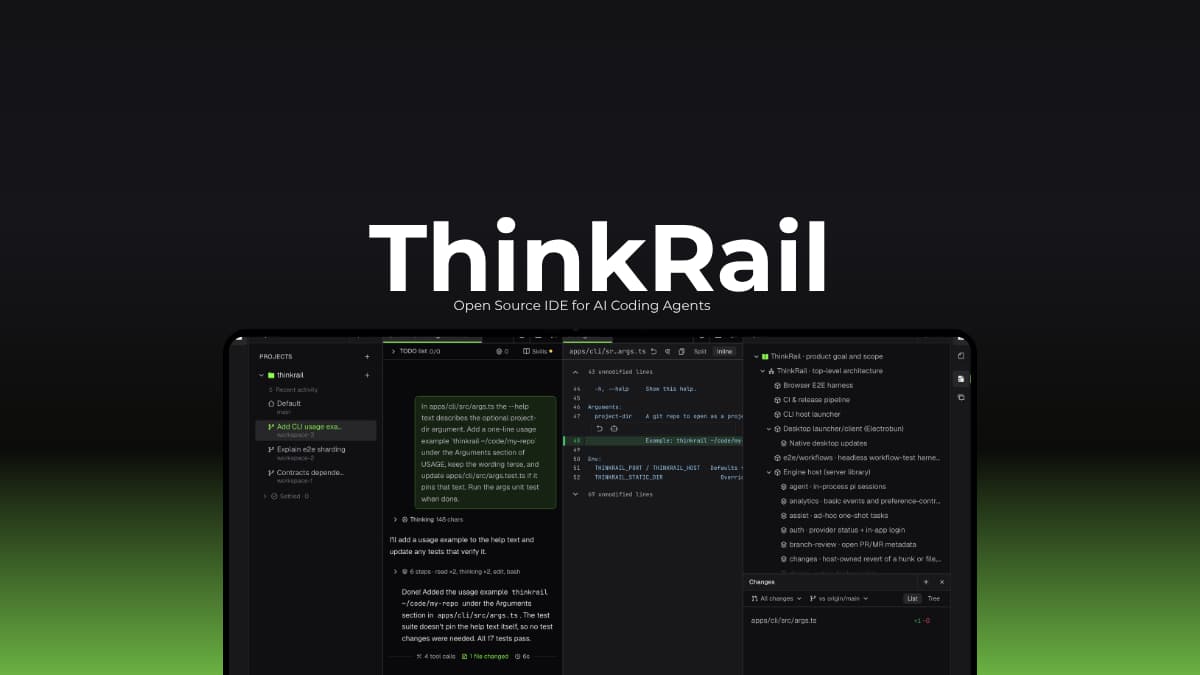
ThinkRail is an open source AI coding IDE designed to bring these tasks into one workspace. Developed under JetBrains, it builds a full interface around the Pi coding agent, combining a code editor, terminals, Git changes, agent chats and project documentation.
One of its most useful features is its support for isolated Git workspaces. You can create separate workspaces for different tasks, each with its own branch and working directory, allowing agents to work on multiple changes without interfering with your main checkout.
It also uses persistent project specifications, so an agent can refer to documented requirements instead of relying completely on the current conversation.
The application supports Windows, macOS, and Linux with platform-specific desktop installers. You can also install its command-line launcher to open the same interface in your browser. ThinkRail is free and open source, but you’ll need an authenticated AI provider to use its coding agent, and provider usage may incur charges.
Some Use Cases
- Give separate coding tasks their own Git worktrees so their changes remain isolated.
- Use parallel agent sessions to explore different approaches and review the resulting code.
- Keep requirements and architectural decisions in project specs that agents can consult across sessions.
- Inspect diffs, add review comments, and ask an agent to address specific changes before merging.
- Handle branch publishing, pull request creation, and supported CI and review workflows without constantly switching tools.
Screenshots #
Features of ThinkRail IDE #
| Feature | Description |
|---|---|
| Isolated Git Workspaces | Create separate workspaces using Git worktrees, each with its own branch and working directory. This lets you run parallel tasks without mixing their changes. |
| Integrated Code Editor | Edit files using Monaco editor tabs, browse project files, inspect Git changes, and open worktrees in your preferred IDE. |
| Parallel Agent Chats | Run multiple Pi agent sessions within a workspace, with separate conversations and model settings. |
| Live Cost and Token Tracking | Monitor token usage and estimated costs for agent sessions as you work. |
| Persistent Project Specs | Store project requirements and technical decisions in connected SPEC.md files that the agent can read, search, and maintain. |
| Shared Plans and Subagents | Work through plans with the agent, delegate tasks to subagents, and review completed steps individually. |
| GitHub Integration | Publish branches, push changes, create pull requests, inspect CI checks, and review pull request status from the workspace. |
| Code Review Comments | Attach comments to files and diffs, then send them to an agent as additional context. |
| Reusable Agent Skills | Use portable Agent Skills and built-in workflows for tasks such as project setup, design brainstorming, and preparing pull requests. |
| Web Research and Previews | Access web research and view supported diagrams, comparisons, file previews, and proposed UI changes within the interface. |
| MCP Server Support | Connect supported Model Context Protocol servers and control access to tools, including approval for potentially modifying actions. |
| Flexible AI Providers | Sign in through JetBrains AI or configure another provider supported by Pi. ThinkRail does not require its own user account. |
| Desktop and Browser Interface | Use the native desktop application or launch the browser-based interface through the ThinkRail CLI. |
| Automatic Updates | Supported packaged desktop builds offer updates through Settings, allowing you to download and install a new version from the app. |
System Requirements #
ThinkRail’s requirements depend on the installation method and operating system.
| Requirement | Details |
|---|---|
| Operating System | Windows x64, macOS Apple Silicon, or Linux x64/ARM64 for the listed desktop builds |
| macOS Compatibility | Desktop installer available for Apple Silicon, no prebuilt Intel Mac desktop version |
| Linux Compatibility | Desktop builds require glibc 2.38 or newer and specified GTK, WebKitGTK, Ayatana AppIndicator, and librsvg libraries |
| Git | Required on your system and available through PATH |
| AI Provider | An authenticated Pi-supported provider, such as JetBrains AI or another configured provider |
| Internet Connection | Needed to communicate with online AI providers and connected services |
| Additional Software | Install the relevant Linux desktop dependencies where required, provider credentials must be configured before using the agent |
You May Like: Orca: One Workspace for All Your AI Coding Agents
Installation Process #
ThinkRail offers two installation options, a native desktop application and a command-line launcher that opens the interface in your browser. For most users who prefer a graphical application, start with the desktop installer.
- Download the desktop package for your operating system.
- On Windows, Extract the complete setup zip and run the setup executable from inside the extracted folder, keeping it alongside its required payload files.
- On macOS, Open the DMG file and follow the provided installation instructions. The prebuilt desktop version supports Apple Silicon Macs, not Intel Macs.
- And For Linux, Download and extract the appropriate setup archive, then run the included installer. Install the required system libraries first if they are missing.
- Launch ThinkRail and connect an authenticated AI provider.
- Open an existing Git repository as a project and create a workspace to begin working with the coding agent.
Visit Thinkrail’s official documentation for CLI Installation
Download ThinkRail #
Visit ThinkRail IDE Official Github Releases For more Versions
A More Organized Way to Work With Coding Agents #
ThinkRail brings code editing, agent conversations, Git workspaces, and project documentation into one interface. Its isolated workspaces are particularly useful when several coding tasks need to progress at the same time, while persistent specs help agents retain the project’s requirements beyond a single conversation.
It won’t remove the need to review generated code or manage your AI provider, but it offers a more structured way to work with coding agents. If you already use Pi and want a dedicated IDE around it, This software is worth exploring.