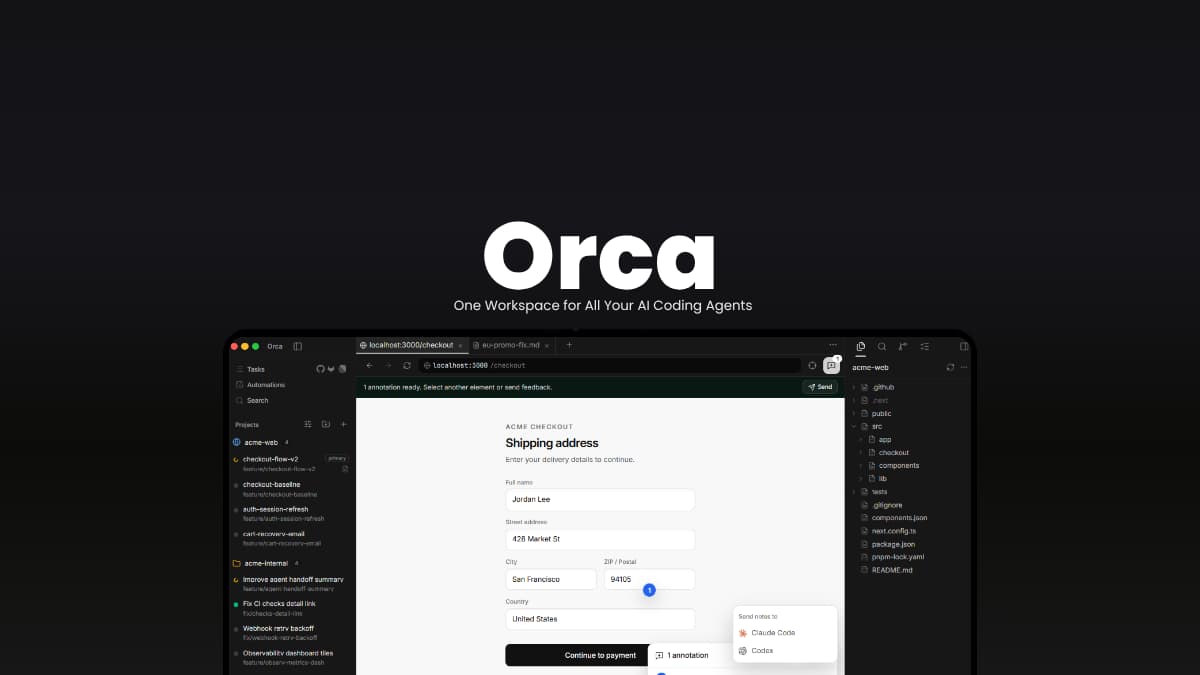
File Info #
| Detail | Information |
|---|---|
| Name | Orca |
| Version | v1.4.215 |
| Developer | Stably AI |
| License | MIT License |
| Size | 226MB (may vary by OS) |
| Platforms | Windows, macOS, Linux |
| Mobile Companion | iOS, Android |
| Git Integration | Git worktrees |
| Github Repository | stablyai/orca |
Table of Contents #
Description #
Orca puts multiple AI coding agents in the same workspace. You can run Claude Code, Codex, OpenCode, Cursor, and other CLI agents side by side, with each one working in its own Git worktree.
That makes it possible to give the same task to different agents, see what each one comes up with and work on several tasks without their changes getting mixed together. It also lets you review AI-generated diffs, work with GitHub and Linear, connect to remote machines over SSH and monitor your agents from your phone.
It works with any coding agent that runs in a terminal, so you can keep using the agents and subscriptions you already have.
Use Cases
- Run multiple coding agents on the same project without mixing their changes.
- Compare different AI-generated implementations before merging one.
- Monitor and steer coding agents remotely from your phone.
- Review AI-generated code, annotate diffs and send feedback back to the agent.
- Run coding agents on a more powerful remote machine through SSH.
Screenshots #
Features of Orca #
| Feature | What it does |
|---|---|
| Parallel Git Worktrees | Run several agents on isolated worktrees so they can work on the same repository independently. |
| Mobile Companion | Monitor agents from your phone, receive completion notifications, and send follow-up instructions remotely. |
| Multiple AI Agents | Works with CLI-based coding agents including Claude Code, Codex, Cursor, OpenCode, GitHub Copilot, Qwen Code and many others. |
| Terminal Splits | Provides multiple terminal panes with WebGL rendering and persistent scrollback. |
| Design Mode | Select an element in a Chromium window and send its HTML, CSS and screenshot directly to an agent. |
| GitHub & Linear Integration | Browse issues, pull requests and Linear tasks inside Orca and open them directly in a worktree. |
| Remote SSH Worktrees | Run agents on a remote machine while retaining file editing, terminals, Git access and port forwarding. |
| AI Diff Review | Comment directly on changed lines and send those comments back to the coding agent. |
| Drag-and-Drop Files | Drag files and images directly into an agent’s prompt. |
| CLI Automation | Control Orca programmatically with commands for creating worktrees, taking snapshots and interacting with the workspace. |
Also Read: Open Source AI Coding Agents That Don’t Need a Subscription
System Requirements #
| Requirement | Details |
|---|---|
| Operating Systems | Windows, macOS, Linux |
| macOS | Apple Silicon and Intel builds available |
| Windows | x64 |
| Linux | AppImage available |
| Git | Required for Git worktree-based workflows |
| AI Coding Agents | Install and configure the agents you want to use separately |
| Remote Development | SSH access to the remote machine |
| Mobile Companion | iOS or Android device |
| Internet | Required for cloud-based AI agents and remote features |
Installation Steps #
- Download the appropriate file according to your OS.
- Install and launch Orca.
- Open an existing Git repository or create a project.
- Connect the coding agents you want to use.
- Create a worktree and start an agent.
- For remote development, configure an SSH connection to the remote machine.
- Optionally install the iOS orAndroid companion app to monitor agents from your phone.
Download Orca #
Visit official Github release page of Orca for more versions
When One AI Agent Isn’t Enough #
AI coding agents are getting good enough that using one at a time can start to feel limiting. You might want to try two approaches to the same problem, work on a few features at once or let an agent handle a task while you move on to something else.
Orca puts those agents, their worktrees, terminals, diffs, GitHub issues, and remote machines into one workspace.
You also don’t have to give up the agents you already use. Orca gives you a way to work with them side by side without turning your workflow into a collection of separate tools.
It won’t make every coding task automatic, but it can make working with several AI agents at once feel a lot more manageable.