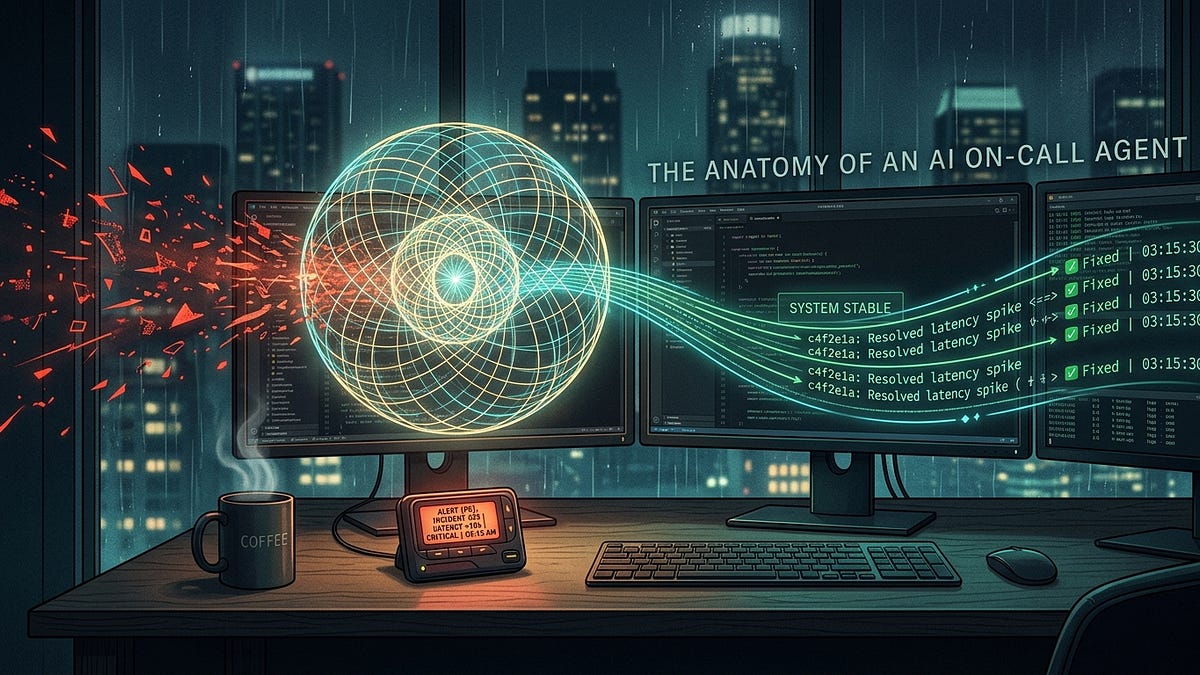
Every software engineer who has ever carried a pager knows the particular dread of a 3:15 AM alert.
Your phone violently buzzes on the nightstand. You stumble to your desk in the dark, squinting through bleary eyes at a blinding terminal screen. PagerDuty tells you that payments-service-prod is throwing a 500-error spike.
Now the clock is ticking, and the most frustrating part of incident response begins: the twenty-minute log-hunting tax.
You open six browser tabs. You pull up Datadog to check error graphs. You check CloudWatch for CPU throttling. You pull up GitHub to see what got merged into main over the last four hours. You query Postgres read-replicas to see if a database migration locked a critical table.
You haven’t fixed anything yet. You haven’t even written a single line of code. You’ve just burned twenty minutes acting as an over-caffeinated, human data-routing cable.
For years, the industry assumed that the only answer to this problem was throwing more engineers at the rotation and paying hundreds of thousands of dollars in SRE overtime.
Last week, fintech unicorn Ramp revealed how they radically shifted this paradigm.
They deployed an autonomous AI agent called OCA (On-Call Assistant). Across four weeks and 1,220 incident pull requests, OCA assisted with 575 merged fixes. More importantly, incidents handled with agent assistance required 37% fewer human engineers and cut total human investigation time by roughly 50%.
Within five minutes of an alert firing, the agent delivers an interim hypothesis to Slack. Within thirteen minutes, it opens a drafted pull request with the code fix waiting for human review.
Beneath Ramp’s proprietary stack lies an architectural pattern that every modern engineering team will be building over the next two years.
Here is the universal architecture of an autonomous incident responder, the hidden failure modes corporate blogs don’t talk about, and the blueprint to build your own.
1. The Real Breakthrough: Stop Bloating Your System Prompts #
When teams first try to build an “AI DevOps Assistant,” they almost always make the same fatal design mistake: they write a massive 20,000-token system prompt.
They stuff the prompt with:
- Every runbook in the company wiki.
- Formatting guidelines for Slack messages.
- Rules on how to query Datadog.
- Warnings not to hallucinate database schemas.
And every engineer who has deployed an agent with a giant, monolithic prompt knows what happens next: the model gets confused, ignores half the instructions, and hallucinates confident nonsense.
Worse, LLMs have an innate cognitive flaw known as premature closure. The moment an LLM spots a single plausible explanation, such as a deploy that went out 20 minutes ago, it immediately stops investigating. It constructs a convincing story blaming that deploy, posts it to the channel, and sends human responders down a 45-minute wild goose chase.
Ramp’s key insight wasn’t using a bigger model. It was adopting Just-in-Time (JIT) Prompting via Execution Hooks.
Instead of telling the agent 50 rules before it starts, the agent harness operates like a proactive flight controller. It stays silent while the agent gathers data. But the second the agent tries to post its final findings to Slack, an execution hook steps in front of the door and issues a dynamic detour:
“STOP. Before you post to Slack, you must run the reasoning-traps checklist: Have you confirmed this error didn’t exist prior to the deploy? Have you cross-referenced your theory against the database read-replica?”
This changes everything. You aren’t praying that the model remembers page 14 of your system prompt; you are intercepting the model at the exact millisecond of action.
2. The 3-Loop Architecture #
To make an autonomous incident agent work reliably without burning tokens or taking down production, the system must be decoupled into three distinct loops:
Loop 1: The Parallel Investigation Sandbox
The agent must never run on raw production infrastructure. It should be spawned inside an ephemeral container containing a clean checkout of your codebase, equipped with read-only API tools:
- Log Tool: Queries Elasticsearch, CloudWatch, or Datadog.
- Git Tool: Examines commit histories, PR diffs, and blame files.
- Read-Replica DB Tool: Inspects table schemas and active query locks.
Loop 2: The JIT Hook Detours (The Safety Valve)
When the agent formulates a theory, it tries to call its post_to_slack tool. This is where your middleware intercepts execution. In Ramp’s implementation, they created six sequential detours:
- Time Window Calibration: Checking if the query lookback window was wide enough.
- Database Grounding: Cross-referencing findings against Postgres state.
- Reasoning Traps Checklist: Forcing the model to disprove its own theory.
- Sanity Check: Verifying metric units (e.g. milliseconds vs. seconds).
- Formatting Review: Ensuring clean Slack markdown formatting.
- Action Proposal: Verifying that a reproducible remediation plan exists.
Crucially, these detours must be one-shot detours. If you strictly block an agent until it satisfies a rigid validator, the agent gets trapped in an infinite retry loop, burning compute until it hits a timeout. By allowing the agent through after attempting the detours, you get 90% of the safety benefit with zero deadlock risk.
Loop 3: The Action & Human Approval Gate
The agent is an investigator, not a dictator. It outputs two artifacts:
- The 5-Minute Interim Slack Update: A plain-English summary:“Here is what broke, here is the probable root cause, here are the logs supporting this claim, and here is what I am investigating next.”
- The Draft Pull Request: A sandboxed branch containing the proposed unit test and hotfix.
A human engineer clicks the final green button. The human remains the pilot; the agent is the automated radar and co-pilot.
3. The 3 Production Scars: Where Naive Setups Fail #
If you attempt to deploy an on-call agent using off-the-shelf tutorials, here are the three production traps that will break your system within the first week:
Scar #1: The 1-Hour Lookback Illusion
Most log-monitoring APIs default to a 60-minute query window. If an incident fires at 2:00 PM, an agent queries for error spikes, sees the earliest timestamp at 1:40 PM, and instinctively deduces: “The issue started at 1:40 PM.” It immediately blames a benign deploy pushed at 1:38 PM.
In reality, the underlying database index corruption had been silently degrading query performance for three days, and 1:40 PM was simply when traffic crested the failure threshold.
- The Guardrail: Program your logging tool to automatically run two queries for every error: the short window (last 60 minutes) and a baseline control window (same 60-minute period 7 days ago).
Scar #2: Read-Replica “Denial of Service”
Giving an autonomous agent a SQL query tool connected to your database is dangerous, not because it will drop a table (you should always use read-only credentials), but because LLMs love writing unindexed SELECT * FROM events WHERE ... queries with three wildcards.
During a severe P0 incident when database CPU is already spiked, an agent firing six unindexed queries can easily take down the read-replica cluster.
- The Guardrail: Force all agent-generated SQL queries through a strict query planner with a mandatory500-millisecond timeout and a hard limit on scanned rows.
Scar #3: The PII Leak in Public Channels
Incident channels often have 30+ stakeholders watching: engineers, product managers, support leads, and executives. When an agent pulls raw exception traces containing customer email addresses, API tokens, or credit card metadata and dumps them into Slack, you have instantly created a compliance violation.
- The Guardrail: A deterministic regex/NER redaction layer must sit between the agent’s reasoning engine and the Slack webhook. Zero raw payloads reach public channels.
4. How to Prototype This Weekend (The Minimal Blueprint) #
You don’t need a team of 200 engineers or custom infrastructure to build a working prototype. You can build a functioning version using standard, accessible tools:
from typing import TypedDict, List
from langgraph.graph import StateGraph, END

class IncidentState(TypedDict):
    incident_id: str
    error_logs: List[str]
    recent_commits: List[str]
    hypothesis: str
    verified: bool
    draft_pr_url: str

def ingest_alert(state: IncidentState):
    return {"error_logs": ["500 KeyError: 'user_id' in /checkout"], "recent_commits": ["Fix checkout payload (#412)"]}

def investigate_and_hypothesize(state: IncidentState):
    return {"hypothesis": "PR #412 changed 'userId' to 'user_id' breaking legacy clients."}

def jit_verification_hook(state: IncidentState):
    return {"verified": True}

def post_slack_and_open_pr(state: IncidentState):
    return {"draft_pr_url": "https://github.com/org/repo/pull/415"}

workflow = StateGraph(IncidentState)
workflow.add_node("ingest", ingest_alert)
workflow.add_node("investigate", investigate_and_hypothesize)
workflow.add_node("verify", jit_verification_hook)
workflow.add_node("act", post_slack_and_open_pr)

workflow.set_entry_point("ingest")
workflow.add_edge("ingest", "investigate")
workflow.add_edge("investigate", "verify")
workflow.add_edge("verify", "act")
workflow.add_edge("act", END)
With just three nodes (Ingest, Investigate, and Verify), you have the foundational loop of an on-call agent.
5. The Strategic Bottom Line #
For engineering leaders, the ROI of on-call agents isn’t about eliminating headcount.
It is about protecting engineering momentum.
When your senior engineers spend 40% of their on-call shift digging through messy JSON logs at 3:00 AM, the true cost isn’t just the downtime. The real cost is the cognitive burnout, the missed sprint goals, and the resignation letters three months later.
By turning the on-call engineer from a manual log-sleuth into an executive code-reviewer, you transform the worst part of software engineering into a 5-minute confirmation workflow.
The future of production reliability isn’t faster humans reading logs. It’s autonomous systems that do the digging before the human even opens their laptop.
Further Reading & Resources
- Ramp Builders: How We Built OCA : The original engineering post detailing their 4-week incident metrics and on-call assistant architecture.
- Claude Code: Sub-Agents & Tool Hooks : Official documentation on implementing Just-in-Time execution hooks and detours.
- LangGraph State Machines : A lightweight framework for implementing human-in-the-loop validation gates and multi-node agent triage workflows.
- Keep: Open-Source AIOps & Alert Orchestration : An open-source alert management platform designed to trigger custom agent workflows and deduplicate incident telemetry.
If you enjoyed this breakdown, subscribe to MLnotes for weekly, bite-sized systems engineering and AI architecture deep-dives. If your team is rethinking its on-call rotation, share this article with your lead.