Key points
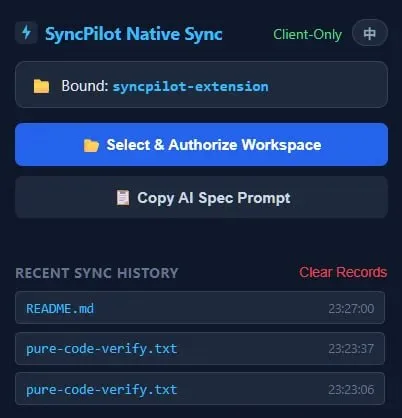
- This Chrome extension uses the File System Access API to save code from Gemini directly to local folders.
- It automatically strips UI text and file path markers to ensure only clean code is written.
- Users can batch-save multiple files simultaneously without needing a background process or local server.
The constant cycle of copying and pasting code blocks from a browser to an IDE is one of the most tedious parts of using LLMs for development. SyncPilot solves this by injecting a "direct transfer" button into the Gemini UI.
What I find most impressive is the "zero background" approach. Most tools that interact with the local file system require a Node.js server or a Python daemon running in the background, which is a pain to set up. By leveraging the browser's native File System Access API, this stays entirely within the frontend. For anyone doing rapid prototyping or script writing with Gemini, this removes a significant amount of friction. It's a lean, focused utility that fixes a specific UX gap.
Next Agent-to-Agent communication is quietly replacing human → Free AI toolbox — all free to use
A more systematic set of tool reviews lives in
these AI tool field notes, with plenty of directly applicable cases.
All Replies (0) #
No replies yet — be the first!