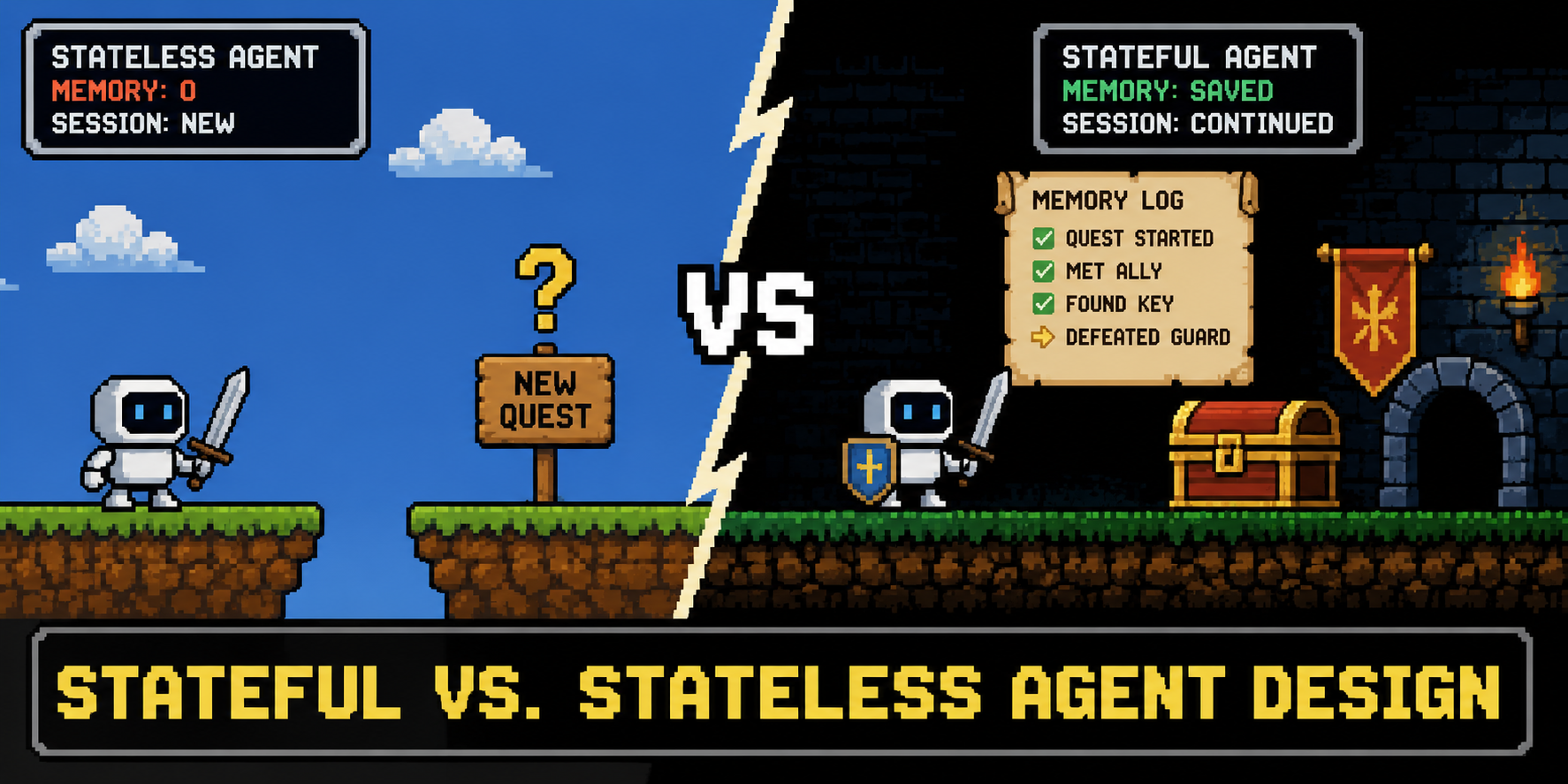
In this article, you will learn how an agent’s approach to managing state — stateless or stateful — shapes both its implementation and the deployment architecture built around it.
Topics we will cover include:
- What separates stateless from stateful agents, and the tradeoffs each design imposes on scaling.
- How to implement a stateless agent that depends entirely on the client to supply conversation history.
- How to implement a stateful agent that manages its own memory through a database layer.
Introduction #
A previous article laid out a comprehensive architectural roadmap for AI agent deployment, examining the infrastructure needed to bring agents into production settings.
As a follow-up, we now turn to a fundamental, practical question that has to be answered before any load balancer is configured: where does the agent’s memory reside? Agents may handle their state (the context gained so far and the conversation history) in different ways, and this code-level decision can significantly impact the entire deployment architecture.
This article breaks down the two primary paradigms for handling an agent’s state: stateless and stateful design. A simplified version of a real-world implementation, using open language models served through the fast Groq API, will illustrate these ideas in practice.
Initial Setup #
If this is the first time you are using language models from Groq in a Python program, you’ll need to install the required library: pip install groq
.
After that, we import it and set our Groq API key in the code below:
import os
from groq import Groq

os.environ["GROQ_API_KEY"] = "PASTE_YOUR_GROQ_API_KEY_HERE"

client = Groq()

MODEL_ID = "llama-3.1-8b-instant"

1234567891011

import osfrom groq import Groq # Get an API key in https://console.groq.com/keys and set it hereos.environ["GROQ_API_KEY"] = "PASTE_YOUR_GROQ_API_KEY_HERE" # Initializing the clientclient = Groq() # Using an efficient model from Groq: Llama 3.1 8B InstantMODEL_ID = "llama-3.1-8b-instant"
An important setup decision here is the choice of a specific model. llama-3.1-8b-instant
is a highly cost-efficient model that is, at the time of writing, generously supported on Groq’s 2026 free tier: it allows up to 14,400 requests per day. That makes it an ideal choice for illustrating the stateless and stateful agent paradigms below.
Stateless Agents: Fire and Forget #
Stateless agents treat each request as completely isolated and independent. The agent reads the user prompt, invokes the LLM inference engine, and delivers the output. Once that execution cycle ends, everything is forgotten.
The Tradeoff
Architectures based on stateless agents can be scaled horizontally with remarkable ease. Since no user memory is stored on a backend server, incoming requests can be forwarded to any available instance. There is, however, an important limitation in multi-turn conversations: the frontend must re-send the whole conversation history alongside every new request. As a result, the context window grows with a snowballing effect, quickly driving up token usage.
Illustrative Example
This runnable code illustrates, through a basic scenario, how a stateless agent typically interacts with a Groq language model.
First, we define a stateless_agent
function that emulates an agent’s interaction with our chosen model. Importantly, no state or memory of the conversation is kept internally. Instead, the previous conversation history can optionally be passed in as a parameter and appended to the current prompt. The API call to the Groq model takes place in client.chat.completions.create()
.
def stateless_agent(prompt: str, provided_history: list = None) -> str:
    """
    The agent relies completely on the client to provide context.
    It retains no information from past interactions in local memory.
    """
    messages = [{"role": "system", "content": "You are a helpful, concise assistant."}]

    if provided_history:
        messages.extend(provided_history)

    messages.append({"role": "user", "content": prompt})

    response = client.chat.completions.create(
        model=MODEL_ID,
        messages=messages,
        max_tokens=100
    )

    return response.choices[0].message.content.strip()

1234567891011121314151617181920212223

def stateless_agent(prompt: str, provided_history: list = None) -> str:    """    The agent relies completely on the client to provide context.    It retains no information from past interactions in local memory.    """    # Initializing with a system prompt    messages = [{"role": "system", "content": "You are a helpful, concise assistant."}]        # Appending whatever history the client provided    if provided_history:        messages.extend(provided_history)            # Appending the new prompt    messages.append({"role": "user", "content": prompt})        # The LLM processes the entire chain of messages    response = client.chat.completions.create(        model=MODEL_ID,        messages=messages,        max_tokens=100    )        return response.choices[0].message.content.strip()
To understand the limitations of a stateless agent, we simulate a simple user-model conversation through it:
print("--- Turn 1 ---")
prompt_1 = "Hi, my name is Alice and I am learning about API infrastructure."
response_1 = stateless_agent(prompt_1)
print(f"Agent: {response_1}")

print("\n--- Turn 2 (Without Client Context) ---")
prompt_2 = "What is my name and what am I learning about?"
response_2 = stateless_agent(prompt_2)
print(f"Agent: {response_2}")

print("\n--- Turn 2 (With Client Context) ---")
frontend_payload = [
    {"role": "user", "content": prompt_1},
    {"role": "assistant", "content": response_1}
]
response_3 = stateless_agent(prompt_2, provided_history=frontend_payload)
print(f"Agent: {response_3}")

123456789101112131415161718192021
Output:
--- Turn 1 ---
Agent: Hello Alice, nice to meet you. Learning about API infrastructure can be a fascinating and rewarding topic. What specific aspects of API infrastructure would you like to explore or discuss? Are you looking for information on API management, security, deployment, or something else?

--- Turn 2 (Without Client Context) ---
Agent: Unfortunately, I don't have any information about you, including your name. Our conversation just started, so I'm here to help you with any questions or topics you'd like to learn about. Please feel free to share your name and a topic you're interested in learning about.

--- Turn 2 (With Client Context) ---
Agent: Your name is Alice, and you are learning about API infrastructure.

12345678

--- Turn 1 ---Agent: Hello Alice, nice to meet you. Learning about API infrastructure can be a fascinating and rewarding topic. What specific aspects of API infrastructure would you like to explore or discuss? Are you looking for information on API management, security, deployment, or something else? --- Turn 2 (Without Client Context) ---Agent: Unfortunately, I don't have any information about you, including your name. Our conversation just started, so I'm here to help you with any questions or topics you'd like to learn about. Please feel free to share your name and a topic you're interested in learning about. --- Turn 2 (With Client Context) ---Agent: Your name is Alice, and you are learning about API infrastructure.
The implementation is simple, but without a client or frontend that sends the full conversation history to the agent on every turn, the agent’s LLM lacks the context it needs to answer certain questions properly.
Stateful Agents: Context-driven Continuity #
Under this approach, the agent takes on the memory burden itself. The client, meanwhile, only needs to send the newest user prompt together with a unique identifier, normally associated with the current session. The agent then retrieves the session history or context from a database and appends the new message to it. Once the LLM inference has been processed, the agent updates the context in the database.
The Tradeoff
This is a much neater experience from the client side. It also facilitates complex and asynchronous workflows in which agents may need to their execution and wait for tools, app responses, or human approval. But it all comes with a cost: scaling this solution becomes much harder, starting with the need for a persistent database layer in the architecture. In infrastructures that scale horizontally, strategies such as centralized memory caching with Redis may also become necessary to avoid “localized amnesia”, where a session’s history is stranded on the single instance that happened to serve the earlier turns.
Illustrative Example
We illustrate the basic ideas behind a stateful agent by incorporating a “persistent” database layer. For simplicity, we use a tiny SQLite database. The key is to have the agent manage its own conversation memory instead of depending on a frontend to provide it externally:
import sqlite3
import json

conn = sqlite3.connect(':memory:')
cursor = conn.cursor()
cursor.execute('''CREATE TABLE IF NOT EXISTS agent_memory (session_id TEXT PRIMARY KEY, history TEXT)''')
conn.commit()

def stateful_agent(session_id: str, new_prompt: str) -> str:
    """
    The agent manages its own state using a database.
    The client only sends the new prompt and their session ID.
    """
    cursor.execute("SELECT history FROM agent_memory WHERE session_id=?", (session_id,))
    row = cursor.fetchone()

    if row:
        conversation_history = json.loads(row[0])
    else:
        conversation_history = [{"role": "system", "content": "You are a helpful, concise assistant."}]

    conversation_history.append({"role": "user", "content": new_prompt})

    response = client.chat.completions.create(
        model=MODEL_ID,
        messages=conversation_history,
        max_tokens=100
    ).choices[0].message.content.strip()

    conversation_history.append({"role": "assistant", "content": response})

    cursor.execute('''
        INSERT INTO agent_memory (session_id, history)
        VALUES (?, ?)
        ON CONFLICT(session_id) DO UPDATE SET history=excluded.history
    ''', (session_id, json.dumps(conversation_history)))
    conn.commit()

    return response

12345678910111213141516171819202122232425262728293031323334353637383940414243444546

import sqlite3import json # Initializing an in-memory SQLite database for notebook testingconn = sqlite3.connect(':memory:') cursor = conn.cursor()cursor.execute('''CREATE TABLE IF NOT EXISTS agent_memory (session_id TEXT PRIMARY KEY, history TEXT)''')conn.commit() def stateful_agent(session_id: str, new_prompt: str) -> str:    """    The agent manages its own state using a database.    The client only sends the new prompt and their session ID.    """    # 1. Retrieving existing state from the database    cursor.execute("SELECT history FROM agent_memory WHERE session_id=?", (session_id,))    row = cursor.fetchone()        if row:        conversation_history = json.loads(row[0])    else:        # Initializing with system prompt for new sessions        conversation_history = [{"role": "system", "content": "You are a helpful, concise assistant."}]            # 2. Appending the new user prompt    conversation_history.append({"role": "user", "content": new_prompt})            # 3. Processing the LLM call using the retrieved history    response = client.chat.completions.create(        model=MODEL_ID,        messages=conversation_history,        max_tokens=100    ).choices[0].message.content.strip()        # 4. Updating the state with the assistant's reply    conversation_history.append({"role": "assistant", "content": response})        # 5. Saving the new state back to the database    cursor.execute('''        INSERT INTO agent_memory (session_id, history)         VALUES (?, ?)         ON CONFLICT(session_id) DO UPDATE SET history=excluded.history    ''', (session_id, json.dumps(conversation_history)))    conn.commit()        return response
Notice how the session identifier is used to query the relevant information from past interactions in the conversation at hand.
Now let’s try it all in a conversation similar to the previous one, but this time with the user asking the agent to recall the user’s own name:
print("--- Turn 1 ---")
print(f"Agent: {stateful_agent('user_123', 'Hi, I am Bob and I want to scale my AI app.')}")

print("\n--- Turn 2 ---")
print(f"Agent: {stateful_agent('user_123', 'What was my name again?')}")

12345678
Output:
--- Turn 1 ---
Agent: Hello Bob, scaling an AI app can be a complex process. May I ask:

1. What type of AI technology is your app built on? (e.g., machine learning, natural language processing, computer vision)
2. Are you using any cloud services like AWS, Google Cloud, or Azure?
3. What are your scalability goals (e.g., increase user count, reduce latency, improve response times)?

This information will help me better understand your requirements and provide more effective assistance.

--- Turn 2 ---
Agent: Your name is Bob.

1234567891011

--- Turn 1 ---Agent: Hello Bob, scaling an AI app can be a complex process. May I ask: 1. What type of AI technology is your app built on? (e.g., machine learning, natural language processing, computer vision)2. Are you using any cloud services like AWS, Google Cloud, or Azure? 3. What are your scalability goals (e.g., increase user count, reduce latency, improve response times)? This information will help me better understand your requirements and provide more effective assistance. --- Turn 2 ---Agent: Your name is Bob.
This example is, of course, a long way from a scaled-up production architecture, but it serves to clarify the key difference between how stateful and stateless agents work.
Wrapping Up: The Tradeoffs #
The choice between a stateful and a stateless architectural design boils down to properly matching the infrastructure to the workflow:
Stateless agents are preferred in simple pipelines oriented to very specific tasks, like text extraction, summarization, or single-turn classification chatbots. They keep the architecture lightweight, which is usually enough in such use cases, avoiding database bottlenecks and allowing seamless horizontal scaling.Stateful agents make much more sense if we intend to develop long-running assistants, coding assistants, or multi-turn bots in applications like customer service. Because the agent owns the history, the client payload stays small on every turn, and the conversation can be trimmed or summarized server-side instead of being resent in full as it grows.