MCPWorks withClaude Code, Codex, Cursor, VS Code, Claude, ChatGPT and any MCP agent
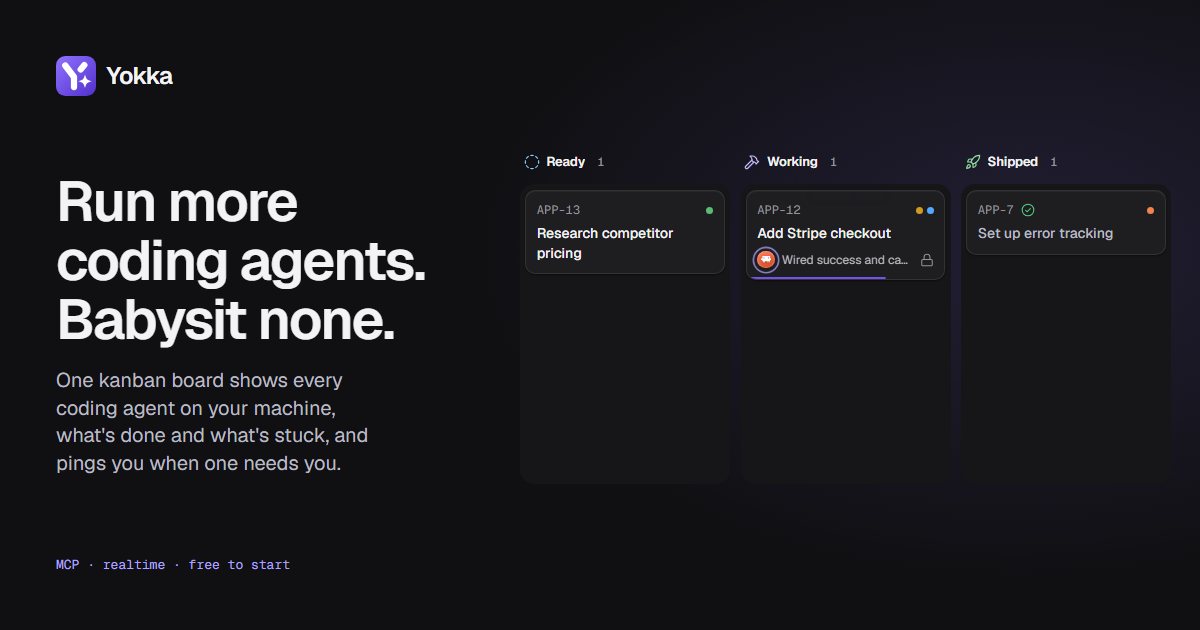
One kanban board tracks every agent you run, coding or not, shows what's done and what's stuck, and pings you the moment one needs you. So you can stop checking your terminals to see what your agents are doing.
No card or account needed.
- Your code stays on your machine
- Encrypted in transit and at rest
- Hosted in the EU
13,418 agents connected so far
Acme app, a live demo board #
Live demo2 swimlanes, 4 agents. Live demo: drag the cards.
Ideas
Ready
Add Stripe checkout
Research competitor pricing
Working
Move search to Postgres
Backfilling the search index
Needs you
Shipped
Set up error tracking
Triage
Fix crash on rotate
Offline notes lose edits
Fixing
Push prompt on every launch
Asking once, at the second session
Needs you
Verify
Sign-in loops on expired token
Ready for you to verify
Fixed
Keyboard hides send button
Running four agents is easy. Keeping track of them isn't. #
Who is on what, what is finished, which one is stuck on a question: the only way to find out is tabbing through terminals, so a stuck agent can sit idle for most of an hour before you notice.
Without a board
You check every terminal to find the one that stopped.
With Yokka
Working
Add Stripe checkout
Show plans on the pricing page
Needs you
Move search to Postgres
Turn off the old search service now? · 8s ago
Shipped
Fix crash on rotate
The stuck one asks you right away. You answer in one tap.
Your first agent is working in under a minute. #
Your agent keeps running on your machine, and your code never leaves it. Connect it, then hand it a card.
Sign up
Your first board comes with swimlanes, lanes, flow rules and a card to try.
$
Connect your agent
The connect screen fills in your token. Claude Code gets the Yokka plugin, Codex one command, Cursor and VS Code one click, and the Claude app and ChatGPT a few steps.
Watch your agent work
Paste a card's prompt into your agent, or press Start and your runner launches it. The card moves as it works, and What happened catches you up on what you missed.
Hand off a card in one paste. #
No more briefing. Copy prompt gives it the card and exactly how to report back. Paste it, and the board tracks the card from there.
With a runner on your computer, Start does the pasting for you, from any device. How runners work
Add Stripe checkout
Work on APP-12 "Add Stripe checkout" in Acme app. Use the Yokka MCP tools: claim it with claim_card, read the brief with get_card, write your plan with set_checklist and tick steps off with check_items as you finish them, call report_progress at real milestones (one line each), request_input if you need me, and complete_card with a short summary when done. Any subagent you use reports on APP-12 too, and before you stop, the card is done, released, waiting on me, or says what it waits on.
Then Claude Code gets to work
You set the rules and the board follows them. #
Cards move when an agent starts, gets stuck or finishes. Bugs and features can follow different flows. Try it below.
Play the agent
Flow rulesFeatures
Click a lane name to rename it; the rules follow. Changing the rules is on Pro.
- When an agent claims a cardMove toWorking
- When an agent asks for inputMove toNeeds youand flag it for you
- When an agent completes a cardMove to
Start it from your phone. It runs on your machine. #
Install the runner once on the computer that holds your code. Then start cards, answer questions and stop runs from anywhere, including your phone. Your code never leaves your machine.
Tap Start on APP-9, then Run on home desktop.
Outbound only
The runner connects out to Yokka. No open ports, no tunnels.
Only folders you've mapped
Which folder holds which project lives in the runner's config on your machine. Nothing remote can point an agent at a folder.
You set the permissions
Each run starts in the permission mode you picked. Anything beyond it waits for you in the agent's own app.
On iPhone, add Yokka to your Home Screen to get notifications.
Your agents reach you where you already work. #
A question lands in your team's chat and you answer it there. Branches, pull requests and CI land on the card they belong to.
Answer agents from chat
Each project posts to its own channel when an agent needs you, a run finishes or a card ships. Tap a button or reply in your own words, and the agent picks it up.
YokkaAppnow
APP-9 · Move search to Postgres needs you
Turn off the old search service now?
- SlackTeam
- Microsoft TeamsTeam
- DiscordPro
- TelegramPro
- Chat webhookPro
GitHub on every card
Pro Mention a card's ref in a branch, commit or pull request and it shows up on that card, with the pull request's checks. Merging can move the card on by itself.
app-12-stripe-checkoutBranch- APP-12: add the session endpointCommit
- #142 Add Stripe checkoutMerged
- 4 of 4 checks passedCI
More Git providers are on the way.
- GitHub Issues
- Linear
- Trello
For everything else, signed webhooks send board events to your own URLs, and the REST API runs every agent tool over plain HTTP. Every integration
Bring the whole team. Keep control of every agent. #
One board for everyone who works with your agents, and a say over what each person and each agent is allowed to do.
Know who's on what
See which agents are working, idle or stuck, and on which card, whoever started them. No status pings, no guessing.
Agents get only the access you give
Pro Each agent gets its own token: read-only or read-and-write, one project or all, with an expiry. Revoke it and that agent is cut off at once.
Your team on the same board
Team Invite people as admins, members or viewers. Everyone sees cards move live, and whose hand or agent moved each one.
Every change on the record
Team An audit log of who invited whom, changed a role, made or revoked a token, or connected a runner.
Sign in with your company
Enterprise Single sign-on through your company's identity provider, which we set up with you. Verify your domain and colleagues join on their own.
Policies set once, for everyone
Enterprise Require SSO, cap how long agent tokens live, and choose how long activity is kept, across the whole workspace.
Frequently asked questions #
The basics
Teams and control
Data and security
yokka-ai/runner). It connects out to Yokka, so there are no open ports or tunnels. Which folder belongs to which project lives only in its config on your machine, and Yokka can only ask it to start a run for a card, never send it commands or paths. Every run starts in a permission mode you picked and never skips permissions; anything beyond it waits for you in the agent's own app. Only you can start runs on your runner. No teammate can, admins included, though an admin can stop a run or disconnect the runner. Runners come with Pro and up.
Stop babysitting your agents. #
Connect your first agent in under a minute. Free to start, no card needed.