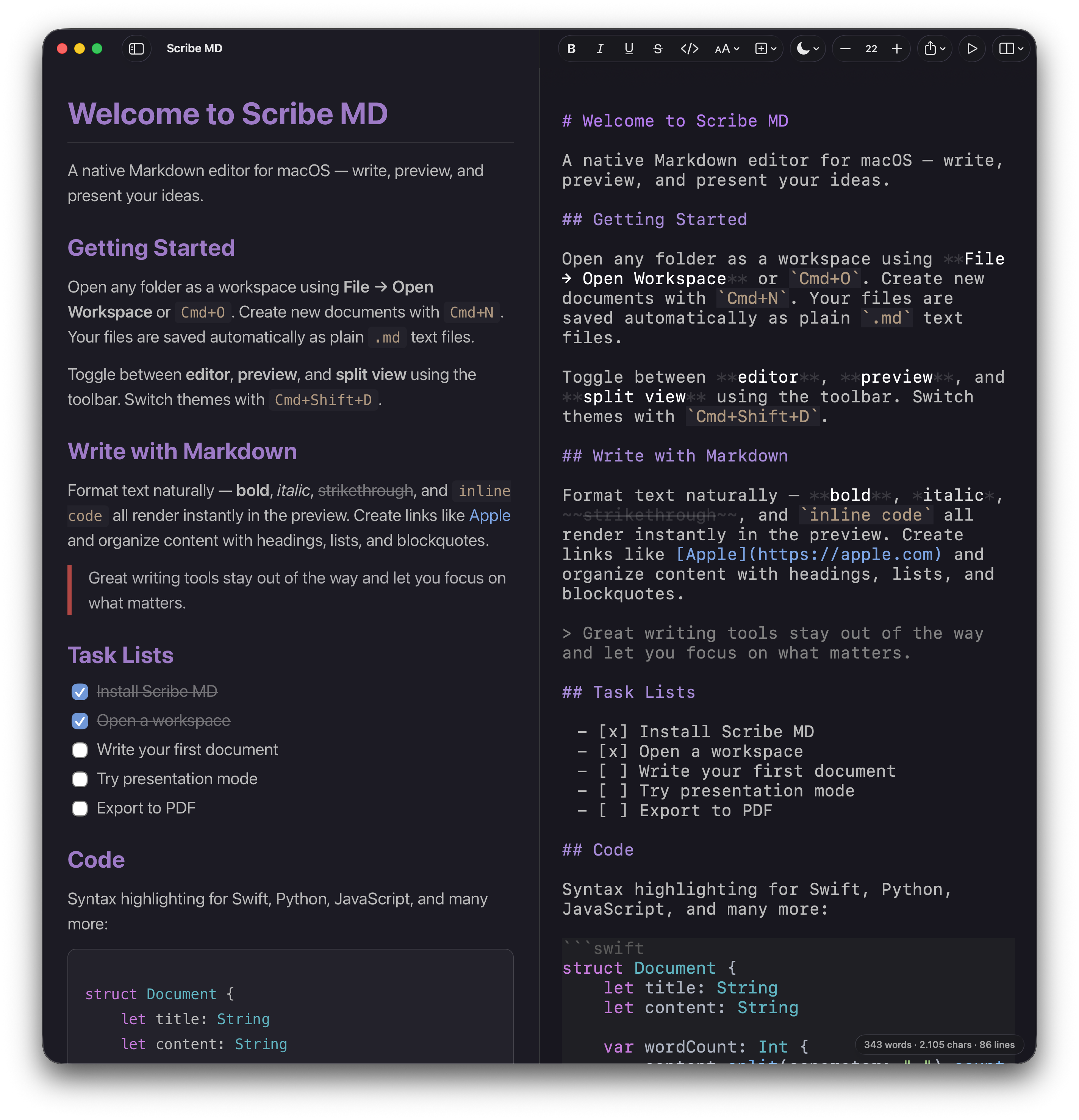
The Markdown editor macOS deserves.
Math and Mermaid diagrams render as you type. Any document becomes a full-screen slideshow. Article View turns a working draft into something worth reading, and the preview refreshes itself the moment another app rewrites the file. Native SwiftUI throughout, exporting to PDF and HTML with the styling intact.
Math, diagrams, alerts, and code, all rendered live as you type.
Features
From quick notes to technical papers with math, diagrams, and live code. Scriptum adapts to how you work. Write in the rendered document itself. Headings, bold, links, tables, math, and code blocks all take their real appearance as you type, and the Markdown behind them is still exactly what gets saved. Reveal the raw syntax any time by putting your cursor in it.
The preview refreshes the moment another app changes the file, your editor, a build script, or an AI tool writing Markdown. Keep Scriptum beside your terminal and watch documents take shape.
Turn any document into a full-screen slideshow. Split slides with <!-- slide -->
markers or H1/H2 headings. Navigate with arrow keys or clicks.
Inline and block math rendered with KaTeX. Write equations with $...$
and $$...$$
, see them typeset instantly.
Flowcharts, sequence diagrams, ER diagrams, Gantt charts, pie charts, mindmaps, and git graphs, rendered live in the preview.
Write on the Mac, read anywhere. Documents in iCloud Drive open on your iPhone rendered exactly the same way, math, diagrams, and tables included. See it below.
Split, reader, and editor modes with synchronized scrolling · Standard and Article View reading typography · document outline, one click to any heading · find in the rendered preview with Cmd+ F
Light, dark, or follow the system · 13 typefaces, each file remembers its own · centered or full-width layout · text size from 10 to 32pt
GitHub alerts · task lists with clickable checkboxes · footnotes · definition lists · highlights, superscript, subscript · syntax-highlighted code with a copy button
Open any folder as a workspace with search and sort · auto-save as you type · plain .md
on disk, never locked in
Styled PDF and self-contained HTML · print · AirDrop, Mail, and Messages
Scriptum is a native SwiftUI app, not a web wrapper. It respects your system settings and feels right at home on your Mac.
Keep your documents in iCloud Drive and they follow you. Write a note on your Mac and it is right there on your iPhone.
Every document is a plain .md text file, openable in any app, never locked in. Scriptum can even be your default Markdown editor.
Your work saves automatically as you type. And if another app changes a file while it is open, Scriptum offers to reload or keep your edits.
On the Horizon
Scriptum for iPhone renders the same documents the same way, math and diagrams included, from the iCloud Drive folder you already keep them in. Editing stays on the desktop for now; the phone is built for reading what you wrote.
In DevelopmentA full editing canvas built for iPad, with split view, hardware keyboard shortcuts, and Apple Pencil in mind. Write technical notes and present slideshows from anywhere.
Requirements: macOS 14.0 (Sonoma) or later. Built with Swift and SwiftUI.