Local spell checker
Correct spelling and grammar in selected macOS text with Ollama models running locally.
Read the guide Local-first correction for macOS
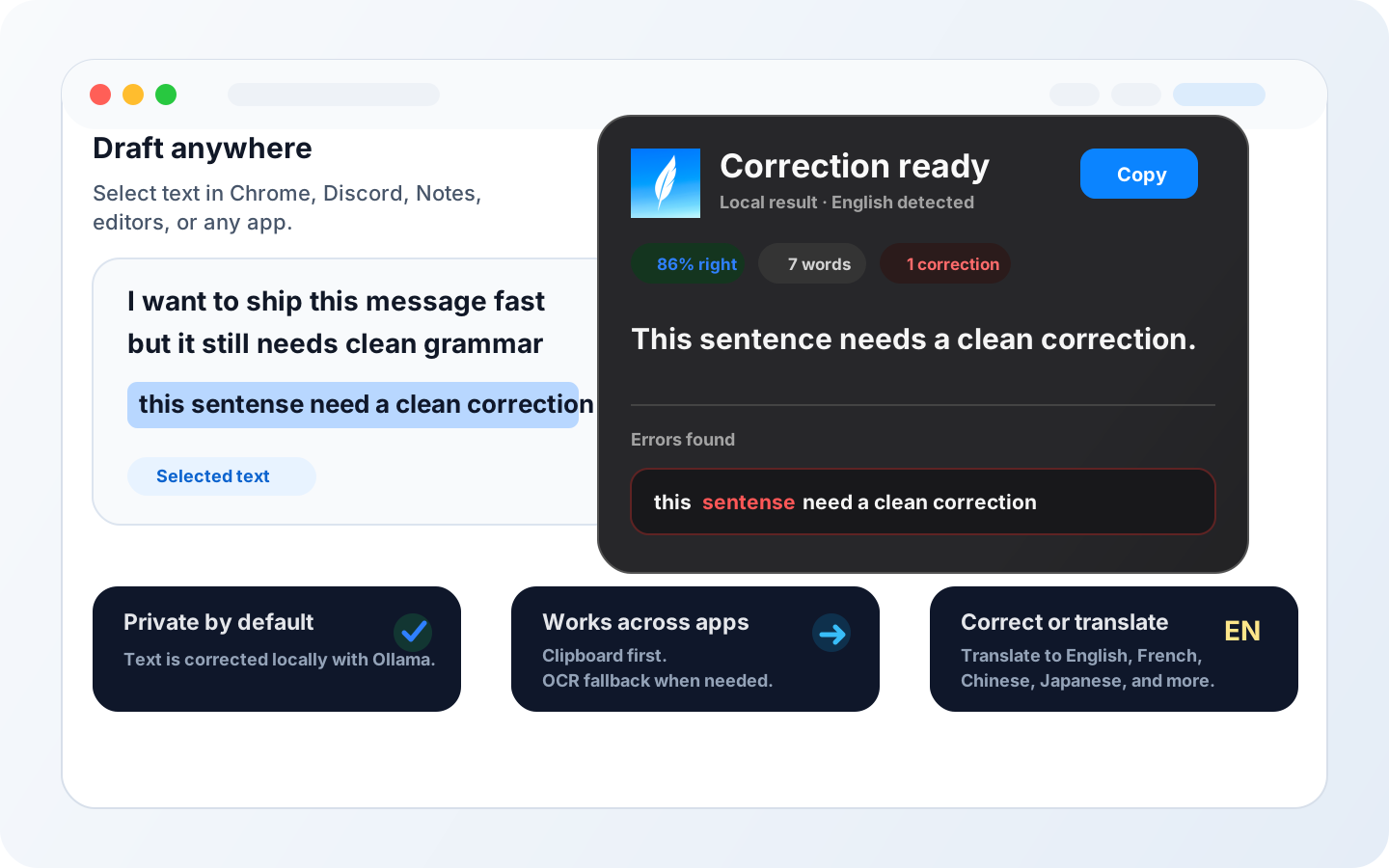
Qelvora corrects, rewrites, and translates selected text across macOS using your local Ollama models. It is fast, native, and private by default.
Mail draft
Hey Laura, I pushed the update. this sentense need a cleaner correction before we send it.
Correction ready
Local result - English detectedThis sentence needs a cleaner correction.
Discord-first screen text
Discord's composer and message history do not always behave like a document editor, especially when you need one exact sentence or a quick translation. Built-in selection, spelling, and translation behavior also varies by app, surface, language, and context. Press Qelvora's global shortcut and a precise rectangle follows your mouse.
Qelvora immediately opens the screen-area selector over the app in front of you.
Drag around exactly the draft, message, code comment, or visible words you need.
Local OCR reads the area, then your Ollama model corrects or translates the recognized text.
Prefer normal selection? Highlight editable text and use Correct selection from Qelvora's menu bar or macOS Services. Both modes remain available.
One rectangular fallback
Use the same capture path when normal text selection is awkward. Qelvora complements each app's own language tools; it does not claim to replace them. Qelvora is an independent macOS utility and is not affiliated with these services.
Product demo
Watch the selected-text flow: trigger Qelvora, run the correction locally with Ollama, review the result, and bring the clean version back into your work.
Open-model friendly
Local spell checker
Correct spelling and grammar in selected macOS text with Ollama models running locally.
Improve tone, clarity, grammar, and short rewrites without opening a cloud writing editor.
Qelvora also targets the French search: correcteur orthographique local avec LLM local.
Trusted local stack
Why Qelvora
01
Use Qelvora from browsers, notes, editors, chat apps, and other macOS surfaces. 02
Your selected text is corrected by a local LLM through Ollama on your Mac, not by a hosted writing service.
03
Services, clipboard, Accessibility, and OCR fallback help capture text reliably.
Recommended for
Clean customer replies, investor updates, and internal notes without moving drafts into a hosted editor.
Keep GitHub issues, support answers, and release notes polished while staying inside your local tools.
Use local Ollama models when a cloud correction service is not appropriate for the text in front of you. Workflow
Press the global shortcut for a mouse-drawn rectangle, or highlight editable text for Correct selection.
Drag around the visible words, or send the highlighted selection from the menu bar or macOS Services.
Local OCR reads a rectangle; highlighted text skips OCR. Your Ollama model then corrects, rewrites, or translates.
Review the output and place the clean version back into your workflow.
Local-first
Qelvora is intentionally built around local model inference. macOS permissions are used to capture text and support OCR fallback, not to move your writing into a remote correction pipeline.
Guides
Why local correction matters for drafts, customer replies, support notes, and sensitive writing.
How selected text can move from any macOS app to a local model and back into your workflow.
How to think about Gemma, Qwen, DeepSeek, Kimi, Mistral, Llama, and Phi for local text cleanup.
Use Qelvora as a local spell checker and grammar checker powered by Ollama models. A targeted guide for users searching for private local correction with a local LLM.
Correct grammar, tone, and short rewrites while keeping drafts inside your Mac workflow.
FAQ
Qelvora is a private local AI writing assistant and local spell checker for macOS. It corrects, rewrites, and translates selected text using Ollama models running on your Mac.
Yes. Qelvora can act as a local grammar checker and local LLM corrector for selected text, using installed Ollama model tags instead of a hosted writing service.
Qelvora is built around local model inference. The product is designed for workflows where drafts, customer replies, or internal notes should stay on the machine.
Qelvora uses installed Ollama model tags. Local writing workflows can use model families such as Gemma, Qwen, DeepSeek, Kimi, Mistral, Llama, and Phi.
Yes. When normal text selection is awkward in Discord, draw a rectangle around visible text. Qelvora runs OCR locally on the Mac, then uses the configured local Ollama model to correct or translate the recognized text. Native selection, spell-check, and translation behavior can vary by surface and context.
Qelvora is useful for founders, developers, support teams, and privacy-first operators who need fast writing cleanup inside normal macOS apps.
Current release
The source is free to build. The official DMG is the clean install path with signing, notarization, packaging, and Sparkle updates.
Qelvora needs Ollama running locally. Install Ollama first, launch it once, then download the recommended Gemma 4 4B model from the app.