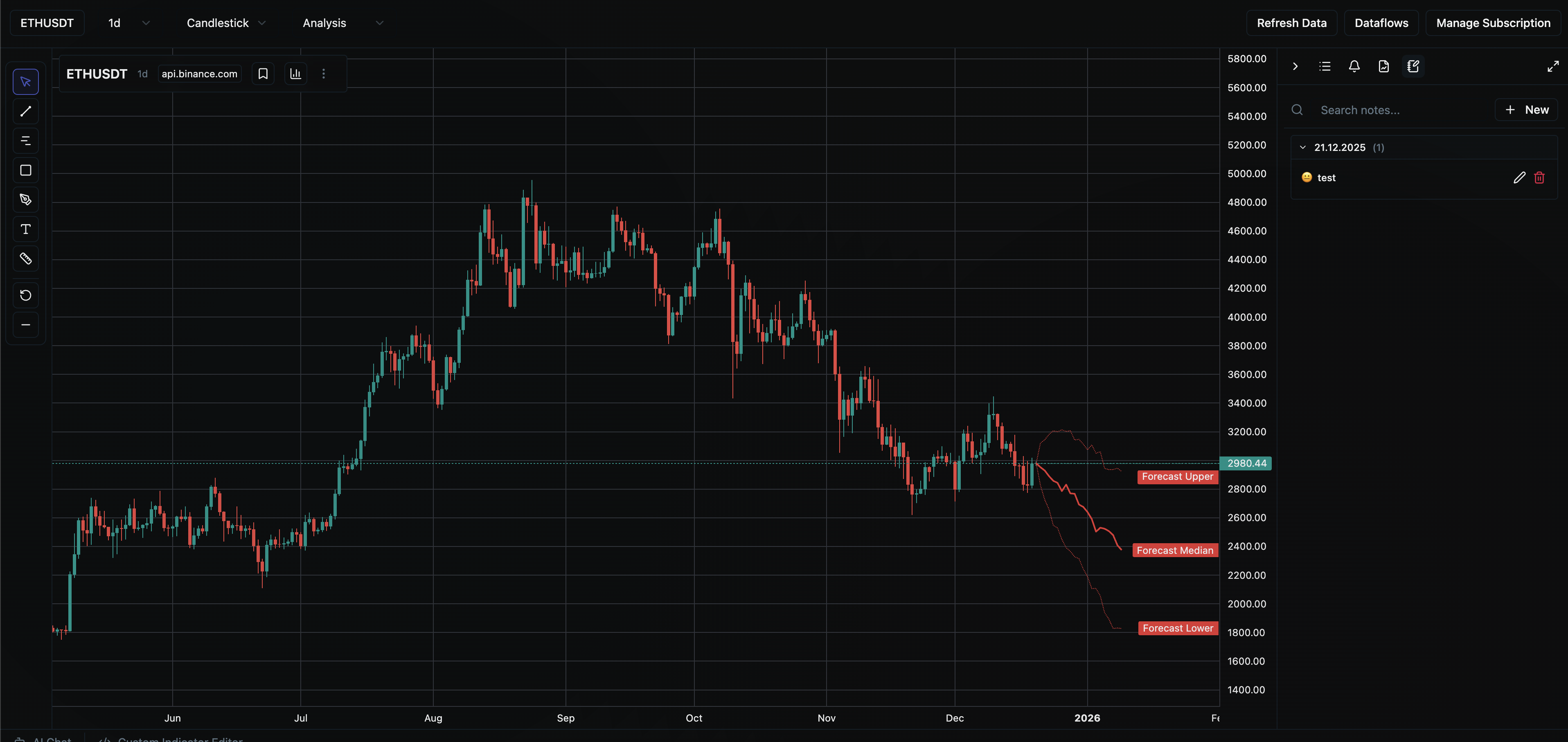
Fetch, scan, rank, confirm — like a co-trader on your desk.
Indicators, patterns, and chart tools on your desktop — or ask the AI to pull the numbers. You stay in control. Free to start.
Chart like TradingView. #
Analyze with AI when you want to.
Two ways to work the same market data. Run indicators, patterns, and strategies on the chart yourself — or ask the assistant to fetch, scan, and summarize a setup. Same vault, your choice.
Ask for analysis on a setup
Bring your own model. The assistant fetches data, scans structure, and walks through the trade — grounded in what's loaded, not invented prices.
Work the chart the classic way
Indicators, patterns, drawing tools, and multi-timeframe structure — the same kind of manual technical analysis you'd run in TradingView.
// ASSISTANT
Built for the decision #
— not the monologue.
Refresh a ticker, scan structure, and see which watchlist setups are closest to your entry — from the same charts, notes, and trade plans you already use.
  ┌─────┐
  │ OHLC│
  └──▸──┘
    scan
  patterns
Tools, not vibes
Before you size a trade, pull the series: scan structure, run indicators, refresh a ticker, evaluate the setup against bars already in your vault.
  ┌─┐ ── ┌─┐
  │W│───│E│
  └─┘     └─┘
  watch → entry
Ideas near entry
Know which watchlist setups are close to your levels and which are still waiting. Draft cards from proximity and momentum — nothing sticks until you confirm.
  │▁ ▄ █
  │█ █ █
  └────────
  P&L review
Portfolio & journal
Review holdings, risk, and closed trades from your own plans. Dig into what worked last month without pretending the model knows next week’s open.
  ╔═══╗
  ║ ◈ ║
  ╚═══╝
  your key
  your model
Your model, your rules
OpenAI, Anthropic, Gemini, Grok, DeepSeek, Qwen, Ollama, or any OpenAI-compatible endpoint. Switch profiles. Test connection before you trust it.
// HOW IT WORKS
Three steps. #
You stay in control.
// Models settingsprovider: anthropicmodel: claude-sonnetkey: sk-•••••••• ✓ connected
// YOUR MODEL
Bring any model. #
Switch in one click.
Cloud providers or fully local. Test the connection before you trust it.
OpenAI
Cloud
Anthropic
Cloud
Gemini
Cloud
Grok
Cloud
DeepSeek
Cloud
Qwen
Cloud
Ollama
Local
LM Studio
Local
// TRY SAYING
- ›Which watchlist tickers are closest to entry?
- ›Analyze AAPL on the daily and evaluate the setup.
- ›Review my portfolio risk and suggest rebalance ideas.
- ›Remember I prefer max 1% risk per trade.
- ›What did my last closed trades teach me?
- ›Refresh BTC, then scan structure on the daily.
// PRIVACY
Your keys. Your edge. Your machine. #
Your keys never leave your machine as “VaultCharts’ keys.” Analysis is grounded in your vault — not vendor memory of the market.
  ╔═══╗
  ║ ◈ ║
  ╚═══╝
BYOK — not our keys
You configure the provider. The desktop app talks to that API. VaultCharts does not sell LLM access.
  ┌───┐
  │ ✓ │
  └───┘
Prompts stay local
Chat and optional learned memory save on your machine. We don’t store prompts for analytics.
  ◉─◉
  │ │
Local models welcome
Ollama, LM Studio, or any OpenAI-compatible endpoint — zero cloud involvement if you want it.
  │▄ █
  │█ █
  └────
Tools on your OHLC
Calls tools on local series and app state — not the internet’s memory of last week’s prices.
Disclaimer: VaultCharts Assistant is for analysis and reflection. It does not provide financial advice, place orders, or guarantee outcomes. Always verify levels against your own process. AI FAQ →
Free charts. Your model. Tools that fetch the numbers. #
Local-first trading charts with an agentic assistant. Bring your own key. Keep your edge on device.
Free forever · Mac · Windows · Linux