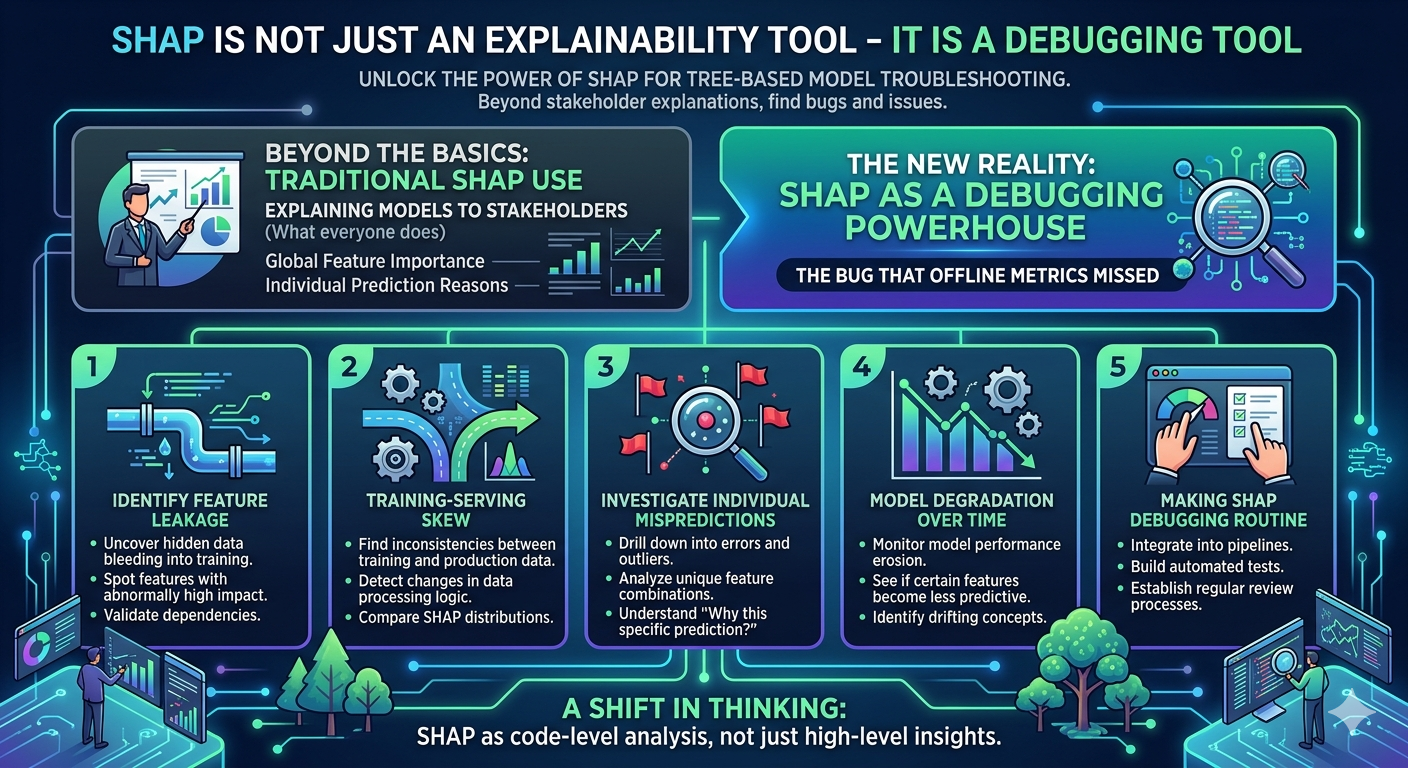
Finding "Data Leakage" Bugs #
The most common bug I've encountered in production ML is data leakage—where a feature contains information about the target that wouldn't be available at inference time. A model with 99% accuracy usually isn't "perfect"; it's usually cheating.
If you run a SHAP summary plot and see one feature with a massive impact while others are negligible, you've found your bug. For example, in a churn prediction model, if last_payment_date
has a SHAP value that perfectly correlates with the target, it's often because that date was updated after the churn event occurred.
Technical Implementation for Debugging #
To use SHAP for debugging, you need to look at the individual force plots or the summary plot to identify "impossible" feature contributions. Here is how I set up a diagnostic check for a XGBoost model:
import shap
import xgboost as xgb
from sklearn.model_selection import train_test_split

X, y = load_my_dataset()
X_train, X_test, y_train, y_test = train_test_split(X, y, test_size=0.2)
model = xgb.XGBClassifier().fit(X_train, y_train)

explainer = shap.TreeExplainer(model)
shap_values = explainer.shap_values(X_test)

shap.summary_plot(shap_values, X_test)
Diagnosing Model Drift and Bias #
Beyond leakage, SHAP is the only way to diagnose why a model is failing on specific slices of data (e.g., why it's failing for users in a specific region). Instead of guessing which feature is causing the error, I use a dependence plot to see the interaction between two variables.
If you notice a sharp, unnatural jump in the SHAP value at a specific threshold (e.g., at exactly 18 years old in a credit score model), you've likely found a hard-coded bias or a data collection error in the pipeline.
Real-World Debugging Example: The "Zero-Value" Bug #
I recently dealt with a regression model that was consistently under-predicting for a specific cluster of users. Standard error analysis showed the residuals were high, but didn't say why.
By plotting the SHAP values for those specific outliers:
Observation: The featureaccount_age
had a strong negative SHAP value.The Bug: I discovered that missing values inaccount_age
were being filled with0
by the preprocessing pipeline, and the model was interpreting0
as "very new account" rather than "unknown."The Fix: Changing the imputation strategy from zero-filling to median-filling shifted the SHAP values back to neutral, and the prediction error dropped by 15%.
Comparison: SHAP vs. Feature Importance #
If you are still using .feature_importances_
from Scikit-Learn or XGBoost, you are missing the "direction" of the bug.
Standard Feature Importance: Tells you a feature is "important" (Global).SHAP Values: Tells you if the feature is pushing the prediction up or down for a specific row (Local).Reliability: Standard importance is biased toward high-cardinality features; SHAP is mathematically grounded in game theory and remains consistent across different model types.
Integrating SHAP into a deep dive of your model's failure cases is far more valuable than using it for a final presentation. It transforms a "black box" into a transparent system where you can actually trace the logic of a wrong prediction.
Next AI Opportunity Guide: AI Security and Founder Residencies →