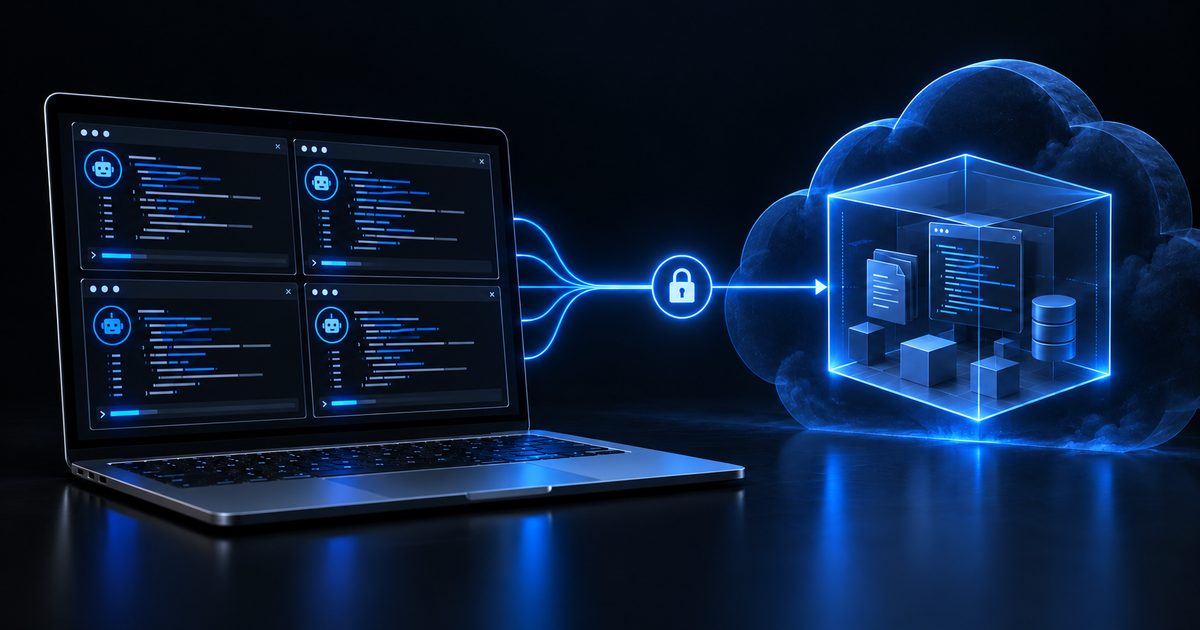
TL;DR
- herdr is a terminal workspace manager for AI coding agents. Its panes run in a background server, and
herdr --remoteattaches to that server over SSH. - A Lens Agents sandbox speaks SSH through
nexusctl, so it can be that remote. No sshd in the image, no open port. - The result: you work in herdr on your laptop, while Claude Code and Codex run in a sandbox with default-deny egress and secrets they never see.
Running several coding agents at once has two practical problems. You want them to keep working when you close the laptop, and you don't want them running on your laptop with your credentials and an open network.
herdr solves the first one. A Lens Agents sandbox solves the second. This post connects them.
How the pieces fit #
herdr keeps every pane in a server process. When you run herdr --remote <host>, the server runs on the remote host and owns the agents, while your local herdr draws the UI: sidebar, theme, and your own keybindings. Detach, and the agents keep running. Attach again from any machine, and they're where you left them.
herdr --remote uses plain OpenSSH. That's the only thing it needs from the remote side.
A Lens Agents sandbox doesn't run an SSH server. Instead, nexusctl sandbox ssh-proxy acts as one on your machine, as an OpenSSH ProxyCommand. Each SSH session becomes one exec in the sandbox, authenticated with your Lens Agents login. Shells, commands, PTYs, and window resizes work, so a full-screen TUI like herdr works too.
What you need #
- Lens Agents 0.34.0 or later. SSH access to sandboxes arrived in that release. If you don't have a platform yet, follow the getting started guide .
nexusctl, installed from your Lens Agents platform and logged in withnexusctl auth login.- The ADMIN role on the project where the sandbox lives. SSH access requires it.
- herdr on your laptop. See the herdr install guide .
- A fine-grained GitHub token with access to only the repositories the agents work on.
Step 1: Define the sandbox #
The sandbox is a home directory on a persistent volume, with the agent CLIs and herdr installed into it. Everything installs into $HOME, so tools, logins, and repositories survive a restart, and the install scripts skip what's already there.
name: Dev Box
image: ubuntu:24.04
command: sleep infinity
cpu: "4"
memory: 16Gi

user: ubuntu
workdir: /home/ubuntu/work

volumes:
  - mountPath: /home/ubuntu
    size: 30Gi

env:
  MISE_YES: "1"

scripts:
  - when: pre-start
    description: install base packages
    user: root
    run: |
      apt-get update -qq
      DEBIAN_FRONTEND=noninteractive apt-get install -y -qq --no-install-recommends \
        curl git ca-certificates unzip xz-utils less >/dev/null
  - when: pre-start
    description: give the home volume to the agent user
    user: root
    run: chown ubuntu:ubuntu /home/ubuntu
  - when: pre-start
    description: set up the shell
    run: |
      [ -f ~/.bashrc ] || cp -rT /etc/skel ~
      grep -q 'mise activate' ~/.bashrc || cat >> ~/.bashrc <<'EOF'
      export PATH="$HOME/.local/bin:$PATH"
      eval "$(mise activate bash)"
      EOF
  - when: pre-start
    description: install mise
    run: |
      [ -x ~/.local/bin/mise ] && exit 0
      curl -fsSL https://mise.run -o /tmp/install-mise.sh
      sh /tmp/install-mise.sh
  - when: pre-start
    description: install Claude Code
    run: |
      [ -x ~/.local/bin/claude ] && exit 0
      curl -fsSL https://claude.ai/install.sh -o /tmp/install-claude.sh
      bash /tmp/install-claude.sh
  - when: pre-start
    description: install Codex
    run: |
      ~/.local/bin/mise which codex >/dev/null 2>&1 && exit 0
      ~/.local/bin/mise use -g codex@latest
  - when: pre-start
    description: install herdr
    run: |
      [ -x ~/.local/bin/herdr ] && exit 0
      curl -fsSL https://herdr.dev/install.sh -o /tmp/install-herdr.sh
      sh /tmp/install-herdr.sh
  - when: pre-start
    description: open herdr panes in bash
    run: |
      [ -f ~/.config/herdr/config.toml ] && exit 0
      mkdir -p ~/.config/herdr
      printf '[terminal]\ndefault_shell = "/bin/bash"\n' > ~/.config/herdr/config.toml

policy:
  name: Dev Box
  networkDefaultVerdict: deny
  allowedDomains:
    - { pattern: github.com, verdict: allow, transport: direct }
    - { pattern: "*.github.com", verdict: allow, transport: direct }
    - { pattern: "*.githubusercontent.com", verdict: allow, transport: direct }
    - { pattern: api.anthropic.com, verdict: allow, transport: direct }
    - { pattern: console.anthropic.com, verdict: allow, transport: direct }
    - { pattern: claude.ai, verdict: allow, transport: direct }
    - { pattern: platform.claude.com, verdict: allow, transport: direct }
    - { pattern: api.openai.com, verdict: allow, transport: direct }
    - { pattern: auth.openai.com, verdict: allow, transport: direct }
    - { pattern: chatgpt.com, verdict: allow, transport: direct }
    - pattern: "*"
      verdict: allow
      transport: direct
      description: Read-only internet
      rules:
        - { method: GET }
        - { method: HEAD }
  credentials:
    - { credentialName: gh-token, envVarKey: GH_TOKEN }

credentials:
  gh-token:
    value: ${GH_TOKEN}
    injections:
      - domain: api.github.com
        headerName: Authorization
        headerFormat: "Bearer {value}"
      - domain: github.com
        headerName: Authorization
        headerFormat: "Basic {base64:x-access-token:{value}}"
A few things to note:
command: sleep infinitykeeps the sandbox up. herdr starts its own server the first time you attach, and that server keeps running after the SSH session ends.ubuntu:24.04is the official image. It has no curl or git, so the first script installs them as root. The agent user must exist in the image, andubuntudoes.- herdr goes to
~/.local/bin, because that is whereherdr --remotelooks for it. The last script makes herdr open panes in bash, so~/.bashrcputs the mise tools on thePATH. - The policy denies by default. The agents can reach GitHub and their model providers. For the rest of the internet, only
GETandHEADpass, which cuts off the obvious upload paths. - The GitHub token never enters the sandbox.
$GH_TOKENinside the sandbox holds a placeholder. The real token is added to requests to GitHub at the platform boundary. The agents can still push to any repository the token can reach, so scope it to the repositories they need.
Step 2: Create the sandbox #
read -rs GH_TOKEN && export GH_TOKEN
nexusctl sandbox create --project <org>/<project> -f sandbox.yaml
Paste the token at the prompt. read -s keeps it off the screen and out of your shell history, and create expands ${GH_TOKEN} from your environment. The first start runs the install scripts, so give it a minute.
Step 3: Make the sandbox an SSH host #
Let nexusctl write the SSH config entry for every sandbox in the project:
nexusctl sandbox ssh-config --project <org>/<project> >> ~/.ssh/config
The entry matches *.<project>.<org>.nexus and routes through ssh-proxy:
Host *.<project>.<org>.nexus
  User sandbox
  ProxyCommand nexusctl sandbox ssh-proxy %n --project <org>/<project> --server <url>
  StrictHostKeyChecking no
  UserKnownHostsFile /dev/null
  LogLevel ERROR
Host key checking is off because the proxy is a local process with a throwaway key. Trust comes from your Lens Agents login and TLS to the platform, not from the SSH host key.
Check that plain SSH works first. It's the first thing herdr's own troubleshooting asks you to check:
ssh <sandbox>.<project>.<org>.nexus '~/.local/bin/herdr --version'
Step 4: Attach with herdr #
herdr --remote <sandbox>.<project>.<org>.nexus
herdr finds the binary in ~/.local/bin, starts the server in the sandbox, and opens the workspace. Open a pane, run claude or codex, and log in once. The login is stored on the volume, so you do it only once.
To let herdr show when an agent is working, waiting for you, or done, install its integration inside the sandbox:
herdr integration install claude
herdr integration install codex
Detach with ctrl+b q. The agents keep running in the sandbox. Run the same herdr --remote command later, from this laptop or another one, to pick up where you left off.
Keep the sandbox next to your local work
If you also run herdr locally, save the sandbox as a machine instead:
herdr machine add <sandbox>.<project>.<org>.nexus --label "Lens Agents"
The sandbox then shows in the herdr sidebar next to Local, and the agent list covers both, so you can see which agent needs an answer wherever it runs.
What the sandbox adds #
herdr gives you persistence and one place to watch every agent. The sandbox decides what those agents can do:
- Off your laptop. The agents run in the sandbox, so they can't read your files, SSH keys, or cloud credentials.
- Default-deny egress with per-domain, per-method rules, enforced outside the agent.
- No secrets in the sandbox. Secrets that you store in Lens Agents, such as the GitHub token, reach the agents only as placeholders. The real values are added at the boundary. Your Claude and ChatGPT logins are different: they are stored on the sandbox volume, as on any machine where you log in.
- Audit. Every request the sandbox proxy handles is recorded, with the policy decision.
Your workflow stays the same: the same herdr, the same agents, the same keybindings. Only the place the agents run changes.
For why these controls matter, read how to run Hermes Agent securely and the OpenClaw fallout.
Run your coding agents governed #
Run Claude Code, Codex and other compatible agents with identity, policy, and audit built in.
FAQ #
Does the sandbox need an SSH server?
No. nexusctl sandbox ssh-proxy acts as the SSH server on your machine and turns each SSH session into an exec in the sandbox.
Do my agents stop when I close the laptop?
No. The herdr server and its panes run in the sandbox. Closing the laptop only disconnects the UI.
Can I use SSH agent forwarding for Git inside the sandbox?
No. The proxy refuses agent forwarding. Use a token credential instead, as in the example: the sandbox sees a placeholder and the platform adds the real token to requests to GitHub.
What happens to my work when the sandbox restarts?
The home volume stays, so repositories, tool installs, and agent logins stay too. Running processes, including the herdr server, start again from nothing, and herdr restores the saved layout of its session.