Writing
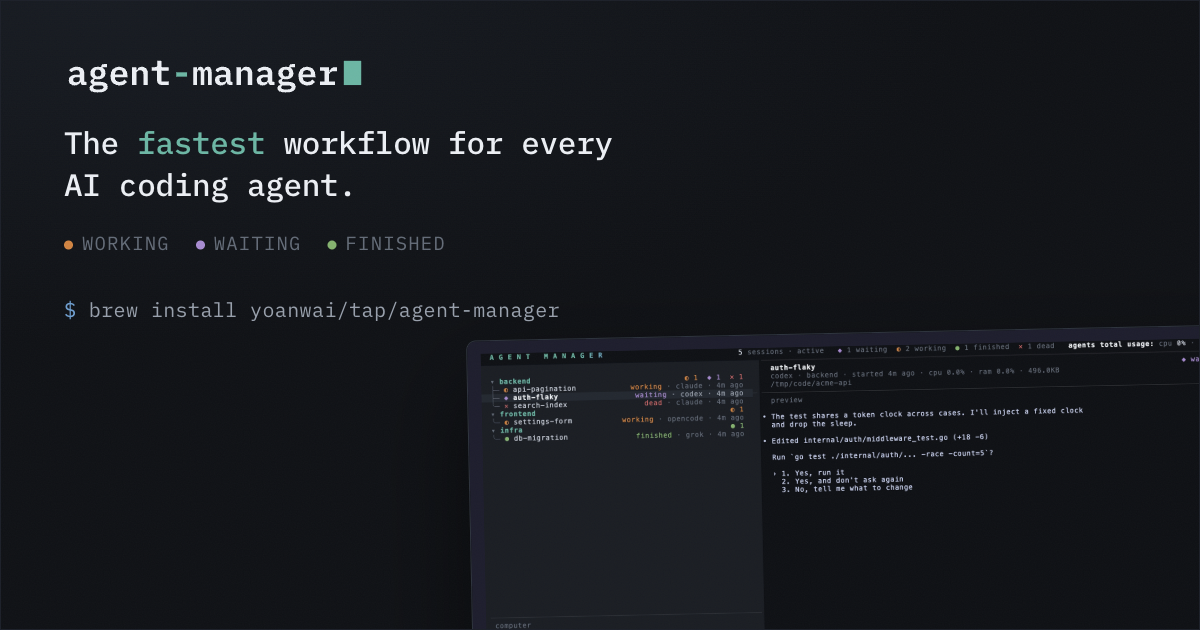
I wanted a list of running agents that told me which one is working, which is blocked, and which is done, without me looking at any of them.
The obvious way is to read the screen. Capture the pane, run some regexes, guess. That works for any CLI, which is why I still do it for every tool I support. But it is guessing. A spinner drops for one frame and the agent looks idle. Something prints a line that looks like a spinner and it looks busy.
Claude Code has hooks, so for those sessions the guessing should not be necessary. Mostly it is not. This post is about the places where the event stream does not map cleanly onto a status, and the three gaps I still cover with the pane. Everything below is against Claude Code 2.1.220.
The setup# #
Each managed session starts with a generated settings file (--settings
) and one env var pointing at a status file:
AGENT_MANAGER_STATUS_FILE=/…/hooks/<session-id>.status
Every hook is a one liner that writes a word into that file:
[ -z "$AGENT_MANAGER_STATUS_FILE" ] || printf working > "$AGENT_MANAGER_STATUS_FILE"
The guard matters. If Claude ever loads that settings file outside a managed session, the variable is unset, the command exits 0, and nothing happens. A hook that can fail will break someone else's agent.
| Event | Writes |
|---|---|
UserPromptSubmit |
working |
PreToolUse , PostToolUse |
working |
Notification |
waiting (see below) |
Stop |
finished |
SessionStart |
idle |
SessionEnd |
deletes the file |
A poller reads the file every two seconds by default. For a normal turn that is enough and you never need the regexes. Then the edges show up.
Notification is not one thing# #
It fires for a permission prompt. It also fires for the idle nudge on a quiet input box
(idle_prompt
), for auth success, for MCP elicitation, and when an agent finishes. Only some of those mean you are stuck.
The two I care about are a permission dialog and an MCP elicitation form:
permission_prompt
and elicitation_dialog
.
I learned this the hard way. I took Notification
at face value, and every session I walked away from eventually claimed to be blocked because of the idle nudge. First fix was grepping stdin for English:
[ -z "$AGENT_MANAGER_STATUS_FILE" ] || grep -q "waiting for your input" \
  || printf waiting > "$AGENT_MANAGER_STATUS_FILE"
That works. It is also the wrong layer. Notification
has a matcher, so you can subscribe to the blocking types and never see the rest:
"Notification": [{ "matcher": "permission_prompt|elicitation_dialog", "hooks": [ … ] }]
Full list from the docs: permission_prompt
, idle_prompt
,
auth_success
, elicitation_dialog
,
elicitation_complete
, elicitation_response
,
agent_needs_input
, agent_completed
. Grepping English is matching a
string someone will reword. The matcher is the same decision by name. I do not match
agent_needs_input
right now. That is another wait type if you care about the agent view.
A question looks like a finished turn# #
If the agent ends with "should I also update the tests?", the event stream treats that as a
completed turn. Stop
fires. Nothing on the event says it ended on a question. The list shows finished on a session that will sit there forever waiting for a one word answer.
The text is not gone. Stop
has last_assistant_message
, and that is
the field you want if you care about the prose. The transcript path is async and can lag, so
reading the transcript at Stop
time can miss the message you just got.
MessageDisplay
also fires while assistant text streams.
My hooks do not parse any of that. They only printf
a status word. The pane still decides whether the text was a question. Same guess either way, just a cleaner source if you wire it up later.
Esc leaves you stuck on working# #
Interrupt a turn and Stop
does not fire. That is in the docs:
Stop
does not run when the stoppage is a user interrupt. There is no separate
interrupt event either. Last write was working
, so the file keeps saying
working
until you type something. None of the hooks I wire fire on Esc.
Wrong status while you are not looking is worse than no status. That is exactly when you trust the list.
Stop is the main loop, not the work# #
Stop
means the main agent stopped responding. Work it started can still run: a background shell, something queued elsewhere. So the file says finished while the repo under review is still changing.
Subagents got me for a while. They write working
via PreToolUse
/
PostToolUse
and never fire the main Stop
, so one status file stays
on working
after they finish. They do have SubagentStart
and
SubagentStop
, with agent_id
and agent_type
. One file per session still cannot say "three subagents running, one done". That needs a richer model, not a missing event.
SessionStart can fire mid turn# #
Matchers: startup
, resume
, clear
,
compact
, fork
. Fork is a new session, not the trap. Compact is. It
fires SessionStart
in the middle of an active turn, so a bare handler will write
idle
over a session that is still working. I exclude compact:
"SessionStart": [{ "matcher": "startup|resume|clear", "hooks": [ … ] }]
A crash skips cleanup# #
SessionEnd
deletes the status file. Its reasons are all orderly:
clear
, resume
, logout
,
prompt_input_exit
, bypass_permissions_disabled
,
other
. Crash or SIGKILL
runs none of that. The file outlives the
process and keeps saying working
for a dead agent.
So the process has to be checked on its own, and a status file with no agent behind it has to go.
What I actually ship# #
Hooks are the first source. The pane is still read every poll to correct them. If the hook says finished and the pane shows a question, an error, or ongoing work, the pane wins. If the hook says working and the pane shows the turn already ended, the pane wins.
switch hookStatus {
case status.Finished:
	if matched && (paneStatus == status.Waiting || paneStatus == status.Errored || paneStatus == status.Working) {
		return paneStatus
	}
case status.Working:
	if matched && (paneStatus == status.Waiting || paneStatus == status.Finished || paneStatus == status.Errored) {
		return paneStatus
	}
}
return hookStatus
Finished and waiting upgrades wait for turn end signals on the pane. A working pane can still override a finished hook when the screen shows work, on purpose.
I expected hooks to replace screen scraping. They made it accurate instead. The API has grown matchers and fields that cover cases I used to scrape. What is still on the pane side is the interrupt, the crashed process, and deciding whether a paragraph was a question. Neither source alone is enough for a list you trust while you look away.
The code
internal/hooksbuilds the settings file and reads the status files.
internal/ui/poller.go
does the merge. Both live in agent-manager.