LlamaIndex has published
, a public reference application on GitHub. It is described as a knowledge base for legal documents, powered by LlamaIndex Index v2 (the LlamaParse Platform). The project demonstrates a pattern the team calls a Retrieval Harness for agentic retrieval.legal-kb
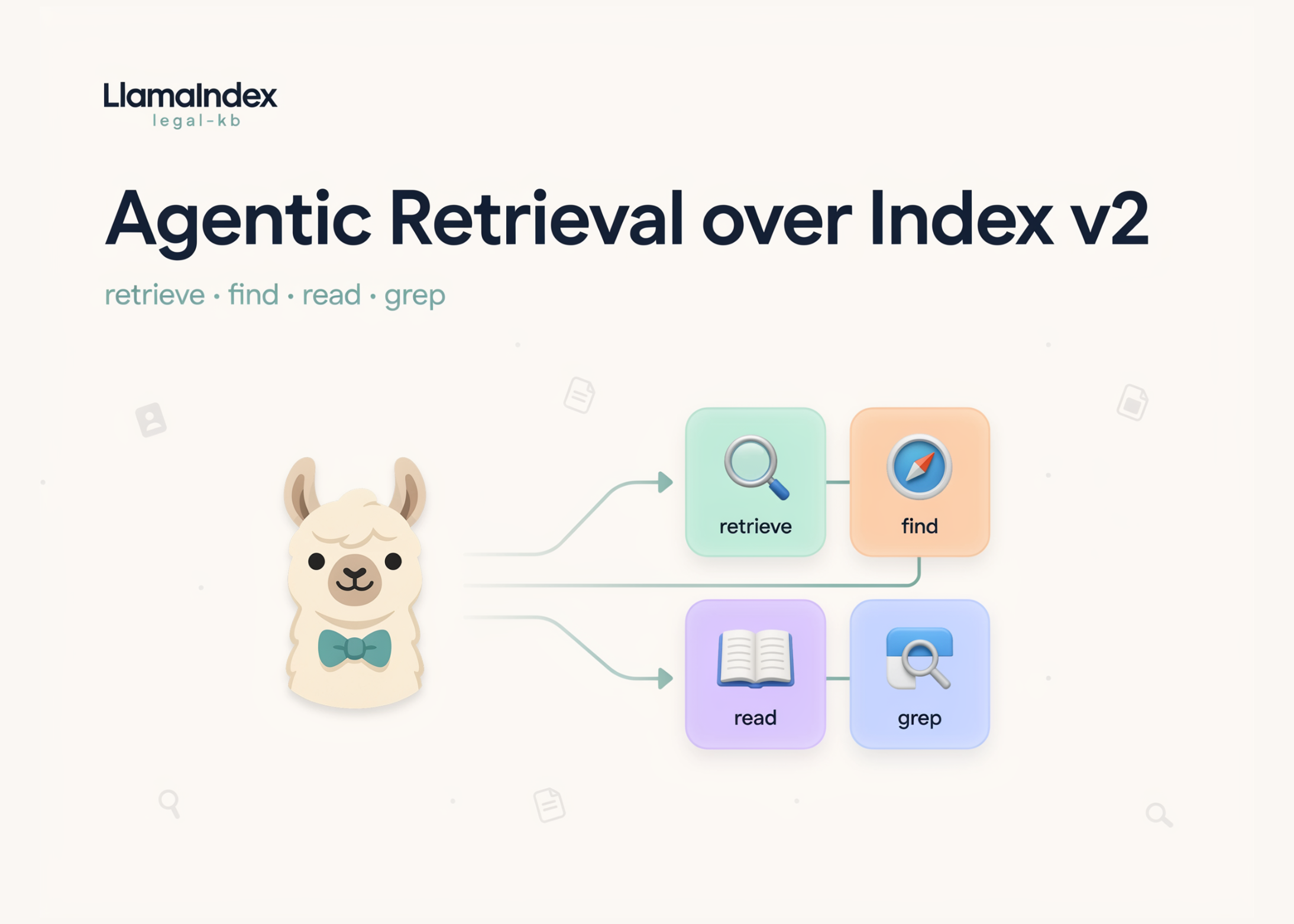
The approach differs from single-shot retrieval. Instead of one embedding search per query, an agent is given filesystem-style tools. It can then crawl a large, evolving knowledge base to solve a task. The tools mirror operations engineers already know: semantic and keyword search, regex grep, file search, and read.
What is legal-kb?
legal-kb
is a working TanStack Start web app, not a library. You sign in, create a project, upload files, and chat with an agent. Each project is mirrored as a managed LlamaCloud Index v2. Uploaded files are parsed and indexed automatically in the background. The chat agent then queries that index live during each turn.
The Retrieval Harness, in plain terms
The harness provides a persistent data pipeline over your documents. It connects to a data source, indexes it, and keeps it updated. On top of that pipeline, it exposes a set of tools to the agent.
Those tools are deliberately close to filesystem operations. An agent can list files, read a file, grep inside a file, or run hybrid search. Because the tools are generic, you can plug the harness into your own agents.
The four agent tools
The agent in src/lib/agent.ts
is given four tools. Each maps to an Index v2 retrieval API. The table below lists them as implemented.
| Tool | Backing API | Key parameters | What it does |
|---|---|---|---|
retrieve |
beta.retrieval.retrieve |
query , top_k , score_threshold , rerank_top_n , file_name , file_version |
Runs hybrid semantic search; optional reranking; returns chunks plus citations |
findFiles |
beta.retrieval.find |
file_name , file_name_contains |
Searches files by exact name or substring; paginates automatically |
readFile |
beta.retrieval.read |
file_id , offset , max_length |
Reads raw file content, with offset and length windows |
grepFile |
beta.retrieval.grep |
file_id , pattern , context_chars , limit |
Matches a pattern in one file; returns character positions |
The system prompt enforces an order. The agent must call findFiles
first to establish the document inventory. It then narrows with retrieve
, and confirms exact wording with readFile
or grepFile
before citing.
How it works under the hood
Uploads follow a clear pipeline in src/lib/files.ts
. Bytes are pushed to the project’s LlamaCloud source directory. A File
and ProjectFile
row are written to PostgreSQL via Prisma. An index sync is triggered but not awaited; the UI polls status until ready.
Versioning is scoped to the (project, filename) pair. Re-up nda.pdf
to the same project produces v1, v2, v3 side by side. The retrieval layer filters on the version
metadata field. This gives version control over the knowledge base itself.
The agent uses the ToolLoopAgent
from Vercel AI SDK 6. You pick OpenAI or Anthropic per turn and bring your own keys. Reasoning is streamed: Claude models use extended thinking; OpenAI reasoning models use a medium reasoning effort.
Here is a condensed but faithful view of the retrieve
tool and the agent.
import { LlamaCloud } from '@llamaindex/llama-cloud'
import { tool, ToolLoopAgent } from 'ai'
import { z } from 'zod'
import { makeCitationId } from './citations'

// One tool closure per index. Wraps Index v2 retrieval APIs.
function createLlamaParseTools(apiKey: string, projectId: string, indexId: string) {
  const client = new LlamaCloud({ apiKey })

  const retrieve = tool({
    description: 'Run a semantic retrieval query against an index.',
    inputSchema: z.object({
      query: z.string(),
      top_k: z.number().nullable(),
      score_threshold: z.number().nullable(),
      rerank_top_n: z.number().nullable(),   // set to enable reranking
      file_name: z.string().nullable(),      // metadata filter
      file_version: z.number().nullable(),
    }),
    execute: async ({ query, top_k, score_threshold, rerank_top_n, file_name }) => {
      const custom_filters = file_name
        ? { file_name: { operator: 'eq' as const, value: file_name } }
        : undefined

      const response = await client.beta.retrieval.retrieve({
        index_id: indexId,
        project_id: projectId,
        query,
        top_k,
        score_threshold,
        rerank: rerank_top_n != null ? { enabled: true, top_n: rerank_top_n } : undefined,
        custom_filters,
      })

      // Return a model-readable list plus citations that drive the UI chips.
      const citations = response.results.map((r) => ({
        id: makeCitationId(),                    // e.g. "c7f2qa"
        fileName: r.metadata?.file_name,
        score: r.rerank_score ?? r.score ?? null,
        preview: r.content.slice(0, 500),
      }))
      const formatted = response.results
        .map((r, i) => `### Result #${i + 1}\n\n${r.content.slice(0, 600)}`)
        .join('\n\n---\n\n')
      return { formatted, citations }
    },
  })

  // findFiles / readFile / grepFile follow the same shape, backed by
  // client.beta.retrieval.find / .read / .grep
  return { retrieve /* , findFiles, readFile, grepFile */ }
}

export function buildAgent(model, apiKey: string, projectId: string, indexId: string) {
  return new ToolLoopAgent({
    model,
    tools: createLlamaParseTools(apiKey, projectId, indexId),
    instructions:
      'Always call findFiles first, ground every answer in the documents, ' +
      'and cite ids inline as `cite:<id>`.',
  })
}
Answers carry visual citations. Each retrieved chunk gets a short id, such as cite:c7f2qa
. The agent references that id inline, and the UI renders a clickable citation chip. Clicking it opens the source page screenshot with bounding-box rectangles over the cited text.
Naive RAG vs the agentic Retrieval Harness #
The harness is a different execution model from single-shot RAG. The comparison below focuses on behavior.
| Dimension | Naive / single-shot RAG | Agentic Retrieval Harness (Index v2) |
|---|---|---|
| Retrieval flow | One vector search per query | Multi-step tool loop: find → retrieve → read/grep |
| Search modes | Vector similarity only | Hybrid semantic search, keyword, and regex grep |
| Context | Fixed top-k chunks | Agent reads full files or windows on demand |
| Freshness | Static index | Persistent pipeline with sync and versioning |
| Precision control | Mostly hidden | top_k , score_threshold , rerank_top_n exposed |
| Citations | Chunk ids | Visual citations with page screenshots and bboxes |
| Best fit | Short question answering | Long-horizon document tasks |
Use cases, with examples
The design targets domains where agents navigate large document sets. Legal and fintech are the stated examples.
- Consider a contract question: ‘What notice is needed to terminate the MSA?’ The agent lists files, runs
retrieve
, then greps the exact clause. It answers with a citation to the specific page. - Consider due diligence across a data room: An agent can
findFiles
by name, thenreadFile
each candidate. It cross-checks clauses without a human opening every PDF. - Consider a versioned policy base: Because
retrieve
accepts afile_version
filter, an agent can query a specific version. This supports change tracking over time.
Reference implementation
Key Takeaways
legal-kb
is a public reference app showing agentic retrieval on LlamaIndex Index v2.- The agent gets four filesystem-style tools:
retrieve
(hybrid search),findFiles
,readFile
, andgrepFile
. - A persistent pipeline handles parsing, indexing, sync, and per-file version control.
- Answers include visual citations: page screenshots with bounding boxes over the cited text.
- The stack is TanStack Start, AI SDK 6, Prisma, and WorkOS, with per-user encrypted keys.
Check out the** GitHub Repo**.
Also, feel free to follow us on
and don’t forget to join ourTwitter
and Subscribe to
150k+ML SubReddit. Wait! are you on telegram?
now you can join us on telegram as well.Need to partner with us for promoting your GitHub Repo OR Hugging Face Page OR Product Release OR Webinar etc.? Connect with us
Michal Sutter is a data science professional with a Master of Science in Data Science from the University of Padova. With a solid foundation in statistical analysis, machine learning, and data engineering, Michal excels at transforming complex datasets into actionable insights.
- Michal Sutter
- Michal Sutter
- Michal Sutter
- Michal Sutter
- Michal Sutter
- Michal Sutter