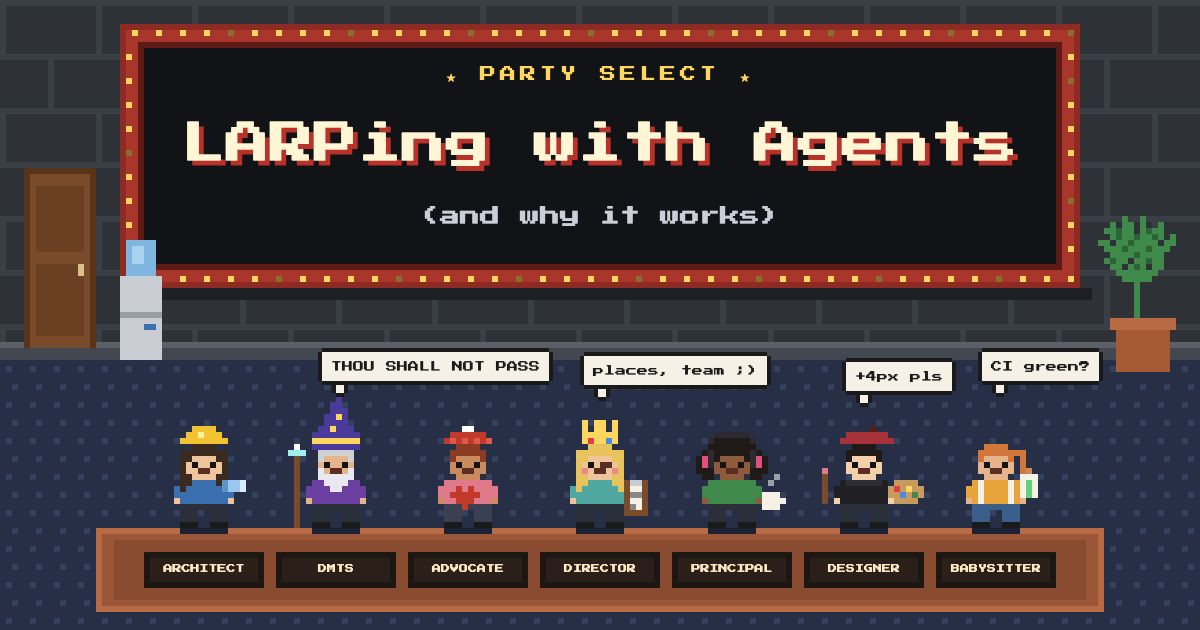
Summary #
- Multi-agent orchestration has traditionally been challenging to get right, firsthand experience with earlier models and harnesses rightfully leaves teams with the impression of very little payoff for the extra effort and token spend.
- As models and harnesses have advanced, it has become a more viable, more accessible technique that can allow agents to operate with increased autonomy without sacrificing quality.
- While nearly all harnesses and models now support “native” sub-agents, not all multi-agent orchestrators are created equally and using them effectively is still a matter of configuration and tuning to your workload in most cases.
- Using a meta-harness (harness of harnesses) has an additional advantage of using different models for different sub-agents, allowing better leverage of token spend across subscriptions; different inputs from different models/platforms, and more efficient use of tokens for specific tasks.
- Getting the most out of multi-agent orchestration requires understanding “why” it works and how to leverage agent teams to autonomously deliver high quality software. A recent paper (Arxiv) published by a team from Emory, Amazon, Penn State, and other institutions offers some insights into how an adaptive, multi-agent approach can improve agent performance.
- The Emory team highlights the finding that “static” harness evolution and heavy harness configuration (skills, tools) can be detrimental when agents operate on a heterogeneous stream of tasks since it cannot adapt dynamically to the varying scope and complexity of each task.
- This blog post covers the theory of “why” role-based, multi-agent orchestration works and the practical configuration of “how” using Paseo (https://paseo.sh ; Apache 2.0; no affiliation) to achieve this with very low lift but high payoff.
Roleplaying with agent teams #
I first stumbled upon Paseo (Apache 2.0) a few weeks back while investigating options for orchestrating agents across multiple remote hosts. Among the options I tried, it handled this quite smoothly spanning agent orchestration between local agents and into SSH accessible remote compute instances like GitHub Codespaces (much better UX than Herdr, IMO).
Before recommending it, I decided to use it as a daily driver for a week and quickly discovered the agent profiles as I was going through the configuration. In all honesty? It seemed quite underwhelming and tacked on as an afterthought.
The misleading first impression stems from the default agent profile dialog:
The agent profile dialog seems far too simplistic at first glance to have much power
No scoping to workspaces, no skills, no tool restrictions, generally very little control over the configuration, seemingly far too simple. You must be thinking: “why am I reading this?!”. As it turns out, the simplicity and flexibility of this model is what gives Paseo the right curve of complexity vs productivity.
Understanding the prompt flow
The example in the dialog is too simplistic and indeed, when configured as guided by the example, the results are likely to be…underwhelming. But committing to it and spending some more time tweaking, I started to understand that it is necessary to invert the way I looked at this feature from the direction of the orchestrator instead (to be fair, the micro-sized hint text also kind of explains this…).
The trick is to actually understand how the agent profiles flow. Paseo ships with a set of skills and MCP tools that manage agent orchestration. Of particular interest is the list_profiles tool:
**`list_profiles`** — named launch bundles configured by the human. Before
choosing how to launch a delegated agent, call this tool and read every
profile's `notes`. Pick a named profile the user requested, or the profile
whose notes best match the work.
In practice, a lead or *** orchestrator*** will use this tool to list out the profiles by first reading the configuration and then matching the work to the note for the profile. Understanding this inversion, it is then simply a matter of using it to inject instructions into the lead.
Here is an example of a profile for a “Distinguished Member of Technical Staff”:
Use for design reviews, tie breakers, and input for challenging
architectural decisions to get a second or final opinion.  Ask for creative
ideas and ways to improve the design; explore alternate approaches that
produce faster, cleaner, more efficient code.  Ask to research and determine
if there are other, better angles to approach the problem space.  DO NOT ask
to write code; ask for ideas, input, creativity, new angles, alternate paths.
Explicitly instruct: DO NOT CODE; only research, ideate, expand solution space,
provide feedback.
Take note of the verbiage: these are not instructions for the sub-agent; these are instructions for the lead agent to follow when it instantiates the sub-agent. When the lead reads the profiles, it will first select the correct set of agents by matching the task to the team. This profile configuration then causes it to prompt the sub-agent teammate with specific “asks” upon initialization. Observe the “inverted” nature of this configuration; instead of setting up the sub-agent with a role, the setup instructs the lead agent on how to dynamically select and prompt the sub-agents.
Getting consistent behavior
This is all that is needed to get agentic behavior working with shocking efficacy in Paseo; for very little input, the payoff is sizeable.
Go ahead and configure a full team of profiles and watch Paseo just work:
A subset of my agent profile configuration with different roles and profiles. Note that some profiles are plan only; I do not use more costly models for code output.
It turns out that additional tool configuration, skill configuration, directory scoping, and any number of harness bolt-ons are simply not necessary to get an agentic team to actually produce useful work.
When a lead agent sees the profiles in Paseo, the profile notes act like prompt-injected context (think of it as “dynamic skills”) and the lead agent decides exactly how to build and coordinate a team for the task at hand. Complex tasks may recruit 6-8 sub-agents while simple tasks may only create 1-2.
Watching the outbound prompts, I quickly noticed a bit of inconsistency in how the team operated and how well sub-agents were being utilized. To fix this required tweaking Paseo’s shared system prompt for agents:
<operating_environment>
You are operating in a Paseo agent harness; `paseo-*` skills and `paseo` CLI are available (as needed to explore the workspace, other agents collaborating)
</operating_environment>

- Use and prefer `paseo` built-in browser tools
- Use `paseo-*` skills to coordinate with the team
- When starting a new agent, always let them know their identity, specific role, ownership of responsibilities, and how they can contribute; set clear expectations at initialization.
- Use XML *when initializing new agents*: <role>(sub-agent role, identity; them)</role>, <lead_role>("self", you; identity + role)</lead_role>, <objective>(sub-agent's goal)</objective>, <instruction_details>(existing context, inputs, info, details of task, tips, references, etc.)</instruction_details>, <scope>(what do vs what not do)</scope>, <team>(other sub-agents, team info, responsibilities, roles; as needed)</team>, <gates>(any specific exit gates, checks; only as relevant (optional))</gates><comms>(specific instructions for comms, what to report, when to report, format of report, etc.; optional as needed)</comms>
- Avoid rework and retread: provide a solid instruction_details, current objective, responsibilities, expectations, best practices, who owns what, scope of work, specific commands if needed, reference files (source, notes, links/URLs, docs, etc.) if relevant.  Do not let your team guess what you already know; provide the key, learned insights at initialization.
- Use clear, direct, terse language; be specific where needed
- Use a "risk-based" approach when assembling team to work on a task; assign work that has higher risk to more senior engineers
- Create workspaces (worktrees) only when work benefits from isolated branches (parallel, overlapping work).  Coordinate edits otherwise.  Worktrees add some complexity.
The key is actually the 4th clause (reformatted here for clarity):
Use XML *when initializing new agents*:
<role>(sub-agent role, identity; them)</role>,
<lead_role>("self", you; identity + role)</lead_role>,
<objective>(sub-agent's goal)</objective>,
<instruction_details>
(existing context, inputs, info, details of task, tips, references, etc.)
</instruction_details>,
<scope>(what do vs what not do)</scope>,
<team>
(other sub-agents, team info, responsibilities, roles; as needed)
</team>,
<gates>
(any specific exit gates, checks; only as relevant (optional))
</gates>
<comms>
(specific instructions for comms, what to report, when to report,
format of report, etc.; optional as needed)
</comms>
This has the effect of consistently shaping the instruction that the lead provides to the sub-agent when it initializes one. Now the lead has two key things it needs: 1) my instructions on what to ask of each agent profile and 2) how it should ask for it; the specific format it should use.
Real world examples
For the skeptic, it is instructive to see exactly how a lead uses this when it decides to create a new sub-agent:
A lead generated prompt used to initialize another agent.
You can see the structure, but more importantly, you can see the detail; far richer and more specific than anything a human might write. The system prompt guides the lead to structure:
- The roles , responsibilities, and ownership boundaries of both parties
- The objective as well as thedetailed instructions with context about the task that has already been resolved either upstream or in other agents
- The scope of work, bounding what the sub-agent does
- Visibility into the team so the sub-agent knows who to communicate with and who owns what
- Specific completion gates that define “done” for the sub-agent
- Rules for communication including when and how to report back
Here is another:
Another example; here a “Staff Engineer” being initialized by the lead.
Does it work? A few observations #
I do not have numbers or stats nor benchmarks to share with you, only “trust me, bro” 😅 (more on this in the Emory team’s paper) but this setup is shockingly effective (relative to the effort it took to configure) to the extent that I have stopped using all other harnesses and I just use Paseo via a lead agent for everything. Minimal extra skills, no special tools, no AI SDLCs, no Superpowers, no SpecKit; nothing else to tune. Just Paseo, a shared system prompt, and a few configured agent profiles.
A few observations from my usage that have come up with folks I’ve shared this with:
It is generally NOT faster
No, it is not faster. In general, speed is only achieved if the nature of the work itself can be parallelized. But this can also be achieved with your platform native sub-agents. You should not set this up expecting more speed; you should set this up to gain more autonomy.
Even when parallelizable, the work may slow down as the agents plan and coordinate themselves.
It is more autonomous with less quality drop-off
The big win, in my opinion, is that this setup allows more autonomy without degradation of quality, especially for long-horizon tasks. Why? Because, when set up right, some of the work critiquing the output of one agent now shifts to another agent. The End-User Customer Advocate will critique the UX proposed by the Principal Engineer. The Distinguished Member of Technical Staff will offer alternative routes to explore to the System Architect.
These are responsibilities that I would normally have to prompt manually or rigidly encode into an “AIDLC”, but because each agent in the team is LARPing (Live Action Role Playing), they end up autonomously owning this without my intervention and they do not need a strict AIDLC that is over-fitted to a heterogeneous stream of tasks.
I still inject my preferences and my “taste”, but this setup has been the one that has minimized excess interactions the most significantly and allows me to assign higher “trust” to the agent team output.
It is more token efficient, not less
You’re skeptical. So was I. A key problem I’ve run into in the past is agents will discuss ad nauseam and go back and forth, wasting tokens. But here, there are some key dynamics at play that seem to keep this behavior in check:
- A clear hierarchy of roles. Both the lead and the sub-agent are assigned clear, titled roles which carry seniority. The shared system prompt’s structure enforces this.
- Defined gates. When the lead prompts the sub-agent, it establishes clear scope and gates for completion. Combined with Paseo’s setting to “Archive merged PR Workspaces”, this means that sub-agents are bounded by their gates, focused tightly on the task assigned.
Additionally, what is different about a meta-harness like Paseo is that it allows orchestrating agents across multiple platforms:
A set of agent profiles for my coding-focused agents spanning multiple providers and models.
The result is that it is possible to move implementation and high “tokens out” work to a mix of cheaper models across harnesses and platforms, freely mixing Sonnet 5.5 with GPT-6 Luna and DeepSeek v4.1 Flash 1017. The lower cost models are able to deliver surprisingly high quality code because the instruction from the lead is very detailed; far more detailed than any spec a human would hand write.
The other factor at play here is that the lead can choose to assign more complex, higher risk work to the Principal which is configured with a more expensive, more model. The assignment of discrete roles means that the lead knows the right heuristics to use and the team becomes auto-adaptive to the complexity of each work item.
What I find is that my work capacity in a given token session window is now extended significantly (caveat below with Anthropic platform models).
Human prompts are simpler
My observation is that full specs are no longer needed in this flow to get good results. Of course, the more intent and direction imparted to the lead, the closer the output is to the objective held in the human mind. But the mixture of agent roles is overall very effective at figuring out the edges by LARPing as the end user or as the UX expert.
I find that the output is more “complete” and covers more edge cases as well as adds facets to the implementation that I might normally have spent much more time planning before or iterating after to achieve. Net result: better implementation with less human effort.
Adherence is higher because the agents are explicit
Adherence to guidelines, proper usage of skills and tools, and coding best practices is higher because the lead and peers LARP as their assigned roles and the leads will effectively remind the team what it needs to do to properly execute its task.
In this example, the lead gives clear, explicit direction on how the sub-agent needs to work and what it needs to read. The result is more consistency and better rule following, even with Anthropic models (notorious, IME, for not following guidance).
Why This Works #
No, I did not benchmark this; most of this is through observation of the agent behavior as well as watching my token limits at work. I have now built multiple projects using this approach and it is plain as day in my usage how this affects autonomy, quality, and token use.
I had my own intuition on why this worked so well, but a recent paper sheds some light on why this setup delivers results over the promises and hype of AIDLCs and other adaptive harnesses.
Adaptive Auto-Harness: Sustained Self-Improvement for Agentic System Deployment on Open-Ended Task Streams was recently published by an a team from Emory, Amazon, Penn State, and Northeastern University (Arxiv) and explores why most so-called “adaptive harnesses” have failed to prove their efficacy in a real-world software engineering environment.
The abstract opens with this:
Auto-harness systems such as A-Evolve, GEPA, and Meta-Harness improve LLM agents by optimizing prompts, skills, tools, memories, and supporting infrastructure from execution feedback, but they are typically evaluated on fixed offline benchmarks. Real deployments instead present open-ended task streams: histories grow without a fixed endpoint, heterogeneous tasks require different harnesses, and problem distributions shift over time.
In other words, these harnesses require an offline/asynchronous recalibration which does not evolve dynamically enough for real-world, unbounded streams of tasks which then actively harms efficacy when the stream is high in “task heterogeneity”.
Offline/async calibration is also difficult to achieve since it requires a large corpus of real-world datasets across this heterogenous mix from simple button color changes to complex new features. This is also true for AIDLCs which have an additional flaw in that they propose fixed workflows and a fixed menu of skills both are likely over- or under-fitted to the complexity and variety of the tasks. Optimizing a fixed skill after-the-fact seems like an obvious flaw in hindsight, especially if the stream of tasks is highly variable.
The team further expands on the problem with offline, “static” harness evolution:
We formalize why static auto-harness evaluation is insufficient once tasks arrive as unbounded, heterogeneous, and non-stationary streams.
(As Claude might say, “heterogeneous” and “non-stationary” are “load bearing” 🤣)
The paper proposes a solution approach:
We introduce a stateful multi-agent evolver for sustained harness construction, a harness-tree router for solve-time adaptation…
Whoa; “multi-agent” + “solve-time adaptation”? This reads a lot like the Paseo setup where the lead decides how to assemble the team based on the task and injects the guidance dynamically.
Let’s read on:
Multi-agent with distinct roles and objectives. Because unbounded streams keep expanding the trajectory history an evolver must interpret, existing single-agent evolvers must fit analysis, research, implementation, and verification into one context window. We decompose evolution into four phases (Analyze → Research → Build → Verify), each with a dedicated objective and full context budget. This eliminates the single-window bottleneck and lets parallel Researchers explore disjoint hypotheses without premature convergence.
This mirrors my exact findings I observed by separating out “Distinguished Member of Technical Staff” and “System Architect”: the solution space expands instead of prematurely converging when using a single agent (assigning these to models on different platforms further amplifies this effect).
Reading this paper, it becomes more clear what this Paseo setup has created (and why it works): a truly auto-adaptive, role- and objective-driven, self-assembling, multi-agent “harness”. Instead of defining fixed sets of workflows or a static menu of skills, each novel task initiates self-assembly of an agent team based on the needs of the scope and complexity of the task.
How to set it up for yourself #
There’s not much to it: start with Paseo and play around with the agent profiles and the shared system prompt 😎. This is perhaps the best part of this setup: the effort to get it configured is less than 10 minutes.
Paseo setup notes
There are a few key things to turn on:
Settings > Agents > Enable Paseo tools: turn this on. These are the MCP tools that the agents use to list profiles and interact. Agents can still use Paseo without this (using the CLI (which may be needed in some highly sandboxed environments)), but the tools are much more effective.Settings > Agents > Browser tools: turn this on. The Paseo browser tools internalize browser use into the Paseo app so you can see the screenshots as it works (similar to Devin). Strongly recommend turning this on and explicitly prompting agents to use it.Settings > Agents > Orchestration skills: install these so agents know how to use the tools to communicate with peers.Settings > Workspaces > Archive merged PR workspaces: (optional) turn this on for more token savings and more focused context for sub-agents since they get archived once their PR is merged.
Anthropic autocompact configuration
One additional note here: if you are using Anthropic models, I strongly recommend turning the autocompact threshold to 300k or lower.
By default, all Anthropic models are now at 1m context. This is fine and useful if you use long, interactive sessions since this hits cache. But Anthropic’s short cache TTL means that in a multi-agent team, if an agent is idle and reactivated, this incurs a potentially huge cost for a fresh session with up to 900k+ tokens of input that also writes cache (!!).
300k seems like a sweet spot where I’m able to get the most out of my session window with seemingly no observable tradeoff in quality when driven by another agent.
Use my profile plugin
To facilitate this setup in teams, I made a Paseo profile management plugin which publishes and pulls from gists: https://github.com/zeeq-ai/paseo-profiles
Install it to publish your configuration to your team and pull profile packs from others. Use mine as a starting point: https://gist.github.com/chrlschn-hg/fd322c40b92b537354441748c4ba96f8
Use the lobby plugin for visualization
The agent-lobby plugin is not just a fun visualization, it really lets you see the agents communicating peer-to-peer, up-and-down the team hierarchy as they work.
Closing thoughts #
A few days back, I shared my Paseo team setup in a Hacker News discussion. One of the more interesting comments called this out as “larping” with agents (inspiration for this post):
Indeed, it is exactly roleplaying with agents and it has been surprisingly effective at achieving more autonomous work with higher quality output. In fact, Anthropic’s prompting guide specifically calls out “larping” as best practice:
This configuration with Paseo applies two of Anthropic’s best practices for prompting and Paseo provides the right harness setup to make agent communication effective (even across hosts!). The results for me have changed my workflow entirely and I have switched away from TUI-exclusive mode.
All of my work now starts from this setup from simple changes to complex, multi-hour feature builds; the lead decides the team it needs and drives the project (add the keep-awake plugin for long horizon tasks!).
Give it a shot; you have nothing to lose. Paseo is free, open source, and doesn’t alter any of your other harness setup (it sits above your other harnesses). If you don’t like it, just uninstall the skills and stop using it; it doesn’t alter the configuration of any of your other harnesses.