Research reports built by Keenable SELECT, an agent that searches the web in SQL.
Every card links the finished report and the full trajectory behind it: each query, tool result, and result set.
You ask
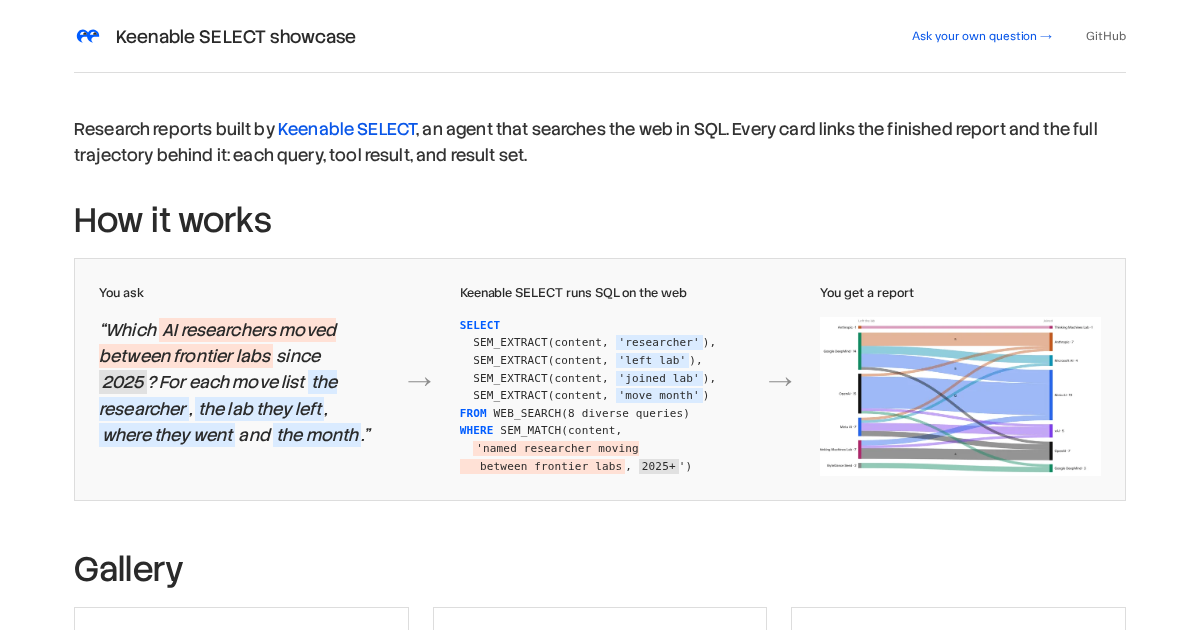
“Which AI researchers moved between frontier labs since 2025? For each move list the researcher, the lab they left, where they went and the month.”
Keenable SELECT runs SQL on the web
SELECT
  SEM_EXTRACT(content, 'researcher'),
  SEM_EXTRACT(content, 'left lab'),
  SEM_EXTRACT(content, 'joined lab'),
  SEM_EXTRACT(content, 'move month')
FROM WEB_SEARCH(8 diverse queries)
WHERE SEM_MATCH(content,
  'named researcher moving
   between frontier labs, 2025+')
Keenable SELECT is an MCP server with one main tool: select
. The tool runs
one read-only DuckDB SELECT
statement on live web data. The server runs the web and semantic operators outside DuckDB, puts their output back into the row set, and then runs the final SQL in DuckDB.
A traditional web search gives an agent ten links. The agent must then read each
page and build the answer from expensive tokens. SELECT moves this work into
the query. One call can search more than 1,000 pages, filter them with an
exact WHERE
clause at no LLM cost, extract fields with one small LLM call per row, and group the rows.
select
takes DuckDB SELECT
queries and returns the rows. The
server saves every query result as a result set with an id, and a later
query can read from that id.generate_html_report
takes a brief and result set ids. A report model on the server writes an HTML report from the rows and returns a shareable link.The operators live inside normal SQL. The server finds them in the parsed statement, runs them, and replaces them with plain columns. Exact SQL filters run first, so only the surviving rows go to the LLM operators.
| Operator | What it does |
|---|---|
WEB_SEARCH('q1', 'q2', ...) |
Searches all queries at the same time, merges ranked results, and removes repeated URLs. |
WEB_FETCH('https://a.com', ...) |
Gets the given URLs as Markdown, one row per page. |
SEM_EXTRACT(column, 'field description') |
One LLM call per row. It returns one field, or null when the text does not give the value. |
SEM_EXTRACT_ALL(column, 'what one value is') |
Like SEM_EXTRACT , but returns all matching values in a list. |
SEM_MATCH(column, 'predicate') |
An LLM test per row. Use it as a meaning-based WHERE filter. |
SEM_SCORE(column, 'query') |
A low-cost embedding score per row. Use ORDER BY ... DESC LIMIT k . |
SEM_NORM(column) |
Gives the same key to values with the same meaning. Use it in GROUP BY . |
WEB_SEARCH
and WEB_FETCH
can also run per row. Their arguments can use
row columns, for example WEB_SEARCH(name || ' founding year')
.
Every report in this gallery comes from two agents: a research agent that
uses the MCP server to gather the data, and a report agent that runs inside
generate_html_report
on the server and writes the page.
The research agent is a plain tool loop: an LLM with the select
tool. It writes and runs its own queries until it can answer, and streams its tool calls, results, and answer as events. A follow-up question continues the conversation on top of the stored transcript. Every run in this showcase asks for an HTML report, so the agent ends each answer with the report link.
A second agent writes each report on the server. It gets the brief, the rows of the result sets, and an authoring guide. It builds the page in a sandboxed Python session that holds the result sets as dataframes, so the data reaches the page without the model retyping it. After each publish, the server renders the draft and returns screenshots and the page's JavaScript error count; the agent fixes the document and publishes again, under a fixed budget. Only the final draft stays live, published as a link.