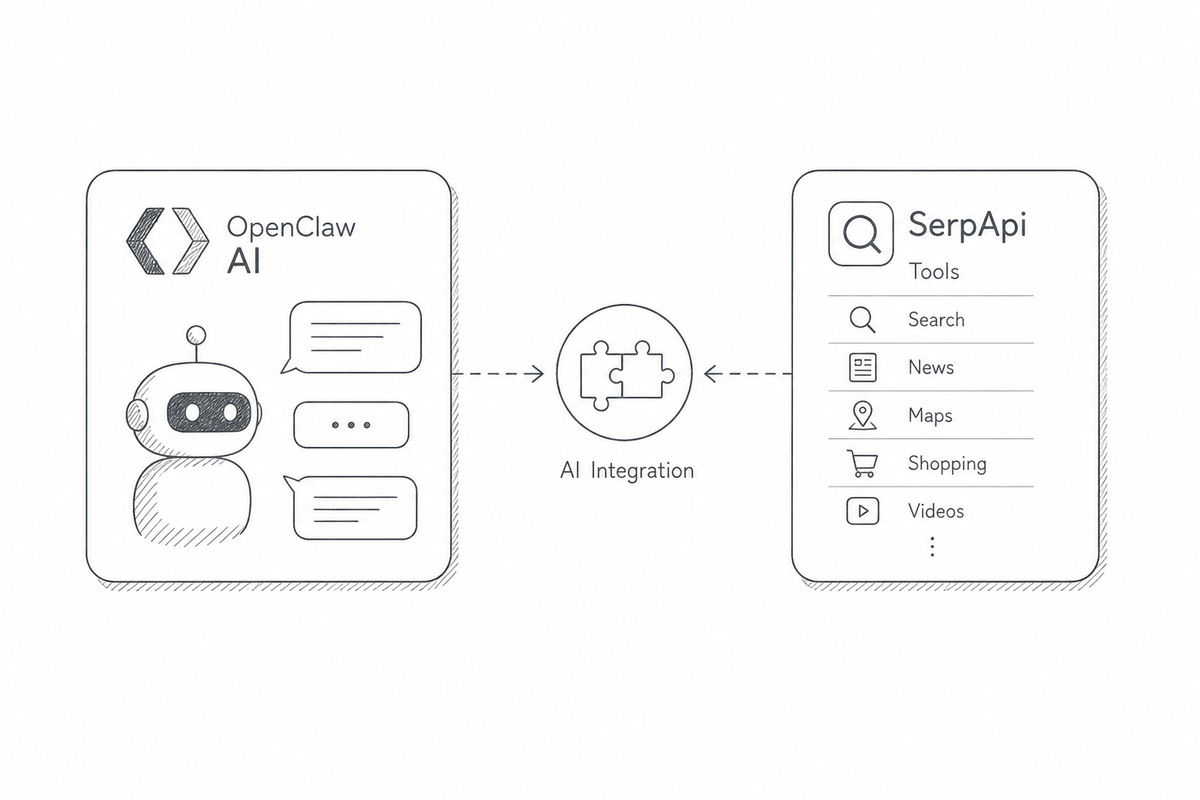
OpenClaw is a open-source personal AI assistant, self-hosted and extensible. It can connect to connect to services like email, calendars, messaging apps, web search, and other tools to automate workflows. You can run it on your machine, wire in local or hosted models, and add third-party tools. More information can be found here https://openclaw.ai/ and also check available integrations https://clawhub.ai/.
Today, we are releasing the open-source SerpApi plugin for OpenClaw. It connects OpenClaw’s built-in web_search to SerpApi and adds dedicated tools for news, maps, shopping, flights, and more. The plugin is available now on ClawHub.
What the Plugin Adds #
OpenClaw already knows when it needs to search the web. The plugin gives it a SerpApi-backed search stack to choose from:
| What you ask for | OpenClaw tool |
|---|---|
| General web research | web_search provider |
| Results from Bing, DuckDuckGo, and Yahoo! | serpapi_bing ,serpapi_duckduckgo ,serpapi_yahoo |
| Query ideas and suggestions | serpapi_autocomplete |
| Current and recent news | serpapi_news |
| Academic papers and citations | serpapi_scholar |
| Places and local businesses | serpapi_maps |
| Reviews for a specific place | serpapi_maps_reviews |
| Restaurants, attractions, and destinations on Tripadvisor | serpapi_tripadvisor |
| Concerts and local events | serpapi_events |
| Weather forecasts | serpapi_weather |
| Flights and fares | serpapi_flights |
| Hotels and vacation rentals | serpapi_hotels |
| Products, prices, and merchants on Google Shopping | serpapi_shopping ,serpapi_immersive_product |
| Amazon listings and product details | serpapi_amazon ,serpapi_amazon_product |
| Walmart listings and product details | serpapi_walmart ,serpapi_walmart_product |
| eBay listings, auctions, and used items | serpapi_ebay ,serpapi_ebay_product |
| Visually similar products and image sources | serpapi_lens |
| Job listings | serpapi_jobs |
| Stocks, crypto, and exchange rates | serpapi_finance |
| Search interest over time and by region | serpapi_trends |
| YouTube videos and channels | serpapi_youtube |
| YouTube video details and transcripts | serpapi_youtube_video ,serpapi_youtube_transcript |
| Public Facebook and Instagram profiles | serpapi_facebook_profile ,serpapi_instagram_profile |
Many tools work in pairs: a search tool finds candidates, and a detail tool (Amazon product, map reviews, YouTube transcript) digs into the one that matters.
For a normal web query, OpenClaw continues to use its familiar web_search path; the plugin supplies the SerpApi as backend. For a local, news, shopping, or domain-specific request, OpenClaw can call the matching specialized tool. You can ask naturally without remembering an engine name or tool name.
Google Light is the default for general web search because its compact response and low latency are a good fit for agent workflows. The specialized tools keep the useful structured fields from their respective engines-addresses and ratings for places, publishers and dates for news, prices and merchants for products, and so on.
Beyond the core set above, the plugin ships 30 specialized tools covering Google Scholar, Flights, Hotels, Events, Jobs, Trends, Finance, Lens, Autocomplete, Bing, DuckDuckGo, Yahoo, YouTube (search, video, transcript), Amazon, eBay, Walmart, Google Immersive Product, Tripadvisor, Weather, and public Facebook/Instagram profiles.
Key Features
- Native OpenClaw integration. The package uses OpenClaw’s plugin SDK and registers a first-class
web_searchprovider. There is no separate MCP server or sidecar process to run. - Natural tool selection. OpenClaw chooses general web search or a specialized SerpApi tool from the user’s request.
- One API key.
SERPAPI_API_KEYauthenticates every search path in the plugin. - Focused responses. Each search path returns the fields the agent needs instead of passing an entire raw search response into context.
- ClawHub distribution. Install with one command; updates and version history live on ClawHub.
Getting Started #
You need a working OpenClaw installation and a SerpApi account. If you are new to OpenClaw, follow its installation guide first.
Install the plugin
openclaw plugins install clawhub:@serpapi/openclaw-plugin
Restart the gateway so OpenClaw loads the plugin:
openclaw gateway restart
Configure your API key
Set the key via environment variable:
create a free accountand get 250 credits each month. After signing up, you’ll find your API key in the
export SERPAPI_API_KEY="YOUR_SERPAPI_KEY"
Or add it to ~/.openclaw/openclaw.json:
{
  plugins: {
    entries: {
      serpapi: {
        enabled: true,
        config: {
          webSearch: {
            apiKey: "YOUR_SERPAPI_KEY",
            hl: "en",
          },
        },
      },
    },
  },
  tools: {
    web: {
      search: {
        provider: "serpapi",
        enabled: true,
      },
    },
  },
}
Verify the plugin is loaded:
openclaw plugins list
Run OpenClaw with Docker (for the paranoid)
I added this section for anyone who wants to experiment with OpenClaw without installing it locally or giving it full access to their computer.
You can run OpenClaw in a container and install the plugin there. This keeps its state in a local volume and passes your SerpApi key through environment variables.
Prerequisites
- Docker
- A SerpApi API key from serpapi.com
- (Optional) Ollama - run local models for free instead of paid cloud APIs.
Here is simple docker-compose.yml to run openclaw service.
services:
  openclaw:
    image: ghcr.io/openclaw/openclaw:2026.9.7
    container_name: openclaw
    ports:
      - "127.0.0.1:18789:18789"
    environment:
      - NODE_ENV=production
      - OLLAMA_API_KEY=ollama-local
      - OLLAMA_HOST=http://host.docker.internal:11434
      - SERPAPI_API_KEY=${SERPAPI_KEY:-}
      - OPENCLAW_PLUGIN_DIR=/workspace/plugins
      - OPENCLAW_GATEWAY_TOKEN=${OPENCLAW_GATEWAY_TOKEN:-}
    volumes:
      - ./openclaw-home:/home/node/.openclaw
    security_opt:
      - no-new-privileges:true
    extra_hosts:
      - "host.docker.internal:host-gateway"
    stdin_open: true
    tty: true
We'll create .env file in the repo root to store environment variables and configuration values needed to run the project locally. Now let's generate token for OpenClaw Gateway:
openssl rand -hex 32
Paste the output into the .env file in the repo root. It should look something like this:
create a free accountand get 250 credits each month. After signing up, you’ll find your API key in the
Now we are ready to the first start OpenClaw docker container:
docker compose run --rm openclaw openclaw setup --baseline --non-interactive --accept-risk
docker compose up -d
With a token set, the OpenClaw's browser UI usually pairs automatically - no manual approve step needed. Open http://localhost:18789, approve the device pairing request (if needed), then install the plugin inside the container:
docker exec -it openclaw openclaw plugins install clawhub:@serpapi/openclaw-plugin

docker exec -it openclaw openclaw config set tools.web.search.provider serpapi
docker exec -it openclaw openclaw config set tools.web.search.enabled true --strict-json
docker exec -it openclaw openclaw config set tools.alsoAllow '["serpapi"]'

docker compose restart
OpenClaw state persists in ./openclaw-home/ on the host.
Using open sources model (optional)
To use OpenClaw with open sources models we are going to do it with Ollama.
The docker-compose.yml file already points OpenClaw at Ollama on the host (OLLAMA_HOST=http://host.docker.internal:11434). Install Ollama, pull a model, then wire it up with one command:
ollama pull gemma4

docker exec -it openclaw openclaw onboard --non-interactive --accept-risk --skip-health \
  --auth-choice ollama \
  --custom-base-url "http://host.docker.internal:11434" \
  --custom-model-id "gemma4:latest"

docker exec -it openclaw openclaw config set gateway.bind lan

docker compose restart
Switch models anytime (use a name from ollama list):
docker exec -it openclaw openclaw models set ollama/gemma4:latest
Verify:
docker exec -it openclaw openclaw models status
That’s it. OpenClaw is now running locally with Ollama, and everything is working together. Now you can open dashboard in your browser http://localhost:18789/ and start new chat session.
Use and Test the Plugin in OpenClaw #
Use case 1: Compare product prices across stores.
OpenClaw can turn that into several focused shopping searches, compare offers across Google Shopping, Amazon, Walmart, and eBay, separate the Standard, Digital, and Pro editions, then combine the results into a price comparison with store names, conditions, seller ratings, and direct links.
Start with a prompt as short as:
Find the best price for the Sony PlayStation 5
For a more repeatable briefing, give OpenClaw a little more direction:
Find the best price for the Sony PlayStation 5. Check Google Shopping, Amazon, Walmart, and eBay separately, compare only new offers, and return a table sorted by price with store, condition, rating, and a link to each deal.
This is where an agent-native search integration becomes useful: OpenClaw can run more than one query, refine its search as it learns, and organize the results around the task instead of returning a single page of links.
Use case 2: Planning a trip
A local search can be just as simple:
Find cheap weekend trip from Warsaw, Poland
In this case, OpenClaw ran a single general web search with no follow-up queries. The results were mixed: they included long-haul, expensive routes such as Chicago and Svalbard, which don't suit a cheap weekend. OpenClaw dropped them and pointed to options closer to home, like Kraków and the Gdańsk/Sopot coast, reachable by train, bus, or car. It added a few money-saving tips (overnight trains, hostels, regional rail passes).
Now let's ask more specific question:
Compare at least 5 destinations, pick the cheapest Fri–Sun flights, add a well-rated hotel under €150/night, and return total cost per trip with booking links.
As we can see, OpenClaw now uses a wider range of tools to find hotels and flights.
More prompt ideas
Try these prompts for the remaining search paths:
- Web+Finances: "Give me a quick brief on Nvidia before earnings."
- News+Scholar: "Is it true that coffee reduces risk of Alzheimer's?"
- Maps: "Find a restaurant in Kyiv for a team dinner of 4 people."
- Jobs: "What remote Rust jobs are hiring right now?"
- YouTube: "Find the best videos to learn Kubernetes from scratch."
Together, these prompts work as quick smoke tests after installation. OpenClaw should use web_search for general research and the dedicated SerpApi tools for their respective requests. Search results change over time, so verify the tool selected and the shape of the response rather than expecting the same listings on every run.
-
The plugin was installed and the gateway was restarted.
serpapi is enabled in openclaw plugins list.
3.
SERPAPI_API_KEY is available to the OpenClaw process and SerpApi is selected as the web search provider.
4. Make sure all SerpApi tools are turned on in the plugin settings.
How It Works #
The ClawHub package registers with OpenClaw at gateway startup. When OpenClaw discovers and enables the plugin, it:
- Registers SerpApi as a
web_searchprovider backed by Google Light. - Registers specialized tools with schemas that describe their supported inputs.
- Selects the corresponding SerpApi engine and validates the request.
- Converts the API response into a compact, predictable result for the agent.
This keeps the integration native to OpenClaw while preserving the structured search data that makes SerpApi useful for agent workflows. The plugin targets openclaw >= 2026.6.11 and imports the plugin SDK from the openclaw/plugin-sdk/* subpaths.
What's Next #
The SerpApi plugin for OpenClaw is available now on ClawHub, and its source code is open on GitHub.
If you find a bug or have an idea for another OpenClaw-native search capability, open an issue or pull request in the repository. If you have not tried SerpApi yet, create an account and give OpenClaw live search data in a few minutes.
[contact@serpapi.com]or chat with us at