November 6, 2026 · 5 min read
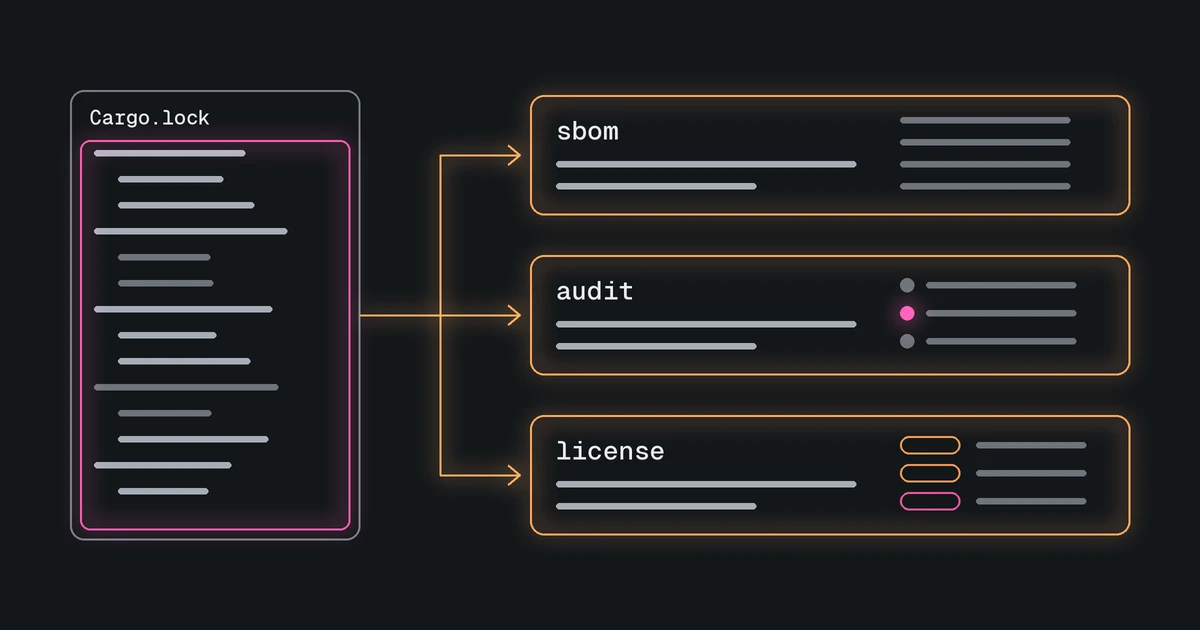
githits-scan finds the lockfiles in your repository and uses GitHits to generate an SBOM, audit dependencies, and report or check licenses.
Today we’re releasing githits-scan 0.3.0, a command-line tool that turns the lockfiles and manifests in a repository into a software bill of materials (SBOM), a dependency audit, or a license report. It is available through Homebrew.
GitHits already helps coding agents inspect the open-source packages their applications depend on: source code, documentation, security advisories, and related package data. Scan checks a repository’s dependencies. Manifests declare which packages the project needs; lockfiles record the versions selected for installation. Scan finds these files locally and sends the selected files to GitHits, which reads them and identifies the packages and versions. Scan then writes the report on your machine.
Scan joins the rest of GitHits. Coding agents access GitHits through MCP, a protocol for connecting agents to tools, or the githits command-line tool. They can inspect source code at a selected version or revision, read documentation, and check package data. The research tool investigates questions using those sources and returns an explanation with citations. The Index shows which projects are indexed. Scan uses GitHits package data to report on your own repository’s dependencies.
Scan is an alpha release. Commands and report formats can still change before 1.0. Use a fixed release version when you automate it, and review the migration notes before upgrading.
Install and preview #
On macOS or Linux with Homebrew installed:
brew install githits-com/tap/githits-scan
Homebrew installs prebuilt packages where available and otherwise builds from source, including on Intel Macs. Windows users can download a compiled program or install with Cargo, Rust’s package manager. The installation guide covers every option.
Online analysis needs a GitHits API token. To get one, sign in at app.githits.com, open the menu in the top-right corner, go to Account settings, and create a token under Personal tokens. Then export it in your shell:
export GITHITS_API_TOKEN="your-token"
Replace your-token with the token you created.
Start in the repository you want to scan:
githits-scan detect
detect lists the package files Scan would upload. It reads them locally to prepare the selection and needs no token or network connection. On the githits-scan repository itself, for example:
1 lockfile in 1 ecosystem, 1 additional manifest included, inventory matches ./githits-scan.toml

  PATH        ECOSYSTEM   BYTES  COMPANION   STATUS
  Cargo.lock  Rust       49,340  Cargo.toml  included
Review that selection before any online command. Upload commands send the full contents of the selected lockfiles and manifests. Scan does not redact them, and it does not upload source outside those package files. The overview covers privacy, selection, and what stays offline.
Generate an SBOM #
An SBOM is an inventory of software components in a format other tools can read. Generate one for a release or a compliance request:
githits-scan sbom generate -o bom.cdx.json
The default is CycloneDX 1.7 JSON, written to bom.cdx.json by the -o option above. CycloneDX and SPDX are standard formats for exchanging software inventories; JSON is a structured text format. The same command can write SPDX 2.3 tag-value or a plain text inventory. GitHits processes the uploaded package files and returns the complete document. Scan writes that document and exits. Details and formats are in the command reference.
Audit dependencies #
When you want to know what is wrong or incomplete in the selected dependency set:
githits-scan audit
An audit looks for known vulnerabilities, releases their maintainers no longer recommend, outdated and duplicate versions, and disagreements between manifests and lockfiles. Findings and incomplete checks return exit code 1, a status that tells an automated script the result needs attention. A clean result covers the selected package files; it does not establish that an installed application is safe. When GitHits suggests changes, the report includes them. Scan does not edit your dependencies. See the audit command for JSON output and how to inspect a saved analysis offline.
Report and check licenses #
When you need to read what licenses appear in the dependency set, without deciding policy yet:
githits-scan license report
The report lists license information and identifies where it is missing or incomplete. Exit code 0 means the report was produced, even when some licenses are unknown. It does not mean the dependencies passed your team’s license policy.
To check against a list of licenses your team allows, save the reviewed file selection with githits-scan detect --save, add a [licenses] policy to githits-scan.toml, then run githits-scan license check. The configuration guide shows how to write that policy and check a saved CycloneDX SBOM offline.
Try it #
Install Scan, run detect in a repository you care about, then generate an SBOM, run an audit, or read a license report.
- Repository: github.com/githits-com/githits-scan
- Docs: Scan overview
If something fails, the troubleshooting guide explains exit codes and error messages. Open an issue when the docs do not cover it.
We’d like brutally honest feedback and feature suggestions: what breaks, what confuses you, and what you wish it did. Send them to support@githits.com.