cd /news/ai-tools/how-to-install-codeyam-in-the-termin… · home topics ai-tools article
[ARTICLE · art-129491] src=blog.codeyam.com ↗ pub= topic=ai-tools verified=true sentiment=· neutral

How to Install CodeYam in the Terminal with npm

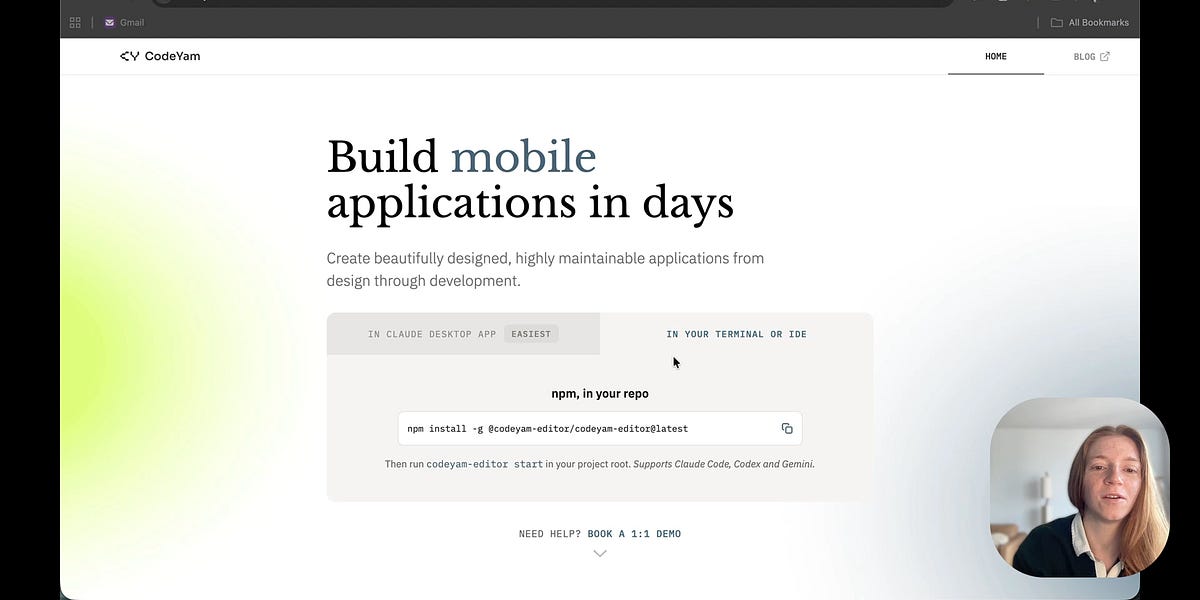
CodeYam CEO and cofounder Nadia Eldeib demonstrated installing CodeYam from the terminal via its npm package, covering the installation command, launching CodeYam Editor, and opening a new project. The terminal-based installation method is aimed at builders already using terminal-based coding agents and is currently compatible with Claude Code, Codex, and Gemini. The CodeYam team also announced "Jamming with the CodeYam Team," a new experimental educational podcast hosted by Jared, Dani, and Nadia covering startups, software development, and AI.

read1 min views7 publishedSep 3, 2026
How to Install CodeYam in the Terminal with npm
Image: Blog (auto-discovered)

In this tutorial, CodeYam CEO and Cofounder Nadia Eldeib demonstrates how to install CodeYam from the terminal using the npm package. She walks through running the installation command, launching CodeYam Editor, and opening a new project.

This installation method is best for builders who already use terminal-based coding agents. It is currently compatible with Claude Code, Codex, and Gemini.

Discussion about this video

CommentsRestacks

Jamming with the CodeYam Team Podcast

This podcast is a new experimental, educational series from the CodeYam team where Jared, Dani, and Nadia sit down to talk about timely topics. We bring three different perspectives to the conversation: developer, designer, and product manager. We’ll use this series to explore startups, software development, AI, and what we’re learning while building CodeYam. Expect team conversations, Q&As, demos, answers to your questions, and discussions about the ideas and challenges we’re thinking about.

This podcast is a new experimental, educational series from the CodeYam team where Jared, Dani, and Nadia sit down to talk about timely topics. We bring three different perspectives to the conversation: developer, designer, and product manager. We’ll use this series to explore startups, software development, AI, and what we’re learning while building CodeYam. Expect team conversations, Q&As, demos, answers to your questions, and discussions about the ideas and challenges we’re thinking about.

── more in #ai-tools 4 stories · sorted by recency
── more on @codeyam 3 stories trending now
sponsored brought to you by zahid.host 4,200+ EU-deployed projects
reading about agents? ship yours in a single git push.

Run your AI side-project on zahid.host

EU-based hosting, git-push deploys, automatic HTTPS, no cold starts. Free tier with a custom domain — perfect for shipping the agent you just read about.

$git push zahid main
Live at https://your-agent.zahid.host
Get free account → Pricing
from €0/mo · no card required
LIVE [news/how-to-install-codey…] indexed:0 read:1min 2026-09-03 ·