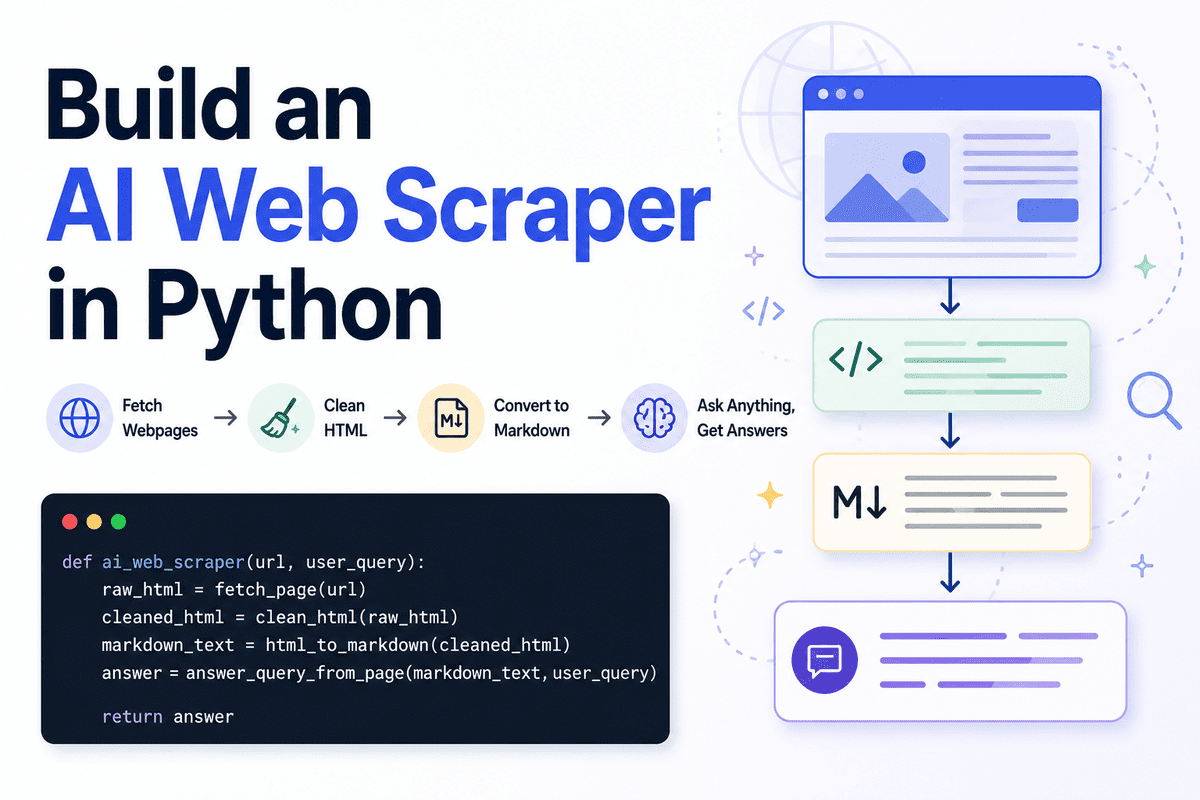
Turn any webpage into a lightweight LLM-powered QA engine by cleaning HTML, converting content to Markdown, and returning focused answers while reducing token usage.
Web scraping is the process of collecting information from websites automatically. A normal scraper usually extracts raw text, HTML elements, or the full page content. But when you are building AI agents or large language model (LLM) applications, sending the entire webpage to the model is not always the best approach.
A better way is to first clean the page, convert it into Markdown, and then use an LLM to understand the content and return only the answer the user needs. This makes the output cleaner, easier to read, and easier to use in another workflow.
It also helps reduce token usage. Instead of passing a messy webpage full of navigation links, buttons, scripts, footers, and repeated content, we only send the useful page content to the model. The LLM then returns a focused answer in Markdown instead of dumping the whole page back to the user.
In this guide, we will build a simple AI web scraper in Python using Jupyter Notebook. It will fetch a webpage, clean the HTML, convert it into Markdown, accept a user query, and return a clear Markdown answer based on the page content.
# Setting Up #
We will use Jupyter Notebook for this project. It makes it easier to test each step first before turning the scraper into a proper application programming interface (API) or application.
Start by installing the required Python packages:
!pip install requests beautifulsoup4 markdownify openai ftfy python-dotenv
We will use:
to fetch the webpage.requeststo remove noisy HTML elements.BeautifulSoupto convert HTML into Markdown.markdownifyto answer the user query.OpenAIto fix broken or messy text.ftfyto load the API key safely.python-dotenv
In the next cell, import the required libraries:
import os
import re
import requests

from bs4 import BeautifulSoup, Comment
from ftfy import fix_text
from markdownify import markdownify as markdownify_html
from openai import OpenAI
from dotenv import load_dotenv
from IPython.display import Markdown, display
Next, make sure your OpenAI API key is available as an environment variable. The safer way is to create a .env
file in the same folder as your notebook and add your key there:
OPENAI_API_KEY=your_api_key_here
Then load it inside the notebook:
load_dotenv()

client = OpenAI(api_key=os.getenv("OPENAI_API_KEY"))
You can also check that the key was loaded correctly:
if not os.getenv("OPENAI_API_KEY"):
    raise ValueError("OPENAI_API_KEY is missing. Add it to your .env file first.")
Also make sure your OpenAI platform account has billing set up. For new API accounts, you may need to add prepaid credits before you can run API calls. If a model is not available in your account, use another model from your OpenAI dashboard.
Now define the model name:
MODEL_NAME = "gpt-5.4-nano"
We are using a smaller model here because this task does not need a large reasoning model. The goal is simple: read the cleaned webpage content, understand the user query, and return a focused Markdown answer.
# Fetching the Webpage #
Now we will create the first function. This function will fetch the webpage using the requests
package and return the raw HTML.
def fetch_page(url: str) -> str:
    """
    Download the HTML content from a webpage.
    """
    headers = {
        "User-Agent": "SimpleAIScraper/1.0"
    }

    response = requests.get(url, headers=headers, timeout=15)
    response.raise_for_status()

    return response.text
The User-Agent
header tells the website that the request is coming from our scraper. Some websites block requests that do not include a user agent, so adding one makes the request a bit more reliable.
We also use timeout
to avoid waiting indefinitely if the website does not respond. The raise_for_status()
call will stop the code if the request fails — for example, if the page returns a 404
or 500
error.
Now let's test the function with a real website:
raw = fetch_page("https://www.olostep.com/")
print(raw[:500])
This will download the raw HTML from the webpage and print the first 500 characters.
Raw HTML output | Image by Author
At this stage, the output will still look messy because it contains the full page HTML, including tags, scripts, layout elements, and other content we do not need.
# Cleaning the HTML #
The raw HTML from a webpage usually contains a lot of content we do not need. It can include scripts, styling, navigation menus, buttons, forms, headers, footers, popups, and other layout elements.
Before sending the page content to the LLM, we need to clean the HTML. This helps reduce noise and makes the final Markdown much easier for the model to understand.
We will use BeautifulSoup to parse the HTML and remove unnecessary elements.
def clean_html(html):
    html = fix_text(html)

    soup = BeautifulSoup(html, "html.parser")

    for tag in soup([
        "script", "style", "noscript", "svg", "img", "iframe",
        "nav", "header", "footer", "aside", "form", "button"
    ]):
        tag.decompose()

    noise_words = [
        "cursor",
        "modal",
        "popup",
        "floating",
        "signup",
        "login",
        "cookie",
        "banner",
        "navbar",
        "menu",
        "footer",
        "header",
        "subscribe",
        "newsletter",
        "",
        "wait",
        "success",
        "auth",
        "w-nav",
        "w-form"
    ]

    tags_to_remove = []

    for tag in soup.find_all(True):
        if tag.attrs is None:
            continue

        class_value = tag.get("class", [])
        id_value = tag.get("id", "")

        if isinstance(class_value, list):
            class_text = " ".join(class_value).lower()
        else:
            class_text = str(class_value).lower()

        id_text = str(id_value).lower()

        if any(word in class_text or word in id_text for word in noise_words):
            tags_to_remove.append(tag)

    for tag in tags_to_remove:
        tag.decompose()

    body = soup.body if soup.body else soup

    return str(body)
First, we use fix_text()
to clean any broken or strange text encoding issues. Then BeautifulSoup parses the HTML so we can remove the parts we do not need.
We remove obvious noisy tags like script
, style
, nav
, header
, footer
, form
, and button
. These sections usually do not help answer the user query and can waste tokens.
After that, we look for noisy class names and IDs. Many websites use words like popup
, cookie
, navbar
, newsletter
, or modal
inside their HTML. If a tag contains those words, we collect it and remove it safely.
Now let's run the function on the raw HTML:
clean = clean_html(raw)
print(clean[:500])
As you can see, the webpage is now much cleaner. It still contains useful HTML tags and text, but most of the noisy layout, scripts, navigation, and popups have been removed.
Cleaned HTML output | Image by Author
# Converting HTML to Markdown #
Now we will convert the cleaned HTML into Markdown. Markdown is easier to read, easier to save, and easier for the LLM to understand compared to raw HTML.
This step also helps reduce input tokens because we remove unnecessary formatting, images, blank lines, and repeated text. For the conversion, we will use markdownify.
def html_to_markdown(html):
    markdown_text = markdownify_html(
        html,
        heading_style="ATX",
        bullets="-"
    )

    markdown_text = fix_text(markdown_text)

    markdown_text = re.sub(r"!\[.*?\]\(.*?\)", "", markdown_text)

    markdown_text = re.sub(r"[ \t]+", " ", markdown_text)
    markdown_text = re.sub(r"\n{3,}", "\n\n", markdown_text)

    lines = []

    skip_lines = [
        "click to try",
        "wait...",
        "you've successfully reserved your spot.",
        "thank you! your submission has been received!",
        "oops! something went wrong while submitting the form.",
        "product",
        "resources",
        "company"
    ]

    for line in markdown_text.splitlines():
        line = line.strip()

        if not line:
            continue

        if line.lower() in skip_lines:
            continue

        lines.append(line)

    return "\n".join(lines)
First, we use markdownify to convert the cleaned HTML into Markdown. We set the heading style to ATX
, which means headings will use standard Markdown syntax with #
, ##
, and ###
.
Then we run fix_text()
again to clean any remaining encoding issues. After that, we remove image Markdown because image links are usually not useful for answering text-based questions.
We also remove extra spaces and blank lines so the final content is compact. This makes the page easier to inspect and helps reduce the number of tokens sent to the model.
The skip_lines
list removes repeated website text such as form messages, navigation labels, and small call-to-action text. You can update this list based on the website you are scraping.
Now let's run the function:
md = html_to_markdown(clean)
print(md[:500])
As you can see, the text is now much cleaner and closer to the format we want. Instead of raw HTML, we now have readable Markdown with useful headings, paragraphs, and bullet points.
Markdown output | Image by Author
# Asking a User Query Against the Page #
Now we will create the function that sends the cleaned Markdown content to the LLM. This function takes two inputs: the webpage content in Markdown and the user query.
Instead of asking the model to summarize the whole page, we ask it to answer a specific question using only the page content. This makes the response more focused and useful.
def answer_query_from_page(markdown_text, user_query):
    prompt = f"""
You are an AI web scraping assistant.

You will receive Markdown extracted from a webpage.

Your task is to answer the user's query using only the useful page content.

User query:
{user_query}

Webpage Markdown:
{markdown_text}

Instructions:
- Return only clean Markdown.
- Use only information from the webpage Markdown.
- Do not invent missing details.
- Ignore navigation links, buttons, CTAs, popups, decorative labels, image captions, and repeated marketing fragments.
- Ignore lines like "Start for free", "Contact Sales", "Your AI Agent", and decorative workflow examples unless they directly answer the query.
- Focus on headings, paragraphs, product descriptions, feature sections, pricing details, documentation text, and factual claims.
- If the page does not contain the answer, say: "The page does not contain this information."
- Keep the answer short, clear, and focused.
"""

    response = client.responses.create(
        model=MODEL_NAME,
        input=prompt
    )

    return response.output_text
The prompt is the most important part of this step. It tells the model what role it should play, what content it can use, and what kind of answer it should return.
We also tell the model to use only the provided Markdown. This is important because we do not want the model to guess or add information that is not present on the webpage.
The instruction to return only clean Markdown makes the output easier to display in a notebook, save to a file, or pass into another AI workflow.
This function is where the AI web scraper becomes genuinely useful. We are no longer just extracting page text — we are asking the LLM to understand the cleaned page and return the exact answer the user is looking for.
# Creating the Full AI Web Scraper #
Now we will create the final function that connects everything together.
This function will take the URL and the user query as inputs. It will then fetch the webpage, clean the HTML, convert the content into Markdown, and return the answer using the gpt-5.4-nano
model.
def ai_web_scraper(url, user_query):
    raw_html = fetch_page(url)
    cleaned_html = clean_html(raw_html)
    markdown_text = html_to_markdown(cleaned_html)
    answer = answer_query_from_page(markdown_text, user_query)

    return answer
This is our complete AI web scraper pipeline. Instead of manually running each step one by one, we can now call a single function and get a clean Markdown answer from any webpage.
The flow is simple:
- Fetch the webpage.
- Clean the HTML.
- Convert it into Markdown.
- Ask the LLM a question.
- Return the final answer.
This keeps the code simple and easy to reuse later in an API, chatbot, or agent workflow.
# Testing the AI Web Scraper #
Now let's test our AI web scraper. We will provide it with a website URL and ask what the company does.
url = "https://www.olostep.com/"
user_query = "What does this company do?"
result = ai_web_scraper(url, user_query)

display(Markdown(result))
In return, we get a proper Markdown response about the company and its product. This is much better than returning the full webpage content because the answer is focused, readable, and directly related to the user query.
Scraper output for a company overview query | Image by Author
Now let's try a different page and ask about pricing.
url = "https://www.olostep.com/pricing"
user_query = "Help me understand the pricing"
result = ai_web_scraper(url, user_query)

display(Markdown(result))
In a few seconds, we get a clean response that is easy to understand. Instead of manually visiting the pricing page and trying to find the relevant information, the scraper extracts the page, cleans it, and asks the LLM to explain only what matters.
Scraper output for a pricing query | Image by Author
We can also save the final response as a Markdown file.
with open("ai_scraper_result.md", "w", encoding="utf-8") as file:
    file.write(result)

print("Markdown saved to ai_scraper_result.md")
Output:
Markdown saved to ai_scraper_result.md
Now the result is saved as a Markdown file, which you can open, edit, share, or use in another workflow.
# Final Thoughts #
Building your own AI tools is much easier now. With a few lines of Python and an LLM, we turned a normal webpage into a simple question-answering engine that can read the page, understand the user query, and return a clean Markdown answer.
This is powerful because you do not always need a complex system to solve a specific problem. Sometimes, a small specialized solution is enough.
But it is also important to remember that everything has a cost. Running the app on a server costs money. Calling an LLM costs money. Maintaining the scraper, fixing broken pages, handling errors, and improving the system over time also costs time and money.
So before building your own custom solution, it is worth looking at existing tools like ** Olostep**,
, or
Firecrawl. In some cases, paying for a ready-made scraping or web intelligence API may make more sense. In other cases — especially if the task is small, local, or very specific — building your own lightweight solution can be the better option.
Exa (
@1abidaliawan) is a certified data scientist professional who loves building machine learning models. Currently, he is focusing on content creation and writing technical blogs on machine learning and data science technologies. Abid holds a Master's degree in technology management and a bachelor's degree in telecommunication engineering. His vision is to build an AI product using a graph neural network for students struggling with mental illness.