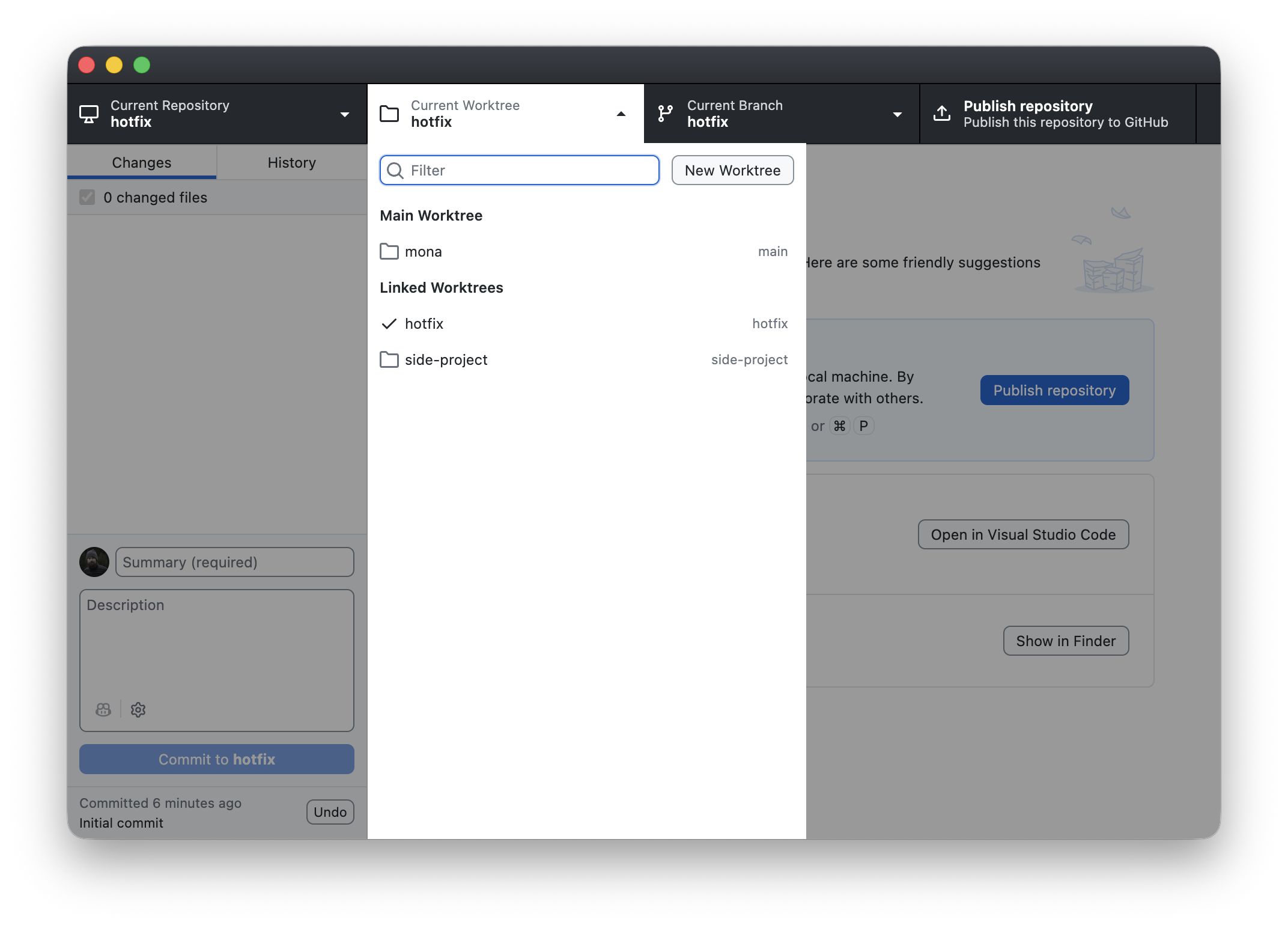
GitHub Desktop 3.6 brings more of your day-to-day Git flow into one place with GitHub Copilot now powering commit authoring and merge conflict resolution, plus new Git worktree support.
The problem More and more development happens with the help of AI and coding agents, which raises the bar for the everyday Git moments in between. A few of those moments still pull you away from your flow: commit authoring needs more control and better alignment with repository standards, merge conflicts remain one of the most intimidating Git workflows, and working across multiple branches at once often means stashing changes, switching branches repeatedly, or creating extra clones.
A new foundation for Copilot Copilot in GitHub Desktop now runs on the Copilot SDK, the shared foundation behind both the enhanced commit message experience and the new merge conflict workflow.
Beyond those features, the SDK also unlocks more flexibility in how Copilot runs. Every Copilot feature in GitHub Desktop now includes a model picker so you can choose from the models available to you through GitHub. You can also use bring your own key (BYOK) to connect a third-party provider or a model running locally on your machine.
Author commits with more control
GitHub Desktop’s commit message generation feature is now more powerful and customizable. It picks up custom instructions from your .github/copilot-instructions.md
and AGENTS.md
files, and honors commit metadata rules defined for your repository. This way generated messages match your style and stay within your repository’s standards.
Resolve conflicts with Copilot Merge conflicts are now easier to navigate with AI-assisted resolution in GitHub Desktop. When you hit a conflict, Desktop can help explain the conflicting changes and suggest a resolution that you can review, accept, or edit before completing the merge.
Work across branches in parallel GitHub Desktop now supports Git worktrees, so you can work across multiple branches at once without repeatedly stashing changes, switching branches, or cloning the same repository. This is especially handy alongside coding agents, which often spin up worktrees to run isolated, parallel sessions.
Getting started GitHub Desktop 3.6.0 is available now for macOS and Windows. GitHub Desktop is free to download and use, and Copilot-powered features require access to GitHub Copilot.
Automatic updates roll out progressively, or you can download the latest release from github.com/apps/desktop. To learn more about these workflows, see the GitHub Desktop documentation.
Have feedback or found an issue? Open an issue in the desktop/desktop repository.