Affiliate links on Android Authority may earn us a commission. Learn more.
Jul 14, 2026 — 7:03 AM ET
- Google is expanding Gemini in Chrome availability to desktop users in the UK.
- Gemini in Chrome can access multiple open tabs and provide helpful insights, compare information, and more.
- It also supports Nano Banana 2 and can transform images on the web using simple text prompts.
Google has been slowly rolling out Chrome’s advanced AI capabilities. The company first introduced the new Gemini in Chrome feature in the US earlier this year. Now, Google is expanding it to yet another region.
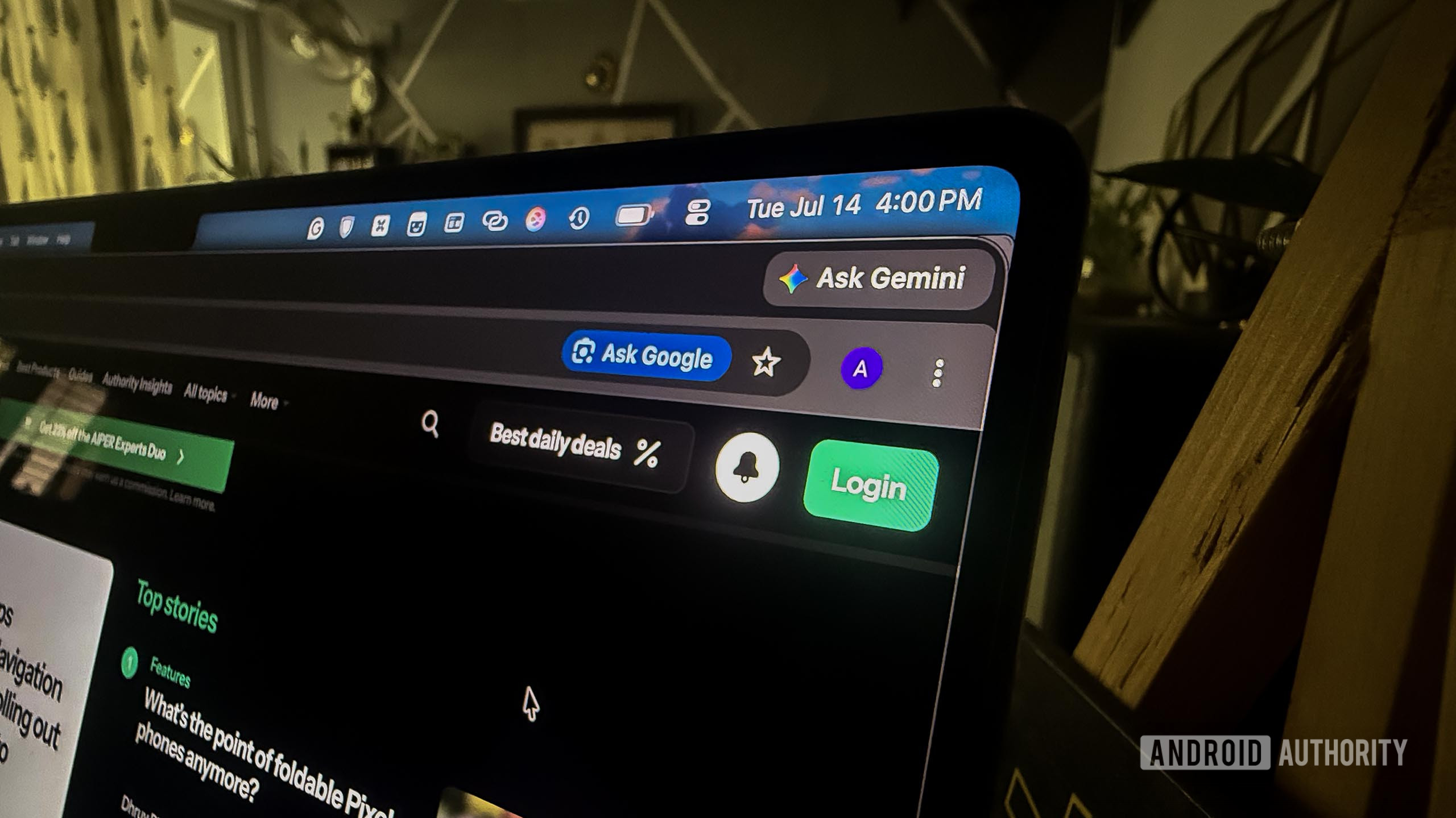
The company announced in a blog post that it’s bringing Gemini in Chrome to desktop users in the UK and will roll it out to iOS users next month. Gemini in Chrome gives users a dedicated “Ask Gemini” button on the top-right corner of the browser. It opens Gemini in a sidebar and lets users interact with it while browsing.
The feature lets users leverage Gemini’s capabilities to summarize a web page. Users can also share multiple tabs with Gemini and have the AI compare information across those tabs. I asked it to compare gaming laptops using my open tabs, and it provided an easy-to-understand summary of both laptops, along with a suggestion for the better value-for-money option.
Since Gemini has access to users’ personal information, it can also schedule meetings, draft emails, and do a lot more. Gemini in Chrome also supports Nano Banana 2, so users can convert images on the web with simple text prompts.
The sidebar appears on the right side of the browser by default. However, you can go to Chrome Settings > Appearance > Side panel position to move the sidebar to the left. You can also click on the pop-out button in the top-right corner of the Gemini sidebar to convert it into a floating window.
Google also notes that Gemini in Chrome is built with security in mind. It can recognize threats such as prompt injection attacks, and always asks for confirmation before completing any sensitive actions.
Thank you for being part of our community. Read our Comment Policy before posting.