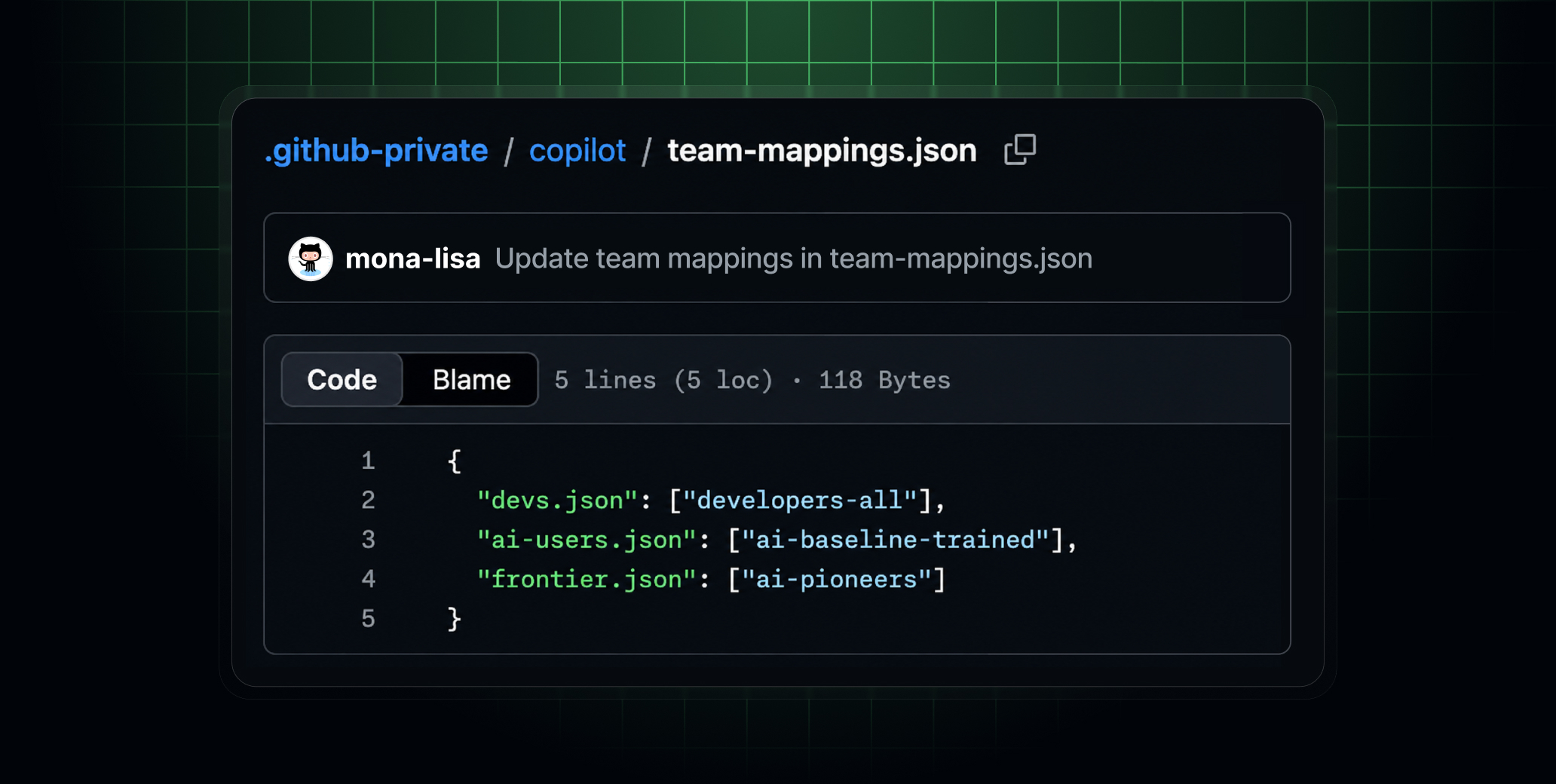
Enterprise administrators can now customize managed settings by targeting enterprise teams with itemized configuration files. Large enterprises can scale governance without bottlenecking every configuration change through central administrators or one-size-fits-all policies. Teams gain the flexibility to adapt Copilot to their workflows while staying within the boundaries you’ve defined.
The AI ecosystem evolves frequently and maintaining effective guardrails is a shared responsibility. Set your AI standards source .github-private
repository to internal
visibility and let your users open pull requests to suggest changes that keep their specialized governance configuration up to date.
What you can do
After you’ve configured your managed-settings.json
file, you can make individual keys eligible for team-specific values.
Mark keys as overridable: In yourcopilot/managed-settings.json
file, use the{ "overridable": }
syntax to specialize the key’s configuration on a per-team basis. An overridable key uses the team’s value when set or falls back to your enterprise default when the team leaves it unset. Keys you don’t mark overridable remain an enterprise-level decision that teams can’t modify. In practice, you can set"disableBypassPermissionsMode": "unmanaged"
and"model": "unmanaged"
in a team settings file, providing a specialization that takes precedence overmanaged-settings.json
for members of that team.For example, let your AI Pioneers team pick their own default model and bypass permissions, while every other team inherits your enterprise defaults. #
Team-based plugin extensibility: Let plugins and marketplaces grow team-by-team, not shrink.enabledPlugins
andextraKnownMarketplaces
are additive (i.e, your enterprise baseline is guaranteed everywhere, and individual teams can layer on the extras they need for specific job roles without weakening the floor). -
Map settings files to teams: Ship different policies to different teams from one place. Map each team settings file to one or more team slugs inteam-mappings.json
. Each entry pairs a settings file with the teams that use it, so you can apply one file across multiple teams.For example, a single
ai-users.json
file can be applied to all teams that have completed training. Additional specializations can be applied for other job roles likedevs.json
. -
Create the team settings file: Add the team’s configuration undercopilot/teams/
. Only include the keys you marked as overridable. Anything else falls back to your enterprise platform decision. - Trust that enterprise decisions always win: Keys you don’t mark overridable set a ceiling, so compliance-critical settings stay locked down by default. Unmanaged or overridable keys set a floor. If a user belongs to multiple teams, the team-level settings are combined using the least restrictive value for each key, then applied beneath the enterprise file.
Supported clients
Today the configuration defined in managed-settings.json
is enforced in VS Code, Copilot CLI, the Copilot App, and Copilot cloud agent whenever a user has a Copilot Business or Copilot Enterprise license issued from the enterprise or one of its organizations. We are working to extend this support across all Copilot clients through the Copilot SDK.
To learn more, see configuring enterprise managed settings.
Join the discussion within GitHub Community.