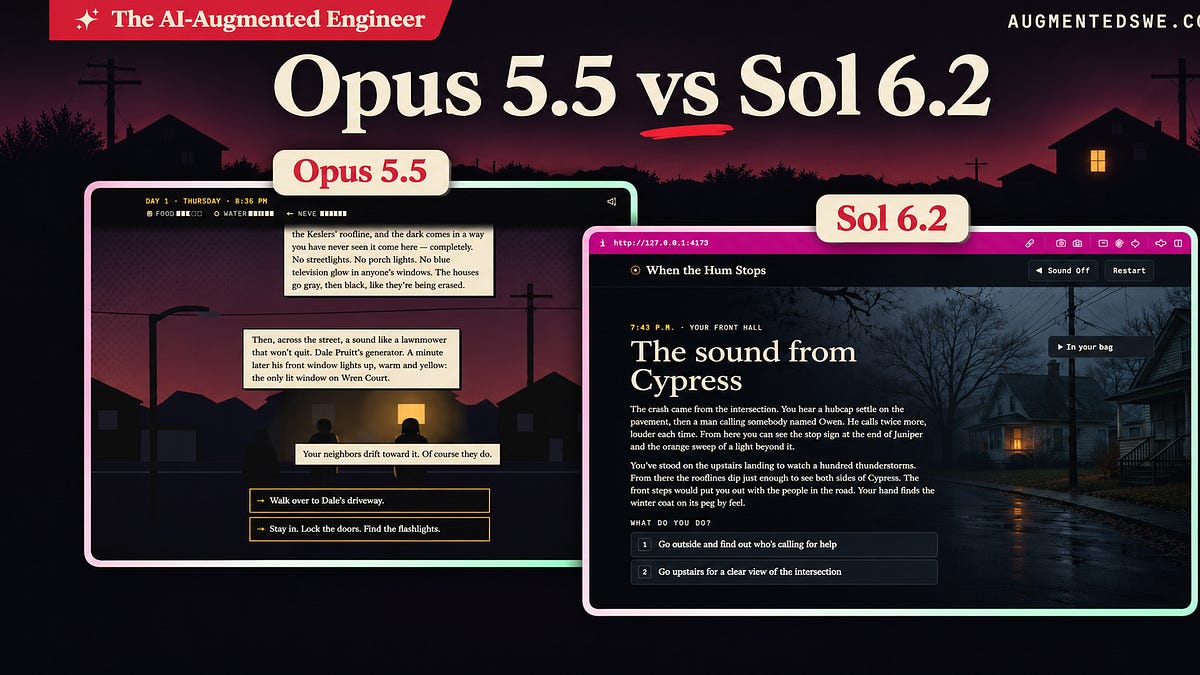
It’s very hard to tell what the best model is right now. I do my best to test with each frontier model so that I can give you the best recommendations, but I don’t do enough side-by-side comparisons.
So today, we’re going to walk through making a simple browser game with both Claude Opus 5.5 and GPT Sol 6.2. Both are very capable models quite comparable in intelligence and cost.
Our starting prompt to make a game #
I want to make a simple browser based game about survival of a blackout. If you spend any time online, you may have noticed that this is sort of a hot topic lately.
I noticed YouTube is getting littered with tons of videos in this niche, many of them fiction stories about surviving “when the power goes out”. They’re all clearly AI-generated stories, read by an AI voice, using AI-generated graphics. Dead internet theory aside, I found some of them entertaining.
Which gave me an idea - Wouldn’t it be more fun as a game?
So that’s our test today. I’ll build a browser-based story game, mostly as a choose-your-own-adventure. We’ll have the models plan the stories, create the diverging paths, generate game assets, and make the whole thing playable.
So here’s the starting prompt:
I want you to make a simple browser-based choose your own adventure game
centered around the story of surviving a blackout in the suburban united states.

I want the user to focus on the story, feel a bit unsettled, and be able to
genuinely affect the direction of the story. Each decision should affect inventory
of a few critical resources (not so many that it's distracting to the player), and
those resources should also affect the direction of the story.

The game should be playable in-browser, require no-login, be single-session, able
to be enjoyed on both desktop and mobile.

First, ask me questions to clarify what you're missing.
Then, generate the story including all possible options given chocies from the user.
Then, use creative freedom to make game assets and choose font and sounds that will
make the game a bit immersive.
Then, build the game.
Along the way, write basic tests so the game is easy to change.
Feel free to delegate to cheaper subagents when appropriate without sacraficing performance.
I’ll show you how each model works, the troubles we run into along the way, and compare the results.
Building the game with Opus 5.5 #
For our Opus test, we’ll use Claude Code in the CLI, as oppposed to the app.
After running the inital prompt, Claude hit me with some clarifying questions.
You’ll see later that Codex asked remarkably similar questions, so I was sure to give the same answers to both.
Once implementation started, Opus did take the instruction to delegate to cheap subagents. It started with a general-purpose subagent and assigned it the task of generating procedural audio.
Why a subagent for general purpose? It did this so that while Opus served as the planner and orchestrator, a cheaper model could handle implementation.
Opus worked uninterrupted for a 32 minute first-pass, twice as long as Sol’s first pass (both with the same effort).
Because it took so much longer than Sol (as you’ll see in the next section), I assumed that the first pass would be much better, or at least less lazy. Here’s the game as it loads.
Clicking begin brings you to the next page.
One notable thing was that this first attempt had great sound effects, but I was otherwise unimpressed. The story is fine, but it’s not very immersive, and the image design leaves something to be desired.
Another thing that stood out to me is that running the app locally also started a python server, which I suspect will make this more challenging to deploy (cheaply). Claude actually put my mind at ease here.
So now we’ll move on to a few requests for change. I’ll give similar requests to Sol’s implementation later in the article, so you can see how each model handles having to change its work bit.
How Opus handles a request for change #
The first pass is okay, but it genuinely just feels like a short ebook. Here’s the feedback I gave to Claude Code, with effort set to high.
- Make the game more visually immersive, less like reading a book and more like a graphic novel
- Lose the python server, find a way to make the game work without that
- I want different images generated for each part of the story. Be sure to have consistent characters or locations for relevant parts of the story.
- I’d like the image take up the whole screen, as a background, with the text overlayed. Text can fade in as the user scrolls (if scroll is neccesary) to make it feel like story progression.
Claude first pointed out that it has no image generation, and asked if it should hand-draw SVGs or call an API for image generation. Because I want to truly test each model, I had it hand-draw the SVGs.
This obviously took forever. Let’s look at the redesign.
The drawings are quaint, and the story feels a lot like a graphic novel.
If you’re using coding agents like Claude Code, you’re obviously in the right spot. I spend dozens of hours researching each of these guides so you have a shortcut to building software with AI.
I’d love to have you join us and get notified when we share more tutorials like this.
The game also looks genuinely interesting with a much better story than Sol 6.2 came up with on first pass.
Overall, I think this was a great game! Read on to see how Sol 6.2 did, then for a comparison of working with both.
Building the game with Sol 6.2 #
I gave the same prompt to Sol 6.2 in the Codex app with effort set to medium.
Sol 6.2 actually started with some game asset generation while it was asking me questions.