Everybody has a preference for how we want an AI coding agent to work.
Maybe you want Claude Code to stop explaining everything and just make the change. Maybe you’re working in an unfamiliar codebase and want it to explain why it touched each file. Or maybe you’re actively trying to learn and don’t want Claude writing every interesting piece of code for you.
You can put some of those instructions in CLAUDE.md, and I’ve certainly done that before. But Claude Code output styles is a cleaner tool for changing how Claude behaves.
An output style changes Claude’s role, tone, and response format for an entire session. Instead of writing “be concise” or “explain your reasoning” over and over, you select a style once and Claude carries those instructions into subsequent requests.
Claude Code ships with several built-in output styles already, but the much more interesting part is that you can build your own.
What are Claude Code output styles? #
Claude Code output styles are persistent instructions that control how Claude interacts with you. They don’t replace your prompt. If I tell Claude to fix a race condition, the prompt still defines the task. The output style controls how Claude
communicates that work.
Anthropic currently includes the normal Default behavior plus four built-in output styles:
- Proactive
- Concise
- Explanatory
- Learning
Each one keeps Claude Code’s standard software engineering behavior while adding additional instructions about how Claude should work with you.
You can see your available styles by running:
/output-style
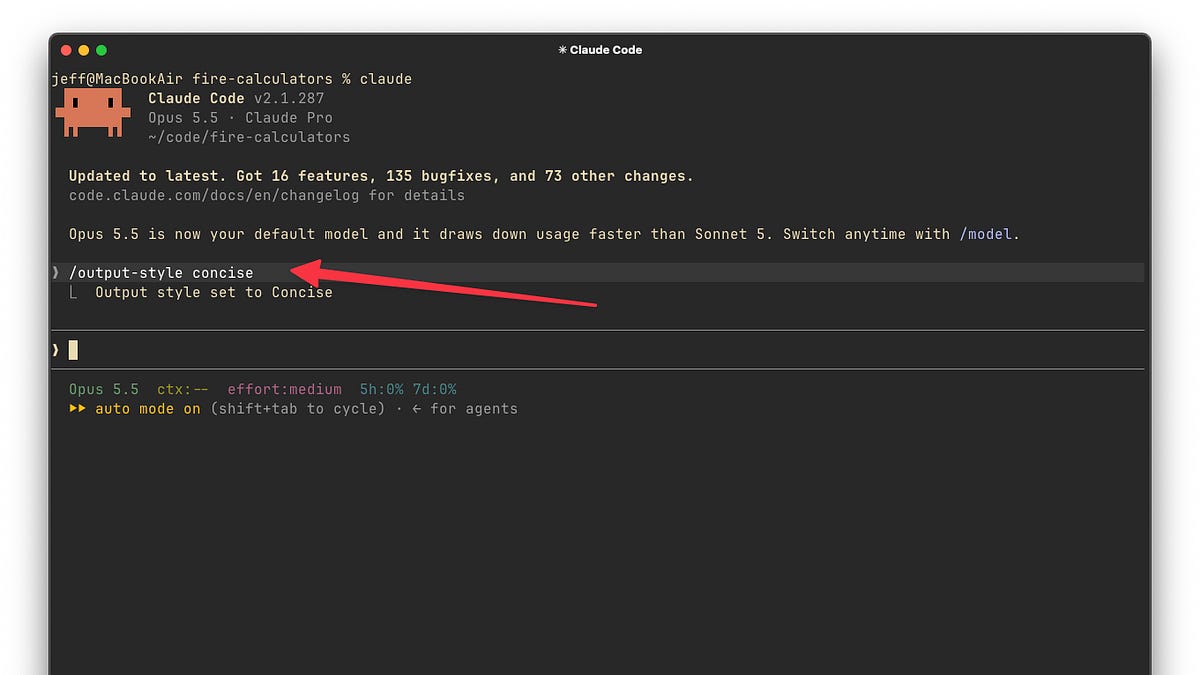
Or switch directly:
/output-style concise
Claude Code saves the selected style at the local project level in .claude/settings.local.json, so you don’t need to select it every time you start working in that project. You can also choose an output style through /config, or through the Output Styles menu in the VS Code extension.
You can even configure it manually:
{
  "outputStyle": "Concise"
}
One minor gotcha is that when you edit the settings file directly, the built-in style names are case-sensitive. Concise works. concise falls back to the Default style. The /output-style command itself is case-insensitive.
Today’s post is sponsored by re:cinq
re:cinq is an engineering consultancy with a strong repuration for helping companies integrate AI into their work.
If you want expert help building AI-augmented development skills into your existing teams, re:cinq can help.
Whether you’re exploring AI Native transformation, looking for engineering expertise, interested in partnerships or collaborations, or simply want to exchange ideas, re:cinq can help
The built-in Claude Code output styles #
Before building your own style, I’d spend some time with the built-in options. They solve several very common frustrations with coding agents.
Default
Default is normal Claude Code.
There aren’t any additional output-style instructions. Claude gets its standard software engineering system prompt and behaves the way you’re probably already accustomed to.
You can return to it with:
/output-style default
I’d treat this as the baseline rather than necessarily the best option.
Concise
This is probably the first style I’d recommend experienced developers try.
/output-style concise
Concise tells Claude to lead with the result and remove much of the narration, preamble, and recap around its work. Simple questions should generally get answers in one to three sentences. Importantly, Anthropic says the underlying engineering work is still performed as thoroughly as it is under the Default style.
That distinction is useful.
There are plenty of times where I want Claude Code spending substantial effort understanding a problem, running tests, and checking its work. I just don’t necessarily need a running commentary describing everything it is doing.
If you already understand the codebase well and primarily use Claude Code as an implementation agent, Concise is a very sensible default.
Claude will still provide longer output when you explicitly ask for an explanation or when information is necessary for things like errors, security warnings, failing tests, or destructive actions.
Proactive
Proactive changes something slightly different.
/output-style proactive
Instead of stopping to ask you about relatively routine implementation decisions, Claude is instructed to make reasonable assumptions and continue working.
It also avoids switching into plan mode unless you explicitly ask it to plan.
This is particularly interesting if you’re moving toward a more agentic workflow.
One of the biggest productivity killers with coding agents is assigning what should be a 15-minute autonomous task, walking away, and coming back to discover that the agent stopped 30 seconds later to ask whether you prefer option A or option B.
Proactive is essentially saying: use your judgment and keep moving unless the decision really needs me.
It doesn’t disable Claude Code’s permission system. Tool permissions still determine which operations Claude can execute without approval. Anthropic also instructs the Proactive style to check with you before actions that delete data or modify shared or production systems.
Explanatory
Explanatory goes in the opposite direction:
/output-style explanatory
Claude still does the task, but it also adds short Insight sections explaining important decisions it made.
These explanations appear in your conversation rather than being dumped into your source files as comments. Anthropic describes them as short explanations of things like patterns in your codebase or reasoning behind an implementation choice.
I like this one for an unfamiliar repository.
There is a big difference between asking Claude to implement something in a codebase you’ve worked in for five years and having it implement something in a repository you cloned yesterday.
In the second case, I want the agent doing the work, but I also want to absorb some of what it learns.
Explanatory gives you a bit of that without turning every prompt into:
Make this change and also explain the architecture and why you made every important decision.
Learning
Learning is the most unusual built-in style.
/output-style learning
Claude still performs routine implementation work and includes the same kinds of Insight blocks you get with Explanatory. But when it reaches a small piece of code involving a meaningful decision, it can leave that piece for you to implement.
I think this is a smart response to one of the legitimate problems with AI-assisted development.
If the agent writes every line while you merely approve diffs, it becomes very easy to stop learning.
Learning mode gives Claude the grunt work while intentionally preserving some of the parts where you have to think.
I wouldn’t use it when trying to ship something as quickly as possible. I would consider using it when learning a new framework, language, codebase, or engineering pattern.
If you’re interested in using Claude Code to learn, here’s some recommended reading:
Creating your own custom Claude Code output style #
The built-in styles are useful, but custom Claude Code output styles are where this feature becomes much more powerful. Much like a skill, a custom output style is simply a Markdown file containing frontmatter plus instructions for Claude.
You can use one globally for your user:
~/.claude/output-styles/
Or create styles that belong to a particular project:
.claude/output-styles/
The filename becomes the style name unless you explicitly provide a different name in the frontmatter. Let’s make one together.
Suppose I want Claude to behave more like a senior engineer working beside me.
I want it to implement things rather than endlessly discuss them, but I also want it to call out architectural decisions, suspicious assumptions, and anything that could create technical debt.
I might create:
~/.claude/output-styles/senior-engineer.md
With:
---
name: Senior Engineer
description: Implement directly while highlighting important engineering decisions
keep-coding-instructions: true
---

Work as an experienced software engineer collaborating with another experienced engineer.

Prefer implementing the requested change instead of explaining how I could implement it myself.

Keep routine explanations brief.

When you encounter an important architectural decision, surprising codebase convention, meaningful tradeoff, or potential source of technical debt, explain it clearly before proceeding.

Do not narrate routine file reads, searches, edits, or test execution.

Ask me a question only when the answer materially changes the implementation and cannot reasonably be inferred from the codebase.

After implementation, tell me:

1. What changed
2. Any important engineering decisions
3. Anything I should verify manually

Do not provide a lengthy recap when there is nothing significant to add.
The most important part of that example may actually be:
keep-coding-instructions: true
Anthropic says custom output styles do not include Claude Code’s normal software engineering instructions by default. If your custom style is merely changing how Claude communicates while you still want Claude behaving like a coding agent, you generally want keep-coding-instructions: true.
If you leave it out, you can turn Claude Code into something else entirely.
For example, you could make an output style for technical writing, data analysis, product management, or codebase tutoring where the standard coding-agent behavior is unnecessary.
Once the file exists, restart Claude Code if it was already running. Custom style files are loaded when Claude Code starts. Then select it:
/output-style "Senior Engineer"
Or run:
/output-style
and choose it from the available styles.
From that point forward, those instructions apply to every response in the session.
Output styles vs. CLAUDE.md #
There is some overlap here, so the distinction is worth understanding.
Anthropic recommends CLAUDE.md for information Claude needs to know about your project: conventions, architecture, commands, repository structure, and other codebase-specific knowledge.
An output style is more about how Claude should behave.
For example:
CLAUDE.md:
Run bin/rails test before completing backend changes.

Services live in app/services.

We use Result objects rather than raising exceptions for expected failures.
Output style:
Keep explanations short.

Implement routine decisions without asking.

Call out architectural tradeoffs before making them.
Those two things complement each other nicely.
Anthropic also distinguishes output styles from several other Claude Code extension mechanisms. Skills are better when instructions apply to one specific type of task. Hooks are appropriate when something must happen every time rather than merely being an instruction Claude is expected to follow. Subagents are useful when you want a separate agent with its own system prompt, tools, and context.
That framing helped output styles click for me:
CLAUDE.md tells Claude about the environment. Output styles define the working relationship.