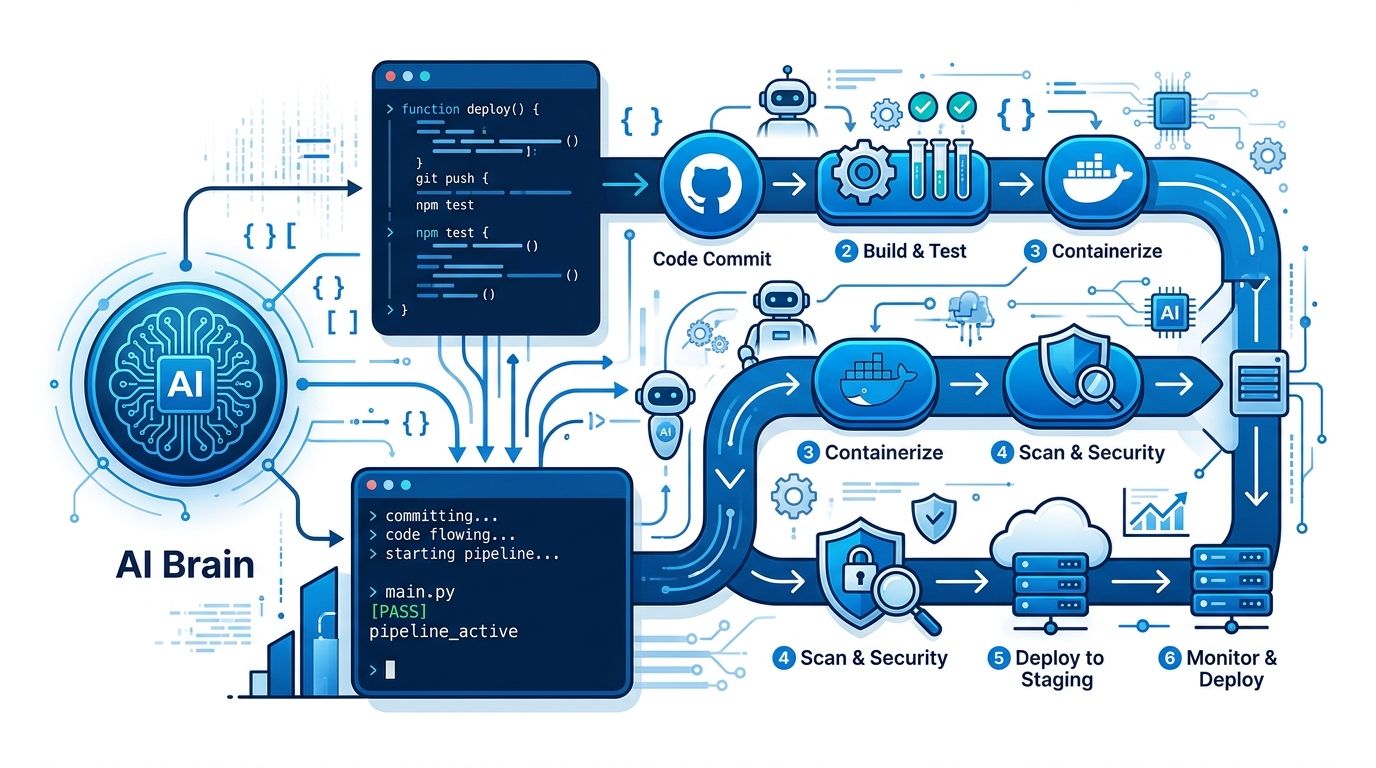
AI coding agents are everywhere in your IDE — and nowhere in your CI pipeline. A test suite fails at 2 AM, a developer wakes up, identifies a trivial null check, pushes a one-line fix, and goes back to sleep. That manual loop is entirely avoidable. Cline CLI brings the same open-source coding agent running in 160,000 developers’ VS Code sessions directly into GitHub Actions, GitLab CI, and any pipeline that can execute a shell command — with no interactive UI required.
Version 3.0.45, released this week, made CI integration more practical: the npm install footprint dropped from roughly 640MB to 285MB by unbundling heavyweight AI provider SDKs. The Claude Code and Codex provider binaries are now resolved on demand rather than bundled by default, shaving about 355MB from the install tree. In CI containers, that difference matters.
Install and Configure in Two Commands #
Cline CLI is the cline
package on npm. Platform binaries ship for macOS, Linux, and Windows on both arm64 and x64 — no separate Node, Bun, or Zig runtime required. The cline npm package uses optional dependencies to resolve the correct platform binary at install time.
npm install -g cline
For CI environments, configure the provider and API key at runtime:
cline auth --provider anthropic --apikey $ANTHROPIC_API_KEY --modelid claude-sonnet-5
Cline supports 30-plus model providers — Anthropic, OpenAI, Google Gemini, OpenRouter, AWS Bedrock, Azure, GCP Vertex, and any OpenAI-compatible endpoint including local Ollama instances. The agent core is identical regardless of which provider you use. That model-agnostic design is what separates Cline from single-vendor CLI agents in CI contexts: your pipeline is not locked to one provider’s pricing or availability.
The Headless Flag That Unlocks CI #
Cline’s CLI expects interactive input by default. Two flags change that entirely:
-y
(or--yolo
/--no-interactive
): auto-approves all actions without waiting for confirmation--json
: streams structured output for programmatic parsing
Headless mode also activates automatically when stdin is piped or output is redirected — exactly what happens in CI. The simplest possible automated review:
git diff origin/main | cline -y "Review these changes for security vulnerabilities, logic errors, and missing error handling. Be specific about line numbers."
Each cline
instance is fully isolated. Run ten agents on ten branches simultaneously — they do not interfere with each other.
GitHub Actions: AI PR Review in 20 Lines #
The official PR review sample from Cline’s documentation requires one repository secret (ANTHROPIC_API_KEY
or equivalent) and read/write access to pull requests.
name: AI Code Review
on:
  pull_request:
    types: [opened, ready_for_review]

permissions:
  contents: read
  pull-requests: write

jobs:
  ai-review:
    runs-on: ubuntu-latest
    steps:
      - uses: actions/checkout@v4
        with:
          fetch-depth: 0

      - uses: actions/setup-node@v4
        with:
          node-version: '20'

      - name: Install Cline CLI
        run: npm install -g cline

      - name: Run AI Review
        env:
          ANTHROPIC_API_KEY: ${{ secrets.ANTHROPIC_API_KEY }}
          GH_TOKEN: ${{ secrets.GITHUB_TOKEN }}
        run: |
          git diff origin/${{ github.base_ref }}...HEAD |           cline -y --json "Review this PR diff for bugs and security issues. Use the GitHub CLI to post your findings as a PR review comment."
The workflow triggers on PR open, installs Cline, pipes the diff, and instructs the agent to post findings via the GitHub CLI. The agent has access to GH_TOKEN
and can call gh pr review
directly — output is not limited to stdout.
Three More Use Cases That Work Today #
Test Failure Triage
When a test suite fails, pipe the output directly:
npm test 2>&1 | cline -y "These tests are failing. Identify the root cause and fix the code — do not modify the tests."
For straightforward failures — wrong assertions, unhandled promises, missing mocks — the agent traces the failure to the affected source file and applies a fix without human involvement.
Dependency Security Remediation
cat security-report.json | cline -y "Fix the high-severity vulnerabilities listed in this report. Update package versions and address any breaking changes."
Feed a SAST or dependency audit report from Snyk, npm audit, or a custom scanner. The agent parses the JSON, traces affected files, and applies targeted changes. Whether the vulnerability is an outdated package or an unsafe code pattern, the agent handles both.
Multi-Agent Scale: The Kanban Board #
For teams running parallel AI tasks across multiple tickets or branches, Cline ships a separate Kanban orchestration tool. Each task gets an isolated git worktree — no merge conflicts between concurrent agents. Cards track agent status (running, blocked, done), show live output, and accept inline comments for mid-task steering.
This is the shift from AI as individual productivity to AI as team process. Agents work tickets on the board the same way your engineers do, except they work in parallel across branches.
YOLO Mode: Use It Right or Don’t Use It #
Cline’s documentation calls YOLO mode “dangerous.” That is accurate. In headless mode with -y
, Cline auto-approves file deletion, network requests, and system modifications without confirmation. That is appropriate behavior for an automated pipeline — but only in a genuinely sandboxed environment.
- Run agents in ephemeral containers with no production access
- Never pass production credentials into a headless Cline session
- Scope permissions (
contents: read
,pull-requests: write
) to what the task needs
Cline maintains a shadow git repository that commits file state after each tool use — a checkpoint audit trail. In CI, your first defense is environment isolation, not rollback. The checkpoints are there if you need them; the sandbox is what keeps you safe.
The Bottom Line #
AI coding agents in CI/CD are not experimental anymore. Cline CLI is Apache 2.0, model-agnostic across 30-plus providers, and as of version 3.0.45 fits in a CI container without bloating your runner’s cache. The same agent that handles your interactive coding sessions handles automated pipeline tasks with a single flag. If your team is still waking up for routine CI failures that follow a predictable pattern, the agent is already on npm.