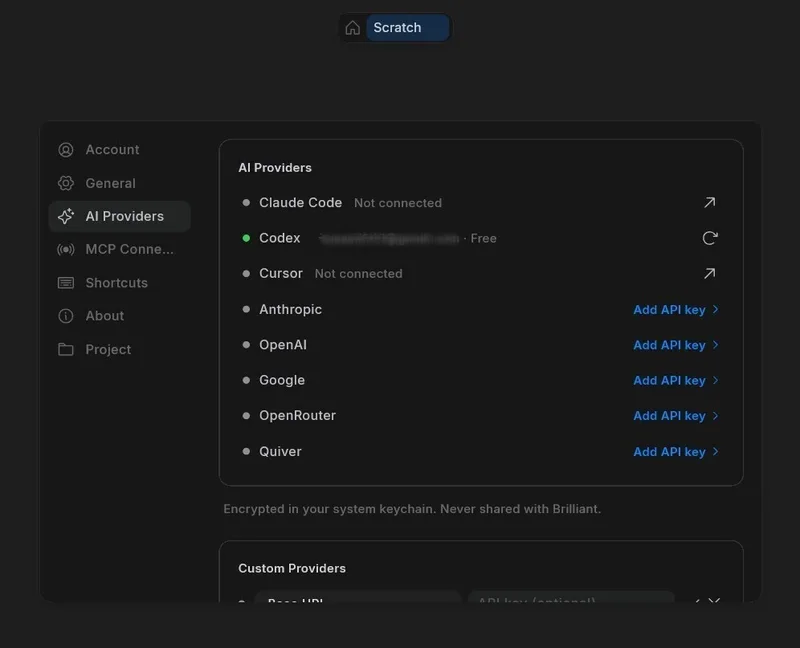
I decided to put Brilliant.design through a real-world stress test. Instead of starting with a blank canvas, I imported a developer portfolio I had in Figma to see if the tool could actually handle an existing design system or if it would just hallucinate a new one.
The MCP and Codex Integration #
The most interesting part of the setup is the Model Context Protocol (MCP) connection. By connecting OpenAI Codex via MCP, I could essentially treat the visual canvas as a data source for the terminal. This isn't just "chatting with a bot"; the agent can actually inspect the canvas elements and modify them.
I tested this by asking Codex to analyze the imported portfolio's styling—specifically the border radius, spacing, and typography—and then requested a new section. Because it was reading the actual design properties through the MCP bridge, the generated elements actually matched the existing design system rather than just "looking similar."
## Testing the Design-to-Code Pipeline

For those of us who care about the actual implementation, the "Blueprint" language is the secret sauce here. It's a compact representation of the canvas elements and their relationships, which means the AI isn't just guessing based on pixels.

If you're trying to set up a real-world deployment, here is the general workflow I followed:
-
Import the Figma file (this brings over vectors, auto-layout, and fills as editable objects).
-
Use the MCP connection to link an AI agent (like Codex) to the project.
-
Run a command to inspect the existing design tokens.
-
Generate new canvases (e.g., a "Projects" page) based on the homepage's established patterns.
-
Export the final result.
The export options are decent, covering the basics like HTML/CSS and SVG, but the React export is where the value is. Because the AI agent can read the design via MCP, you can feed those design specs directly into a coding agent to implement the UI in your codebase.
- Figma Import: Full support for auto-layout and vectors; not just a static image.
- AI Providers: Supports Codex and several other agents as built-in providers.
- Output Formats: React, HTML, CSS, SVG, and PDF.
- State Management: The "Playground" mode allows you to test AI workflows using bundled demos before you even connect your own API keys.
The real win here is that the design becomes a living part of the AI-assisted workflow. Instead of a hand-off where a designer gives a dev a Figma link and the dev spends three hours trying to find the exact hex code for a shadow, the agent just reads the Blueprint and writes the CSS. It turns the design phase into a structured data problem rather than a visual guessing game.
Next Can we actually run multiple browser agents in parallel without →