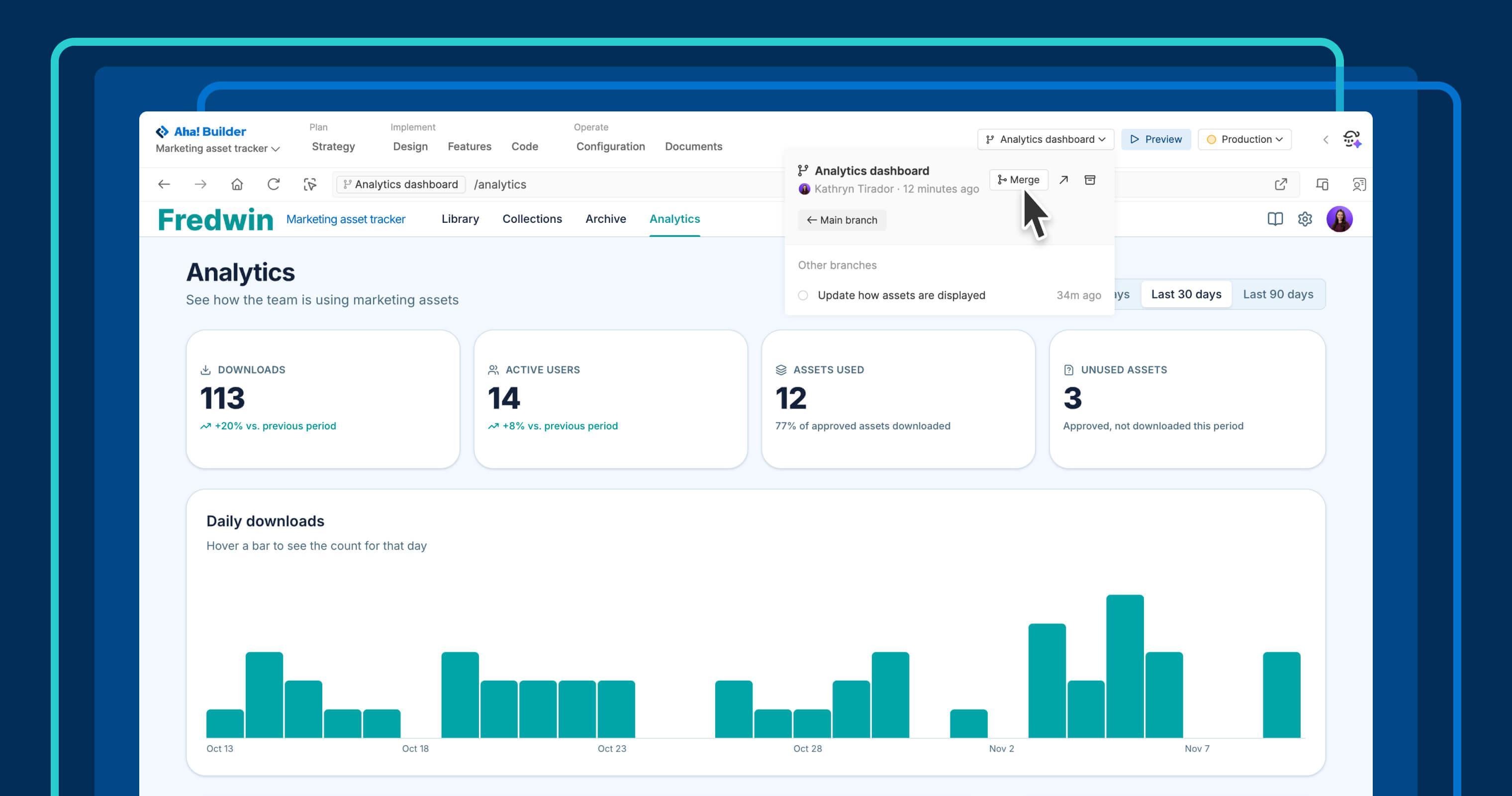
Aha! Builder turns your bold ideas into working software, taking care of the complex development work for you. And that now includes feature branches. The name might sound technical, but the benefit is simple: You and your teammates can build different capabilities side by side — without letting bigger changes hold up smaller fixes.
Use Aha! Builder to create new features in parallel using separate feature branches, each with its own application preview and conversation with Elle (the AI assistant in Aha! software).
Develop features independently, then merge your changes #
With AI app building in Aha! Builder, you describe what you want, and Elle helps create it. Until now, everyone contributing to an application worked in the same main preview. Feature branches give larger changes their own space so smaller updates can keep moving.
Each branch starts from your main preview. You can develop and test a feature without affecting the work happening in other branches or the main preview. When you are ready, merge your changes into the main branch and deploy the updated application.
Here is what you can do:
- Create a feature branch: Open a feature from the features board. Click theBuild dropdown and selectBuild in a new feature branch .
- Build alongside teammates: Work in separate branches, using a branch-specific conversation with Elle to develop each feature independently.
- Preview your changes: Switch between branches to see how each feature is progressing without affecting other work.
- Merge completed features: Bring changes into the main preview when they are ready. Elle will alert you to any code conflicts and offer to fix them if necessary.
- Archive unused branches: Set aside work you no longer need and restore a branch later if you want to revisit it.
As more people contribute to an application, there will be more ideas worth exploring and additional changes underway. Feature branches give teams a practical way to develop those ideas together, with room for substantial new features alongside ongoing improvements.
Feature branches are available to Aha! Builder customers on the Team and Scale plans.
Start a free trial of Aha! Builder
Aha! Builder is the AI app coding tool — create prototypes, validate proofs of concept, and build business applications. Sign up for a free 14-day trial or join a live demo to see why more than 1 million product managers trust our software to build lovable products and be happy doing it. Contact us if you are interested in trying Aha! Builder in your Aha! Roadmaps or Aha! Ideas account to go from idea to delivery.