FalkorDB· engineering notes GraphRAG × n8n · build log
The whole machine, documented: point n8n at hosted GraphRAG, hand an AI Agent five graph tools, publish a chat page, and keep a FalkorDB knowledge graph in lock-step with every merged PR. Every setting, every node config, every architecture decision.
GraphRAG by FalkorDB n8n community node ~15 min read
The flow at a glance #
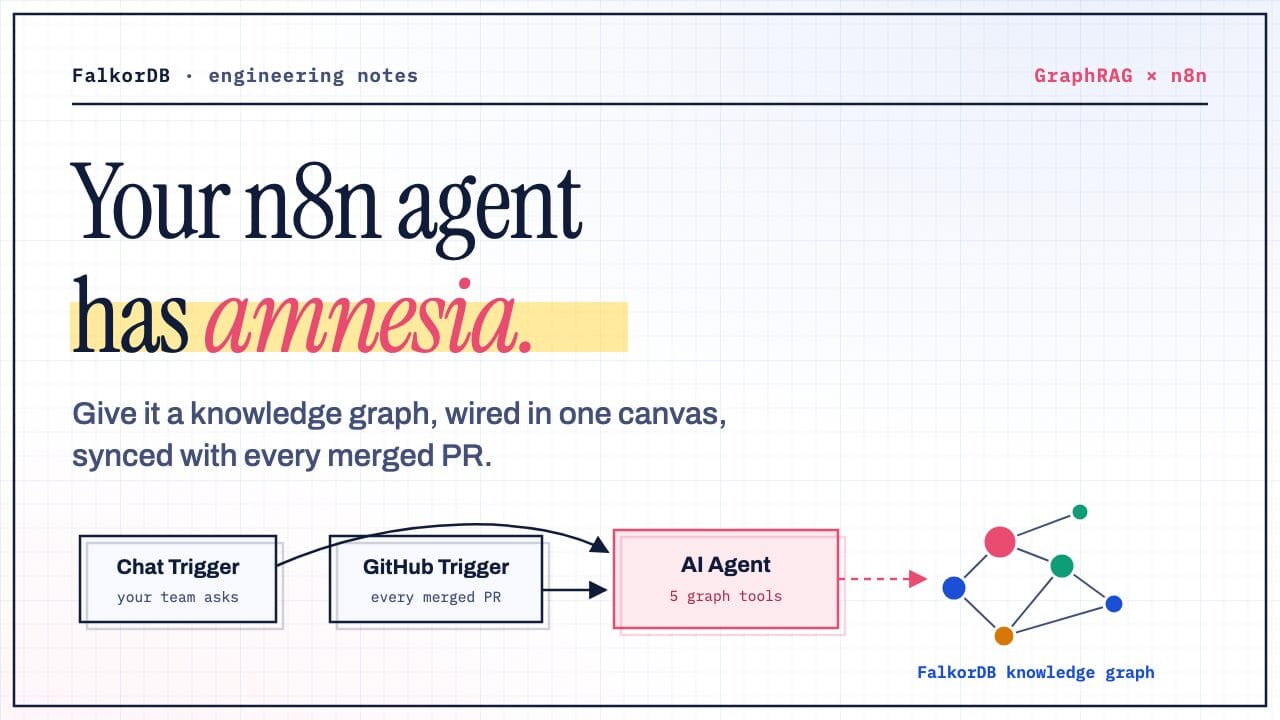
One n8n workflow, two entry points, one brain. A Chat Trigger serves your team’s questions; a GitHub Trigger feeds repository changes into the same AI Agent. Both paths end at the same FalkorDB knowledge graph.
The canvas has fourteen nodes. The chat branch is the classic n8n agent stack: Chat Trigger → AI Agent, with a chat model and window-buffer memory attached, and five GraphRAG tool nodes hanging off the agent. The GitHub branch is a five-node pipeline that normalizes a push webhook into an agent instruction: GitHub Trigger → branch filter → changed-files Code node → HTTP fetch → instruction-builder Code node → agent.
Everything graph-related happens through tools on the agent. The @falkordb/n8n-nodes-graphrag community node exposes GraphRAG’s REST operations as AI Agent tools, so the LLM decides which operation to call and with what arguments (via
$fromAI
expressions). No custom HTTP wiring, no Cypher.## Why a graph, and why n8n
For this build we used a real company handbook, Basecamp’s public handbook: a GitHub repository of Markdown documents covering policies, benefits, job ladders, onboarding, and internal rituals. Exactly the kind of corpus every team owns: prose, versioned in git, changed by pull request. (We worked from a fork, so we could merge PRs of our own for the sync half; point the workflow at whatever repository your team actually edits.)
Bootstrapping took one chat message: “ingest github.com/basecamp/handbook”. The agent called Ingest GitHub Repo, and the server chunked every file, ran LLM extraction, resolved duplicate entities, and wrote the result into a FalkorDB property graph holding three layers: document chunks with vector embeddings, the entities and relationships extracted from them, and provenance edges tying each fact back to its source chunk.
Why a graph and not just embeddings? Handbook questions are relationship questions. “Which policies affect refunds for EU customers?” spans three documents linked by shared entities; similarity search returns look-alike paragraphs, while the graph walks Policy → EXTENDS → Policy → APPLIES_TO → Region
and answers with the chain intact, citing every source document along the way.
?Why n8n for the plumbing
Webhook infrastructure for free. The GitHub Trigger registers and verifies the repository webhook itself on publish. No Express server, no signature-validation code, no route handlers.The agent loop is a node. Tool-calling, retries, memory, and model wiring are the AI Agent node’s job. Swap GPT for Claude by swapping one attached node; the graph tools don’t change.Credentials live in one place. GraphRAG API token, GitHub PAT, and the LLM key are n8n credentials: encrypted, reusable across workflows, out of the JSON you commit.Both halves stay on one canvas. The chat assistant and the sync pipeline share the same agent, the same tools, and the same execution log, so there is exactly one code path that touches the graph.
Architecture: the whole machine #
Before touching a single node, hold the full picture. One hosted service, one workflow runtime, three credentials, and a strict separation between the part that thinks and the part that routes.
There are two LLM seats in this system, and keeping them straight saves you an hour of debugging. The agent model (attached to the AI Agent node in n8n) decides which tool to call. The GraphRAG-side models (your BYO key profile, added in the GraphRAG settings) do the heavy lifting: entity extraction at ingest time, retrieval and answer composition at query time, plus an embedder for vector search. They can be the same key or completely different vendors; n8n never sees GraphRAG’s keys, and GraphRAG never sees n8n’s.
And here is what one question physically does, hop by hop:
Part I · Connect the brain #
GraphRAG is the only component that understands documents, and it’s already running for you at graphrag.falkordb.com. No containers, no .env
, no database to babysit. Three clicks of setup, then everything else is wiring.
1Create your account
Sign in at graphrag.falkordb.com. The hosted service comes with a managed FalkorDB behind it (the property graph, the vector index, the ingestion pipeline), all provisioned per account. What you bring is one thing: an LLM key.
2Add an LLM key profile
GraphRAG does its own LLM work, ingestion (entity extraction) and retrieval (answer composition), with your key, stored encrypted server-side. In Settings, add your key as a named profile, e.g. mykey
, provider openai
. Graphs bind to a profile by id.
The #1 silent killer: a provider/key mismatch. An OpenAI
sk-...
key saved under provider azure
(or vice versa) doesn’t fail when you save it; it fails on the first real call. If ingests or queries mysteriously error, check the profile’s provider first.Rotating a key later? Add the new profile
first, re-point your graphs to it,
thendelete the old one. Deletion is blocked while any graph still uses the profile (
“This key is still used by N graph(s)”). That guard exists precisely so a rotation can’t strand a live graph.
3Mint the API token n8n will use
Go to Settings → API Access and generate a token. This single token is the credential the n8n community node authenticates with; it scopes every call to your account and your graphs. Copy it now; you’ll paste it into n8n when you wire credentials in section 07.
Part II · Run n8n, install the nodes #
Two ways to get the GraphRAG nodes into your n8n: install the published package from the community registry (one click), or build the GraphRAG-n8n repo from source and load it as a local node. The second is the right choice if you want to hack on the node itself.
1Get an n8n instance
Community nodes install on self-hosted n8n (≥ 1.0). One command:
npx n8n start
Need the chat page or GitHub webhooks from outside? Two outsiders must reach your instance: humans on the chat page and GitHub’s webhook servers. Put n8n behind a public https address and set
WEBHOOK_URL
to it, because n8n bakes that address into every chat page and webhook registration at startup. The quickest way is a free Cloudflare tunnel:
brew install cloudflared
cloudflared tunnel --url http://localhost:5678
WEBHOOK_URL=https://<random>.trycloudflare.com npx n8n start
2Option A · Install from the community registry (recommended)
In the n8n editor: Settings → Community Nodes → Install → search for @falkordb/n8n-nodes-graphrag
and confirm. The FalkorDB GraphRAG and FalkorDB GraphRAG Tool nodes appear in the panel under the FalkorDB category, ready to attach to any AI Agent. Prefer the terminal? Same result:
npm install @falkordb/n8n-nodes-graphrag
3Option B · Run the repo from source
For contributing, debugging, or trying unreleased changes: clone, build, and point n8n’s custom-nodes folder at your working copy:
git clone https://github.com/FalkorDB/GraphRAG-n8n.git
cd GraphRAG-n8n
npm install
npm run build               # tsc + icons → dist/

cd ~/.n8n/nodes
npm install /path/to/GraphRAG-n8n

npx n8n start               # nodes now come from your checkout
While iterating, npm run dev
keeps dist/
rebuilt on save; restart n8n to pick up changes. The repo’s checks all run through just
(just lint
, just test
), so what you run locally is exactly what CI runs. Bonus: the repo’s workflows/
folder ships importable example workflows for every operation, pipeline and agent-tool variants alike.
Part III · The canvas, node by node #
Fourteen nodes. Here is every one of them, with the exact configuration that matters: the settings you’d otherwise reverse-engineer from the workflow JSON.
AThe chat branch · four nodes
The front door. Publishing the workflow exposes a hosted chat page. No frontend to build.
The only decision-maker. Its system message sets three hard rules (below). Tools, model, and memory all attach here.
Any chat model works; swap vendors by swapping this node. Window-buffer memory keys on the session.
BThe agent’s three hard rules
The system message declares the five tools and then constrains the agent. These three rules are what make the bot reliable rather than plausible:
Factual question ⇒ always call Ask Knowledge Graph. Never answer from conversation memory: documents change between turns, and yesterday’s answer may cite a paragraph that no longer exists.
Before updating, resolve the name. Call
List Documents first so
document_name
matches exactly what the graph has. No fuzzy guessing against upload paths.Updates carry complete content, never diffs. The server’s chunk cache (section 08) makes full-content updates cheap, so the agent never has to reason about patches.
CFive tools, one credential
Each GraphRAG tool node points at the server with the same n8n credential (base URL + API token) and pins a named graph. Every parameter defaults to a $fromAI()
expression, so the agent fills in document_name
, document_text
, or the question at call time:
POST /api/query
.POST /api/ingest
.PUT /api/documents/{name}
. Chunk-level caching skips identical chunks; only what changed is re-extracted.### DThe GitHub branch · five nodes
When a push lands on the repository, the webhook payload flows through five nodes before reaching the agent:
GitHub Trigger receives the push webhook for the repository. On publish, n8n registers the webhook with GitHub for you, using your instance’s public URL.
Branch filter (IF, “Main Branch Only”) lets through only pushes to the default branch; feature-branch commits don’t touch the graph.
Changed Markdown Files (Code) walks the push payload and emits one item per added or modified
.md
file.Fetch Raw File (HTTP Request) pulls the complete new content from
raw.githubusercontent.com
.Build Agent Instruction (Code) hands the agent one sentence of intent:
update this document with exactly this content.
AI Agent calls its
Update Document tool, the same tool a human could invoke from chat.
// Turn each changed file into an instruction for the AI Agent.
return $input.all().map((item) => ({
  json: {
    chatInput: `A file changed on GitHub (merge to main).
Update the knowledge graph: call the Update Document tool
with document_name "${$('Changed Markdown Files').item.json.name}"
and document_text set EXACTLY to the following content,
verbatim and complete:

${item.json.content}`,
    sessionId: "github-sync",
  },
}));
Two deliberate choices here. First, the update routes through the agent rather than a standalone pipeline node, so the canvas keeps one brain in charge of the graph: the same tool set, the same name resolution, the same rules, whether the caller is a human or a webhook. Second, sessionId: "github-sync"
gives the sync its own memory lane: robot traffic never pollutes a human chat session, and vice versa.
Publish, wire up, run the demo #
Import, wire three credentials, activate. Then run the demo end to end.
1Import and wire up
Import the workflow:
Workflows → ⋯ → Import from File→ the
graphrag-kb-github.json
that accompanies this post. It appears as “GraphRAG KB · Chat + GitHub Ingest.”(The
GraphRAG-n8n repoalso ships smaller per-operation examples in
workflows/
.)FalkorDB GraphRAG credential: base URL
https://graphrag.falkordb.com
- the API token from section 04, step 3.OpenAI credential: any key; this one only powers the agent’s tool routing.
GitHub credential: a PAT, needed only by the GitHub Trigger branch. Point the trigger at a repository you can merge to (your handbook, or a fork of Basecamp’s).
Activate(toggle, top-right). This publishes the chat webhook and registers the GitHub webhook.
2The demo
Chat button: every node lights up as the agent works. This is the best debugging view in the whole stack.
<base>/webhook/kb-chatbot/chat
. Share your n8n URL with your team.*“ingest github.com/basecamp/handbook”*→ watch
Ingest GitHub Repo fire.
That’s the demo.
Under the hood: why updates are cheap #
The GitHub sync only works economically because of one server-side trick: chunk-level extraction caching. Here’s what actually happens when Update Document fires.
First, the graph itself. Every document lives in three layers, and the edges between them are what make both citations and cheap updates possible:
Now the update. When PUT /api/documents/{name}
arrives with the new content, the server does not re-extract the whole document:
Whole-document short-circuit. If the SHA-256 of the new text matches the stored document hash, the update is a no-op. A merge that touches only code files costs nothing.
Chunk the new text with the same chunker used at ingest.
Hash every new chunk and compare against the stored chunks of the same document. Byte-identical chunks are
cache hits.
Cache hits skip the LLM entirely. Their entities and relationships are rebuilt from the live graph (two batched Cypher queries for all cached chunks combined) and remapped onto the new chunk ids, provenance intact.
Only changed chunks go to extraction. Edit one paragraph in a 50-chunk document and roughly one chunk (plus its overlap neighbors) pays for LLM calls.
Atomic cutover. The new chunk set replaces the old one in a single transition; stale entities and edges whose last supporting chunk vanished are cleaned up, and anything still referenced elsewhere survives.
Honest numbers: chunk boundaries shift when text length changes, and overlap means an edit dirties its neighbors. In our live test, editing one section of a handbook page re-extracted 2 chunks and served 1 from cache. Not a fantasy 99/1 split, but still a fraction of a full re-ingest, and the fraction shrinks as documents grow.
Author #
Software Engineer at FalkorDB, working across AI, GraphRAG, and developer platforms. He builds graph-powered AI solutions, contributes to GraphRAG, Snowflake integrations, and MCP tooling, and develops full-stack products while driving automation, testing, and open-source initiatives with Python and TypeScript.