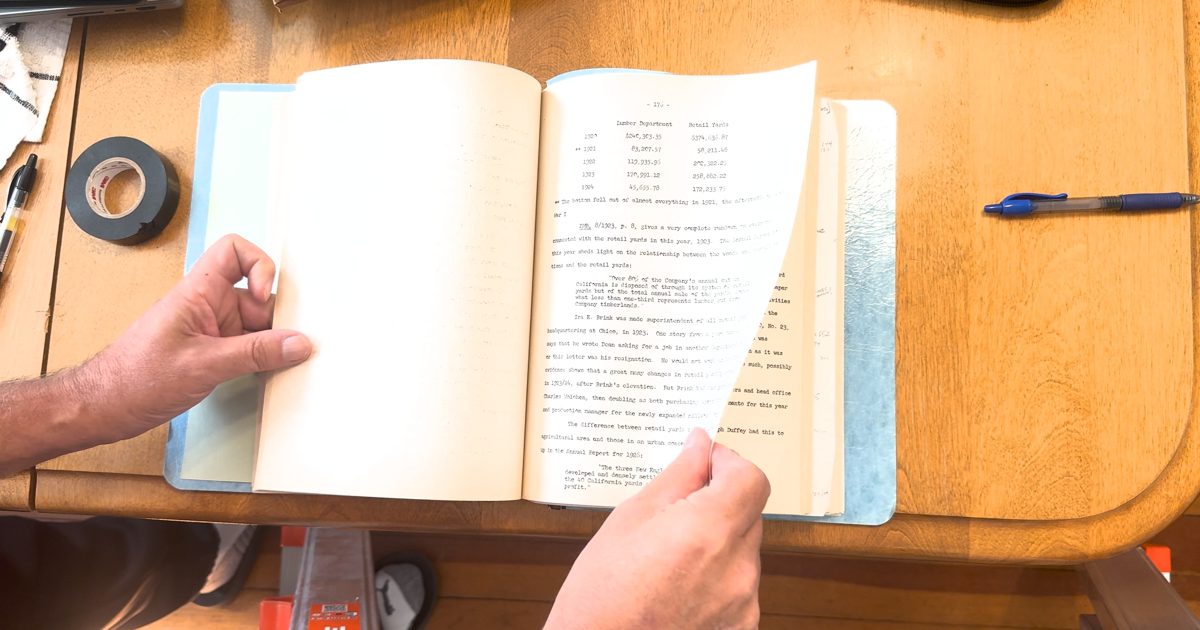
Yes, you can scan an old, bound book by simply shooting a high-resolution video of yourself turning its pages, then doing some post-processing with OCR and AI to digitize it: one Markdown text file of all the content, with the photographs captured, deskewed and linked. It doesn’t require any special hardware.
I do have the source code, written with Claude Code, that does all of this. You could probably make the same project by giving this article as a prompt. I’m not trying to add to the half-baked code repos we’re all seeing on Hacker News and other sites.
I didn’t expect this to actually work. It doesn’t need a big specialized book scanner; it uses the iPhone in my pocket. It seems like the minimum time I need to spend with an old book in my possession to digitize it, without making it a 40-hour project or cutting the binding.
Using video to scan and OCR a book does have issues:
- Set the resolution to 4K and make sure you have good lighting.
- You don’t get immediate feedback if you blocked a page with your hand or had some other problem.
- You are not guaranteed a flat scanning surface, so page skew and page curl must be dealt with.
- Several stills can be taken of each page, then compared and processed when problems are found.
- An AI model can combine the stills of the same page and find a consensus.
It took about 30 minutes to scan a 400-page book, pausing for a second or so between pages. The is also the trigger for the processing to take a still of the page for OCR. Processing took a couple of hours on a desktop: local OCR first, then Claude merging the reads of each page.
For the rest of this, I’ll have Claude add the technical details.
The process, in four stages #
It is a small Python command-line tool. Give it one or more video clips and it writes a folder for
the run: the stills it pulled, the OCR of each, the cut-out figures, and book.md at the end. Each
stage caches its work, so a crash or a change to one stage only reruns that stage.
1. Finding the held moments
The video is read once. Each frame is shrunk to 480 pixels wide and converted to grey before Python sees it, because decoding 4K in OpenCV is slow. Two numbers are kept per frame: motion (mean difference from the previous frame) and sharpness (variance of the Laplacian). A run of low-motion frames means a page is being held still. The three sharpest frames of each run are saved as full-resolution stills.
So the between pages is the trigger. There is no button. Hold the page for a second and it gets captured. Flick past it and it doesn’t.
Each clip can be rotated differently, depending on how the phone was held for that take. The tool OCRs a sharp frame all four ways round and keeps whichever reads best.
2. Local OCR
Each still goes through RapidOCR (the PP-OCR models on onnxruntime, CPU only). The lines come back with boxes and a confidence score. Then they have to be put in reading order. The gutter is found as the dark shadow between the pages, the lines on each page are clustered into columns by their left edge, and paragraph breaks come from vertical gaps.
Resolution matters more than anything else here. At 1080p the body type is about 8 pixels high and the OCR misreads a lot of it. At 4K it is about 16 pixels and mean line confidence went from 0.94 to 0.98. On the first test book that was the difference between 17 illegible words per thousand and about one. iPhones record 1080p unless you change it under Settings > Camera > Record Video.
3. Cutting out the figures
A photograph on a page is a large block that is dark or halftone-textured where paper would be blank. The OCR line boxes are blanked out first so a column of text can’t be mistaken for one. The four corners come from the convex hull, the figure is deskewed with a perspective warp, saved as its own JPEG and linked from the transcript ahead of its caption. A second pass looks for line drawings and maps, which are mostly white, by keeping long straight dark strokes and the closed rectangles they form.
This is the most fragile stage. On a typescript with no pictures at all it found 31 “figures”, all wrong: typed text blocks, bleed-through from a thin sheet, and in one case a shoe. There is a flag to skip it.
4. Merging the reads with Claude
The same page is usually held still more than once, and each still has its own problems: blur, a hand, curl near the binding, a reflection. Consecutive stills are grouped into one page when their OCR text matches. A looser check, based on shared three-word runs, lets a hand-covered read of a page join the clean read of that page.
For each page, Claude gets the best still from each held moment (left and right page crops), the
raw OCR text of each, and a system prompt: transcribe every word, use the other photos where one is
unclear, join hyphenated line breaks, write [illegible] for a word unreadable in every photo, and
never invent text. The output is the page as Markdown.
The call goes through the claude command-line tool in headless mode, with only the Read tool
allowed so the model can open the image files. That means it runs on the Claude subscription rather
than a metered API key. Two models split the work. Sonnet handles a page whose OCR reads agree with
each other. Opus gets a page whose reads disagree, which is where the photos are poor and there is
actual work to do. About a third of the pages of the test book went to Opus. A page takes around
30 seconds either way.
Knowing what you missed #
What you give up with video is feedback. With a flatbed you see each page as it comes. Here you find
out two hours later. So the tool reads the printed page numbers back out of the transcription and
prints a report: pages with illegible words, numbers that never turned up, numbers that turned up
twice. A missing page gets a *[page 357 not captured]* marker in the body text where it belongs.
A missing page was usually held, just not quite still enough. So a rescue pass goes back to the video for whatever the first pass got wrong. For a missing page it searches the frames between the pages on either side with the motion limit loosened. For a page with illegible words it pulls up to six more frames from the time that page was on screen and merges the page again with more photos. Each round only costs the problem pages.
Whatever is still wrong after that was not in the footage. For those, a short second video of just the problem pages, or a handful of photos, goes through the same pipeline and the pages are merged into place by number. For the last few dozen illegible words the tool listed each one with the sentence around it, to be filled in by hand against the book.
How the 400-page book went #
| Video | four clips, 34 minutes in total, mostly 4K at 24 fps | | Stills pulled | about 3,200 | | Pages in the transcript | 414 | | Words | about 139,000 | | Illegible words after the first pass | 232, about 1.7 per thousand | | After the rescue pass, a short re-shoot and eight photos | a few dozen, answered by hand | | Figures | none; it was a typescript, so the figures stage was skipped |
Frame analysis and OCR took under an hour for all four clips on a 16-core desktop. The Claude merge is the slow part, at half a minute a page.
Advice for trying it #
- Shoot 4K. It is the biggest improvement available and it costs nothing.
- Light from beside or behind the camera. The illegible words on the first test book were almost all on a page that curled toward a window and reflected it. Nothing downstream can recover a reflection.
- Hold each page a full second , or rest the phone on something. The held moments are what the tool keys on.
- Hold the page by its margin. A hand over the text in every still of a page is gone for good. A hand in one of three is fine.
- Film in clips of fifty pages or so. A mistake then costs one clip. The clips are given to the tool in order as one book.
- Keep the video. It is the source. The processing can be redone anywhere, with a better OCR model or a better prompt, long after the book has gone back on the shelf.