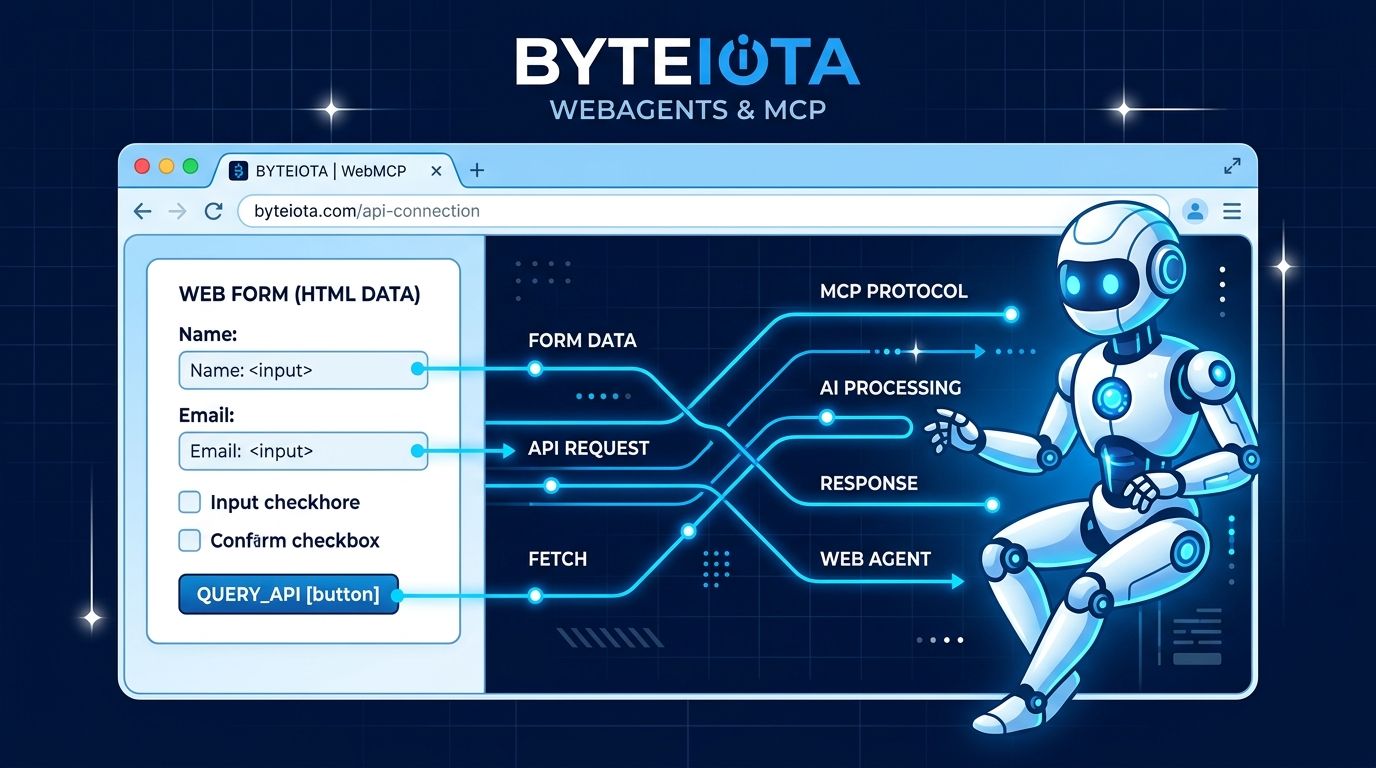
AI agents can browse the web now. The catch is that most of them do it by staring at your DOM like it is a word search puzzle — scraping HTML, inferring which button does what, failing unpredictably when you rename a CSS class or restructure a form. WebMCP is Google’s answer to that mess. It is a browser standard that lets you give agents a proper machine-readable contract instead of a rendered layout. The Chrome 149 origin trial has been live since May. A scan of 111,000 top websites in July found zero production deployments. That gap is your window.
What WebMCP Actually Does #
WebMCP is a W3C draft standard, co-authored by engineers from Google and Microsoft, that lets a web page expose structured tools directly to browser-based AI agents. Think of it as a machine-readable API layer that lives in your browser tab. Instead of an agent reverse-engineering your UI from DOM nodes and screenshots, your site declares what it can do — and agents call those capabilities directly.
The first live consumer of WebMCP tools is Gemini in Chrome. Once you register a tool, Gemini can invoke it on behalf of users without clicking through your interface. Early benchmarks from the Chrome 149 origin trial report 8 to 12 times faster task completion compared to vision-based agents working on the same pages, with roughly 89 percent token efficiency improvement. For e-commerce and booking flows specifically, structured tools show 78 percent improvement over DOM scraping. The performance case is not subtle.
Two APIs: Pick Your Level of Effort #
WebMCP gives you two implementation paths depending on how complex your site’s interactions are.
Declarative API
If you have an HTML form that already does something useful, three attributes are all you need:
<form toolname="search-products"
      tooldescription="Search the product catalog by keyword"
      toolautosubmit>
  <input name="query" type="text" />
  <button type="submit">Search</button>
</form>
That is it. The form becomes a callable tool. Agents can invoke it directly without touching your UI. Low friction, high compatibility with existing markup.
Imperative API
For more complex workflows — dynamic tool registration, server-fetched results, multi-step interactions — you register tools programmatically via JavaScript:
const ctx = document.modelContext || navigator.modelContext;

ctx.registerTool({
  name: "search-products",
  description: "Search the product catalog by keyword and category",
  inputSchema: {
    type: "object",
    properties: {
      query:    { type: "string", description: "Search term" },
      category: { type: "string", description: "Product category filter" }
    },
    required: ["query"]
  },
  execute: async ({ query, category }) => {
    return await api.search(query, category);
  }
});
The execute
function can hit your backend, validate inputs, return structured JSON — anything your existing API layer supports. JSON Schema handles input validation. The agent gets a typed, predictable interface.
A Note on the API Name
The WebMCP spec has moved faster than Chrome’s changelog. The API shipped as navigator.modelContext
, was deprecated in Chrome 150 in favor of document.modelContext
, and went by window.agent
in earlier proposals. Use the compatibility pattern for now: const ctx = document.modelContext || navigator.modelContext;
. An npm polyfill (@mcp-b/webmcp-polyfill
) is available for broader compatibility coverage.
Zero Deployments Is the Point #
Here is the part that should get your attention. Spronta’s July 2026 scan of 111,000 top-tier websites found exactly zero production WebMCP deployments — outside of demo and checker sites. The brands Google announced as origin trial participants at I/O — Shopify, Expedia, Etsy, Target, Booking.com, Instacart, Credit Karma, TurboTax, Redfin — are experimenting, not shipping.
This is the structured data moment. When schema.org launched in 2011, developers who added markup early dominated rich snippets for years while competitors watched. WebMCP is setting up the same dynamic. AI agents are already routing tasks through Gemini in Chrome. When production deployments arrive in late 2026 and agent traffic scales, agent-ready sites will be the path of least resistance. Sites without structured tools will get the fallback experience — the DOM scraper that fails when you redeploy.
How to Start Today #
The barrier to entry right now is low. For local development, open Chrome and navigate to chrome://flags/#enable-webmcp-testing
, set the flag to Enabled, and relaunch. Chrome DevTools already supports WebMCP — you can inspect registered tools, invoke them manually, verify your JSON Schema definitions, and review structured output without needing a live agent.
For production origin trial enrollment, register a token at the Origin Trial console and add it to your HTTP response headers or a <meta>
tag. Your tools will then be visible to Gemini in Chrome for enrolled users.
WebMCP and MCP Are Not Competing #
If you already run an MCP server, WebMCP is the browser complement, not a replacement. MCP handles backend integrations — persistent tool access across sessions, server-side data sources, any platform. WebMCP handles live web page interactions — the tools that only make sense in the context of a specific tab. Both use JSON Schema for tool definitions, so the two layers compose cleanly.
One security reality worth knowing before you ship: research published in June 2026 identified WebMCP tool surface poisoning attacks — malicious tool descriptions or runtime tool substitutions that redirect agent behavior. Reported success rates against popular agents ran between 60 and 72 percent in lab conditions. The mitigation is straightforward: bind tool identity to its page origin, log invocations, and do not expose tools that can perform destructive actions without user confirmation. The Chrome agent security documentation covers the specifics.
The Timeline #
Production readiness across Chrome and Edge is targeted for late 2026. The spec has Google and Microsoft as co-editors, which means Edge support is a matter of when, not if. Firefox has not committed, but the standard is on the radar.
The Chrome 149 origin trial is open today. The implementation cost for a basic declarative tool is three HTML attributes. The implementation cost for a full imperative integration is an afternoon. The cost of waiting until your competitors have already shipped and Gemini has already indexed their tools is harder to calculate — but historically, being second to structured web standards has not worked out well for anyone.
The full WebMCP documentation is on Chrome for Developers. Start with the declarative API on one form, test it in DevTools, and see what Gemini sees when it looks at your site.