C4 modelling · MCP server · self-hosted
Draw system context, containers, components and code. Attach the docs, sequence diagrams and API contracts to the elements they belong to. Serve the whole thing to Cursor or Claude Code over MCP.
free · no account · runs in this browser · export any time
01
Levels
Four levels, one model #
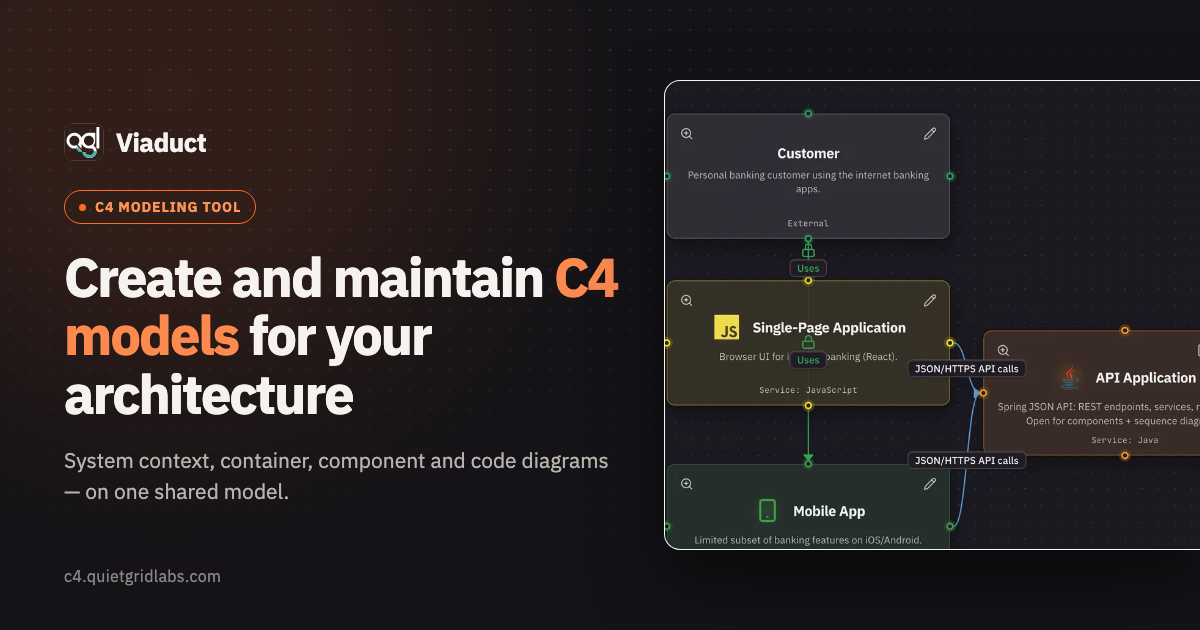
Open a system to see its containers, a container to see its components. Every level is a view of the same model, so a rename or a new dependency shows up everywhere it belongs.
02
Notation
The technology picks the colour #
Pick a technology and the element takes its colour and logo. Datastores are drawn as cylinders, people as actors — so a diagram is scannable before anyone reads a label.
03
What an element carries
Docs, diagrams and schemas live on the element #
Every element carries its own Markdown pages — a design note on a service, a runbook on a worker, an ADR on a system. Write in the editor with a live preview, insert a stored sequence diagram or an API endpoint as a block, and the page keeps rendering the current version instead of a screenshot that rotted last quarter.
04
Testimonials
What teams say once the model is theirs #
The tool earns its place when the diagram stops being a screenshot someone has to remember to update.
05
Magic flows
A request, played back across the canvas #
A Magic flow is an ordered walk through the model: each step names a hop, the elements it goes from and to, and the connection it uses. Steps that happen at the same time share a stage, so a fan-out reads as a fan-out.
- Build a flow from the elements you already modelled — no second diagram to maintain.
- Play it on the canvas: everything dims except the current hop, and the camera follows the request.
- Generate a sequence diagram from the flow, and attach the docs and diagrams that explain each step.
Playing “Payment leaves the bank”, step by step.
06
Contracts
Endpoints are stored as OpenAPI #
Describe an endpoint in the editor — typed parameters, request body, a card per status — and the container holds the OpenAPI document for the whole service. Import a spec to fill the canvas from it; export it back as a file.
{
  "openapi": "3.1.0",
  "info": { "title": "Accounts API", "version": "1.4.0" },
  "paths": {
    "/api/accounts/{id}": {
      "get": {
        "operationId": "getAccount",
        "summary": "Get account",
        "parameters": [
          { "name": "id", "in": "path", "required": true,
            "schema": { "type": "string" }, "example": "acc_42" }
        ],
        "responses": {
          "200": { "description": "OK", "content": { "application/json": {
            "example": { "id": "acc_42", "currency": "EUR" } } } },
          "404": { "description": "No account with that id" }
        }
      }
    }
  }
}
accounts-api-openapi.json — exported from a container
07
MCP
One server, one token, the whole architecture #
Cursor, Claude Code, Claude Desktop and any other MCP client can read the architecture straight from Viaduct: systems and services, API endpoints with their contracts, WebSocket channels, documentation and sequence diagrams. One hosted MCP server, one personal token, no repository to clone.
- Your agent answers “what talks to what, and over which contract?” from the model instead of guessing from the codebase.
- It can write back too — new services, endpoints, connections and docs land in the same model your team reads.
- Hand it a change set: a piece of work pinned to a fixed version, with the constraints and acceptance criteria it has to prove.
How the MCP server and change sets work
Work an agent can finish, and you can verify
A change set is scoped to one pinned version, so nothing shifts under the agent while it builds. It reports each finished piece with the criterion it proves and the commit that proves it — the status moves itself from draft to done, live on your screen.
08
Assistant
The boring half of documenting, done for you #
Not every team keeps an agent of their own, and the parts of a model that go undocumented are the dull ones: descriptions nobody wrote, flow steps still called "Step 4". Viaduct's built-in assistant writes those. It is in the editor, it needs no key and no setup, and it never changes your model on its own — every suggestion is shown, and applying it is a button you press.
- A description for any element that lacks one — one at a time, or every blank in a system at once.
- A review of the whole model: what is undescribed, what nothing talks to, what looks like the same job done twice. Every finding names a real element, and clicking it takes you there.
- Names for the steps of a Magic flow that nobody got round to naming — written into the draft, so saving is accepting.
Included with an account, with a monthly allowance per person. Guests draw; the assistant needs a sign-in.
A review, as it comes back
Order Service
No description — nothing says what it is responsible for, and three services depend on it.
Notification Worker
Nothing connects to it and it connects to nothing; either the flow is missing or the service is.
Legacy Billing
Appears to do the same job as Billing Service — one of the two is probably the old one.
09
Your data
Your architecture, on terms you can check #
An architecture model is a map of everything you run, which makes “where does it live?” the first fair question about a tool like this. Three answers, all of them verifiable.
It stays where you put it
Without an account the model never leaves your browser. With one it lives on servers in the Netherlands, inside the EU, and so do the backups.
You can take it with you
The whole model exports as JSON, and a container’s endpoints as an OpenAPI document — any time, without asking us. Nothing here is a one-way door.
The agent gets in only if you let it
MCP access needs a personal token you issue yourself, scoped to your projects. Revoke it and the access ends that moment.
10
Questions
Answered before you have to ask #
What does it cost?
Nothing. Viaduct is free — every level, the MCP server, collaboration and change sets included. There is no trial that ends and no feature held back behind a plan. If you want the work to continue you can donate, and that buys nothing but the work continuing.
What is the AI assistant, and what does it cost me?
It writes the parts of a model people leave blank: descriptions for elements that have none, names for unnamed flow steps, and a review of the whole model that points at real elements rather than giving generic advice. It runs on our provider, so there is no key to obtain and nothing to configure, and every account gets a monthly allowance of it. Nothing it suggests is applied on its own — you see the text and press a button, or you do not.
Do I need an account?
Not to draw. The editor opens with a sample model and works entirely in your browser, where the model stays on your machine and never reaches our servers. An account is for the things a browser cannot do alone: keeping a project across devices, sharing it with your team, and serving it over MCP.
Where does my architecture live?
On servers inside the EU, along with the backups. Without an account it lives in your browser and nowhere else. Either way you can export the whole model as JSON, and any container’s contracts as an OpenAPI document, whenever you like.
What can an AI agent do with it?
Read the model and write to it: Cursor, Claude Code, Claude Desktop or any other MCP client can ask what talks to what and over which contract, and can add services, endpoints, connections and documentation back. Access needs a personal token you issue yourself, scoped to your projects, and revoking it ends the access immediately.
How is this different from a diagramming tool?
A diagram is a picture; this is a model. An element exists once and appears on every level it belongs to, so a rename or a new dependency shows up everywhere at once. The endpoints on a container are a real OpenAPI document, not labels on a box — which is what makes the whole thing readable by something other than a person.
Can I bring what I already have?
Import an OpenAPI specification and the endpoints land on the container with their parameters, request bodies and responses. Models export and import as JSON, so moving a workspace — or keeping a copy outside this service — is a file.
11
Start here
The sample model is already loaded #
Open the editor and an Internet Banking system is waiting, modelled across every level, with docs, flows and contracts attached. Clear it when you want to start your own.